

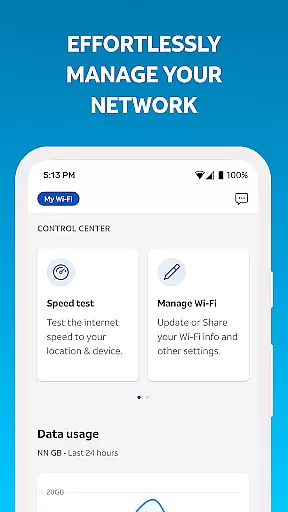
Smart Home Manager is a productivity-focused application designed to simplify the management of your AT&T Internet service. The app provides an intuitive interface for users to set up and manage their home network without needing technical assistance. Core features include Wi-Fi network customization, parental controls, and device management.
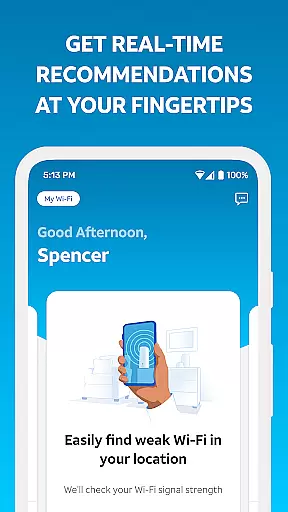
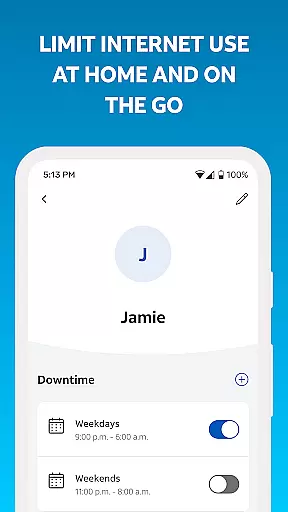
With Smart Home Manager, users can easily troubleshoot issues, update Wi-Fi settings, monitor connected devices, and personalize device names. It also allows for creating profiles to manage screen time and setting downtime schedules. Additionally, users can pause Wi-Fi access for specific devices, test Internet speed, identify weak signal areas, and check network health.
This app is particularly useful for families looking to control their children's screen time and ensure a healthy digital environment at home. By offering comprehensive tools in one place, Smart Home Manager enhances user productivity by streamlining network management tasks.
Smart Home Manager stands out with its robust feature set tailored for efficient home network management. One key feature is technician-free troubleshooting, which empowers users to resolve common network issues independently. This not only saves time but also reduces reliance on external support.
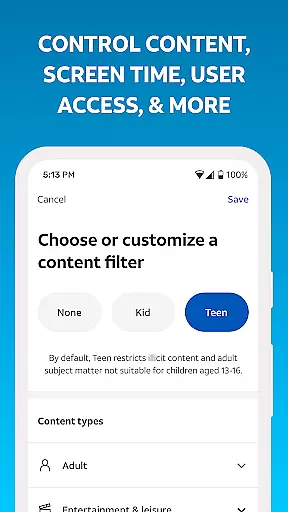
The app offers extensive Wi-Fi customization options, allowing users to modify network names and passwords effortlessly. It also supports advanced functionalities like parental controls, enabling the creation of profiles that regulate screen time through customizable schedules. Furthermore, users can pause Wi-Fi access for any device, ensuring better control over network usage.
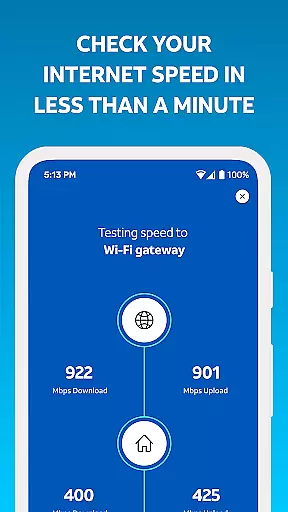
Additional features include Internet speed testing, identifying weak signal spots, and receiving notifications about network issues or outages. These capabilities collectively enhance the overall user experience by providing proactive network management tools.
Task management is a critical component of productivity applications, enabling users to organize, track, and complete tasks efficiently. The Smart Home Manager app excels in this area by providing a comprehensive suite of tools designed to manage your home network effectively.
This app allows you to handle various aspects of your home network with ease. You can update Wi-Fi settings, set parental controls, and manage screen time for your family. These features are integrated into an intuitive interface that simplifies complex tasks, making it accessible even for those who are not tech-savvy.
By centralizing all these functions into one platform, the app ensures that users can maintain their network health without needing to navigate through multiple menus or systems. This streamlined approach saves time and reduces the cognitive load on users, allowing them to focus on more important activities.
Cross-device synchronization is essential for ensuring that all your devices are updated with the latest network settings and configurations. The Smart Home Manager app offers reliable synchronization across all connected devices, enhancing the overall user experience.
With this app, any changes made to your Wi-Fi settings, such as updating the network name or password, are immediately reflected across all devices. This real-time update capability ensures that there is no downtime and that all your devices remain connected without interruption.
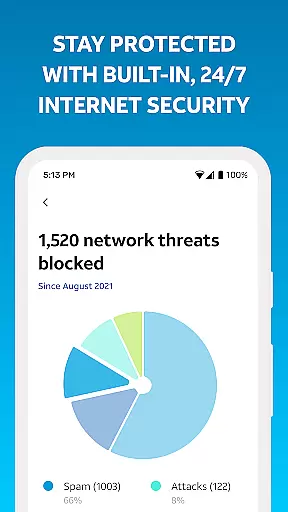
The reliability of this synchronization is further enhanced by notifications of issues and service outages. Users receive alerts about potential problems, allowing them to take proactive measures. Additionally, the ability to restart your Wi-Fi gateway directly from the app adds another layer of convenience and reliability, ensuring that your network remains robust and efficient.
User-friendly interface
Comprehensive network tools
Technician-free troubleshooting
Advanced parental controls
Real-time network monitoring
Limited to AT&T customers
Requires compatible gateway
Feature availability varies
No offline functionality
Dependent on Internet service

QuickBooks Workforce lets teams view pay info and track time in one place.
 4.70
4.70
Auto-shutoff Alarm with Sunrise, Sunset & Fixed Options.
3.50
A lightweight JSON & XML files creator, editor and viewer (Premium Version)
4.40
Make your handwriting beautiful, even more than pen on paper.
3.60
A Pixel Art watchface inspired by other iconic 90s designs for Wear OS devices!
4.40
Quickly and easily keep track of your work shifts
4.70
Share files & memories safely. Keep your photos and videos secure.
4.40
Simple notepad & memo. Take notes, to-do list, shopping list with reminders.
4.80
Set up, print, and get support—in one place
4.20
Great calculator for Android named one of USA TODAY's "25 Essential Apps".
4.90
App Lock with fingerprint, password: Lock apps & hide photos with lock screens
4.60
Tally and goal counter for Wear OS & mobile
4.50
Send files, sync SMS, notifications & clipboard across devices via local network
4.40
Easily read and manage all your PDF files
4.10
Experience real multitasking on your Android!
4.00
Unlock AutoNotification
4.00
Take control of your clipboard with Clipper!
3.90
Easiest event planning, volunteer signups & parent teacher conference scheduling
2.20
The upgraded version of Name Wheel with AI and the power to add your own wheels.
4.2


User Reviews