

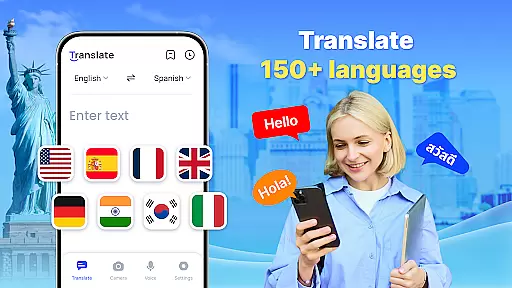
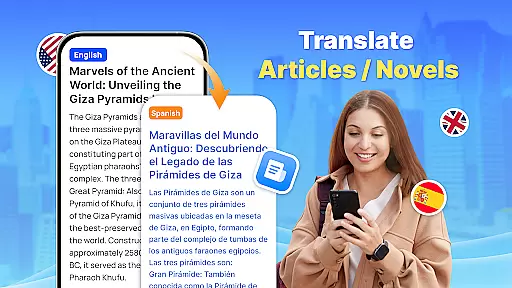
Translate - Translator is a versatile productivity app designed to break language barriers through its comprehensive translation capabilities. Supporting over 150 languages, this free translator app offers text, voice, and photo translation, making it an essential tool for travelers, students, and professionals alike.
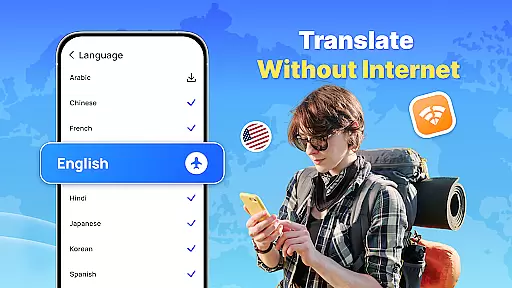
The app's standout feature is its offline functionality, allowing users to translate without an internet connection. Whether you're traveling abroad, communicating with foreign colleagues, or learning new languages, Translate - Translator ensures seamless interactions across different linguistic contexts.
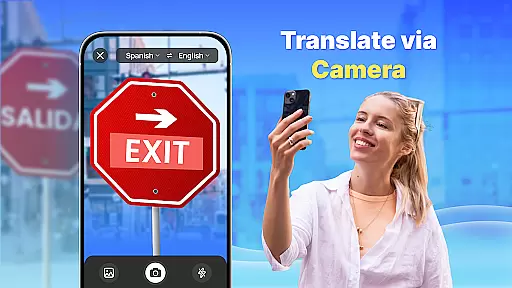
This app is particularly valuable in real-world scenarios like international business meetings, where instant text translation and real-time voice translation facilitate smooth communication. Its AI-powered photo translation also makes it easier to understand foreign menus, signs, and documents, providing practical solutions for global travelers.
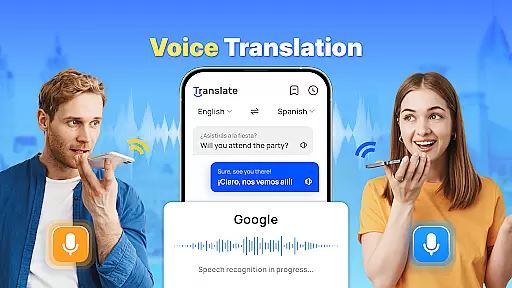
Translate - Translator distinguishes itself through a robust set of features that cater to diverse translation needs. The app supports multiple translation modes including text, voice, and photo translation, each powered by advanced recognition technologies.
One of the key innovations is the floating ball feature that enables quick full-screen translations. Users can simply activate the floating ball to translate any text on their screen instantly. The app also incorporates auto-detect functionality for input languages and provides reverse translation for verification purposes.
Additional notable features include the ability to save and share translation results, create personalized translation collections, and extract text from images. These capabilities not only enhance user convenience but also make the app a comprehensive language solution for various professional and personal use cases.
Core task management in a productivity app like Translate ensures that users can efficiently handle various translation tasks. This involves organizing and prioritizing translation jobs, whether they are text, voice, or photo-based.
The Translate app allows users to input text manually, speak to translate, or even capture images containing text for translation. Each mode is designed to cater to different scenarios, such as traveling, business meetings, or language learning, ensuring that the user's needs are met with precision and speed.
By integrating features such as auto-detecting input languages and providing reverse translations, the app simplifies the entire translation process. Users benefit from an intuitive interface that requires minimal effort to produce accurate translations across 150+ languages.
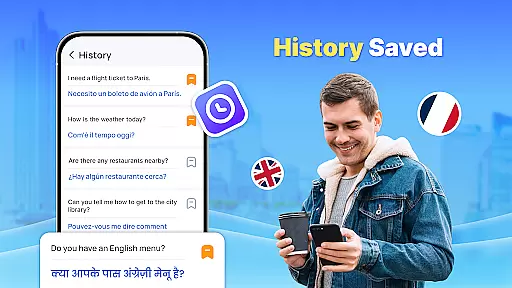
Moreover, the ability to save and share translation results adds another layer of utility, allowing users to build a repository of commonly used phrases or important translations. This feature enhances productivity by reducing repetitive tasks and streamlining access to frequently needed translations.
Cross-device synchronization reliability is crucial for users who employ multiple devices in their daily routines. For an app like Translate, ensuring that user data is consistently updated across all devices provides a seamless experience.
Translate supports this by offering cloud-based saving of translation histories and preferences. Whether you're switching from a smartphone to a tablet or sharing translations with colleagues on different devices, the app maintains continuity without missing a beat.
This synchronization extends to offline translations as well. Users can download language packs on one device and access them on another without needing an internet connection, making it ideal for international travel or areas with poor connectivity.
Ultimately, reliable cross-device functionality not only boosts productivity but also enhances user satisfaction by providing flexibility and peace of mind. With consistent updates and backups, users can trust that their translation work is always up-to-date and accessible wherever they go.
Fast and accurate translations
Supports 150+ languages
Offline functionality available
User-friendly interface
AI-powered photo translation
Limited advanced features
Occasional accuracy issues
Ads in free version
Large app size
Requires permissions



Direct Chat without saving contacts & Dual WA Account on Single Device
 4.70
4.70
8 custom complications. Custom Time Fonts. Beautiful color schemes. A++ Design.
5.00
Smart PDF reader & editor to view, organize and manage PDF documents easily.
3.70
Absolutely the best CNC machinist speed and feed calculator around. fswizard.com
4.60
A beautiful digital clock with autostart and many other functions
4.70
A Pixel Art watchface inspired by other iconic 90s designs for Wear OS devices!
4.40
Secure your apps with lock screens, use custom themes and different features.
4.40
Ultimate Virtual AI Character for immersive Roleplay Chat. Perfect Companion
3.90
AT&T Internet customers can use this app to personalize their Wi-Fi network.
4.40
Protect and view your important info on your phone and tablet with eWallet®
4.80
Secure, fast, open-source, VNC and SSH Remote Desktop for Windows, Linux and Mac
4.70
Quickly and easily keep track of your work shifts
4.70
Intelligent AI Assistant
4.10
Create and edit presentations with Google Slides, part of Google Workspace.
4.00
Secure, open-source, SPICE and SSH Remote Desktop for QEMU KVM virtual machines
4.00
* block pre-roll ads, pop-up and forced redirect ads * Samsung certification app
4.00
Make your handwriting beautiful, even more than pen on paper.
3.60
Auto-shutoff Alarm with Sunrise, Sunset & Fixed Options.
3.50
A simple, portable logger for POTA, SOTA, Field Day, and more
4.0

User Reviews