

Light Meter is a comprehensive photography tool that combines both spot and incident light metering in one app. Designed for photographers of all levels, the application utilizes the device's camera for reflected light readings and its built-in light sensor for incident measurements. Tested rigorously, it matches the accuracy of renowned brands like Gossen and Sekonic on most devices.
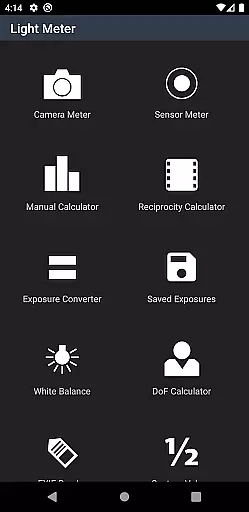
Beyond basic light metering, this app offers advanced features such as Color Temperature (White Balance) measurement, Reciprocity Failure calculation, Exposure Conversion, Manual (Sunny Sixteen) settings, Depth of Field computation, and an EXIF Reader. Whether you're shooting with a film SLR, pinhole camera, or working in cinematography, Light Meter provides the essential tools to ensure perfect exposure and image quality.
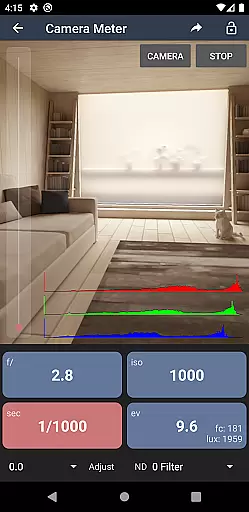
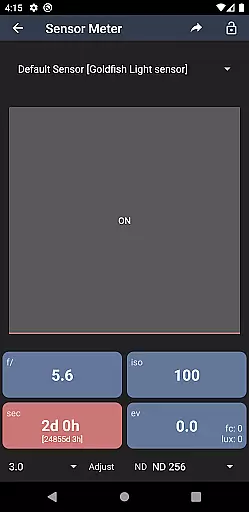
Light Meter stands out with its dual functionality, offering both spot and incident light metering capabilities. The spot metering feature uses the smartphone's camera to measure reflected light from a specific area, while the incident light meter leverages the device's light sensor to gauge ambient light conditions. This dual approach ensures accurate readings across various shooting environments.
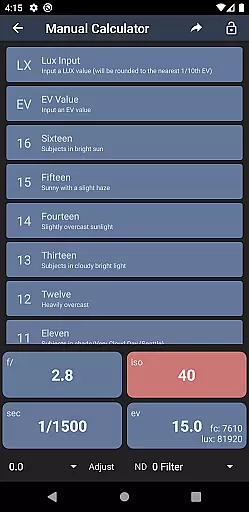
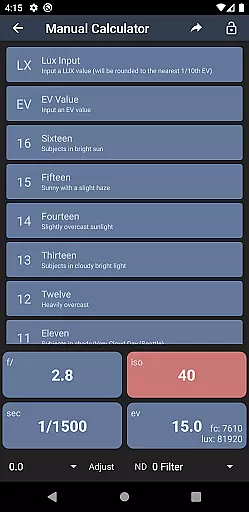
In addition to its core light metering functions, the app includes several specialized tools. Photographers can benefit from the Color Temperature meter for precise white balance adjustments, the Reciprocity Failure calculator for long exposures, and the Sunny Sixteen calculator for manual settings. The Depth of Field calculator helps achieve desired focus effects, while the EXIF Reader allows users to extract detailed metadata from their images. These features collectively make Light Meter an indispensable tool for both amateur and professional photographers.
Real-time capture and preview functionality is essential for photographers who need to measure light accurately and quickly. Light Meter offers this feature by utilizing the device's camera for spot metering and the light sensor for incident light metering.
This app ensures that users can rely on its accuracy, as it has been tested against professional light meters such as Gossen and Sekonic. The real-time feedback allows photographers to adjust their settings on the fly, ensuring perfect exposure in any lighting condition.
With this capability, users can confidently work with a wide range of cameras, from film SLRs to pinhole cameras, and even cinematographic equipment. This versatility makes Light Meter an indispensable tool for both amateur and professional photographers.
While primarily a tool for measuring light, Light Meter also includes features that enhance the photographic process through additional calculations and readings. Although it doesn't focus on AI beauty enhancements, its other tools contribute to the naturalness and authenticity of each shot.
The app provides a Color Temperature meter for perfect white balance, a Reciprocity Calculator for long exposures, and an Exposure Convert for various ISO ratings. These features ensure that every photograph maintains its natural look without artificial enhancements.
Photographers benefit from these precise tools that help them achieve the desired effect naturally. With Light Meter, capturing images with accurate color representation and exposure becomes second nature, allowing the photographeru2019s skill and vision to shine through.
Accurate light readings
Comprehensive toolset
User-friendly interface
Wide device compatibility
Advanced photography calculators
Premium version required
Limited free features
Device sensor dependency
No automatic sync
Occasional calibration needed

Remote control of the phone camera from your Wear OS smartwatch
 3.70
3.70
Application for remote controlling DSLR
3.00
What celebrity do you look like? Celebs will find your celebrity match!
4.10
Virtual makeup, hair filters & body tuner—edit from face to full body!
4.20
Edit like a pro with Hypic. Apply filters, AI effects, & magic touch.
4.40
Photo Exif Editor allows to view, add and modify EXIF data of multiple photos
4.50
Snap photos remotely using your Garmin watch as the camera trigger
4.5
Discover & download millions of art for The Frame TV or Hisense CanvasTV
4.60
Edit photos with the picture generator: PS2 & AI Clay filters, cartoon effects.
4.50
AI Photo Editor with 100+ Filters, Effects! Remove BG, Retouch & Photo Enhancer.
4.80
Android Native system HD camera app. Never been so simple and faster.
4.70
Cartoon and artistic effects for your photos and videos
4.70
The original Rarevision VHS look seen everywhere!
4.70
Fit multiple photos on one post. Create carousels & scroll layouts for Instagram
4.50
Use AI Video Generator to turn your words to ai generated videos.
4.50
All-in-One Editor & AI Photo Enhancer, Beautify & Retouch, Collage, Cartoonify
4.20
Professional photography on your mobile phone
4.20
GCamera allows all GCam features on all phone models! Better photos with GCamera
3.30
Superimpose one photo on top of another using the original Superimpose app!
3.20

User Reviews