

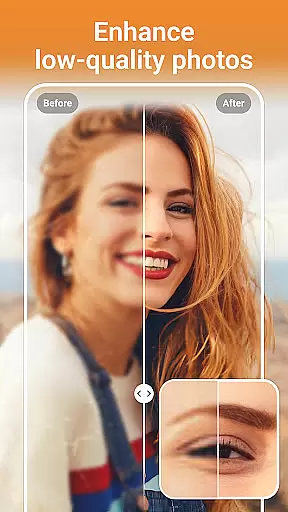
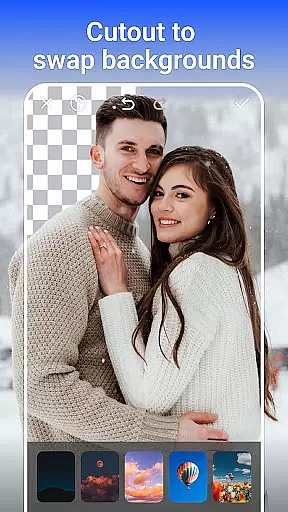
PhotoArt is an advanced AI-powered photo editing application that caters to both amateur and professional users. The app offers a comprehensive suite of tools including One-Tap Enhance, Magic Eraser, AI Face Swap, AI Cartoon Filters, and more. These features allow users to effortlessly improve image quality, remove unwanted objects, and apply creative effects.
With over 100 filters and effects, PhotoArt enables users to explore various artistic styles such as retro, film, portrait, and black & white. Advanced editing tools like HSL, Curves, and Highlight adjustments provide precise control over color and lighting. Additionally, the app supports high-resolution photo enhancement and restoration, making it ideal for reviving old memories.
The app's intuitive interface and powerful AI capabilities make it suitable for social media enthusiasts who want to create visually stunning posts for platforms like Instagram and Facebook. By offering watermark-free results, PhotoArt ensures professional-grade output accessible to everyone.
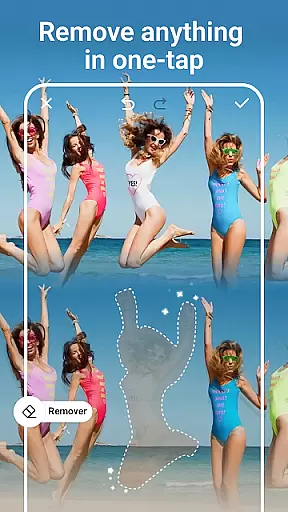
PhotoArt stands out with its diverse range of AI-driven features designed to simplify complex photo editing tasks. The One-Tap Enhance function automatically adjusts brightness, contrast, and saturation, delivering polished results with minimal effort. Magic Eraser allows users to remove unwanted elements from photos seamlessly, while intelligently filling gaps for a natural look.
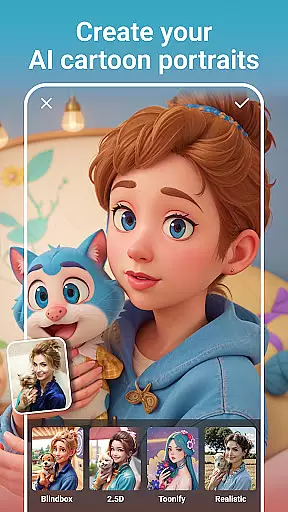
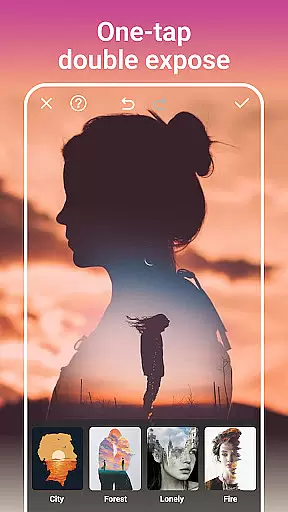
One of the app's highlights is its collection of creative tools. Users can experiment with Double Exposure effects, Blur backgrounds, and a variety of light effects such as fog and rainbows. For portrait editing, tools like Face Retouch, Makeup Adjustments, and Body Reshaping help achieve flawless results. The AI Cartoon Filter transforms ordinary photos into whimsical artworks without requiring any drawing skills.
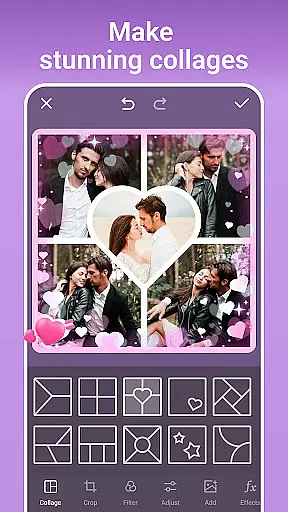
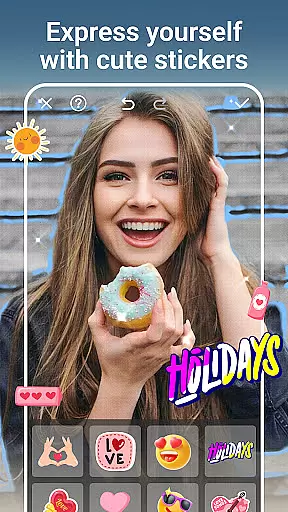
Additional innovative features include Age Changer, Sky Replacement, and Open Eyes, which push the boundaries of traditional photo editing. With customizable stickers, collages, and text overlays, PhotoArt empowers users to express their creativity freely. Its ability to produce high-quality, watermark-free images makes it a valuable tool for photographers and content creators alike.
Real-time capture and preview functionality is essential for any photography app as it allows users to see exactly what the camera sees before taking a shot. This ensures that users can make necessary adjustments to lighting, angle, and composition in real time, resulting in better-quality photos.
AI Photo Editor - PhotoArt offers an advanced real-time capture system that leverages AI technology to optimize settings based on the scene being captured. Whether you're shooting portraits, landscapes, or macro shots, the app intelligently adjusts parameters such as exposure, focus, and white balance to suit the specific scenario.
Users benefit from this feature by achieving professional-looking results without needing extensive photography knowledge. The app's intuitive interface provides live feedback and suggestions, empowering even novice photographers to capture stunning images with ease.
The value of real-time capture and preview extends beyond just taking better photos; it also enhances the overall user experience by making photo editing more interactive and engaging. With PhotoArt, users can instantly see the potential outcomes of their creative choices, allowing them to experiment freely and develop their unique photographic style.
AI-driven beauty and enhancement features are becoming increasingly popular in photo editing applications. These tools aim to enhance natural beauty while maintaining authenticity, ensuring that edited photos still look genuine and not overly processed.
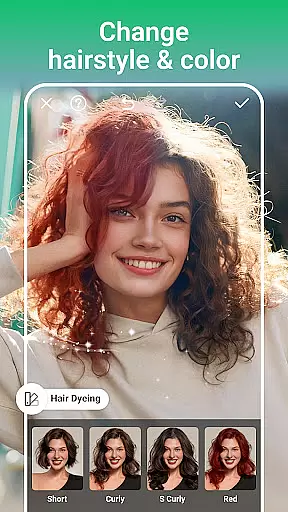
PhotoArt incorporates sophisticated AI algorithms that analyze facial features and apply enhancements that complement the user's natural appearance. From smoothing skin textures to brightening eyes and enhancing smiles, the app offers a range of subtle yet effective retouching options that preserve individuality.
This approach benefits users by providing them with the means to improve their photos without sacrificing realism. Unlike traditional filters that may distort facial features, PhotoArt's AI enhancements adapt to each personu2019s unique characteristics, delivering personalized and flattering results every time.
Ultimately, the emphasis on naturalness in AI beauty and enhancement features adds significant value to the user experience. By offering tools that respect and highlight natural beauty, PhotoArt empowers users to create visually appealing images that remain true to life, fostering confidence and satisfaction in their photographic endeavors.
User-friendly interface
Wide range of filters
Powerful AI tools
High-quality results
No watermarks
Occasional lag
Ads in free version
Advanced tools
Learning curve
Subscription cost

Natural Beauty, Selfie Retouch
 4.30
4.30
Perfect body tune & face app - photo retouch, makeup, slim body & beautify face.
4.80
Create AI Photos, Improve and restore quality of blurry, old or damaged pics.
4.20
Over 800 film simulation recipes for Fujifilm. Black Friday Offer!
4.2
Automatically backup your photos and videos to computer, NAS and Cloud services
4.60
Gallery Slideshow is slideshow maker app for slideshow from your gallery photos.
3.90
Turn photos into cartoons & avatars! - Photo Editor, Cartoon Face!
3.90
live datamoshing
4.00
Discover & download millions of art for The Frame TV or Hisense CanvasTV
4.60
Collage your moments in one tap: 1000+ layouts, filters, stickers, and texts.
4.90
Gallery show photo, video, slideshow, is perfect 3D effect private photo albums.
4.80
Viewfinder, Light meter, Reciprocity failure time, DOF & Bellows Extension
4.60
Create Business Headshots, Polaroid Filter, Retake Photos,Profile Pics,AI Photos
4.50
Fit multiple photos on one post. Create carousels & scroll layouts for Instagram
4.50
Trendy TikTok time warp scan funny filter app brings you unique photos & videos.
4.40
All-in-One Editor & AI Photo Enhancer, Collage, Cartoonify, Funny Stickers & BGS
4.10
How would you look like with a differently shaped nose, chin or lips?
3.90
Hair color changer, AI haircut app, fun hair editor and buzz cut filter for all!
3.80
Add a dreamy vibe to your selfies and videos with soft style filters
4.2

User Reviews