

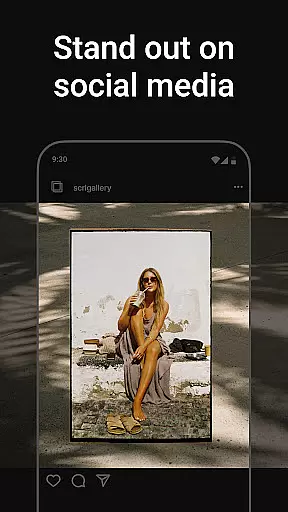
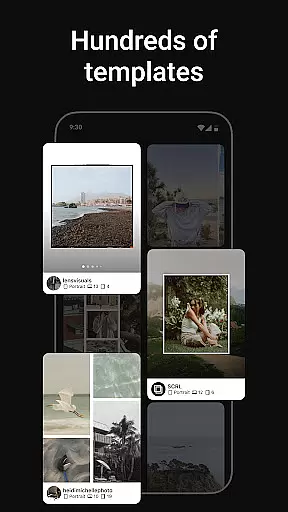
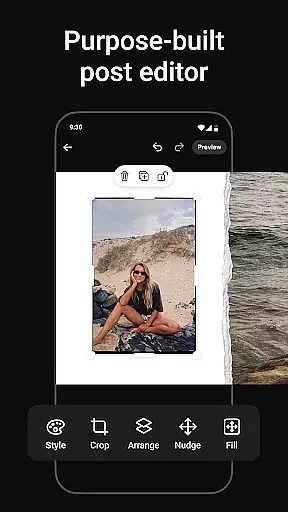
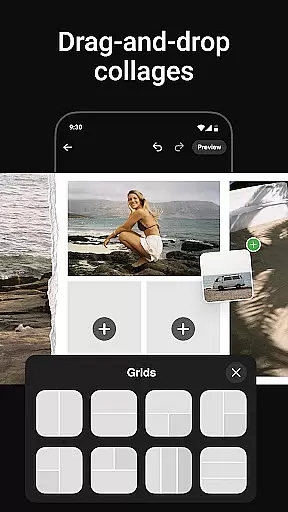
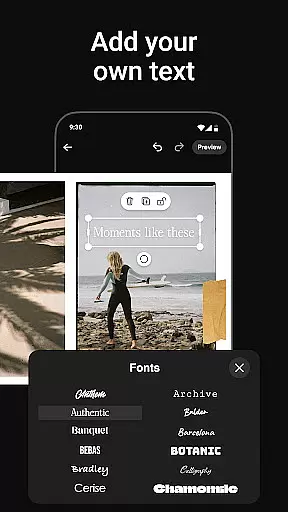
Photo Collage Maker by SCRL is the ultimate app for creating stunning photo collages and Instagram carousel posts. With hundreds of hand-picked templates, users can choose from a variety of styles to suit any occasion. The app offers a freeform canvas that allows for ultimate creativity, enabling users to zoom in and out while designing with images, stickers, overlays, and text.
A standout feature is the ability to add more than 10 photos to a single post, breaking traditional posting limitations. Whether you're an influencer or simply enjoy sharing moments, this tool helps make your posts stand out. Trusted by Grammy Award-winning artists and industry leaders, Photo Collage Maker ensures high-quality design output every time.
Photo Collage Maker provides an exceptional set of features tailored for creative expression. Its swipe-through carousel functionality allows users to create captivating Instagram posts that engage audiences through seamless transitions between images. This feature is perfect for storytelling or showcasing events.
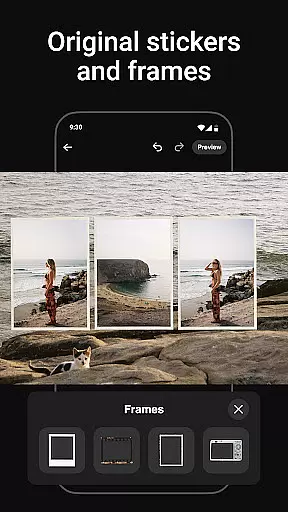
The app includes hundreds of stickers and overlays to enhance collages with just a few taps. These elements help transform simple designs into polished, professional-looking posts. Additionally, SCRL Premium unlocks advanced tools like video integration and gradient backgrounds, offering weekly and yearly subscription plans for enhanced creativity.
Real-time capture and preview functionality is essential for ensuring that every photo collage or carousel post created with Photo Collage Maker meets the user's expectations. This feature allows users to see their designs come to life instantly as they add photos, stickers, overlays, and text.
The app provides a seamless experience by enabling users to visualize changes in real time. Whether adjusting layouts on the freeform canvas or experimenting with different templates, the live preview ensures that creative decisions can be made with confidence.
For influencers and artists who rely on high-quality visuals, this immediate feedback loop enhances productivity and creativity. Users can fine-tune every detail, from zooming in for precision edits to reviewing the overall composition, all within a dynamic and responsive interface.
Ultimately, real-time capture and preview empower users to produce professional-grade collages and carousels efficiently. By eliminating guesswork and offering precise control over the design process, Photo Collage Maker helps users craft visually stunning posts that captivate their audience.
Photo Collage Maker incorporates advanced AI beauty and enhancement features that elevate the quality of images while maintaining a natural look. These tools are designed to refine photos without compromising authenticity, ensuring that every collage or carousel post appears polished yet genuine.
With AI-powered enhancements, users can effortlessly improve skin tones, adjust lighting, and enhance facial features. The algorithms intelligently detect and apply enhancements that complement the original image, preserving the subject's natural appearance. This approach is crucial for influencers and artists who prioritize authenticity in their visual storytelling.
The app offers a variety of AI-driven filters and effects that cater to different styles and preferences. From subtle touch-ups to more pronounced enhancements, users have the flexibility to customize the level of refinement according to their creative vision. Each tool is crafted to deliver professional results with minimal effort.
By integrating AI beauty and enhancement features, Photo Collage Maker empowers users to create captivating and authentic content. This technology not only saves time but also ensures that every post reflects the user's unique style and personality, enhancing engagement and connection with their audience.
User-friendly interface
Extensive template library
Freeform canvas design
Trusted by professionals
Instant Instagram posting
Premium features locked
Limited free content
Subscription required
Advanced tools costly
Instagram-focused only

[3DSteroid Pro] is a stereoscopic application for Android.
 4.30
4.30
Perfect photos with body shaping, BG changer and object remover.
3.70
Virtual makeup, hair filters & body tuner—edit from face to full body!
4.20
Photo prints, cards, & gifts at Walgreens. Easy ordering & fast local pickup !
4.80
Be your best in every shot! Fix, edit and retouch your face in selfies & photos.
3.70
HD Camera Pro with HD Video shooting, Panorama, Photo editor , Beauty Camera.
4.50
Create AI photos & videos with Enhancer; restore, fix, beautify, enhance photos
4.50
Professional quality photo edits with the new Snapseed.
4.00
Turn photos into cartoons & avatars! - Photo Editor, Cartoon Face!
3.90
Create funny photos and videos with the popular Time Warp Scan filter.
4.90
Your personal guide to the sun and moon. Plan ahead, visualize and predict!
4.70
Viewfinder, Light meter, Reciprocity failure time, DOF & Bellows Extension
4.60
Automatically backup your photos and videos to computer, NAS and Cloud services
4.60
Safe & smart flight with Go Fly drone controller for 40+ drone camera, zone map
4.50
Shooting photos and records video easily and efficient with professional Camera
4.30
Create AI Photos, Improve and restore quality of blurry, old or damaged pics.
4.20
What celebrity do you look like? Celebs will find your celebrity match!
4.10
Professional video recording application with manual controls for filmmakers!
2.80
Remote control the phone camera shutter from your smartwatch and take a picture
1.60


User Reviews