

qDslrDashboard is a powerful photography application designed for DSLR and mirrorless camera enthusiasts. It allows users to control Nikon, Canon, and Sony cameras remotely through their Android devices. The app supports both USB OTG connections and wireless setups using portable routers or adapters like WU-1a/1b. With features such as live view, synchronized capture, and time-lapse creation, qDslrDashboard caters to professional photographers who need precision and flexibility in their workflow.
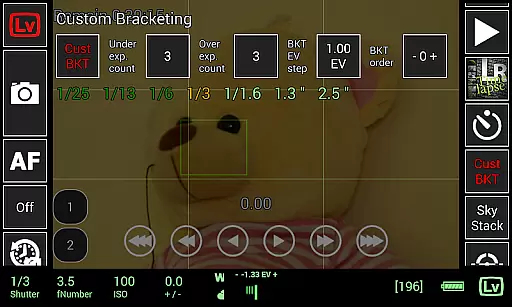
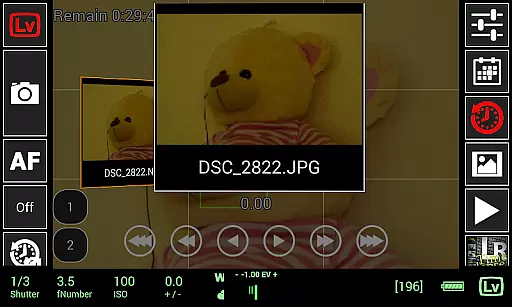
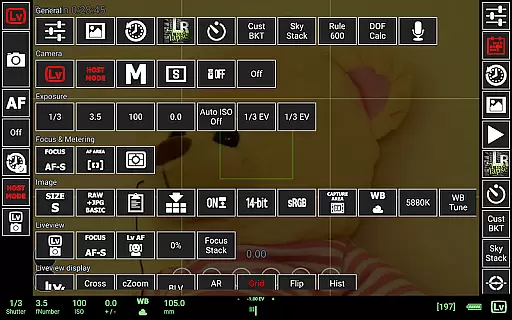
In addition to remote capture, the app provides advanced tools like focus stacking, custom bracketing, and manual focus adjustments during live view. Users can also browse, preview, and transfer images directly from their cameras to their Android devices. Whether you're shooting in a studio or outdoors, qDslrDashboard enhances your ability to manage complex photography tasks with ease.
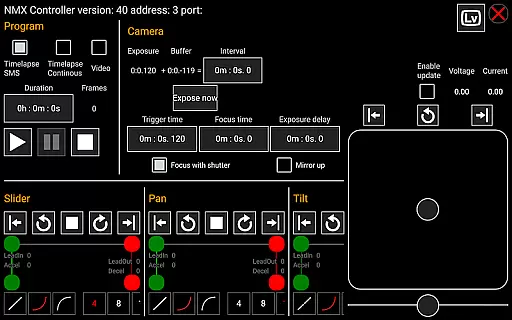
qDslrDashboard offers an extensive range of features tailored for professional photographers. One standout capability is its support for multiple cameras, enabling synchronized captures across different devices. This is particularly useful for creating 3D content or ensuring consistent shots in multi-camera setups. The app also integrates seamlessly with portable wireless routers (like ddserver) and Bluetooth-enabled motion controllers, providing unparalleled mobility and control.
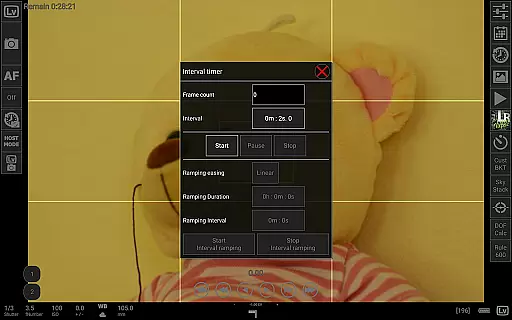
Advanced photography techniques are simplified with qDslrDashboard's specialized tools. For instance, the app includes a DoF calculator, Rule600 calculator, and sky stacking helper, which assist in achieving precise compositions. Additionally, its time-lapse functionality supports automation with customizable profiles and even Arduino command integration. These features make qDslrDashboard not just a remote control tool but a comprehensive solution for creative photography projects.
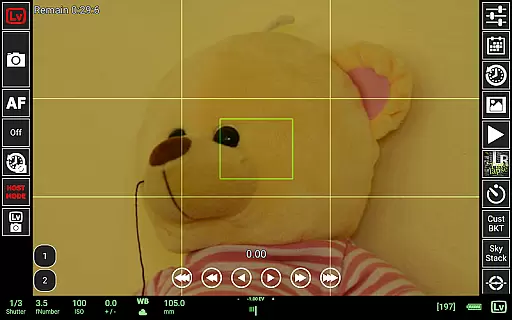
Real-time capture and preview functionality is essential for photographers who need precise control over their shots. qDslrDashboard offers a comprehensive solution that allows users to connect their DSLR or mirrorless cameras to an Android device, providing a live view of the scene being captured.
This application supports multiple camera brands including Nikon, Canon, and Sony. Through a USB OTG adapter, users can remotely control their cameras, adjust settings, and capture images while viewing the live feed on their mobile devices. This feature ensures that photographers can make real-time adjustments to achieve the desired shot without physically interacting with the camera.
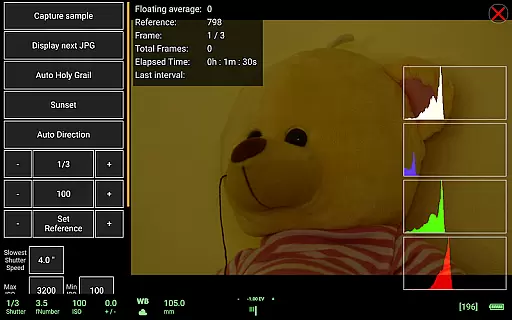
The ability to preview images directly on the Android device enhances workflow efficiency. Users can browse, transfer, and preview both JPG and RAW files, ensuring that they can review their work immediately after capture. The live view also includes a histogram, which helps in assessing exposure levels accurately.
Overall, qDslrDashboard's real-time capture and preview capabilities empower photographers by offering them greater flexibility and precision in their work. Whether shooting in a studio or outdoors, this feature ensures that every detail is captured exactly as intended.
While qDslrDashboard does not focus on AI beauty enhancements typically found in portrait applications, it excels in delivering natural and authentic image previews. The emphasis here is on maintaining the integrity of the original photograph while providing tools that assist in achieving professional results.
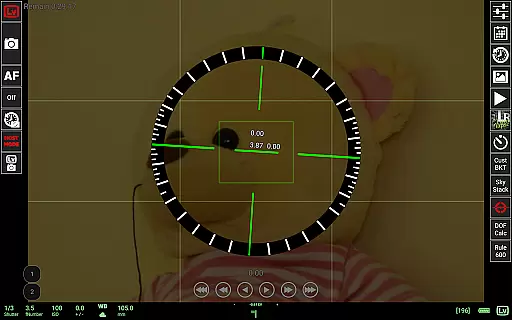
The application provides advanced features such as manual focus movement during live view, which allows photographers to fine-tune their focus precisely where needed. Additionally, the DoF calculator and Rule600 calculator help in planning shots that require specific depth-of-field or astrophotography considerations.
For those interested in time-lapse photography, qDslrDashboard offers sophisticated tools like the LRTimelapse screen for creating smooth transitions in auto holy grail timelapses. These features ensure that any enhancements made are natural and true to the photographer's vision.
By focusing on genuine photographic techniques rather than artificial enhancements, qDslrDashboard caters to professionals seeking authenticity in their work. Its robust set of tools ensures that every captured moment retains its natural beauty and artistic intent.
User-friendly interface
Wide camera compatibility
Advanced time-lapse options
Live view with histogram
Wireless connectivity
Requires compatible hardware
Steep learning curve
Paid premium features
Limited smartphone support
Occasional connection issues

Gallery show photo, video, slideshow, is perfect 3D effect private photo albums.
 4.80
4.80
Photo Album Watch Face shows your favorite pictures as a Watchface.
1.90
Search, tag and rate your way to an organized image gallery
4.40
Find time and duration of different sunlight phases at any location
4.90
HD Photo gallery and photo manager to edit, hide private photos, videos & albums
4.5
Virtual makeup, hair filters & body tuner—edit from face to full body!
4.20
Photo prints, cards, & gifts at Walgreens. Easy ordering & fast local pickup !
4.80
Photo Exif Editor allows to view, add and modify EXIF data of multiple photos
4.50
Catch sunlight, sunrise sunset times and sun phases with the AR sun tracker.
4.10
Perfect body tune & face app - photo retouch, makeup, slim body & beautify face.
4.80
A collection of tools and reference tables for DPs, ACs, DITs and Operators.
4.70
Light-weight Media Gallery app for Android made with Jetpack Compose
4.60
Easily create custom gifts, cards, photo books & more on the Shutterfly app!
4.60
Transform photos into videos! Create realistic or anime-style images easily!
4.50
Use AI Video Generator to turn your words to ai generated videos.
4.50
Easily stitch panoramas from multiple photos or video.
4.40
Turn your phone into a professional camera - full DSLR manual photography
4.30
What celebrity do you look like? Celebs will find your celebrity match!
4.10
USB Storage Access for Photos, Videos, Music and Documents
3.80


User Reviews