

GCamera is a feature-rich photography app that transforms your smartphone into a professional-grade digital camera. With advanced modes like HDR+, Night Sight, and Astrophotography, it ensures stunning image quality in any lighting condition. Whether you're an amateur or a seasoned photographer, GCamera provides tools to capture vibrant colors, sharp details, and impeccable dynamic range.
The app also includes Portrait Mode for artistic bokeh effects and HD Camera Performance for high-definition results. Its intuitive design makes it easy to navigate while offering powerful features. From low-light environments to scenic landscapes, GCamera adapts to every situation, making it the ultimate tool for creative photography enthusiasts.
GCamera stands out with its diverse shooting modes tailored for different scenarios. The HDR+ mode blends multiple shots to produce images with vibrant colors and sharp details, ideal for challenging lighting conditions. Night Sight allows users to capture clear, detailed photos even in low-light environments, eliminating grainy results and enhancing nighttime photography.
Astrophotography mode takes creativity to the next level by enabling users to photograph stars and galaxies with remarkable clarity. Additionally, Portrait Mode creates professional-looking portraits by keeping subjects in focus while blurring backgrounds into a beautiful bokeh effect. These features, combined with HD Camera Performance, ensure every photo is a masterpiece, rivaling professional cameras.
Real-time capture and preview functionality is essential for any photography app as it allows users to see exactly what the camera sees before taking a shot. This ensures that every photo meets their expectations in terms of framing, lighting, and focus.
GCamera excels in this area by providing an intuitive interface that displays a high-quality live preview. The app leverages advanced processing algorithms to ensure minimal lag between the action and what users see on their screens, making it easier to capture fleeting moments with precision.
Users benefit from GCamera's real-time adjustments, which include exposure compensation, white balance, and focus peaking. These features enable photographers to fine-tune settings on the fly, ensuring optimal image quality regardless of shooting conditions.
The value of real-time capture and preview lies in its ability to enhance user confidence. Knowing exactly how a photo will look before pressing the shutter button reduces the chances of missed opportunities and increases overall satisfaction with the final results.
AI-powered beauty and enhancement features have become increasingly popular in photography apps, offering users the ability to refine and perfect their images instantly. However, maintaining naturalness while applying these enhancements is crucial to avoid artificial-looking results.
GCamera incorporates sophisticated AI algorithms that intelligently analyze facial features and skin tones to apply subtle yet effective enhancements. Whether smoothing skin textures or brightening eyes, the app ensures that edits remain true to life, preserving the subject's unique characteristics.
Users appreciate the balance GCamera strikes between enhancement and authenticity. By avoiding excessive retouching, the app delivers polished portraits that still look genuine and relatable, enhancing personal and professional photos alike.
This approach not only boosts user confidence in sharing their photos but also sets GCamera apart from competitors who may prioritize exaggerated effects over natural aesthetics. With GCamera, every edit enhances beauty without compromising realism.
User-friendly interface
Advanced HDR+ technology
Excellent low-light performance
Versatile shooting options
Professional-quality results
May drain battery faster
Requires high storage space
Limited to supported devices
Occasional processing delays
No RAW format support
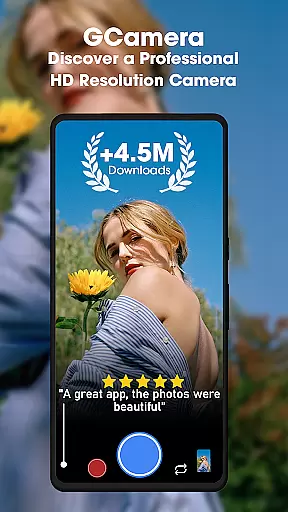
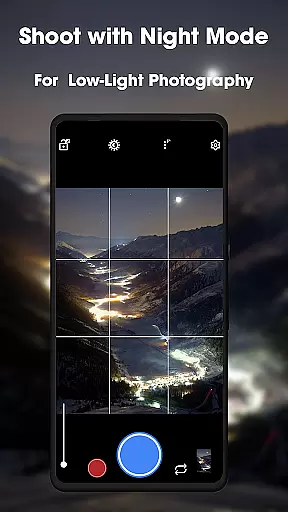
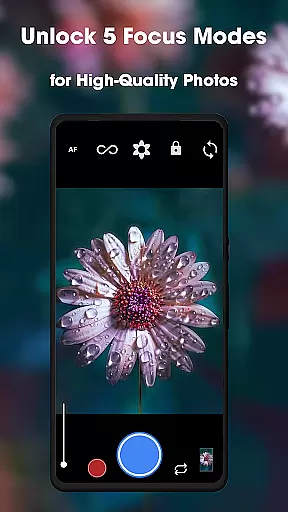

Photo Album Watch Face shows your favorite pictures as a Watchface.
 1.90
1.90
Safe & smart flight with Go Fly drone controller for 40+ drone camera, zone map
4.50
Pet Camera
3.70
Amazing Photo Effects - The most fun you can have with your photos!
4.70
Professional quality photo edits with the new Snapseed.
4.00
Easily create custom gifts, cards, photo books & more on the Shutterfly app!
4.60
Astrophotography with your smartphone, photo live stacking and much more!
3.90
Remote control the phone camera shutter from your smartwatch and take a picture
1.60
Solocator stamps photos you take with GPS location, Compass Direction, Date/Time
3.80
Your personal guide to the sun and moon. Plan ahead, visualize and predict!
4.70
1M influencer's special filter
4.60
Automatically backup your photos and videos to computer, NAS and Cloud services
4.60
Photo editor & gallery. Crop pictures & edit photos offline, no wifi!
4.50
Smart, light, and fast photo and video gallery
4.30
Catch sunlight, sunrise sunset times and sun phases with the AR sun tracker.
4.10
Photobooth mini FULL app will allow you to add more fun to your parties
4.00
Be your best in every shot! Fix, edit and retouch your face in selfies & photos.
3.70
Create amazing frames with up to five photos. Rounded corners, effects and more!
3.60
An interval timer to automate photo taking process for timelapse
2.90

User Reviews