

PhotoPills is an all-in-one photography planning app designed to unlock creative potential in capturing Sun, Moon, and Milky Way scenes. This powerful tool helps photographers plan and execute legendary shots by providing comprehensive features such as 2D map-centric planners, augmented reality views, and photo plans management.
The app is particularly useful for landscape and night sky photographers, offering detailed information on celestial events and enabling precise planning of shots. With PhotoPills, users can explore new artistic possibilities and turn their creative ideas into real pictures, ensuring they never miss an unmissable scene again.
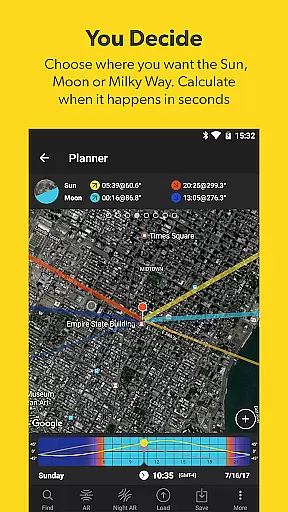
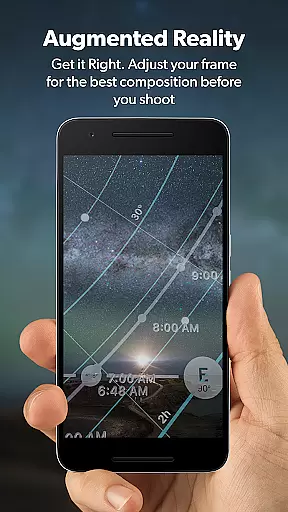
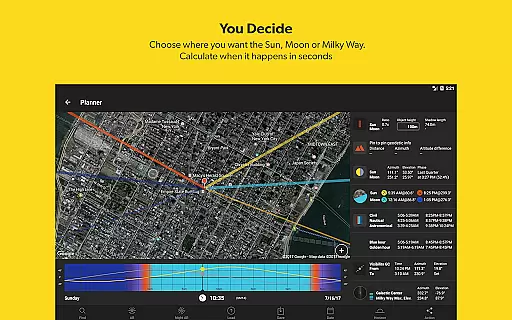
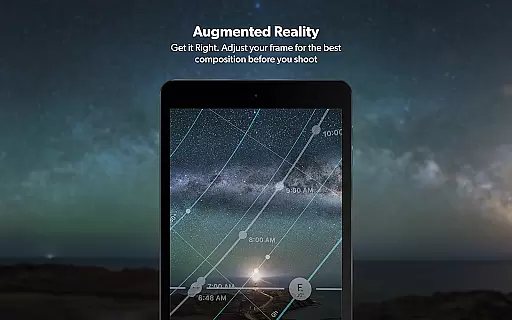
PhotoPills stands out with its unique set of features tailored for photographers. The app includes a 2D Map-Centric Planner for Sun, Moon, and Milky Way alignments, along with a fast finder for these celestial bodies. Its standout feature is the 3D Augmented Reality view, allowing users to visualize the position of celestial objects in real-time.
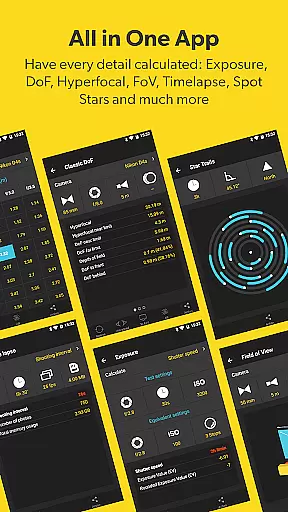
In addition to celestial tools, PhotoPills offers practical calculators for long exposure, timelapse, and depth of field, alongside widgets that provide daily information at a glance. These features collectively ensure that photographers can plan their shoots meticulously and capture the perfect shot every time they pick up the camera.
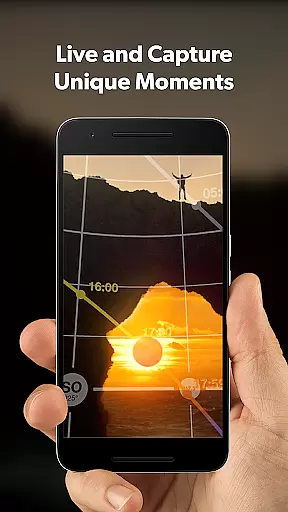
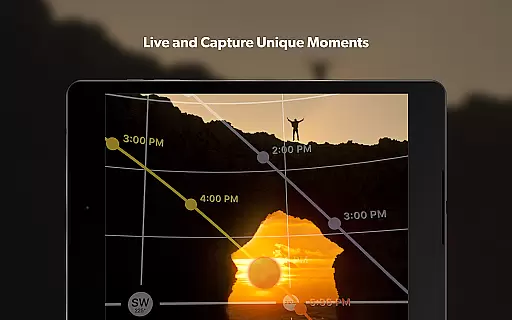
Real-time capture and preview functionality is essential for photographers who need to ensure their shot is perfect before pressing the shutter. PhotoPills offers this feature by providing users with precise planning tools that allow them to visualize the exact position of celestial bodies like the Sun, Moon, and Milky Way in relation to their chosen landscape.
This app goes beyond basic camera functions by integrating augmented reality views. These views enable photographers to see how different elements will align within their frame, ensuring optimal composition. With just a few taps, users can plan their shots down to the minute, making sure they are in the right place at the right time.
The benefits of using PhotoPills for real-time capture and preview are numerous. Photographers can save time by knowing exactly when and where to be for that perfect shot, eliminating guesswork and enhancing creativity. This precision leads to higher quality images and more successful photography sessions.
Ultimately, PhotoPills transforms the way photographers interact with their environment. By offering advanced planning features combined with real-time previews, it empowers users to turn their creative visions into reality, capturing legendary photos every time they pick up the camera.
While PhotoPills does not focus on AI beauty enhancements typical in portrait photography apps, it excels in enhancing natural beauty through meticulous planning and precise execution. The app's sophisticated tools help photographers capture landscapes, night skies, and celestial events with stunning accuracy and detail.
PhotoPills provides comprehensive data such as sunrise and sunset times, twilight periods, golden and blue hours, moonrise and set times, and supermoon dates. This wealth of information allows photographers to plan their shoots during optimal lighting conditions, naturally enhancing the beauty of their subjects without artificial filters or effects.
By leveraging these features, photographers can achieve breathtaking results that highlight the inherent beauty of nature. Whether capturing the Milky Way arching over a powerful landscape or a giant full moon rising behind a hill, PhotoPills ensures each shot is perfectly timed and composed.
In essence, PhotoPills enhances the natural beauty of photographs by equipping photographers with the knowledge and tools needed to seize fleeting moments. Its emphasis on planning and precision makes it an invaluable asset for anyone looking to elevate their photography to legendary status.
User-friendly interface
Comprehensive planning tools
Augmented reality views
Detailed celestial information
Active community support
High learning curve
Premium price point
Requires compass functionality
Complex for beginners
Limited offline capabilities




Professional video recording application with manual controls for filmmakers!
 2.80
2.80
An interval timer to automate photo taking process for timelapse
2.90
How old age camera Gender Swap App Face Shape Hairstyle App Hair Styler App fun!
4.00
Android Native system HD camera app. Never been so simple and faster.
4.70
Photo Exif Editor allows to view, add and modify EXIF data of multiple photos
4.50
Movie camera, supports pro recording settings for filming. Try it and be amazed!
4.50
AI photo enhancer with Sora 2! Enhance, descratch, and colorize your old photos.
4.50
Use AI Video Generator to turn your words to ai generated videos.
4.50
Professional camera app that brings DSLR manual photography controls to Android.
4.20
Create funny photos and videos with the popular Time Warp Scan filter.
4.90
Photo prints, cards, & gifts at Walgreens. Easy ordering & fast local pickup !
4.80
Cartoon and artistic effects for your photos and videos
4.70
Amazing Photo Effects - The most fun you can have with your photos!
4.70
Turn your phone into a professional camera - full DSLR manual photography
4.30
What celebrity do you look like? Celebs will find your celebrity match!
4.10
All-in-One Editor & AI Photo Enhancer, Collage, Cartoonify, Funny Stickers & BGS
4.10
Create & Edit with AI: AI Remove, Enhance, Retouch, Filter
4.10
Photo editor: face & body editor, beauty cam, filters and quality enhancer.
4.00
Hair color changer, AI haircut app, fun hair editor and buzz cut filter for all!
3.80


User Reviews