

Reminder Pro is a versatile productivity app designed to help users manage their daily tasks, deadlines, and important events efficiently. This app allows you to create both one-time and recurring reminders for various activities, ensuring you never miss an important task or event. With its user-friendly interface, Reminder Pro caters to individuals seeking simplicity without compromising on essential features.
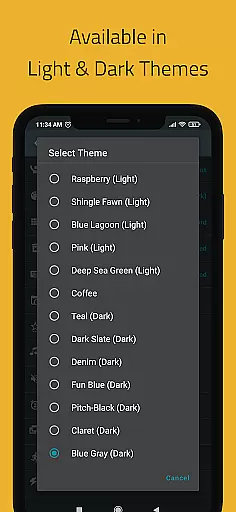
The app offers a variety of practical uses, from setting medication reminders and appointment alerts to managing homework deadlines and work meetings. Its customization options, including quiet hours settings, multiple themes, and different view modes, make it adaptable to individual preferences and lifestyles. Whether you need a pill reminder, meeting alert, or even a birthday notification, Reminder Pro has got you covered.
By integrating seamlessly into your daily routine, Reminder Pro helps streamline your schedule and reduce stress. The ability to categorize reminders with unique colors and settings ensures that users can prioritize tasks effectively. Overall, this app serves as an invaluable tool for anyone looking to enhance their productivity and stay organized in both personal and professional aspects of life.
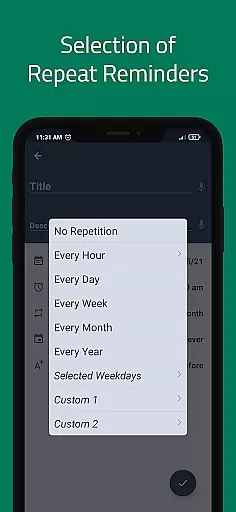
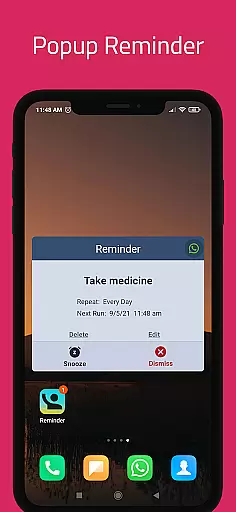
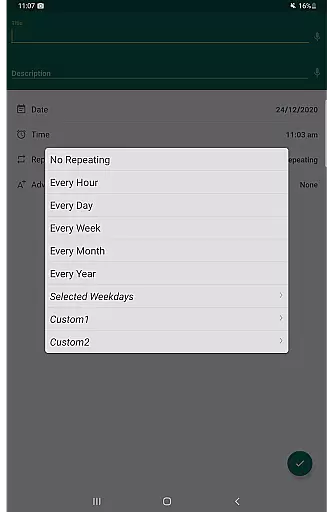
Reminder Pro stands out with its comprehensive feature set tailored to meet diverse user needs. One of its key features is the ability to set custom recurring reminders, which is perfect for routine tasks like taking medication or weekly meetings. Users can also take advantage of popup notifications and a snooze option, providing flexibility and ensuring reminders are acknowledged without being intrusive.
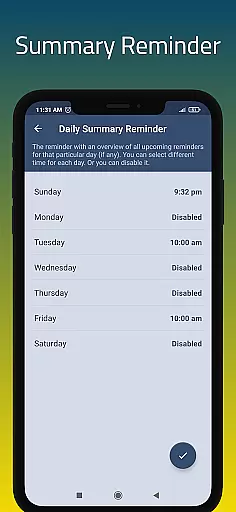
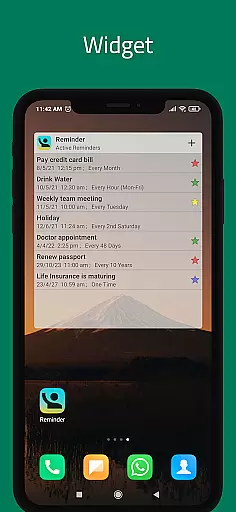
In addition to basic reminder functions, Reminder Pro includes advanced functionalities such as a widget for quick access, a daily summary feature to keep track of upcoming tasks, and quiet hours settings to manage when notifications should be muted. These features collectively contribute to a personalized user experience, allowing individuals to tailor the app according to their specific routines and preferences.
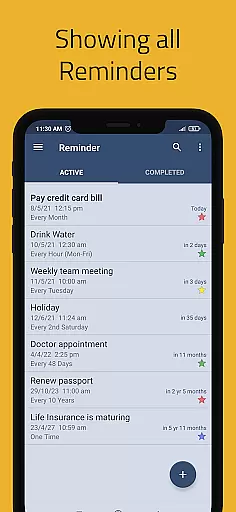
Another notable aspect is the app's organizational tools, including categories with distinct colors and settings, search functionality, and backup options. These features facilitate efficient management of reminders, making it easy to locate specific tasks and secure data against loss. With its clean design and robust capabilities, Reminder Pro empowers users to maintain control over their schedules while enhancing overall productivity.
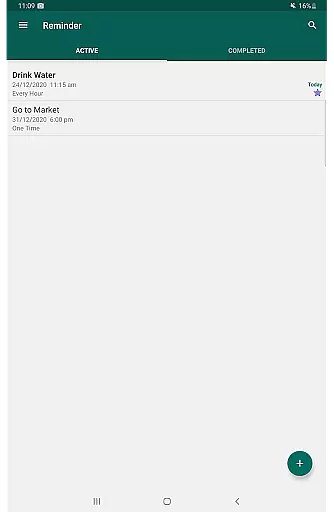
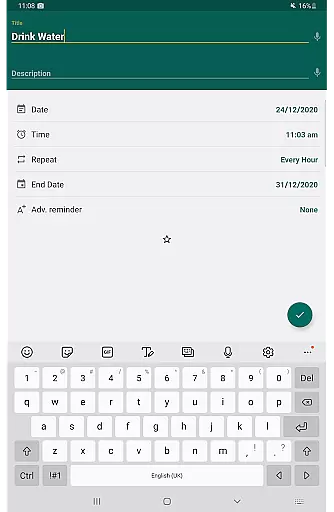
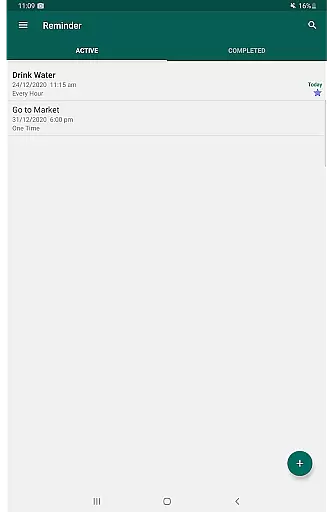
Task management is a fundamental aspect of productivity applications, and Reminder Pro excels in this area. The app provides users with the ability to create both one-time and recurring reminders for a variety of tasks, ensuring that nothing important slips through the cracks.
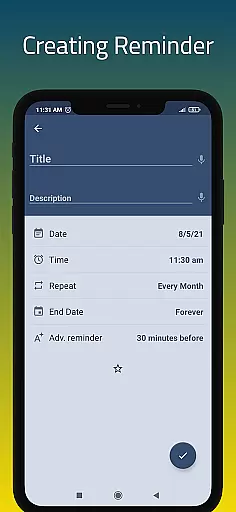
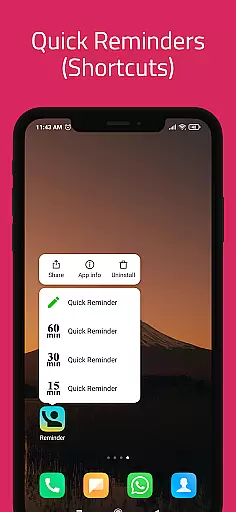
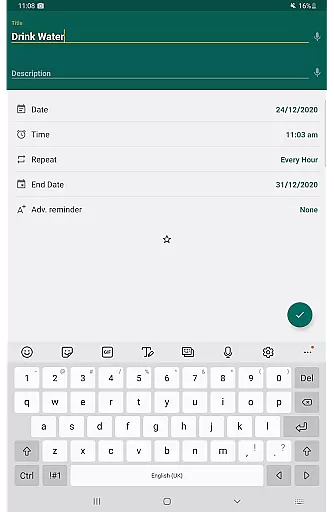
The application's interface allows for quick creation of reminders, often within seconds, which is crucial for users who need to organize their schedules efficiently. Whether it's for meetings, daily chores, or significant personal events like birthdays and anniversaries, Reminder Pro ensures timely alerts.
Users benefit from features such as custom recurring reminders, snooze options, and advance notifications. These tools help maintain an organized life by providing flexibility and reliability in reminding users of their commitments and deadlines.
Ultimately, the value of Reminder Pro lies in its simplicity and versatility, making it an indispensable tool for anyone looking to enhance their daily productivity without the distraction of unnecessary features.
Cross-device synchronization is vital for users who operate multiple devices and need their data to be consistent across all platforms. Reminder Pro addresses this need by offering reliable synchronization services that ensure reminders are up-to-date, regardless of the device in use.
This feature is particularly beneficial for individuals who rely on their mobile phones, tablets, and computers interchangeably throughout the day. With auto backup and manual backup options, users can rest assured that their reminder lists are safely stored and easily retrievable.
Moreover, the app's synchronization process happens in real-time, meaning changes made on one device will immediately reflect on others. This seamless integration helps maintain continuity in task management and reduces the risk of missing out on important activities due to outdated information.
By prioritizing synchronization reliability, Reminder Pro not only keeps users organized but also enhances their peace of mind, knowing that their reminders are securely synchronized across all their devices.
User-friendly interface
Customizable reminders
Quiet hours feature
Daily summary option
Multiple theme choices
Limited advanced features
No voice command support
Premium version required
Occasional bugs reported
Ads in free version

Native client for Forgejo and Gitea
 5.00
5.00
Create study competitions, track your hours, and stay consistent with friends
4.4
Direct Chat without saving contacts & Dual WA Account on Single Device
4.70
Functional QR scanner and barcode reader that requires little storage space.
4.60
All document reader, all in one file viewer read PDF, DOCX, XLS, PPT, TXT files.
4.60
Subscribe to Webcal & .ics calendars and keep them up-to-date!
4.50
Quickly and easily keep track of your work shifts
4.70
Secure your apps with lock screens, use custom themes and different features.
4.40
Seamlessly read, manage, and organize all your PDF files solution in one place
4.40
Best Tool for the professionals Electrician, Electrical contractors, etc.
4.90
App lock - lock apps with fingerprint, password, pin or pattern, protect privacy
4.70
PDF scanner & converter for files, photos, lottery, QR codes. One swipe away!
4.50
Docker, Kubernetes management over Portainer Mobile
4.40
A Pixel Art watchface inspired by other iconic 90s designs for Wear OS devices!
4.40
Share files & memories safely. Keep your photos and videos secure.
4.40
When you Focus, so will your Bean in this cozy focus timer
4.30
Pwnagotchi companion app
4.20
Cloud storage, automatic phone backup, and more.
4.10
* block pre-roll ads, pop-up and forced redirect ads * Samsung certification app
4.00

User Reviews