

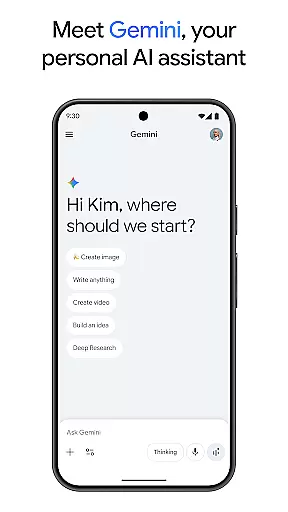
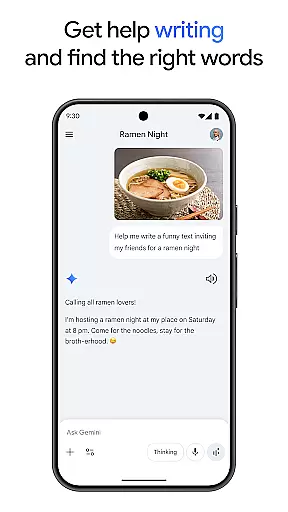
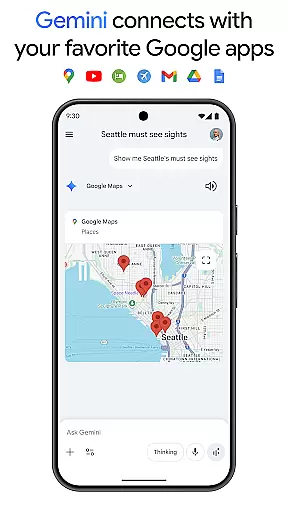
Gemini is a powerful AI assistant developed by Google, designed to enhance both creativity and productivity. This application provides direct access to Google's advanced family of AI models right on your mobile device. With Gemini, users can brainstorm ideas, simplify complex topics, and even rehearse for important events using the Gemini Live feature. Additionally, it integrates seamlessly with popular Google apps such as Search, YouTube, Maps, and Gmail, making it an essential tool for anyone looking to streamline their digital experience.
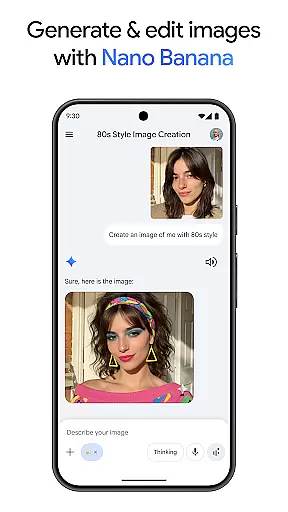
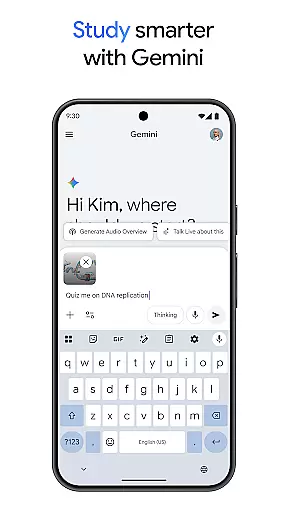
One of the standout features of Gemini is its ability to assist in creative projects through Canvas, allowing users to create apps, games, web pages, infographics, and more from a simple prompt. It also supports educational activities by helping users study smarter with quizzes and flashcards, interactive visuals, and real-world examples. Whether you need to turn files into podcasts, edit images, or plan trips, Gemini offers a versatile set of tools that cater to various needs.
The true value of Gemini lies in its comprehensive approach to personal and professional assistance. By upgrading to the Pro or Ultra plans, users gain access to enhanced capabilities like a 1M token context window, video generation, and early access to new AI innovations. These premium features make Gemini an indispensable companion for tackling complex tasks and projects efficiently.
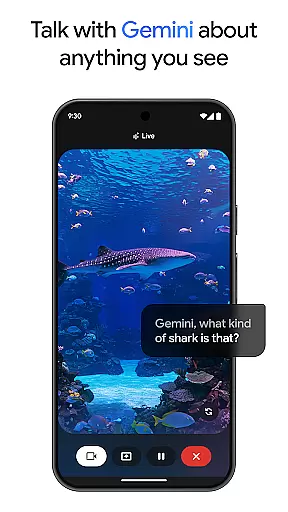
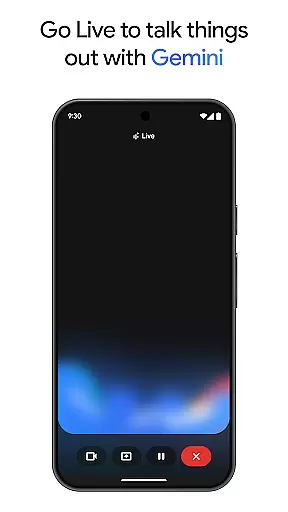
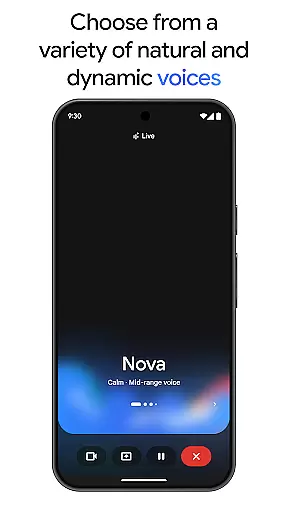
Gemini boasts a wide array of features that set it apart from other productivity apps. One of its key functionalities is Gemini Live, which allows users to engage in dynamic conversations by sharing their camera or screen. This feature enables real-time interaction with the AI, providing insights and assistance based on visual input. Another notable aspect is Canvas, a creative suite that transforms ideas into tangible outputs such as apps, games, and web pages, facilitating rapid prototyping and development.
In addition to these creative tools, Gemini enhances productivity by integrating with essential Google services. Users can connect to Search, YouTube, Maps, and Gmail directly from the app, streamlining workflows and ensuring seamless transitions between different tasks. The app also supports educational endeavors with features like quiz creation, flashcards, and interactive visuals, making learning more engaging and effective.
For those seeking advanced capabilities, the Pro and Ultra plans offer industry-leading features such as a 1M token context window, enabling the processing of extensive documents or codebases. Subscribers also benefit from exclusive access to cutting-edge AI innovations, including video generation with Veo 3.1 and Deep Research on 3 Pro. These enhancements not only improve efficiency but also open up new possibilities for creative and professional projects.
Gemini by Google redefines core task management by integrating advanced AI capabilities into everyday productivity workflows. The app allows users to brainstorm ideas, simplify complex topics, and rehearse for important moments through its Gemini Live feature. This functionality is crucial for individuals seeking an interactive way to manage tasks while leveraging real-time AI assistance.
The app's integration with popular Google services like Search, YouTube, Maps, and Gmail enhances task management by centralizing resources. Users can efficiently plan trips, create content such as apps or web pages using Canvas, and even generate quizzes and flashcards for study purposes. These features collectively ensure that users can handle both personal and professional tasks from a single platform.
For those requiring more robust capabilities, upgrading to the Pro or Ultra plans provides access to industry-leading tools. These include processing extensive text volumes within a 1M token context window and generating videos with Veo 3.1 Fast. Such advanced features enable users to tackle complex projects with greater ease and efficiency.
Ultimately, Gemini empowers users to supercharge their creativity and productivity. By offering comprehensive task management solutions alongside innovative AI-driven tools, it ensures that users can accomplish more in less time while maintaining high-quality standards.
Cross-device synchronization is a cornerstone of productivity applications, and Gemini excels in this area by ensuring reliable data consistency across multiple platforms. Whether you're working on your phone, tablet, or computer, Gemini maintains seamless synchronization, allowing you to transition smoothly between devices without losing progress or context.
The app leverages Googleu2019s robust infrastructure to provide real-time updates and backups. This means that any changes made on one device are immediately reflected on all others linked to your account. For professionals who rely on up-to-date information at all times, this level of reliability is indispensable.
Gemini also supports various file formats and integrates with essential Google services like Drive, Docs, and Sheets. This compatibility ensures that documents, spreadsheets, and presentations remain synchronized and accessible regardless of where they were last edited. Additionally, the ability to turn files into podcasts further extends accessibility options for users on the go.
By prioritizing cross-device synchronization reliability, Gemini not only enhances user convenience but also boosts overall productivity. Users can trust that their work will always be current and available, empowering them to focus on their tasks rather than worrying about data integrity.
Advanced AI models
Seamless Google integration
Creative project support
Educational tools
Premium features
Requires subscription
Complex setup
Limited free features
High system requirements
Privacy concerns

Client for Nextcloud Deck
 4.60
4.60
Smart PDF reader & editor to view, organize and manage PDF documents easily.
3.70
The Pro Version of Android's tiniest Notepad app. Just 0.3MB but feature-packed!
4.60
IP Camera Viewer - Android TV : RTSP Surveillance camera viewer for Android TV
4.5
Cloud storage, automatic phone backup, and more.
4.10
Multilingual translator for text, voice, and image translation!
4.90
Calendar 2023 widget for Android. Appointment scheduler, planner, and reminder
4.60
Scan paperwork into PDF/JPG, generate your own e-signature and send fax or email
4.70
Simple notepad & memo. Take notes, to-do list, shopping list with reminders.
4.80
We're working to become the best machining app on the market! www.cncdirt.com
4.80
QuickBooks Workforce lets teams view pay info and track time in one place.
4.70
Stay on top of your to-dos with Google Tasks, part of Google Workspace.
4.60
Enjoy classic gameplay with customizable features and retro-style graphics.
4.30
Access, manage and transfer files on Android, PC, Mac, NAS and cloud storages.
4.30
Total remote control for your Android device, PC and cloud services (IFTTT)!
4.20
Make apps & sites with natural language prompts
4.10
Wake up & get tasks done! Add alarms & reminders on the Clock Launcher.
4.00
Remotely view listen control and record cameras.
3.70
Experience and share your SolidWorks designs on your Android® phone and tablet.
2.50


User Reviews