

NotebookLM is a productivity tool designed to simplify complex information management. This app serves as an intelligent assistant that helps users handle large volumes of data by summarizing, analyzing, and creating connections between various sources.
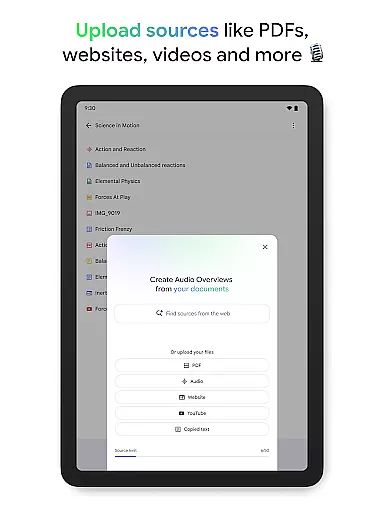
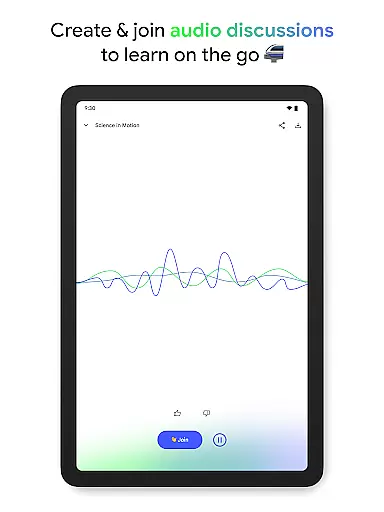
With capabilities to upload and process PDFs, websites, YouTube videos, and more, NotebookLM transforms these inputs into digestible insights. Users can engage with the content through Q&A sessions or even convert it into alternative formats like podcast-style audio discussions for learning on-the-go.
Ideal for students, researchers, and professionals, this app streamlines workflows and enhances learning experiences by providing trusted answers and flexible interaction methods.
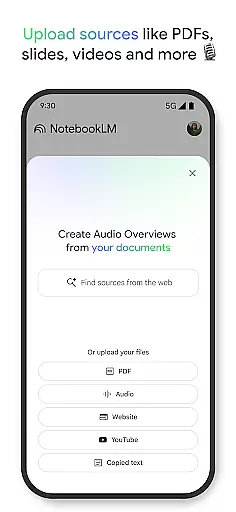
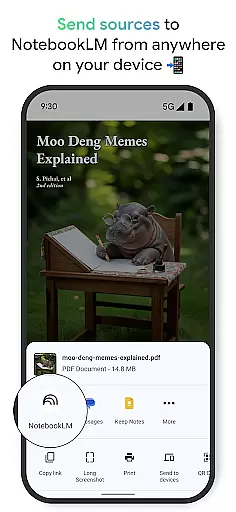
NotebookLM stands out with its robust feature set tailored for productivity enthusiasts. The app allows seamless uploading of diverse source materials including PDF documents, web pages, and multimedia content, which it then expertly synthesizes.
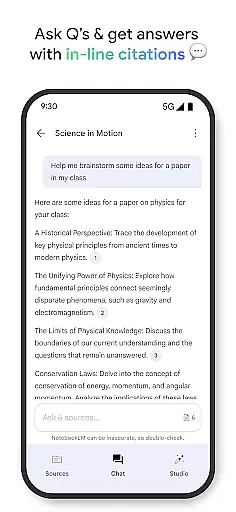
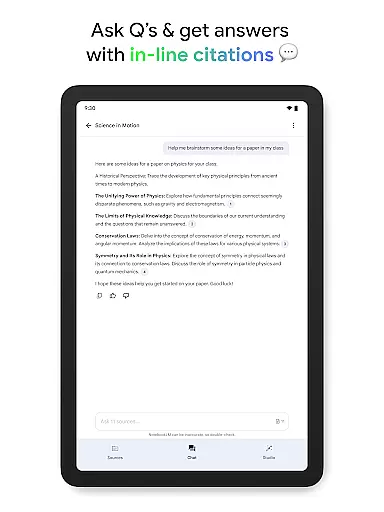
One of the key highlights is the app's ability to generate reliable insights by becoming well-versed in your uploaded content. It provides accurate responses to user queries while citing original sources, ensuring credibility and trustworthiness.
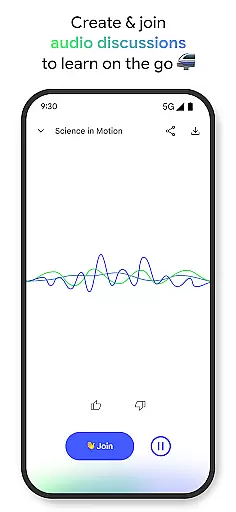
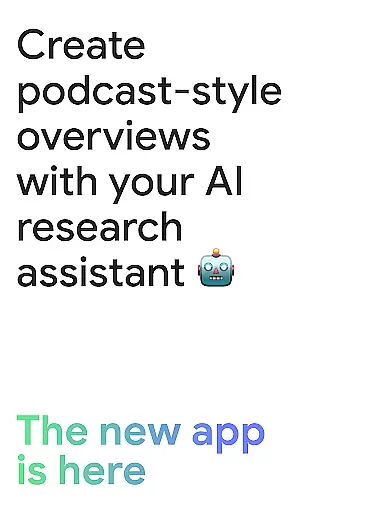
Additionally, the innovative Audio Overviews feature lets users consume content in an engaging podcast format. This flexibility supports different learning preferences and maximizes convenience with background playback and offline access.
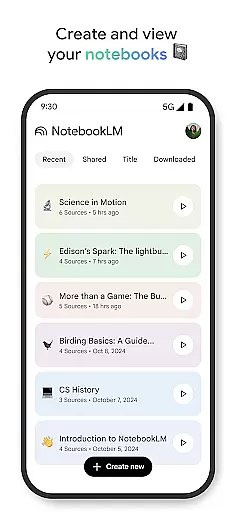
Effective task management is crucial for productivity, and Google NotebookLM excels in this area by transforming complex information into manageable insights. The app allows users to upload various sources such as PDFs, websites, and videos, turning them into organized content that can be easily navigated and understood.
Once the sources are uploaded, NotebookLM becomes an expert on the material, summarizing key points and drawing connections between different pieces of information. This feature not only saves time but also enhances comprehension, allowing users to ask questions about the content and receive trustworthy answers backed by citations from the original sources.
For those who prefer alternative learning methods, the app offers innovative options like a podcast-style audio discussion with AI hosts. This flexibility caters to individual preferences, ensuring that users can engage with the material in a way that suits them best while maintaining high levels of retention and understanding.
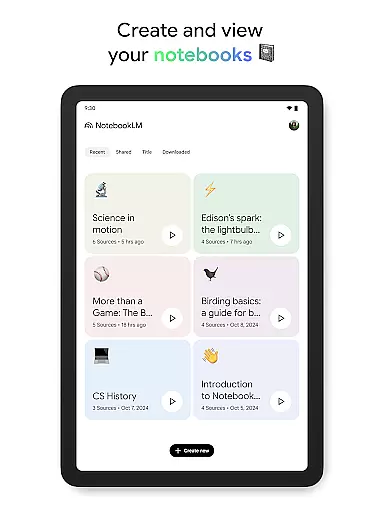
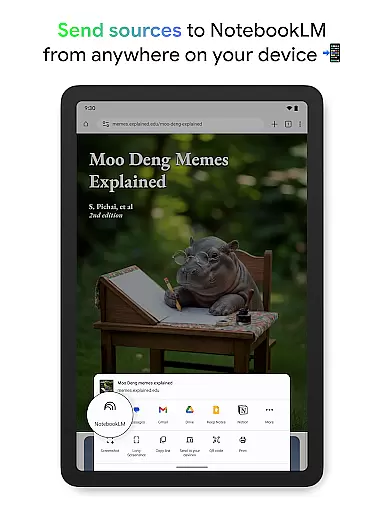
Cross-device synchronization is essential for users who need access to their data and insights across multiple platforms. Google NotebookLM ensures reliable synchronization, enabling users to create and access notebooks from any device without missing a beat. This seamless experience supports a modern workflow where switching between devices does not disrupt productivity.
The app's background playback and offline support features further enhance its cross-device capabilities. Users can listen to Audio Overviews or continue working on their projects even when they're not connected to the internet, making it ideal for people on the go who require uninterrupted access to their information.
Moreover, the ability to ask questions and receive cited responses within the app fosters a consistent learning environment. Whether at home, in the office, or commuting, users have the assurance that their work and research are always up-to-date and accessible, providing peace of mind and enhancing overall efficiency.
Efficient data processing
Trusted cited responses
Flexible learning formats
Offline content access
User-friendly interface
Limited free features
Occasional parsing errors
Requires internet for uploads
Premium subscription costs
Learning curve for new users

Mega cloud explorer plugin for Solid Explorer
 3.80
3.80
Send files, sync SMS, notifications & clipboard across devices via local network
4.40
Mind Map and brainstorm, note taking and idea collection
4.80
CalenGoo is a very flexible and feature-rich calendar app
4.40
Todo reminder
4.10
Translate text/voice/photos in 150+ languages. Offline & fast translator app.
4.50
Secure, open-source, SPICE and SSH Remote Desktop for QEMU KVM virtual machines
4.00
Access, manage and transfer files on Android, PC, Mac, NAS and cloud storages.
4.30
Use powerful, industry-leading AI tools to generate visual charts from any data
4.80
Best Tool for the professionals Electrician, Electrical contractors, etc.
4.90
The long-awaited modern gallery app for your Nextcloud server
4.70
App lock - lock apps with fingerprint, password, pin or pattern, protect privacy
4.70
PDF scanner & converter for files, photos, lottery, QR codes. One swipe away!
4.50
Subscribe to Webcal & .ics calendars and keep them up-to-date!
4.50
Access your phone's notifications, calls, apps, photos & texts on your PC
3.90
Ultimate Virtual AI Character for immersive Roleplay Chat. Perfect Companion
3.90
A Revolutionary All-in-One Artificial Intelligence Tools
3.80
All in one sketching tool. Technical and General drawing. Online Maps support.
3.70
Experience and share your SolidWorks designs on your Android® phone and tablet.
2.50


User Reviews