

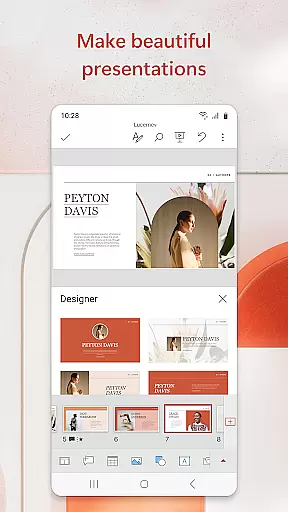
Microsoft PowerPoint is the quintessential presentation tool that empowers users to create, edit, and deliver professional slideshows from their mobile devices. With its comprehensive suite of features, this app allows you to craft visually compelling presentations enriched with music, graphics, and charts. Whether you're preparing quarterly reports or annual reviews, PowerPoint's templated slides ensure your work stands out.
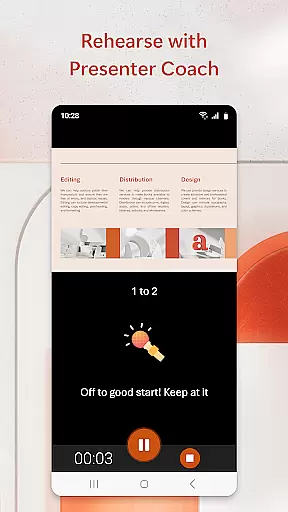
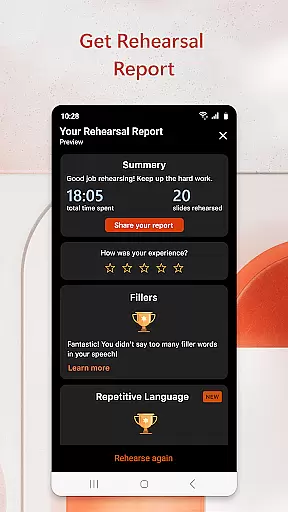
The app syncs seamlessly across all your devices, ensuring that your files are always up-to-date and accessible wherever you go. The AI-powered Presenter Coach helps refine your delivery by providing real-time feedback, allowing you to practice and perfect your presentations with confidence. This feature-rich application supports ppt and pptx formats, making collaboration straightforward and efficient.
PowerPoint mobile offers a robust set of tools designed to enhance productivity and creativity. One standout feature is the Presenter Coach, an AI-driven assistant that provides real-time suggestions to improve your speaking skills, helping you avoid filler words and adjust your pacing for more effective presentations.
Customization is at the heart of PowerPoint, enabling users to create unique and impactful slideshows. You can add photos directly from your device or capture new ones within the app, as well as insert videos or record them on-the-go. The app also includes a presentation timer to help you manage your delivery time efficiently.
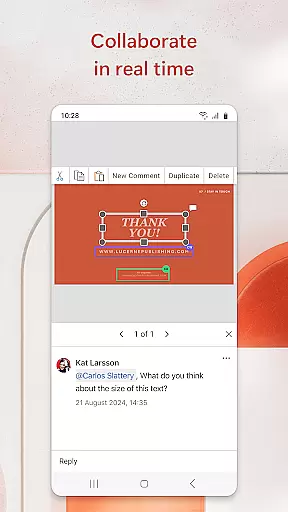
Collaboration is seamless with integrated commenting and permission settings, allowing teams to work together effortlessly. Real-time editing and feedback ensure everyone stays aligned, while customizable templates provide a solid foundation for creating polished presentations quickly and easily.
Microsoft PowerPoint offers robust core task management features that streamline the process of creating, editing, and presenting slideshows. This productivity app allows users to efficiently organize their presentation tasks, ensuring that each slide is meticulously crafted and aligned with their objectives.
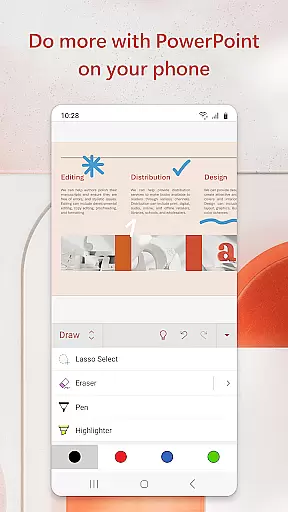
The app provides intuitive tools for managing various elements of a presentation, such as text, graphics, charts, and multimedia. Users can easily format and rearrange these components, optimizing their presentations for maximum impact. The seamless synchronization across devices ensures that users can pick up where they left off, eliminating the hassle of handling multiple file versions.
With real-time collaboration capabilities, PowerPoint enables teams to work together on presentations, regardless of their location. Integrated comments and permissions management facilitate clear communication and efficient feedback incorporation, enhancing team productivity and presentation quality.
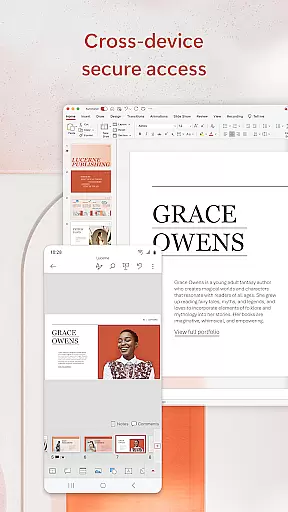
Cross-device synchronization is a cornerstone of Microsoft PowerPoint's reliability, allowing users to access their presentations from any device without missing a beat. Whether transitioning from a desktop to a mobile device or vice versa, PowerPoint ensures that all changes are updated in real time, providing a consistent experience across platforms.
This synchronization extends to cloud storage, meaning that presentations are not only accessible but also protected against data loss. Users can rest assured that their work is saved automatically and can be retrieved from any location, offering peace of mind and continuity in their workflow.
PowerPoint's cross-device functionality supports uninterrupted productivity, enabling users to practice and refine their presentations on the go. Features like Presenter Coach leverage this reliability to offer AI-driven assistance, helping users improve their public speaking skills from any device at any time.
User-friendly interface
Seamless cross-device syncing
AI-powered Presenter Coach
Real-time collaboration tools
Highly customizable templates
Requires subscription for full features
Limited offline functionality
Occasional sync issues
Resource-intensive on older devices
Advanced features have a learning curve


 4.20
4.20
A Revolutionary All-in-One Artificial Intelligence Tools
3.80
Take control of your clipboard with Clipper!
3.90
Remotely view listen control and record cameras.
3.70
All document reader, all in one file viewer read PDF, DOCX, XLS, PPT, TXT files.
4.60
Subscribe to Webcal & .ics calendars and keep them up-to-date!
4.50
Access, manage and transfer files on Android, PC, Mac, NAS and cloud storages.
4.30
Intelligent AI Assistant
4.10
Simple notepad & memo. Take notes, to-do list, shopping list with reminders.
4.80
The long-awaited modern gallery app for your Nextcloud server
4.70
aCalendar+ makes your day, week and month
4.70
The AI assistant that thinks with you - write, code, and solve complex tasks
4.60
A simple Whisper AI keyboard for reliable speech transcription and rewording
4.60
Translate text/voice/photos in 150+ languages. Offline & fast translator app.
4.50
Enjoy classic gameplay with customizable features and retro-style graphics.
4.30
Todo reminder
4.10
Unlock AutoNotification
4.00
⏰ Finally a timer app which can run multiple timers simultaneously on your watch
3.90
IP Camera Viewer - Android TV : RTSP Surveillance camera viewer for Android TV
4.2


User Reviews