

Calculator Plus represents the quintessential calculator application designed for Android devices, offering a superior alternative to traditional handheld calculators. Praised by USA TODAY as one of the '25 Essential Apps', it stands out with its user-friendly interface and high user ratings.
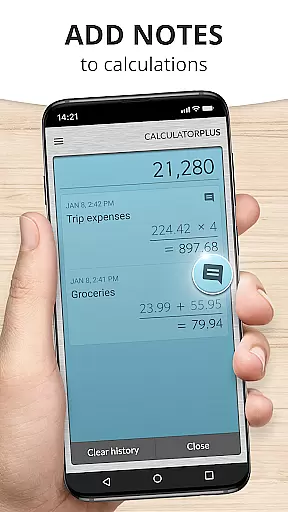
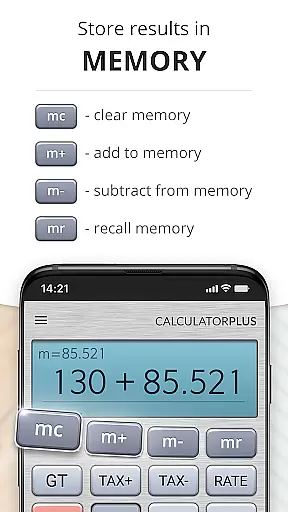
This productivity tool excels in saving users' time and effort through its memory functionality that retains all calculations, allowing for easy review and continuation. Whether for shopping, homework, or financial management, Calculator Plus ensures efficiency and accuracy without the need to re-enter previous calculations.
Designed to utilize the full potential of modern devices, its clear, elegant typography and intuitive design make everyday calculations a breeze on any Android phone or tablet.
Calculator Plus boasts an array of features that enhance the user's calculation experience. Its standout trait is the ability to display calculations in clear, elegant type with proper comma placement, ensuring readability and comprehension.
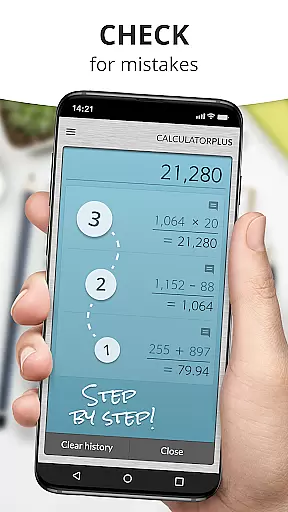
Users benefit from real-time tracking of their calculation process, eliminating confusion and errors. The app's memory function not only recalls past entries but also supports corrections via backspace and provides advanced math functions through swipe gestures.
Additionally, its percentage key clarifies operations, removing ambiguity, while the overall lovable design makes Calculator Plus a reliable tool for daily use, effectively replacing outdated handheld calculators.
Calculator Plus excels in core task management by offering a seamless calculation experience tailored for productivity. The app allows users to save and review past calculations effortlessly, making it an ideal tool for various tasks such as homework, budgeting, or tax preparation.
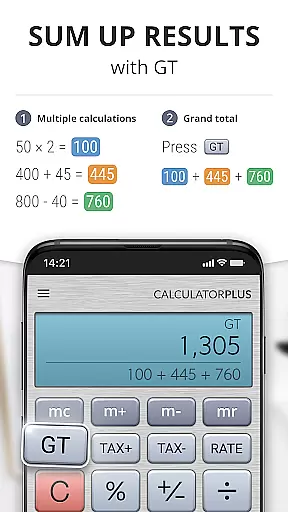
With its memory functions, users can maintain running totals and access advanced math operations when needed. This ensures that complex computations are handled efficiently without losing track of intermediate results.
The app's design emphasizes clarity and precision, displaying calculations in an easy-to-read format with proper comma placement. This attention to detail minimizes errors and enhances the overall user experience.
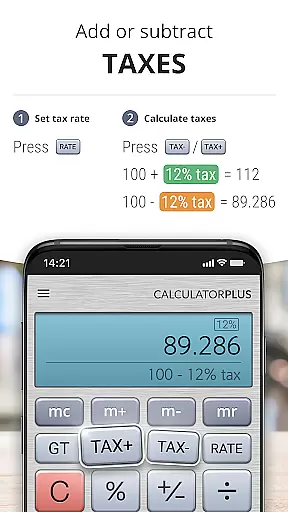
By providing features like backspace correction and clear percentage calculations, Calculator Plus empowers users to manage their computational tasks effectively, saving time and effort while maintaining accuracy.
While Calculator Plus does not explicitly advertise cross-device synchronization, its reliable performance on Android devices ensures consistent access to calculations. Users can quit the app and return later to find their previous work waiting, mimicking the benefits of cross-device functionality.
The app's ability to remember everything users calculate offers a form of synchronization within the device itself. This local storage feature provides a reliable backup of all computations, ensuring no data is lost between sessions.
Although it may lack cloud-based syncing, Calculator Plus compensates with a user-friendly interface that supports continuity in calculations. Its intuitive design allows users to pick up where they left off, regardless of how many times they close and reopen the app.
For those seeking a dependable calculator app that maintains consistency across usage sessions on a single device, Calculator Plus delivers a robust solution that prioritizes reliability and ease of use.
User-friendly interface
Highly rated performance
Memory retention feature
Advanced math functions
Elegant and readable display
Limited to Android platform
No cross-platform sync
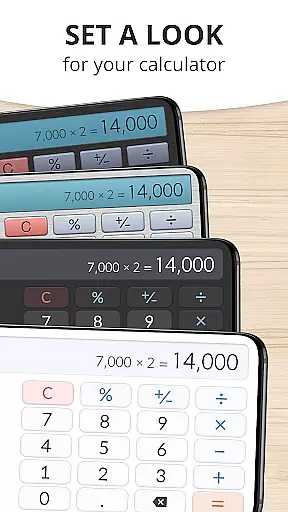
Basic theme options
Occasional ads
In-app purchases needed



A customizable calendar for your Wear OS watch
 4.20
4.20
Easily read and manage all your PDF files
4.10
We're working to become the best machining app on the market! www.cncdirt.com
4.80
Pwnagotchi companion app
4.20
CalenGoo is a very flexible and feature-rich calendar app
4.40
App Lock with fingerprint, password: Lock apps & hide photos with lock screens
4.60
Experience and share your SolidWorks designs on your Android® phone and tablet.
2.50
Daily processing of PDF documents.
4.40
Set up, print, and get support—in one place
4.20
Use powerful, industry-leading AI tools to generate visual charts from any data
4.80
Understand anything with a personalized AI research assistant
4.80
App lock - lock apps with fingerprint, password, pin or pattern, protect privacy
4.70
Secure, fast, open-source, VNC and SSH Remote Desktop for Windows, Linux and Mac
4.70
Secure, fast, open-source, Remote Desktop Client for Windows and Linux with SSH
4.60
To do list widget with a notebook organizer, checklist, simple shopping list
4.60
Experience Reading - Night Mode for Documents
4.40
A Revolutionary All-in-One Artificial Intelligence Tools
3.80
Mega cloud explorer plugin for Solid Explorer
3.80
Remotely view listen control and record cameras.
3.70


User Reviews