

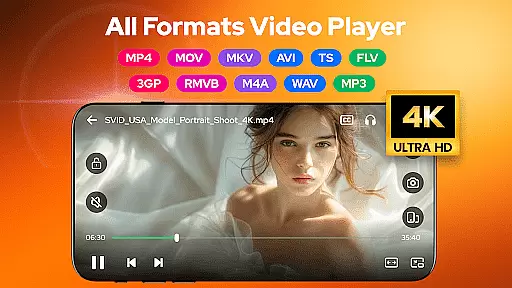
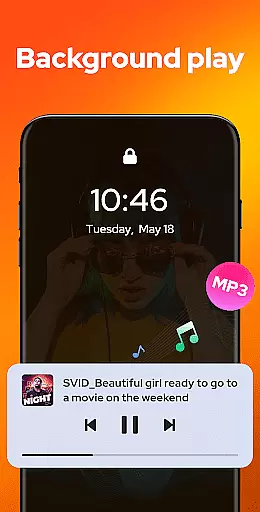
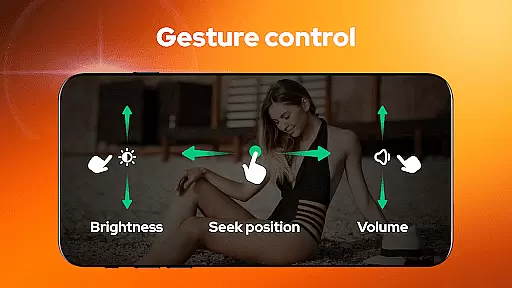
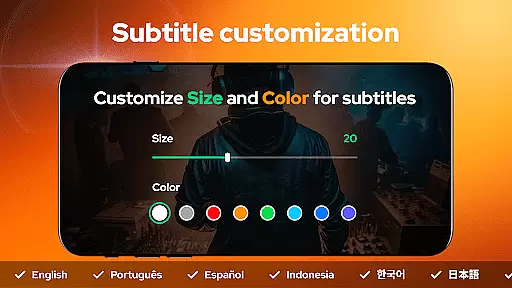
Video Player - AnyPlay is a versatile all-in-one media solution for Android users, combining a powerful video player, file manager, and video downloader. It supports videos in all formats, providing HD playback with customizable subtitles, gesture control, pop-up playback, and background play options.
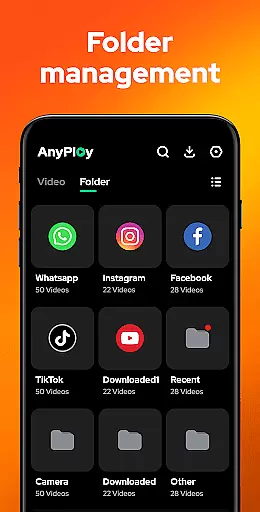
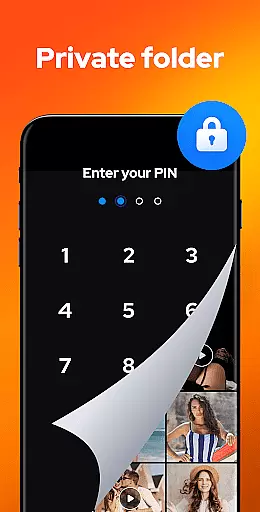
The app also features an intelligent file manager that auto-detects and organizes all media files on your phone and SD card. Users can hide private videos in a dedicated folder, sort files by various criteria, and manage them efficiently. Additionally, the built-in browser allows direct HD video downloads from any website or social media platform.
With its comprehensive feature set, AnyPlay is perfect for users who need a complete media management tool in one convenient package. Whether you're watching videos, managing files, or downloading content, this app streamlines all your media-related tasks.
AnyPlay stands out with its extensive feature set tailored for media enthusiasts. The HD video player supports all formats and includes advanced functionalities like subtitle customization, smart gesture controls, and both HW and SW decoding options. The pop-up play feature lets users multitask while watching videos.
The powerful file manager automatically detects and organizes media files across your device and SD card. It supports various formats including MKV, MP4, AVI, and more. Users can sort files by date, name, length, or size, and even hide private videos in a secure folder.
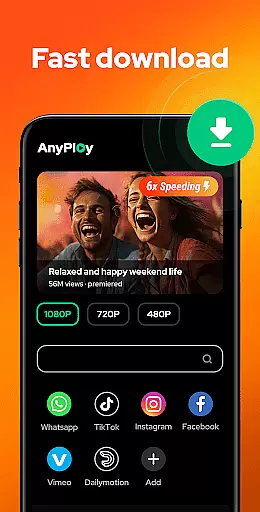
As an HD video downloader, AnyPlay offers a built-in browser for seamless web navigation and fast video downloads in multiple resolutions. The HQ music player includes playlist creation, different looping modes, and audio effects. These features collectively provide a superior multimedia experience.
Video Player - AnyPlay stands out for its exceptional video format compatibility, ensuring that users can enjoy a seamless playback experience regardless of the file type. The app supports an extensive range of formats including MKV, MP4, AVI, and many more, which eliminates the need for additional conversion software.
This comprehensive support is powered by both hardware and software decoding capabilities, allowing for high-quality video playback even in demanding formats. Users can easily switch between HW and SW decoders to optimize performance based on their device's specifications and the specific requirements of each video file.
The inclusion of advanced features such as customizable subtitles, gesture controls, and pop-up playback further enhances the user experience. These functionalities not only provide convenience but also offer a personalized viewing experience tailored to individual preferences.
By supporting all major video formats and offering a suite of playback enhancements, Video Player - AnyPlay ensures that users can access their media collection without limitations or compatibility concerns.
While primarily known for its video playback capabilities, Video Player - AnyPlay also incorporates AI-powered editing features that significantly enhance its value proposition. These intelligent tools allow users to perform basic editing tasks with remarkable ease and precision, making it an attractive option for casual editors.
The built-in AI technology automatically detects and suggests optimal editing points based on scene changes and audio cues. This feature simplifies the process of trimming and cutting videos, enabling users to create polished content quickly. Additionally, the app offers smart enhancement options that automatically adjust brightness, contrast, and color balance to improve overall video quality.
For audio editing, the application provides an integrated equalizer with various presets and reverb effects. These tools help users achieve professional-sounding results without requiring extensive technical knowledge. The combination of video and audio editing features makes AnyPlay a versatile solution for content creators.
By integrating these AI-driven editing capabilities, Video Player - AnyPlay demonstrates its commitment to providing a comprehensive media solution that goes beyond simple playback functionality.
User-friendly interface
Comprehensive format support
Advanced playback options
Efficient file management
Secure privacy features
May use significant storage
Occasional ads in free version
Complex for beginners
Limited cloud integration
Some features require premium


Auto video maker with music & exclusive filters. Video editing made simple.
 4.50
4.50
You can play SWF format file!
2.50
Search & download videos from net with all video downloader, auto-detect & safe.
4.60
Powerful HD video player with support for all formats & subtitles.
4.0
Pro video editor app for Instagram, edit video with song, AI, effect & slowmo.
4.80
Fast & easy HD video downloader for all formats, support 4K playback & download.
4.60
Watch IPTV on your Android device
4.60
Web Browser for LG TV to stream webvideos, online movies and livestreams in HD
4.20
Manage your YouTube channel on the go
4.40
A Quick and Pro Video Editor
4.70
Screen recorder with audio to take live videos & Screenshot in high quality!
4.70
AirMirror Receiver - Screen mirroring/cast web videos to Android TV by AirPlay.
4.40
Movie maker & video editing app with AI effects and green screen
4.30
Powerful video player with advanced hardware acceleration and subtitle supports
4.20
Browser for Samsung TV to stream webvideos, online movies and livestreams in HD
4.10
Stream Web Videos to Chromecast, Samsung, LG, Sony, Roku, Fire TV, DLNA + more
4.00
AI Video Editor:AI Music, Text to Video,Text to Speech,Auto Caption,Video Effect
4.00
Online Videos Player
3.90
Download videos easily & play them all in one smart, powerful video manager.
3.40

User Reviews