

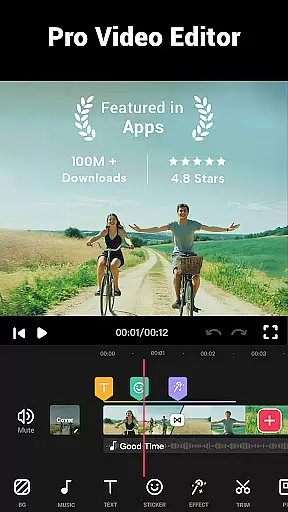
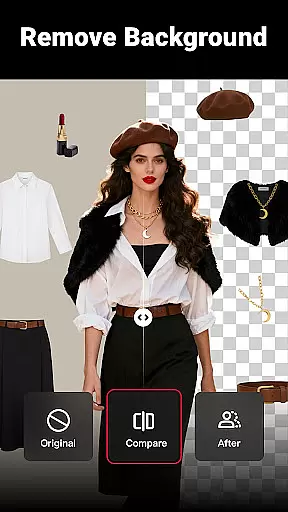
Video Maker is a versatile video editing application that allows users to create professional-quality videos directly from their Android devices. The app offers an extensive range of features including trimming, cutting, and adjusting video speed, as well as adding music, transitions, filters, and effects. Its user-friendly interface makes it accessible for both beginners and experienced editors.
One of the standout features of Video Maker is its ability to export 4K videos without watermarks, ensuring high-quality output for sharing on platforms like YouTube, Instagram, and TikTok. Whether you're creating vlogs, intros, or simply editing fun moments, this app provides all the necessary tools in one place.
The app's value lies in its comprehensive feature set combined with ease of use. Users can enhance their videos with multi-layer editing, voice-overs, sound effects, and stylish fonts. With regular updates adding new effects, filters, and transitions, Video Maker remains a top choice for mobile video editing.
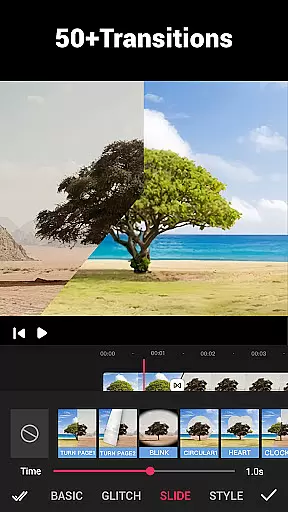
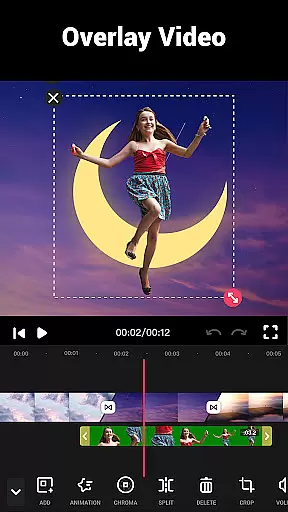
Video Maker stands out with its robust feature set tailored for both casual users and professional editors. The app supports multi-layer editing, allowing users to add music, voice-overs, sound effects, and text overlays with various fonts. It also includes over 50 transition effects to seamlessly blend video clips together, enhancing storytelling capabilities.
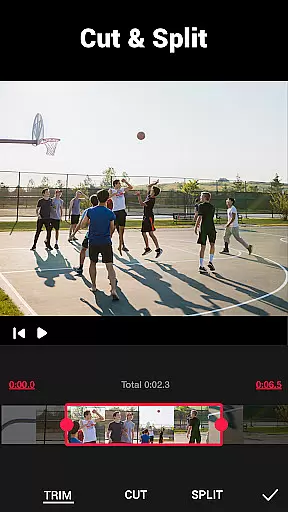
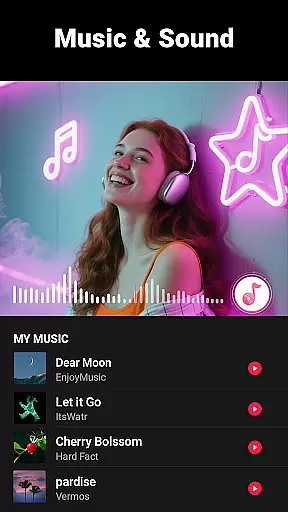
Advanced editing options include trimming and splitting videos into multiple clips, changing playback speed for fast or slow motion effects, and extracting audio from videos. Users can apply dozens of HD-free background music tracks or upload custom songs, with volume adjustments and fade-in/out options available.
Additional features encompass applying stunning movie-style filters and FX effects, compressing and converting videos while maintaining HD quality, and cropping videos into different aspect ratios suitable for various social media platforms. These functionalities ensure that every video created is optimized for its intended platform and audience.
Video format compatibility is a crucial feature for any video editing application, ensuring that users can work with a wide range of video files without conversion hassles. Video Maker excels in this area by supporting various popular formats, allowing creators to import and export videos seamlessly.
The app's powerful engine supports high-quality video processing, including 4K exports without watermarks. This ensures that your creations retain their original clarity and professional appearance when shared on platforms like YouTube and Instagram.
Moreover, Video Maker provides flexible options for resolution and quality settings during the export process. Users can customize these parameters based on their specific needs or platform requirements, making it an ideal tool for both beginners and professionals alike.
By offering extensive format support and customizable export settings, Video Maker empowers users to focus on their creative process rather than technical limitations, enhancing overall productivity and satisfaction.
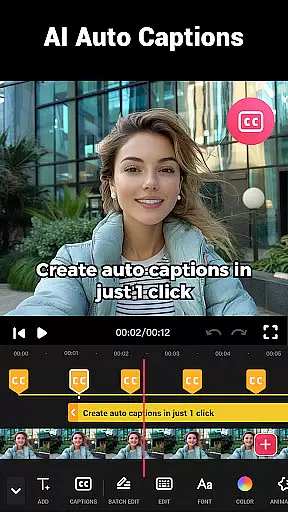
AI-powered editing features are revolutionizing the way we create and edit videos, making the process more intuitive and efficient. Video Maker incorporates advanced AI technologies to simplify complex tasks, enabling users to produce professional-quality content with minimal effort.
One standout feature is the automatic audio extraction from videos, which allows users to easily add marks according to music rhythm. This functionality enhances synchronization between visuals and soundtracks, creating more engaging and dynamic videos.
In addition, the app offers smart filters and effects that adapt to the content of each clip. These AI-driven enhancements analyze video elements in real-time, suggesting optimal adjustments for lighting, color balance, and transitions.
Furthermore, Video Maker's AI capabilities extend to object recognition and scene detection, which assist in automating certain editing decisions. This not only saves time but also helps maintain consistency throughout the video project, resulting in polished final products that rival those created by seasoned professionals.
User-friendly interface
Export 4K videos
No watermark on exports
Wide range of effects
Regular feature updates
Occasional bugs reported
Advanced tools may overwhelm beginners
Limited customer support options
Some features require learning curve
Interface could be more visually appealing


Tik & Story Saver-Download ALL social media videos, photos & reels no watermark.
 4.80
4.80
Stream high quality video from your camera over NDI protocol
4.2
All format media Player, no need video converter any more!
4.00
Live TV, anywhere in your home
3.80
Fast & easy HD video downloader for all formats, support 4K playback & download.
4.60
Manage your IPTV live channels and VOD playlists (no playlist included)
3.80
Fast & Private HD Video Downloader with Built-in Proxy Browser and Video Player.
4.50
VLC for Android is the best open source video and music player, fast and easy!
4.10
Create, Publish & Maximize
4.70
#1 Torrent App on Android ** No Ads Ever + Battery Saver **
4.80
Download videos and play them offline
4.70
Photo and Music Video Creator into Stunning Videos—Effortlessly
4.40
KineMaster, Your Ultimate Video Editor!
4.40
Download website videos fast&privacy
4.40
1)AirPlay/DLNA Mirroring/Streaming, up to 4 connections; 2)Samba/NAS/DMS Player.
4.00
Cast to Smart TV, Fire TV. Cast video, photo - Fast & Stable!
3.90
Kodi media center, a free and open source cross-platform entertainment hub
3.60
Save photos and videos from social apps in one tap.
3.60
A full editing room to accompany your Insta360 cameras and handheld gimbals.
3.30


User Reviews