

Video Player All Format is a versatile and professional video playback tool designed for Android devices. It supports all video formats including MKV, MP4, AVI, and more, with capabilities to play 4K/Ultra HD videos in high-definition. The app features advanced functionalities such as hardware acceleration, Chromecast support, and subtitle downloader, making it one of the best choices for video enthusiasts.
Beyond its core playback abilities, this app offers unique features like private folder protection, pop-up window playback, and background play mode. These ensure both privacy and multitasking convenience. Whether you're watching on an Android phone or tablet, Video Player All Format provides a seamless experience with customizable options like night mode, quick mute, and playback speed control.
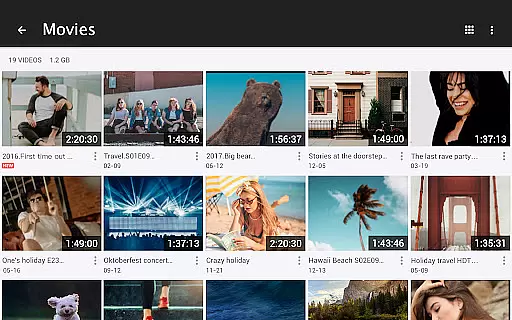
The app's automatic file identification system scans your device and SD card for video files, allowing easy management and sharing. With additional options like multi-playback settings and floating video windows, users can enjoy a highly personalized viewing experience. This makes Video Player All Format not just a player but a comprehensive media management tool.
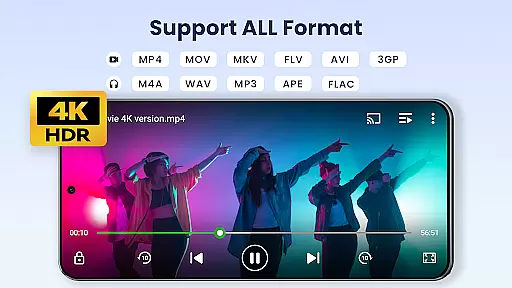
Video Player All Format stands out due to its extensive format compatibility and cutting-edge features tailored for diverse user needs. Supporting ALL video formats such as MKV, MP4, AVI, MOV, and more, it ensures no file goes unplayed. Its Ultra HD video player capability handles 4K resolution smoothly, offering stunning visual clarity that enhances the viewing experience.
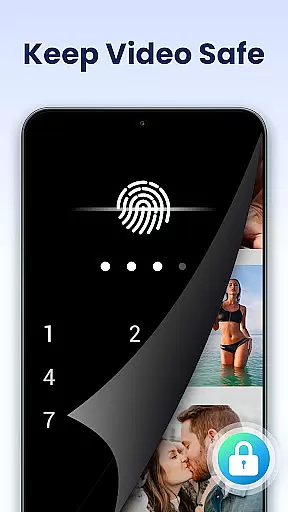
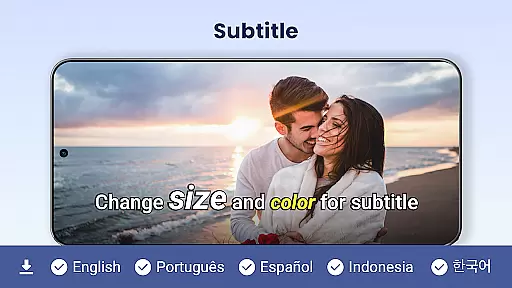
One of the key highlights is the private folder feature, which allows users to password-protect their private videos, ensuring they remain unseen and secure from unauthorized access. Additionally, the app integrates Chromecast functionality, enabling users to cast their videos directly to a TV. Subtitle downloading further enriches the playback experience by providing customizable language options.
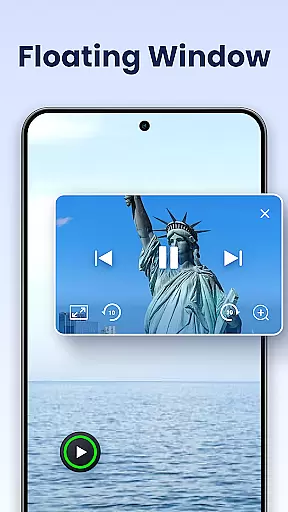
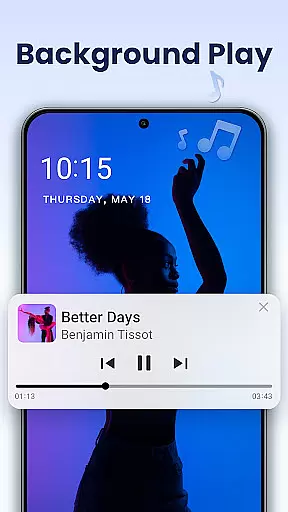
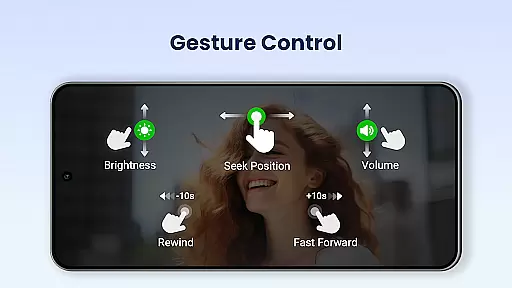
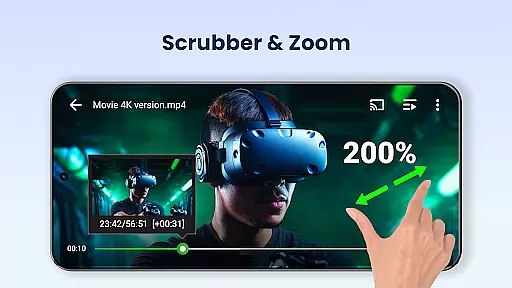
For multitaskers, the floating video player and background playback modes are invaluable. These features allow users to resize and move the video window while using other apps or listen to videos like audio books. Coupled with advanced controls for volume, brightness, and playback speed, Video Player All Format delivers both innovation and practicality, setting a new standard in mobile video players.
Video Player All Format stands out as a versatile video playback tool due to its extensive video format compatibility. This application supports an array of formats including MKV, MP4, AVI, and more, ensuring that users can play virtually any video file without the need for conversion.
The importance of this feature cannot be overstated, as it eliminates the frustration associated with format incompatibility. Whether you're dealing with high-definition 4K videos or legacy formats like FLV and WMV, Video Player All Format handles them all with ease.
Users benefit from seamless playback, experiencing smooth streaming without interruptions. The app's hardware acceleration enhances performance, allowing for ultra HD video playback on both Android tablets and phones.
This level of compatibility not only simplifies media consumption but also positions Video Player All Format as one of the best choices for users who require reliable access to their diverse video libraries.
While Video Player All Format primarily focuses on video playback, it incorporates AI-powered features that enhance user interaction and control over their viewing experience. Although not a traditional video editor, the app offers functionalities such as speed control and subtitle downloader, which add a layer of customization to how content is consumed.
The significance of these AI-driven tools lies in their ability to adapt playback settings to individual preferences. Users can modify video speed from 0.5 to 2.0, catering to those who wish to watch content at slower or faster rates depending on their needs.
Additionally, the inclusion of advanced features like pop-up video player and background play transforms multitasking capabilities. These options allow users to continue viewing while performing other tasks, providing flexibility and convenience.
By integrating intelligent features that go beyond basic playback, Video Player All Format delivers a comprehensive media experience that aligns with modern user expectations for control and personalization.
User-friendly interface
Comprehensive format support
Advanced privacy protection
Smooth 4K playback
Convenient multitasking tools
Occasional bugs in older devices
Limited iOS availability
Ads in free version
Heavy on storage
Complex for beginners



Video player, file manager for all formats, 4K/HD media player supports subtitle
 4.30
4.30
Auto video maker with music & exclusive filters. Video editing made simple.
4.50
HD Video player all format, HD Videos, Cast & Subtitle. No annoying ads.
4.60
KineMaster, Your Ultimate Video Editor!
4.40
Powerful HD video player with support for all formats & subtitles.
4.0
Seamlessly connect and control your smart devices, anytime, anywhere with ease.
4.60
Livestream, news, & gaming content. Watch, chat, and upload. Join Rumble today!
3.80
Enjoy your favorite videos and channels with the official YouTube app.
3.90
Capture the moment and Cut
3.40
High-Quality USB Camera Viewer & HDMI Display
4.70
Support 1000+ Video Format, Subtitle Download, mp3 & Background Play, Cast On TV
4.60
HD video maker with no watermark, no ads & vlog maker with music, PIP, text
4.50
Fast & Private HD Video Downloader with Built-in Proxy Browser and Video Player.
4.50
Browser for Samsung TV to stream webvideos, online movies and livestreams in HD
4.10
1)AirPlay/DLNA Mirroring/Streaming, up to 4 connections; 2)Samba/NAS/DMS Player.
4.00
Make your own Animations, Video and Photo Edits, Visual Effects, and more!
4.00
Online Videos Player
3.90
Save photos and videos from social apps in one tap.
3.60
Play and download HD videos from all sources — fast, simple, and all-in-one.
4.5
User Reviews