

HD Video Player All Format is a versatile video player for Android devices, offering support for all video formats including 4K and ultra HD resolutions. The app stands out with its smooth playback capabilities, subtitle support, and absence of annoying ads. Designed for both smartphones and tablets, it ensures an optimal viewing experience by maintaining original video resolution and maximizing playback efficiency.
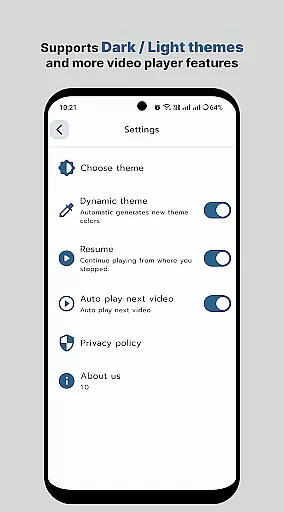
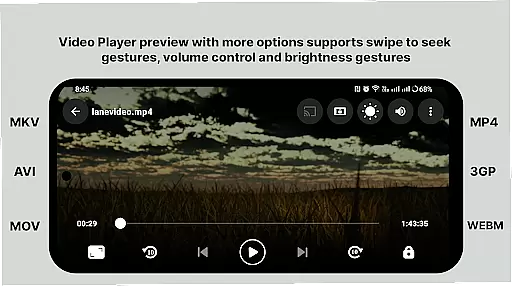
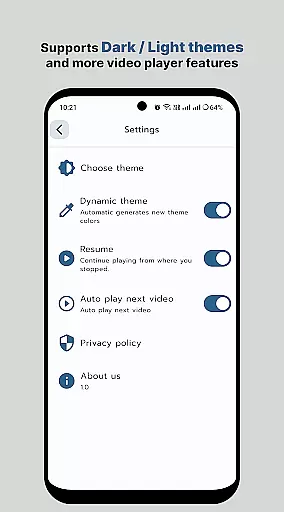
The player includes advanced features such as multi-track audio support, auto-rotation, aspect-ratio adjustments, and gesture controls for volume and brightness. Its smart media library makes organizing and accessing your video files effortless. Whether you're watching movies or personal recordings, this app provides a professional-grade multimedia experience on mobile devices.
With its comprehensive format compatibility and high-performance playback, HD Video Player All Format is perfect for users who demand quality and flexibility in their video playback tools. The app's intuitive interface and powerful functionality make it the go-to choice for enjoying high-quality videos on Android devices.
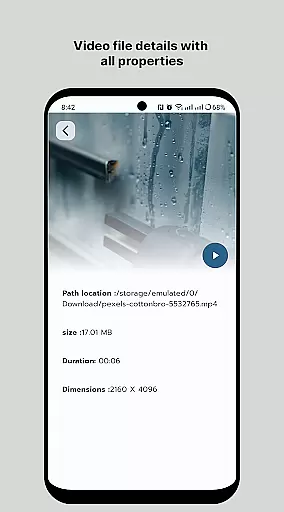
HD Video Player All Format boasts an impressive array of features that enhance the video playback experience. The app supports most popular video file formats, ensuring compatibility with virtually any media file you might encounter. Its quick start capability and smooth playback support make watching videos seamless and enjoyable, while the small memory footprint and simple operation keep your device running efficiently.
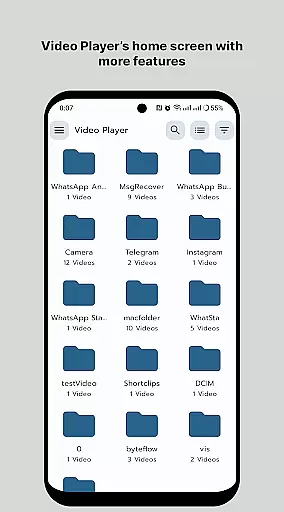
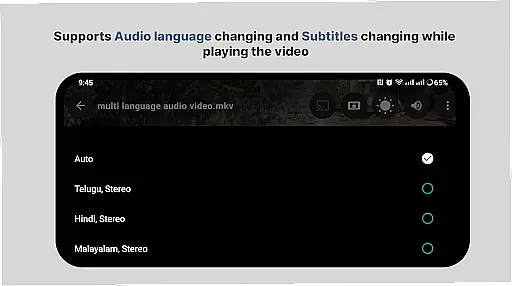
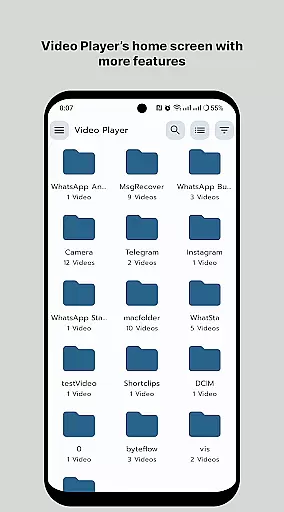
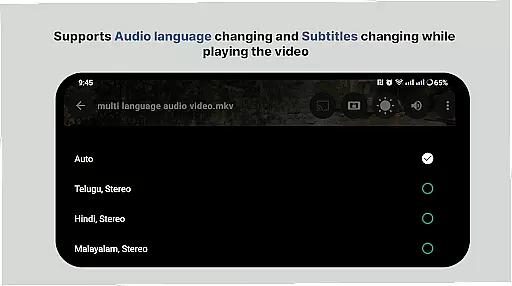
One of the standout features is the smart media library, which organizes your video files for easy access. You can browse folders directly and manage or share videos effortlessly. The player also supports multi-track audio and subtitles, giving you complete control over your viewing experience. Advanced options like auto-rotation, aspect-ratio adjustments, and gesture-based volume and brightness controls add to the app's versatility.
Additional professional-grade features include playback speed control and support for 4K video playback. These capabilities, combined with the app's user-friendly interface and efficient performance, make HD Video Player All Format a top choice for Android users seeking a comprehensive video playback solution.
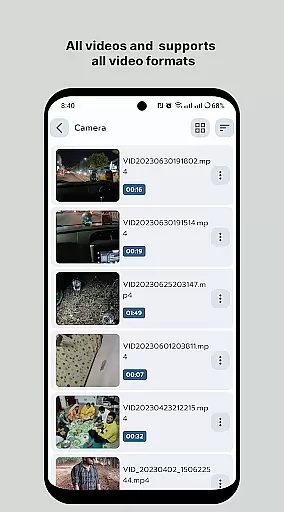
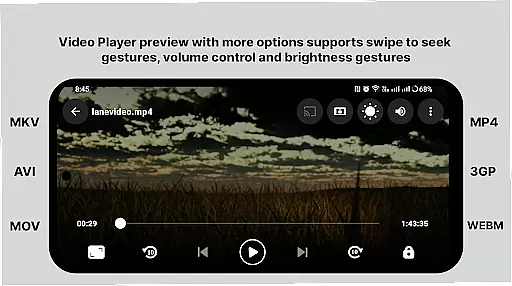
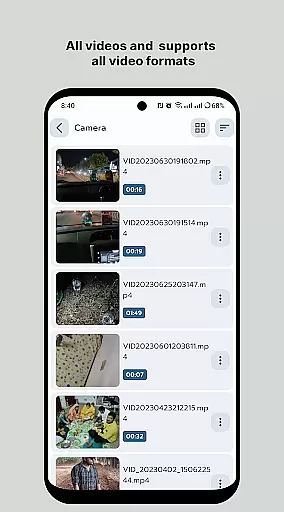
Video format compatibility is a crucial feature for any video player application, ensuring that users can play videos in various formats without the need for conversion. HD Video Player supports an extensive range of popular video file formats, including but not limited to MP4, AVI, MKV, and FLV. This versatility allows users to enjoy their video content in its original quality without worrying about format restrictions.
The application's ability to handle 4K and ultra HD video files with high-definition playback is particularly noteworthy. By supporting advanced codecs and maintaining high-resolution output, HD Video Player ensures that even the most demanding video files are played smoothly and clearly. The inclusion of multi-track audio and subtitle support further enhances the viewing experience, making it accessible and enjoyable for a diverse audience.
For users, this comprehensive format support translates into convenience and flexibility. Whether watching movies, personal recordings, or professional presentations, the assurance that HD Video Player can manage all types of video files means less time spent on troubleshooting and more time enjoying content. Additionally, features like auto-rotation and aspect-ratio adjustments ensure that videos look correct on any device, preserving the creator's intended visual presentation.
AI-powered editing features represent the cutting edge of video player functionality, offering users tools that go beyond simple playback. HD Video Player incorporates intelligent features that enhance the user experience through smart media library organization, gesture controls, and playback speed adjustments. These AI-driven capabilities make managing and viewing video content more intuitive and efficient.
One standout feature is the smart media library, which automatically categorizes and indexes video files, allowing for quicker access and easier navigation. Users can browse folders directly or search for specific content, knowing that the AI system has organized their library in the most optimal way. Gesture controls add another layer of convenience, enabling users to adjust volume, brightness, and playback progress with simple swipes and taps on the screen.
Playback speed control is another significant advantage, letting viewers customize their experience by speeding up or slowing down video playback without affecting audio quality. This feature is especially useful for reviewing detailed content or when users want to quickly skim through less important sections. Overall, these AI-powered editing features not only streamline video management but also provide a more engaging and personalized viewing experience, setting HD Video Player apart from conventional video players.
User-friendly interface
Wide format support
Smooth playback performance
Advanced subtitle options
Efficient media management
Limited iOS availability
No cloud integration
Premium feature costs
Occasional bugs
Heavy on resources

Kodi media center, a free and open source cross-platform entertainment hub
 3.60
3.60
You can play SWF format file!
2.50
KineMaster, Your Ultimate Video Editor!
4.40
Fast video downloader & private browser. Save HD clips to watch offline.
4.40
IPTV Loader, loads your own Playlist. DOES NOT CONTAIN ANY LIST OR CHANNELS
4.60
The essential companion to your Blue Iris PC software
2.50
Connect EasyCap or UVC devices for recording and broadcast video/audio stream
3.60
Video player with 4K & 1080P support, popup play, background play and subtitle.
4.20
VLC for Android is the best open source video and music player, fast and easy!
4.10
Pro video editor app for Instagram, edit video with song, AI, effect & slowmo.
4.80
Watch a large amount of high-definition short drama content
4.60
Create photo video with music & template. AI video maker for stunning slideshow.
4.60
Photo and Music Video Creator into Stunning Videos—Effortlessly
4.40
IPTV-Smarters Player Pro M3U - Watch Live Stream TV Channels with Chromecast
4.00
Stream Web Videos to Chromecast, Samsung, LG, Sony, Roku, Fire TV, DLNA + more
4.00
Online Videos Player
3.90
Capture images & record videos for USB Camera, Webcam, Microscopes, Endoscopes
3.80
All in one multi protocols stream receiver for AirPlay, Cast and DLNA.
3.60
A full editing room to accompany your Insta360 cameras and handheld gimbals.
3.30

User Reviews