

KMPlayer Plus (Divx Codec) is a versatile video player that supports Divx codec, making it ideal for users who need to play various video formats. The app offers high-definition playback for HD, 4K, and even 8K videos, ensuring an exceptional viewing experience.
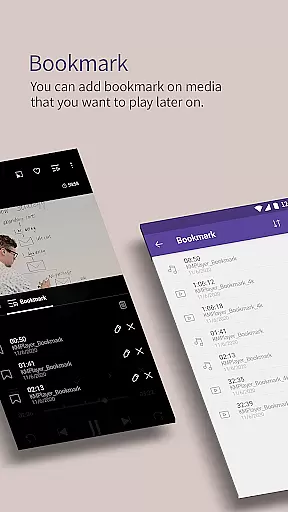
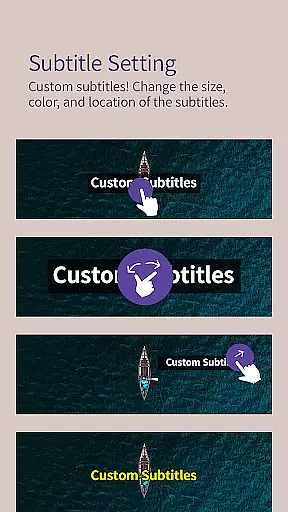
With advanced features like bookmarking, color adjustment, and section repeat, KMPlayer Plus enhances user interaction with media files. It also supports a wide range of subtitle formats, allowing users to enjoy content in their preferred language with customizable subtitle settings.
This application is suitable for anyone looking to manage and play their multimedia library with ease, providing both basic and advanced functionalities tailored to different user needs.
KMPlayer Plus stands out with its extensive codec support, including DXMF, DIVX, and MP4V, catering to diverse video file types. Its ability to handle high-definition video playback ensures users can enjoy clear and vibrant visuals across all resolutions.
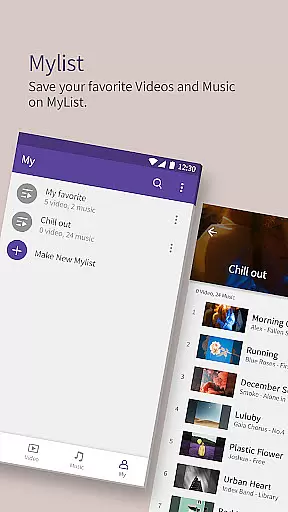
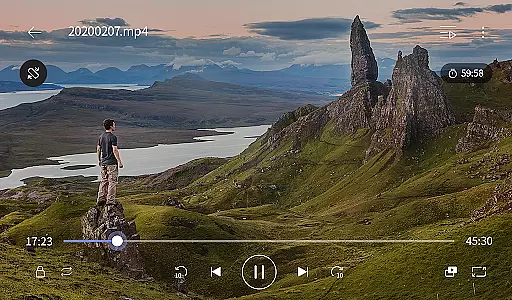
The app includes practical tools such as quick buttons for easy option selection, popup play for multitasking, and speed control for flexible playback rates. Additionally, the equalizer feature optimizes audio experiences, while the timer function adds convenience for scheduling media sessions.
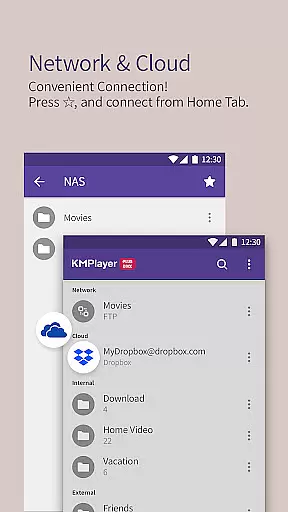
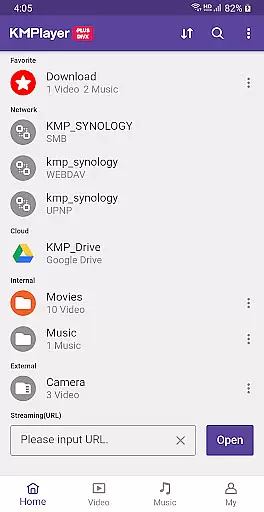
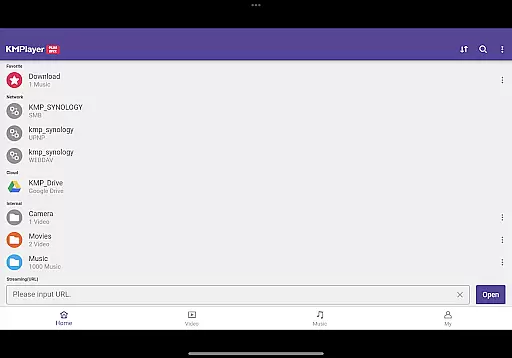
For enhanced usability, KMPlayer Plus provides network connectivity options like FTP and SMB, cloud integration with Dropbox and OneDrive, and external storage support. These features ensure seamless access to media files from various sources, making it a comprehensive solution for video enthusiasts.
Video format compatibility is a crucial feature for any video player, ensuring that users can enjoy a wide range of media files without technical limitations. KMPlayer Plus (Divx Codec) excels in this area by supporting an extensive list of codecs and file formats.
The application officially supports Divx codec, catering to various AVI and MKV files with specific codecs like DXMF, DX50, DIVX, DIV4, DIV3, and MP4V. This ensures smooth playback of high-quality videos, including HD, 4K, 8K, UHD, and Full HD content. By covering such a broad spectrum of codecs, KMPlayer Plus minimizes the chances of encountering unsupported files.
Moreover, KMPlayer Plus provides comprehensive support for subtitle formats, enhancing the viewing experience. Formats like DVD, DVB, SSA/ASS Subtitle Track, SubStation Alpha (.ssa/.ass), SAMI (.smi), SubRip (.srt), MicroDVD (.sub/.txt), VobSub (.sub/.idx), SubViewer2.0 (.sub), MPL2 (.mpl/.txt), TMPlayer (.txt), Teletext, PJS (.pjs), and WebVTT (.vtt) are all supported. This extensive compatibility allows users to enjoy their media with accurate and styled subtitles.
By offering such wide-ranging format and codec support, KMPlayer Plus ensures that users can play almost any video file they encounter, making it a versatile tool for all their media playback needs.
AI-powered editing features represent the cutting-edge integration of artificial intelligence into video players, providing users with advanced tools to enhance their media experience. KMPlayer Plus (Divx Codec) incorporates several intelligent functionalities that elevate its performance beyond traditional players.
One standout feature is the ability to adjust video settings intelligently. Users can modify brightness, contrast, hue, saturation, and gamma information, allowing personalized optimization of video quality. The zoom function further enhances user control by enabling viewers to zoom in and navigate through detailed sections of the video seamlessly.
KMPlayer Plus also includes smart playback options like section repeat and speed control. The section repeat function uses intelligent algorithms to allow users to designate specific segments for repeated playback, ideal for analyzing scenes or language learning. Speed control offers flexibility from 0.25x to 4x playback speed, adapting to different viewing preferences and scenarios.
Additionally, the inclusion of AI-driven features like equalizer settings for both music and video ensures an immersive audio-visual experience. These capabilities collectively make KMPlayer Plus not just a video player but a sophisticated tool for enjoying and interacting with multimedia content.
User-friendly interface
Wide codec support
High-definition playback
Advanced subtitle options
Flexible playback controls
Limited free trial
Subscription required
Some features locked behind VIP
Occasional ads
Complex settings for beginners

A Quick and Pro Video Editor
 4.70
4.70
Tik & Story Saver-Download ALL social media videos, photos & reels no watermark.
4.80
Search & download videos from net with all video downloader, auto-detect & safe.
4.60
Create & edit videos with AI
4.30
Play ALL formats in 4K & HD. Video downloader, MP3 player, Chromecast & more.
4.80
HD video maker with no watermark, no ads & vlog maker with music, PIP, text
4.50
Connect EasyCap or UVC devices for recording and broadcast video/audio stream
3.60
Video&Drama Player All Format is a HD video player, music player
3.00
convenient, safe and fast at Video Downloader & Player
4.60
Watch a large amount of high-definition short drama content
4.60
VLC Remote lets you control your VLC Media Player on Mac, PC or Linux.
4.60
Browser + Remote for Roku to stream webvideos, online movies and livestreams
4.60
Video Downloader, Multiple Resolution Options, Video Player
4.50
Browser for Samsung TV to stream webvideos, online movies and livestreams in HD
4.10
Explore the largest library of free GIFs, Stickers & Memes - or create your own!
3.90
Save photos and videos from social apps in one tap.
3.60
A full editing room to accompany your Insta360 cameras and handheld gimbals.
3.30
Browser for Sony TV to stream web videos, online movies and live tv
3.20
The essential companion to your Blue Iris PC software
2.50


User Reviews