

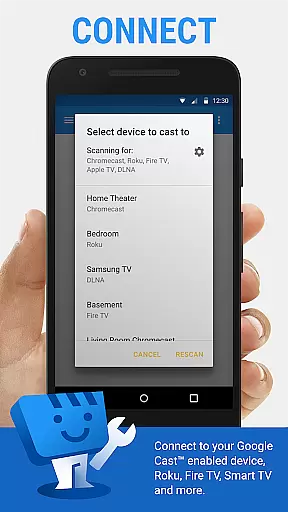
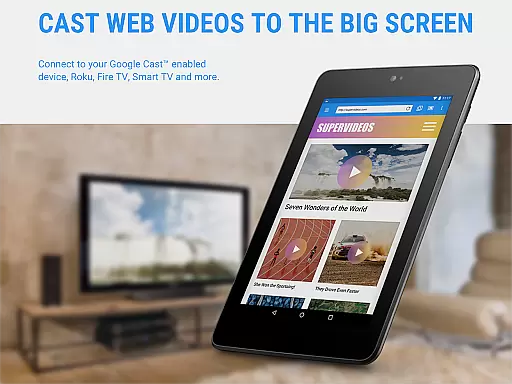
Web Video Cast is a versatile streaming application that allows users to cast videos, photos, and audio files from their mobile devices to various streaming devices. The app supports popular platforms like Chromecast, Roku, DLNA receivers, Amazon Fire TV, and many smart TVs. It also enables casting of local media stored on your phone, making it an all-in-one solution for media streaming.
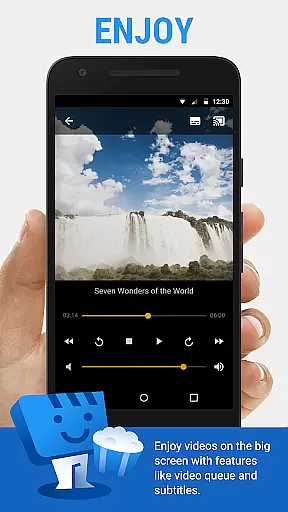
The app's standout feature is its ability to detect subtitles automatically on web pages or through OpenSubtitles.org integration. This ensures an enhanced viewing experience, especially for foreign language content. Whether you're streaming live news, sports, movies, or TV shows, Web Video Cast provides seamless connectivity between your device and TV, offering a true big-screen experience.
With its user-friendly interface and broad compatibility, Web Video Cast is ideal for anyone looking to enjoy digital content on larger displays without complicated setups. Its premium features, such as ad-free browsing and advanced customization options, further enhance the overall usability and convenience.
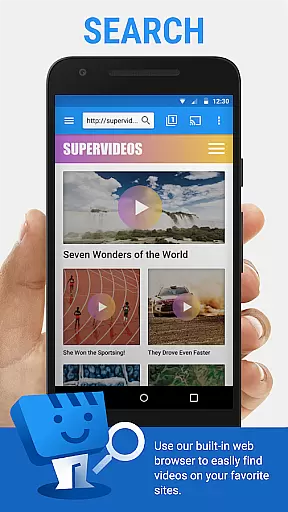
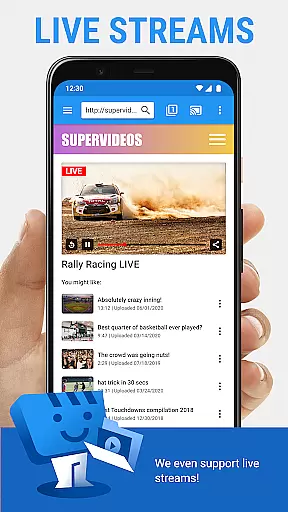
Web Video Cast offers a comprehensive set of features designed to maximize streaming flexibility. One key highlight is its support for HLS live streams in M3U8 format, which works across compatible devices. Additionally, the app supports MP4 videos, HTML5 content, photos, and audio files, ensuring wide-ranging media compatibility. Users can even cast media directly from websites by playing videos within the app's built-in browser.
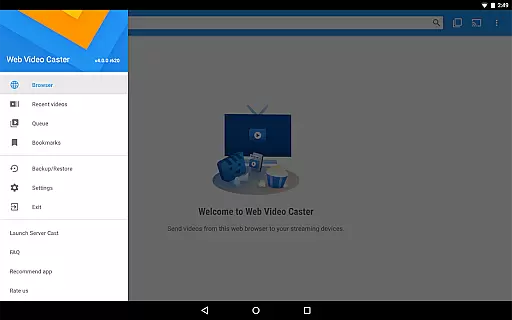
For added convenience, the app includes tools like bookmarking, video history tracking, and queue management. These functionalities allow users to organize their favorite content efficiently. Moreover, the app integrates with OpenSubtitles.org, enabling users to find and apply subtitles effortlessly. Premium subscribers gain access to exclusive perks, including no ads, home page customization, and most-visited site shortcuts.
Another notable aspect is the app's adaptability to different streaming devices. From Chromecast to PlayStation 4, Web Video Cast ensures consistent performance regardless of the hardware used. This versatility makes it a reliable choice for individuals seeking a universal casting solution.
Video format compatibility is a crucial aspect of any video player, ensuring that users can enjoy content from various sources without technical hindrances. Web Video Cast supports an extensive range of formats, making it versatile for different user needs.
The app facilitates streaming of HLS live streams in M3U8 format, provided the user's streaming device supports it. This ensures that users can access live news and sports events seamlessly. Additionally, MP4 videos and HTML5 videos are supported, allowing for a broad spectrum of digital content to be cast directly to smart TVs or other streaming devices.
One important consideration is that Web Video Cast does not perform video/audio decoding or transcoding. Therefore, the capability of the streaming device to decode the video being played is essential. This approach maintains the quality of the original content while relying on the hardware's native capabilities.
By supporting popular streaming devices like Chromecast, Roku, DLNA receivers, Amazon Fire TV, and others, Web Video Cast ensures that users can enjoy their favorite web-based content on the big screen without worrying about format restrictions. This flexibility enhances the overall user experience, providing seamless integration between mobile devices and home entertainment systems.
AI-powered editing features represent the cutting edge of video editing technology, enabling users to enhance their content with minimal effort. While Web Video Cast focuses primarily on casting and streaming, its integrated AI functionalities provide valuable tools for optimizing media before sharing it with larger audiences.
Among these features is the automatic detection of subtitles on web pages. This functionality simplifies the process of adding captions to videos, making content more accessible to viewers who rely on subtitles. Users also have the option to upload their own subtitle files or search for suitable ones using OpenSubtitles.org, enhancing the viewing experience across different languages and preferences.
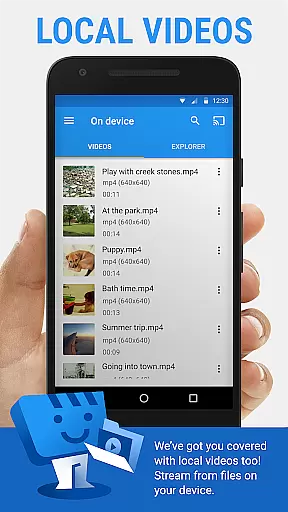
Although Web Video Cast doesn't offer traditional video editing capabilities such as trimming or transitions, its intelligent system streamlines the preparation of multimedia content. For instance, the app allows casting local videos stored on a phone, including photos and audio files, which means users can curate personalized playlists or presentations effortlessly.
For those seeking advanced customization, premium features like bookmarks, video history, and queue management provide additional layers of control over how content is organized and presented. These tools empower users to create a tailored viewing experience that aligns with their preferences, all while leveraging the convenience of AI-driven automation to simplify complex tasks.
User-friendly interface
Wide device compatibility
Subtitle detection
Local file casting
Premium customization
No tab casting support
Limited server control
Device-specific issues
Paid premium version
Occasional buffering

Online Videos Player
 3.90
3.90
Powerful, professional, versatile teleprompter. Developed by an active film crew
4.00
Search & download videos from net with all video downloader, auto-detect & safe.
4.60
Support 1000+ Video Format, Subtitle Download, mp3 & Background Play, Cast On TV
4.60
Fast & easy HD video downloader for all formats, support 4K playback & download.
4.60
Browser for Sony TV to stream web videos, online movies and live tv
3.20
A Simple app to download Video & Music from the Internet.
4.70
Powerful video player with advanced hardware acceleration and subtitle supports
4.20
Screen recorder with audio to take live videos & Screenshot in high quality!
4.70
Pro video editor app for Instagram, edit video with song, AI, effect & slowmo.
4.80
Download Hub, easy and private way to download and enjoy your videos offline
4.80
High-Quality USB Camera Viewer & HDMI Display
4.70
IPTV Loader, loads your own Playlist. DOES NOT CONTAIN ANY LIST OR CHANNELS
4.60
Browser + Remote for Roku to stream webvideos, online movies and livestreams
4.60
Cast to Chromecast, Xbox, Fire Stick, Roku, DLNA, Smart TV & No Feature Limited!
4.50
AI Video Editor:AI Music, Text to Video,Text to Speech,Auto Caption,Video Effect
4.00
AirMirror is Receiver for Screen Mirroring and Casting from Apple Devices.
3.60
Connect EasyCap or UVC devices for recording and broadcast video/audio stream
3.60
Download videos easily & play them all in one smart, powerful video manager.
3.40


User Reviews