

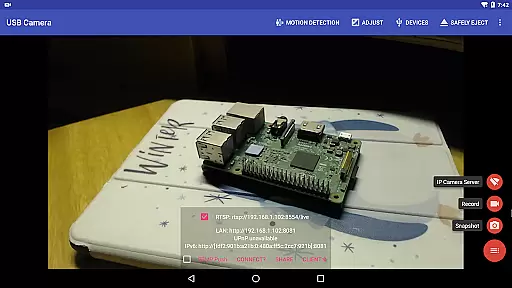
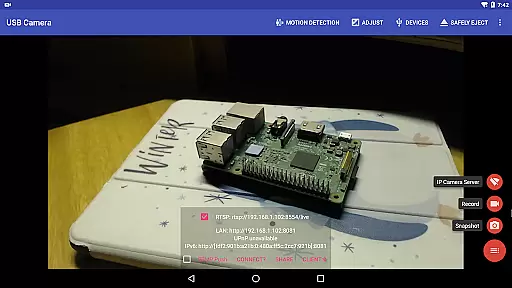
USB Camera Pro is a versatile application designed for Android users who need to connect their devices with USB webcams or video capture cards. This app allows you to record high-quality videos, take snapshots, and even transform your phone into a wireless IP camera through its built-in RTSP and HTTP server capabilities. With support for bi-directional audio, it's ideal for security monitoring and live broadcasts.
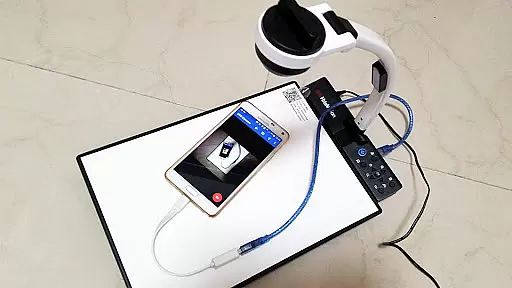
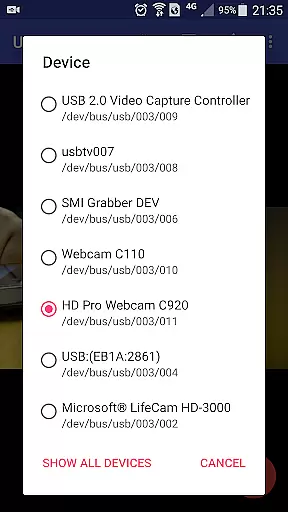
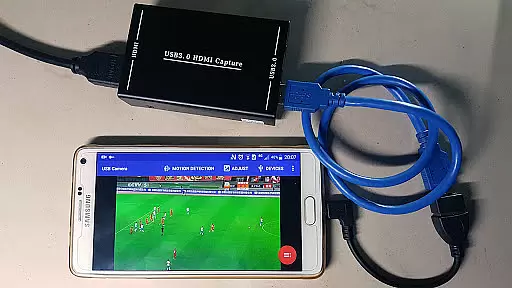
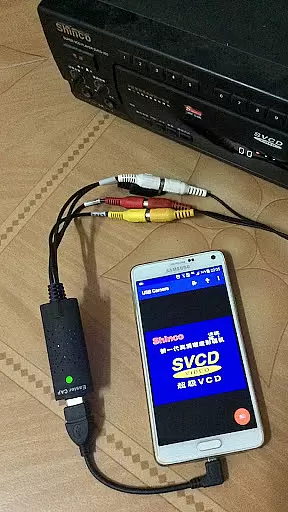
The app supports a wide range of devices including UVC WebCams, video grabbers, Windows Hello Cameras, and various non-UVC devices like USB endoscopes. It also features advanced functionalities such as Picture in Picture, VR/FPV view, and the ability to display video on the lock screen. Whether you're using it for professional video production or personal security needs, USB Camera Pro offers a comprehensive solution.
One notable use case is turning your Android device into a dashcam. The loop-recording feature ensures continuous recording while auto-deleting old files when storage is low. Additionally, motion detection can trigger automatic video recording and FTP uploads, providing an efficient way to monitor and secure your environment.
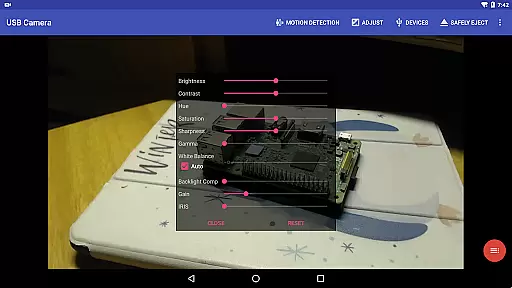
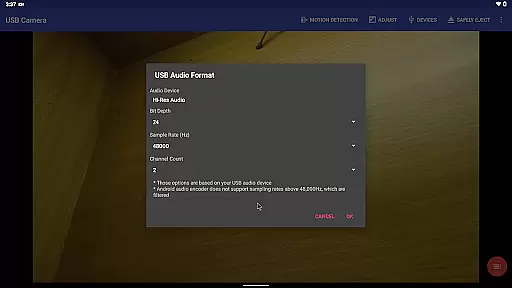
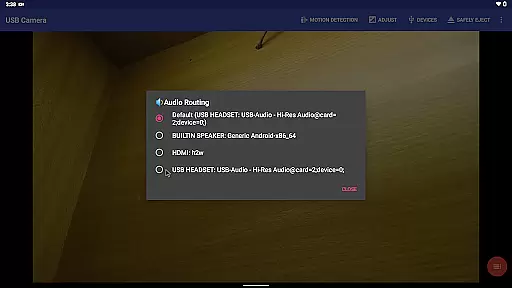
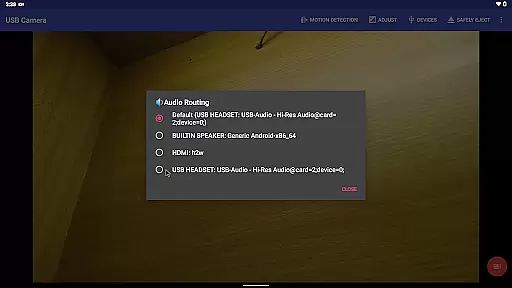
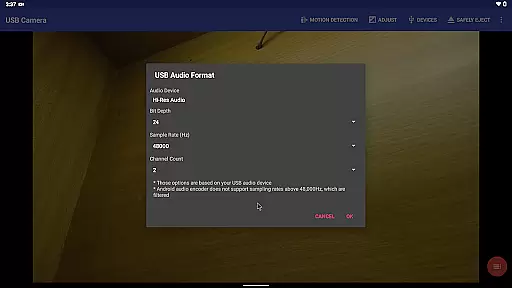
USB Camera Pro boasts an impressive array of features tailored for both amateur and professional use. One standout feature is its ability to mix USB audio with built-in microphones or system audio, allowing for rich, layered sound output. This is complemented by the option to overlay internal camera footage onto external video feeds, creating dynamic visual presentations.
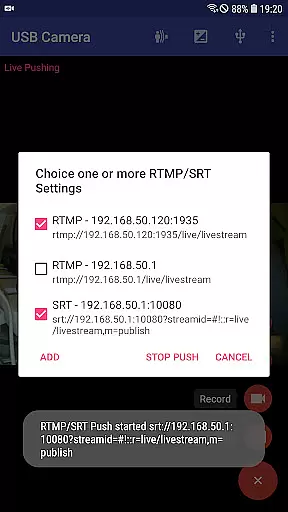
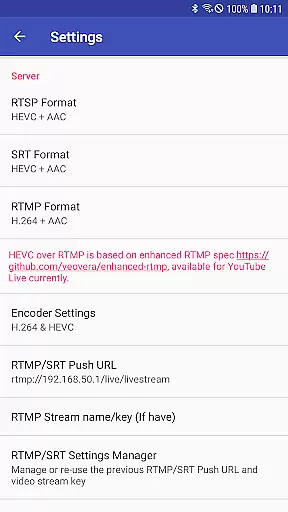
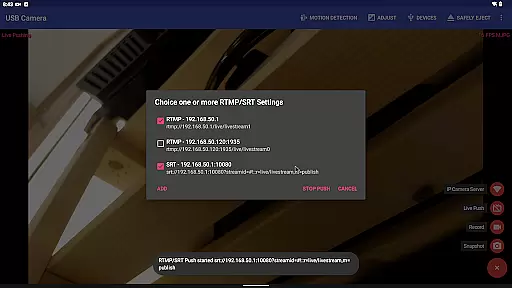
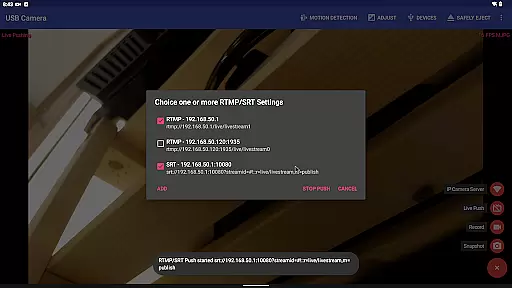
The app excels in live streaming capabilities, supporting RTMP/SRT protocols for pushing video and audio to live media servers. It is compatible with YouTube Live and other platforms, thanks to HEVC/AV1 over RTMP support. Users can also enjoy Side by Side (SBS) viewing modes, making it suitable for FPV goggles and immersive experiences.
Additional features include timestamp overlays, GPS data integration, and speed information embedding directly onto video frames during recording. Loop recording, seamless background switching, and motion detection-triggered recordings further enhance its utility, ensuring that USB Camera Pro meets diverse user requirements efficiently.
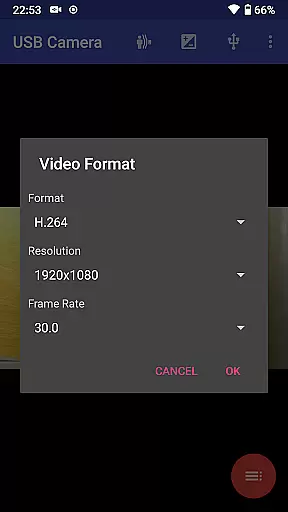
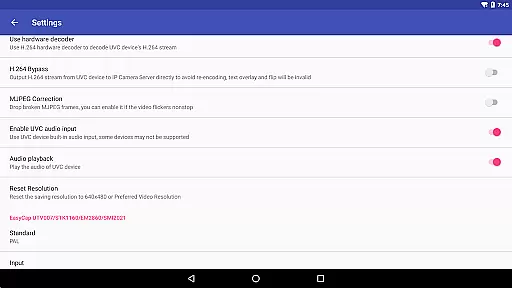
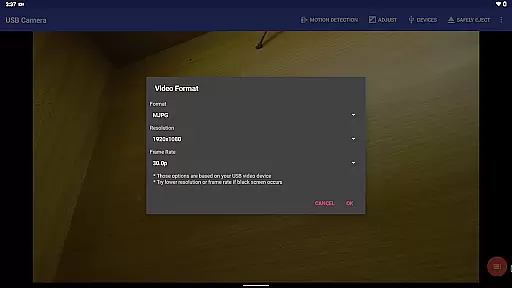
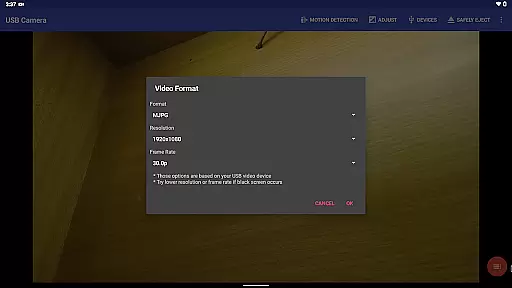
USB Camera Pro demonstrates exceptional versatility in video format compatibility, making it a powerful tool for various professional and personal use cases. The application supports an extensive range of video formats including H.264, H.265, HEVC, MJPG, YUY2, P010, and NV12 among others. This wide array of supported formats ensures that users can connect their Android devices to numerous types of USB webcams and video capture cards without facing limitations.
The app's ability to handle both progressive and interlaced video further enhances its utility, particularly for those working with high-resolution content up to 4K via HDMI. Whether you're involved in live streaming, security monitoring, or video production, the capacity to work seamlessly across different video standards is crucial. By accommodating these diverse formats, USB Camera Pro facilitates smooth recording and streaming experiences.
Moreover, the support extends to advanced codecs like HEVC and AV1, albeit with specific requirements such as Android 5.0 or above for HEVC and Android 10 or above for AV1. These capabilities ensure that users can leverage modern compression technologies to maintain high-quality video while minimizing file sizes. Overall, this comprehensive video format compatibility empowers users to maximize the potential of their connected devices within a unified platform.
While USB Camera Pro primarily focuses on video capture and streaming, it incorporates several AI-powered editing features that enhance the overall user experience. One notable feature is the automatic video recording based on motion detection. This intelligent system allows the app to start recording when movement is detected, optimizing storage usage and ensuring important events are captured without manual intervention.
In addition to motion-triggered recordings, the app offers robust post-processing options. Users can overlay timestamps, GPS data, speed information, and other metadata directly onto video frames during recording. This functionality not only adds valuable context to footage but also streamlines workflows for applications such as security monitoring or dashcam usage. The AI-driven approach to metadata integration demonstrates the app's commitment to providing practical solutions for various use cases.
Furthermore, the application enables seamless background operation through its unique foreground-background switching mechanism. This feature, combined with loop-recording capabilities and automatic segment management, creates an uninterrupted recording experience. The intelligent auto-delete function helps manage storage space efficiently by removing older video archives when necessary. These AI-enhanced editing and management tools collectively contribute to a more sophisticated and user-friendly video handling experience within USB Camera Pro.
User-friendly interface
Wide device compatibility
Advanced audio mixing
Robust live streaming options
Comprehensive security features
Requires good OTG cables
Some features need specific hardware
Android 9+ camera permission
No kernel driver installation
Complex setup for beginners

IPTV-Smarters Player Pro M3U - Watch Live Stream TV Channels with Chromecast
 4.00
4.00
Tik & Story Saver-Download ALL social media videos, photos & reels no watermark.
4.80
Stream high quality video from your camera over NDI protocol
4.0
All format media Player, no need video converter any more!
4.00
IPTV Player - Watch live TV from m3m & m3u8 playlist, stream IPTV on mobile
3.30
Find, download, and play torrents with the official BitTorrent® Pro app
4.70
A Simple app to download Video & Music from the Internet.
4.70
Download Hub, easy and private way to download and enjoy your videos offline
4.80
Viddo: Generate Action Figure, AI Anime, AI kiss, AI hug Video from image & text
4.40
Play ALL formats in 4K & HD. Video downloader, MP3 player, Chromecast & more.
4.80
AI Video Editor with Music, Filter, Slideshow, Effect, Merge & Trim Video.
4.80
?100% FREE! Download & save videos? safely in this app. All formats supported.
4.60
Cast to Chromecast, Xbox, Fire Stick, Roku, DLNA, Smart TV & No Feature Limited!
4.50
KineMaster, Your Ultimate Video Editor!
4.40
Powerful Video Editor & Photo Editing App —— Quick Edits & Stunning Effects!
4.30
Your media, on your terms.
4.10
HD video & music player - All format support with floating & PIP mode!
3.80
Client application for NextPVR software
3.00
Video player with powerful streaming playback and various convenient features.
2.10


User Reviews