

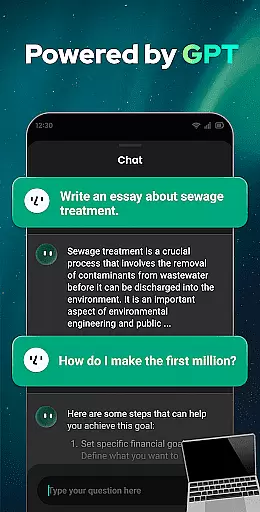
Open Chat is a cutting-edge AI chatbot application designed to revolutionize the way users interact with artificial intelligence. As the #1 AI assistant app powered by ChatGPT, it leverages the latest advancements in AI technology to deliver human-like text responses across various topics and languages. Whether you need help with writing tasks, seek reliable conversation, or require multilingual support, Open Chat provides continuous and fluid interactions that adapt to your preferences.
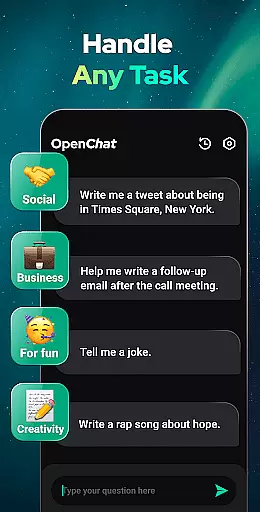
This productivity tool stands out with its ability to handle any task, from answering questions in diverse fields such as social matters, health, work, and entertainment, to assisting with creative writing like essays, stories, and lyrics. Its user-friendly interface ensures ease of use while features like Night Mode enhance accessibility. By integrating a grammar checker, spell checker, and punctuation corrector, Open Chat guarantees high-quality output for both personal and professional communication needs.
With capabilities extending beyond simple Q&A, Open Chat serves as an indispensable companion for life, work, and study scenarios where efficient information retrieval and content creation are crucial. Users can engage in meaningful conversations, receive tailored recommendations, and even practice new languages—all within this single powerful app.
Open Chat distinguishes itself through a rich array of features tailored to boost productivity. At its core, the app utilizes GPT-4 technology, ensuring top-tier performance when answering queries across any field—be it social issues, health advice, workplace challenges, or entertainment trivia. This advanced AI not only generates coherent responses but also supports continuous dialogue, allowing users to ask follow-up questions seamlessly.
The app's prowess extends into creative territories with its AI Writing Assistant feature. Here, users find assistance ranging from drafting essays and crafting social media posts to composing intricate pieces like poetry and storytelling. Moreover, Open Chat acts as a dependable proofreading partner, equipped with tools for grammar checking, spell verification, and punctuation correction, thus elevating the quality of written communications significantly.
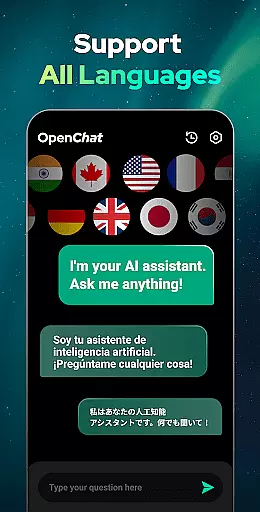
Another standout aspect is its multilingual functionality, enabling chats in virtually any language desired by the user. Coupled with chat history retention, which allows revisiting past discussions at will, these attributes make Open Chat an unparalleled choice for those seeking comprehensive linguistic support alongside robust conversational abilities. Such innovations underscore why this app remains a leader among productivity-focused applications today.
Effective task management is essential for productivity applications, serving as the backbone for organizing and executing tasks efficiently. Open Chat excels in this area by offering a versatile platform that handles any task thrown at it.
The app leverages cutting-edge ChatGPT technology to answer questions across various fields, assist with writing projects like essays and stories, and even provide creative content generation such as poems or travel plans. This wide-ranging capability ensures users can manage both personal and professional tasks seamlessly.
Users benefit from continuous dialogue features that remember chat history, allowing them to pick up conversations where they left off. This creates an intuitive task management experience that adapts to individual preferences and styles over time.
By integrating reliable AI chat functionalities, Open Chat not only manages tasks but also acts as a creative partner, enhancing productivity through innovative solutions tailored to user needs.
Cross-device synchronization is crucial for maintaining workflow continuity in today's multi-device environment. Open Chat addresses this need by ensuring reliable synchronization across different platforms.
With support for all languages and automatic chat history saving, users can effortlessly switch between devices without losing context or information. This feature allows individuals to review past conversations and continue their work from any location.
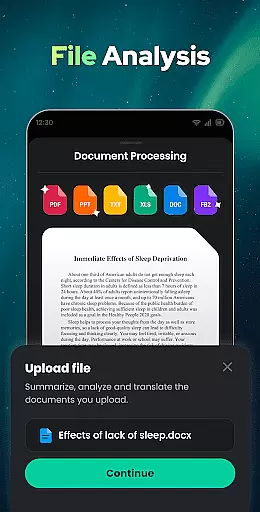
The app's ability to translate text and adapt to various linguistic requirements further enhances its cross-device functionality. Whether you're working on a document, learning a new language, or simply chatting, Open Chat provides consistent performance regardless of the device used.
This seamless integration across devices ensures that users have access to their data whenever needed, promoting efficiency and convenience in managing daily activities.
User-friendly interface
Multilingual support
Continuous dialogue capability
Advanced grammar tools
Creative writing assistance
Limited offline functionality
Dependent on internet connection
Premium features may require subscription
Occasional response latency
Privacy concerns over data handling



Seamlessly integrate data and reports to build your presentation to impress
 4.80
4.80
Take control of your clipboard with Clipper!
3.90
Android Wallet Password Manager
4.80
A simple, portable logger for POTA, SOTA, Field Day, and more
4.3
All in One PDF Reader: Manage, Read and Edit your Documents
4.20
A beautiful digital clock with autostart and many other functions
4.70
A Pixel Art watchface inspired by other iconic 90s designs for Wear OS devices!
4.40
This small app MUST BE INSTALLED after purchase, else license won't work
4.40
Okta MFA
4.70
QuickBooks Workforce lets teams view pay info and track time in one place.
4.70
The AI assistant that thinks with you - write, code, and solve complex tasks
4.60
Planet Free VPN - The best Fast Unlimited and Secure VPN Without Logs
4.50 4.20
4.20
Font maker keyboard with your own handwriting
4.10
Create and edit presentations with Google Slides, part of Google Workspace.
4.00
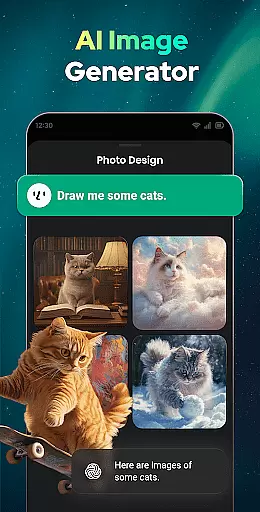
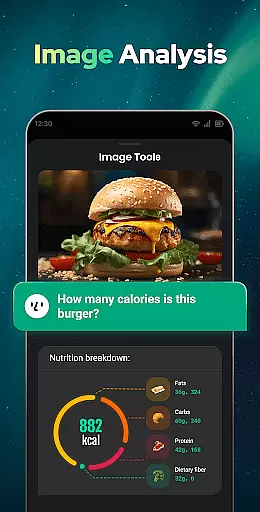
A Revolutionary All-in-One Artificial Intelligence Tools
3.80
All in one sketching tool. Technical and General drawing. Online Maps support.
3.70
Remotely view listen control and record cameras.
3.70
Easiest event planning, volunteer signups & parent teacher conference scheduling
2.20

User Reviews