

Goblin Tools is a productivity app designed to simplify everyday tasks through a collection of small, intuitive tools. It offers solutions for task management, text analysis, decision-making, and more. The app is especially beneficial for neurodivergent individuals, providing support for ADHD, autism, and other cognitive differences. With its clever design and practical utilities, Goblin Tools helps users break down complex challenges into manageable steps.
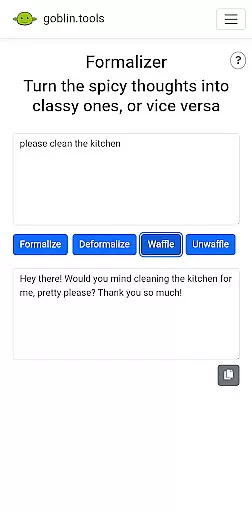
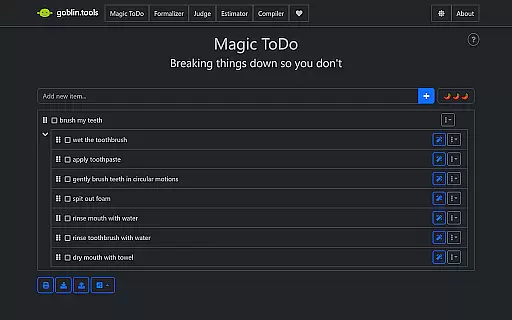
The app's unique approach lies in its specialized tools that address specific needs. For instance, the Magic ToDo feature breaks tasks into smaller steps, while Formalizer adjusts text tone. These thoughtful features create an inclusive digital environment that empowers users to navigate daily life with greater ease and confidence.
Goblin Tools stands out with its diverse range of specialized features designed to enhance productivity. The app includes innovative tools like Judge, which analyzes the emotion behind messages, and Professor, which simplifies complex information. Each feature is crafted to provide practical assistance while maintaining simplicity.
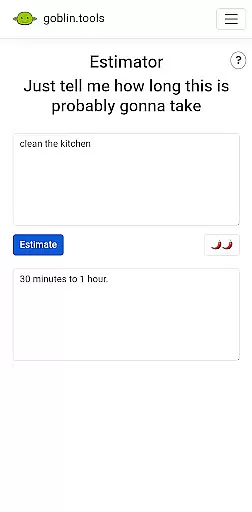
What makes Goblin Tools truly unique is its focus on neurodivergent users. Features such as Compiler and Estimator are specifically designed to help with executive functions and time management. This targeted approach, combined with the app's ad-free experience, creates a supportive environment that respects users' cognitive needs while boosting their productivity.
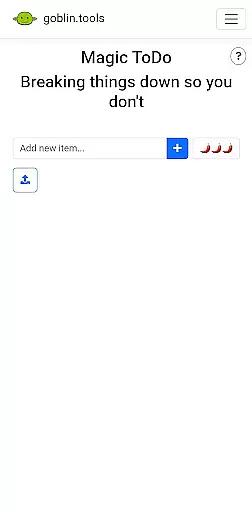
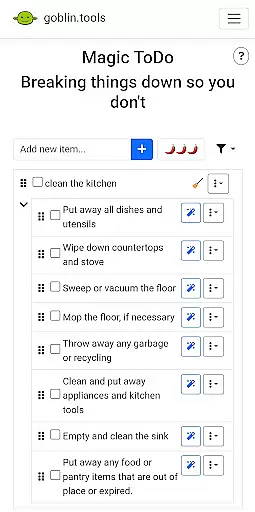
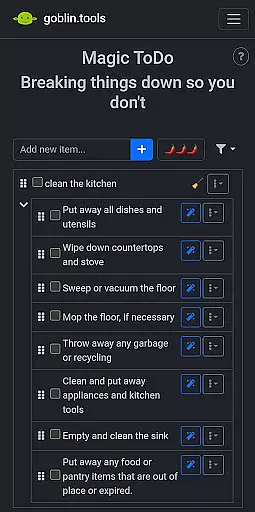
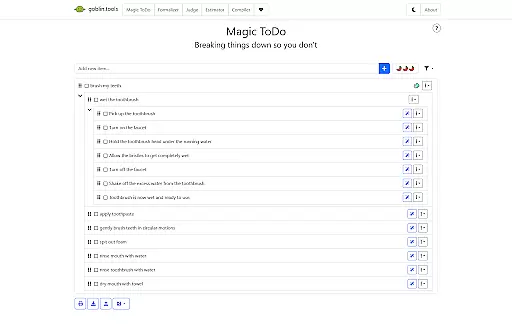
At the heart of Goblin Tools lies its ability to simplify core task management for users who often feel overwhelmed. The Magic ToDo feature is specifically designed to break down any complex task into manageable, bite-sized steps. This approach not only makes daunting tasks less intimidating but also provides a clear path forward, which is particularly beneficial for individuals with ADHD or executive dysfunction.
The app's clever design extends to other features like Compiler, which helps organize chaotic thoughts into actionable steps. By providing structured frameworks for task completion, Goblin Tools empowers users to tackle their daily challenges with greater confidence and efficiency. These thoughtful implementations demonstrate how the app transforms basic productivity concepts into powerful tools for neurodivergent individuals.
What sets Goblin Tools apart in task management is its understanding of diverse cognitive needs. Rather than offering a one-size-fits-all solution, the app provides multiple entry points for productivity through its various tools. This multi-faceted approach ensures that users can find the right method that works best for their unique mental processing style.
While Goblin Tools primarily focuses on individual productivity, its potential for cross-device synchronization reliability represents an important aspect of modern task management. Although currently optimized for single-device use, the app's structure suggests promising opportunities for seamless synchronization across multiple platforms in future updates.
The app's modular design, with distinct tools serving specific functions, creates a strong foundation for implementing reliable synchronization features. When this capability is added, users will be able to maintain consistent access to their productivity tools regardless of which device they're using, ensuring continuity in their workflow throughout the day.
This synchronization reliability will be particularly valuable for neurodivergent users who may need to switch between devices while maintaining their established routines. The prospect of having instant access to their customized tools and settings across different environments could significantly enhance the app's utility and accessibility for its target audience.
User-friendly interface
Innovative task breakdown
Emotion analysis tool
Text simplification feature
Supports neurodivergence
Limited advanced options
No offline functionality
Small feature set
Requires constant updates
Premium subscription needed

Secure, fast, open-source, VNC and SSH Remote Desktop for Windows, Linux and Mac
 4.70
4.70
Protect and view your important info on your phone and tablet with eWallet®
4.80
Font maker keyboard with your own handwriting
4.10
Multilingual translator for text, voice, and image translation!
4.90
Docker, Kubernetes management over Portainer Mobile
4.40
To do list widget with a notebook organizer, checklist, simple shopping list
4.60
Quickly and easily keep track of your work shifts
4.70
Intelligent AI Assistant
4.10
Put a lock on your cloud: Take the security of your data into your own hands
3.70
Understand anything with a personalized AI research assistant
4.80
Client for Nextcloud Deck
4.60
Stay on top of your to-dos with Google Tasks, part of Google Workspace.
4.60
Planet Free VPN - The best Fast Unlimited and Secure VPN Without Logs
4.50
Send files, sync SMS, notifications & clipboard across devices via local network
4.40
CalenGoo is a very flexible and feature-rich calendar app
4.40 4.20
4.20
Total remote control for your Android device, PC and cloud services (IFTTT)!
4.20
Remotely view listen control and record cameras.
3.70
Code on-the-go with VScode for Android. Edit,debug and collaborate from mobile!!
3.10


User Reviews