

DuckDuckGo is a privacy-focused search engine and browsing application designed to protect users' personal information while they search and browse the internet. Unlike other browsers, DuckDuckGo does not track user searches or browsing habits, ensuring that your online activities remain private. The app offers built-in protections such as ad tracker blocking, cookie blocking, and encryption enforcement, making it an ideal choice for individuals who prioritize data security.
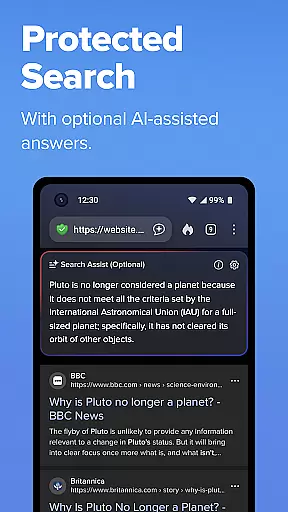
One of the standout features of DuckDuckGo is its ability to block third-party trackers before they load, surpassing the default protection offered by most popular browsers. Additionally, the app provides optional AI-powered tools like Search Assist and Duck.ai, which allow users to interact with artificial intelligence without compromising their privacy. With these robust features, DuckDuckGo empowers users to take control of their personal information and enjoy a safer browsing experience.
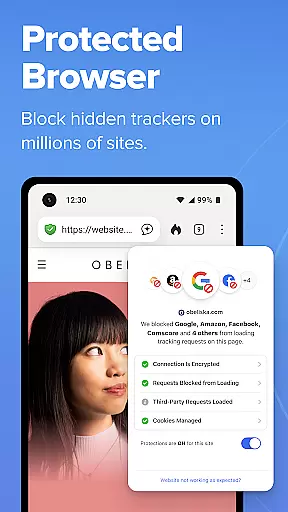
DuckDuckGo stands out due to its comprehensive approach to privacy protection. The app blocks third-party trackers by default, preventing companies from collecting user data during browsing sessions. This feature goes beyond what many mainstream browsers offer, providing users with enhanced privacy right out of the box. Furthermore, DuckDuckGo enforces HTTPS connections automatically, securing data from network and Wi-Fi snoopers.
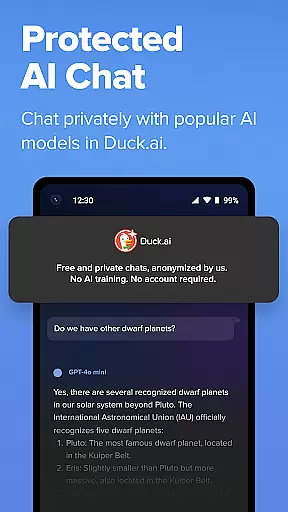
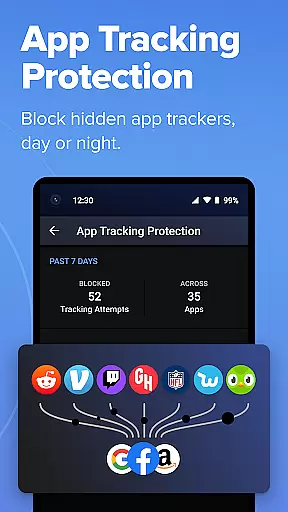
In addition to its core functionalities, DuckDuckGo includes innovative tools like Duck.ai, which allows users to chat privately with third-party AI models without risking their personal information being used to train AI systems. Another notable feature is App Tracking Protection, which blocks hidden trackers in other apps around the clock, even when the device is idle. These capabilities ensure that users maintain control over their digital footprint across various platforms and applications.
In the realm of productivity, core task management is pivotal for organizing and executing tasks efficiently. DuckDuckGo integrates this functionality by allowing users to search and browse without the distraction of being tracked, thereby streamlining their online activities.
The app's built-in search engine operates similarly to Google but ensures that user searches remain private and are not logged or used for profiling. This privacy-centric approach empowers users to manage their digital tasks without compromising personal data.
Moreover, DuckDuckGo's browsing protections, such as blocking ad trackers and cookies, further enhance task management by reducing interruptions and safeguarding user information from unauthorized collection.
By providing a suite of features designed to protect user privacy while browsing, DuckDuckGo enables individuals to focus on their core tasks without the concern of data exploitation, thus enhancing overall productivity.
Cross-device synchronization is essential for maintaining workflow continuity across multiple devices. DuckDuckGo addresses this need by offering optional features that ensure reliable synchronization of encrypted bookmarks and passwords.
This functionality allows users to seamlessly transition between devices without losing critical data or access credentials. By encrypting this information, DuckDuckGo ensures that personal details remain secure during the synchronization process.
Additionally, the optional Email Protection feature provides @duck.com addresses that help maintain synchronization integrity by anonymizing communications and preventing email tracking.
With these robust synchronization capabilities, DuckDuckGo supports a reliable and secure cross-device experience, enabling users to manage their digital lives with confidence and efficiency.
Privacy-focused search
Tracker blocking
HTTPS enforcement
Private AI interactions
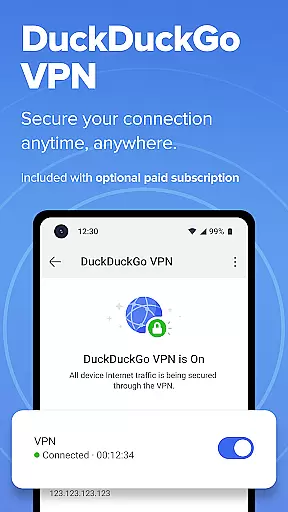
Optional subscription benefits
Limited advanced features
No native video calls
Fewer customization options
Less popular than competitors
Paid subscription required



Planet Free VPN - The best Fast Unlimited and Secure VPN Without Logs
 4.50
4.50
8 custom complications. Custom Time Fonts. Beautiful color schemes. A++ Design.
5.00
The upgraded version of Name Wheel with AI and the power to add your own wheels.
4.3
The Pro Version of Android's tiniest Notepad app. Just 0.3MB but feature-packed!
4.60
⏰ Finally a timer app which can run multiple timers simultaneously on your watch
3.90
Find and delete junk files & block unwanted notifications & manage files
3.70
Best Tool for the professionals Electrician, Electrical contractors, etc.
4.90
Intelligent AI Assistant
4.10
Understand anything with a personalized AI research assistant
4.80
Mind Map and brainstorm, note taking and idea collection
4.80
Use powerful, industry-leading AI tools to generate visual charts from any data
4.80
Secure, fast, open-source, VNC and SSH Remote Desktop for Windows, Linux and Mac
4.70
Direct Chat without saving contacts & Dual WA Account on Single Device
4.70
Absolutely the best CNC machinist speed and feed calculator around. fswizard.com
4.60
Functional QR scanner and barcode reader that requires little storage space.
4.60
Calendar 2023 widget for Android. Appointment scheduler, planner, and reminder
4.60
Todo reminder
4.10
Wake up & get tasks done! Add alarms & reminders on the Clock Launcher.
4.00
Create study competitions, track your hours, and stay consistent with friends
4.0


User Reviews