

Camera Remote Watch is a smartwatch application designed to remotely control your phone's camera. This app allows users to trigger the camera shutter directly from their smartwatch, eliminating the need to physically interact with the phone. It supports both Android and Wear OS devices, making it versatile for various smartwatch users.
The app ensures that after capturing an image, it is saved in the phone’s gallery while also providing a preview on the watch itself. This dual functionality enables users to quickly verify the quality of their photos right from their wrist. The app requires a stable connection between the phone and watch, and patience during photo transfers due to potential slowness.
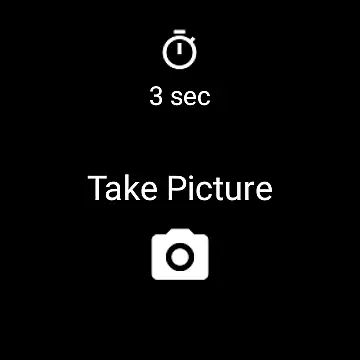
One of the standout features of Camera Remote Watch is its seamless integration with both Android and Wear OS smartwatches. Users can easily open the app on their watch and tap the camera button to capture images without needing to touch their phone. This feature is particularly useful in scenarios where handling the phone might be inconvenient or disruptive.
After taking a picture, the app automatically saves it to the phone's gallery and simultaneously displays a copy on the smartwatch. This allows users to immediately review the photo and decide if another shot is necessary. Additionally, the app provides comprehensive support through FAQs available on its website, ensuring users have access to guidance and troubleshooting tips.
Real-time capture and preview functionality is essential for ensuring that users can take photos remotely with confidence. The Camera Remote Watch app allows you to control your phone's camera directly from your smartwatch, providing a seamless experience without the need to touch your phone.
This application ensures that as soon as you trigger the camera shutter from your watch, the photo is taken instantly and stored in your phone's gallery. This immediacy is crucial for capturing fleeting moments without any delay.
Additionally, the app provides a copy of the photo on the smartwatch itself, allowing users to review their shots immediately after taking them. This feature ensures that you can quickly decide if the picture meets your expectations or if another attempt is needed.
The real-time functionality extends to adjusting the camera view from your phone before taking the shot, ensuring optimal framing and composition. With this setup, users can enjoy a sophisticated photography experience right from their wrist.
While Camera Remote Watch does not explicitly market AI beauty and enhancement features, the ability to review photos directly on the smartwatch adds a layer of natural enhancement. By allowing immediate previews, users can make natural adjustments to their poses or settings before taking another shot.
This app emphasizes simplicity and effectiveness rather than complex AI enhancements. The focus is on delivering clear and accurate images directly to both the phone and watch galleries without altering the natural essence of the photo.
For those who prefer unaltered, genuine photographs, this straightforward approach ensures that the captured moment remains true to life. There are no exaggerated beautification effects, just pure, instant photography.
Moreover, the app works efficiently with Wear OS smartwatches, ensuring broad compatibility and reliability across different devices. This universality enhances user experience by maintaining consistent performance and quality regardless of the device used.
User-friendly interface
Supports Wear OS
Instant photo preview
Comprehensive FAQ section
Remote shutter control
Requires stable connection
Slow photo transfer
Limited unsupported phones
No advanced camera settings
Dependent on phone gallery



A collection of tools and reference tables for DPs, ACs, DITs and Operators.
 4.70
4.70
Photo Album Watch Face shows your favorite pictures as a Watchface.
1.90
Find time and duration of different sunlight phases at any location
4.90
Create funny photos and videos with the popular Time Warp Scan filter.
4.90
Application for remote controlling DSLR
3.00
All-in-One Editor & AI Photo Enhancer, Collage, Cartoonify, Funny Stickers & BGS
4.10
live datamoshing
4.00
PhotoSync Bundle Add-On License. Enables all features and services in PhotoSync.
4.60
Welcome to ProShot, the most powerful camera app on Android.
4.20
Enhance, upscale, and transform your images — on your device, without limits
4.70
The original Rarevision VHS look seen everywhere!
4.70
Discover & download millions of art for The Frame TV or Hisense CanvasTV
4.60
Add Watermark - Sign your pictures with a text or logo. Effective, quick, easy!
4.50
Trendy TikTok time warp scan funny filter app brings you unique photos & videos.
4.40
Virtual makeup, hair filters & body tuner—edit from face to full body!
4.20
Professional photography on your mobile phone
4.20
USB Storage Access for Photos, Videos, Music and Documents
3.80
Remote control of the phone camera from your Wear OS smartwatch
3.70
Superimpose one photo on top of another using the original Superimpose app!
3.20


User Reviews