

PicsLeap is an advanced AI-powered photo editing application that offers a comprehensive suite of tools for enhancing, transforming, and personalizing images. With features like One-Tap Enhance, Magic Eraser, AI Face Swap, and AI Cartoon Filters, it caters to both amateur photographers and professionals seeking efficient editing solutions.
The app stands out with its user-friendly interface and powerful capabilities such as background removal, double exposure effects, and photo restoration. PicsLeap allows users to create watermark-free, high-quality art suitable for sharing across social platforms like Instagram and Facebook. Whether you're looking to enhance resolution, apply artistic filters, or design stunning collages, PicsLeap provides the tools to bring your creative vision to life.
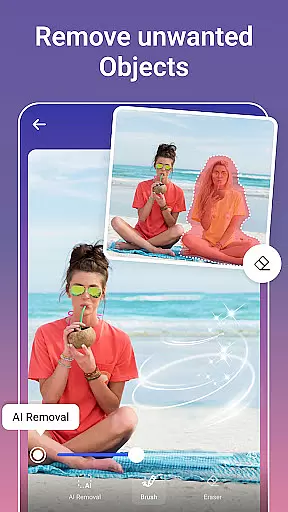
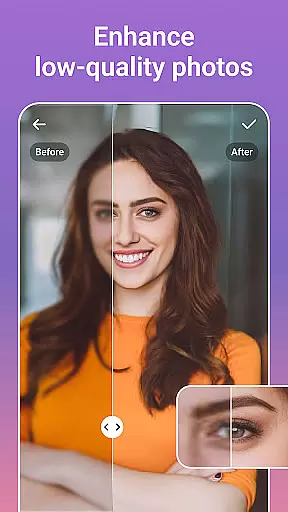
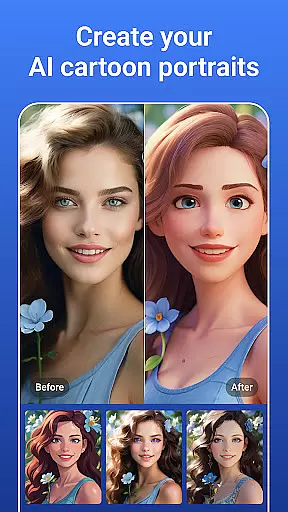
PicsLeap distinguishes itself through its innovative AI-driven features that simplify complex photo editing tasks. The One-Tap Enhance tool instantly improves image quality, while the Magic Eraser allows users to remove unwanted objects seamlessly. Advanced options like AI Face Swap and AI Cartoon Filters enable unique transformations, turning ordinary photos into extraordinary works of art.
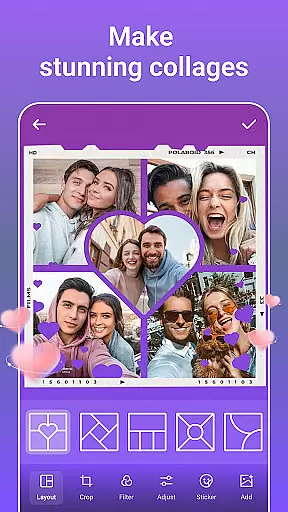
In addition to its core editing tools, PicsLeap offers creative functionalities such as Double Exposure, Blur Background, and HSL adjustments. Users can experiment with over 100 filters and effects, including retro, film, and light effects. The app also supports creating collages with customizable layouts, backgrounds, and borders, empowering users to tell visual stories effortlessly. These features collectively make PicsLeap a versatile choice for anyone passionate about photography.
Real-time capture and preview functionality is essential for any photography app as it allows users to see exactly what the camera sees before taking a shot. This ensures that the framing, lighting, and composition are all perfect before capturing the moment.
PicsLeap offers an intuitive real-time capture experience with its advanced AI photo editor tools. Users can leverage features like one-tap enhance and magic eraser directly within the live viewfinder, ensuring that every photo taken meets their high standards without needing post-edit adjustments.
The benefit of PicsLeap's real-time capabilities extends beyond just capturing images; it also includes instant sharing options. After snapping a picture, users can immediately apply filters or effects and share their watermark-free creations on social media platforms such as Instagram and Facebook, enhancing engagement and interaction with their audience.
This seamless integration of real-time capture with powerful editing tools empowers photographers of all skill levels to produce professional-quality work effortlessly, making PicsLeap a go-to choice for anyone looking to elevate their mobile photography game.
AI beauty and enhancement features have become increasingly popular in photo editing applications due to their ability to subtly improve images while maintaining natural aesthetics. These enhancements range from skin smoothing to blemish removal, all designed to highlight the subject's best features without appearing artificial.
PicsLeap stands out by offering sophisticated AI-driven enhancements that preserve authenticity. With tools like AI Face Swap and AI Cartoon Filters, users can experiment with creative edits while still retaining true-to-life details. The app intelligently fills voids after removing unwanted elements, ensuring that modifications blend seamlessly into the original image.
For those seeking more than just basic touch-ups, PicsLeap provides comprehensive solutions such as boosting photo resolution and restoring old photos. By taming chaotic pixels and reviving past glories, PicsLeap helps relive cherished memories with crystal-clear visuals, all while keeping the essence intact.
Ultimately, PicsLeapu2019s commitment to natural enhancement ensures that every edited photo not only looks stunning but also feels genuine, empowering users to express themselves confidently through their photographs.
User-friendly interface
Wide range of AI tools
High-quality photo enhancements
Versatile collage maker
Free to download and use
Limited advanced tools for pros
Occasional ads in free version
Some features require premium
Learning curve for new users
Offline functionality limited




Search, tag and rate your way to an organized image gallery
 4.40
4.40
Photobooth mini FULL app will allow you to add more fun to your parties
4.00
Cut and paste photo editor & eraser to customize photos easy and swap faces fun
4.50
Professional photography on your mobile phone
4.20
AI-powered video creator by MiniMax - Where ideas meet cinema
4.20
Pro version: AR sun/moon tracker for any date. Tool for photographers & planners
4.90
PhotoSync Bundle Add-On License. Enables all features and services in PhotoSync.
4.60
The original Rarevision VHS look seen everywhere!
4.70
Try an anime version, cartoon yourself, and generate AI hug or aging videos!
3.70
Create collages easily! Nice pic collage maker & background eraser for Instagram
4.50
A reflected light meter with spot metering and incident light metering.
4.40
Natural Beauty, Selfie Retouch
4.30
What celebrity do you look like? Celebs will find your celebrity match!
4.10
Photo editor: face & body editor, beauty cam, filters and quality enhancer.
4.00
How old age camera Gender Swap App Face Shape Hairstyle App Hair Styler App fun!
4.00
Hair color changer, AI haircut app, fun hair editor and buzz cut filter for all!
3.80
Remote control of the phone camera from your Wear OS smartwatch
3.70
Application for remote controlling DSLR
3.00
Photo Album Watch Face shows your favorite pictures as a Watchface.
1.90

User Reviews