

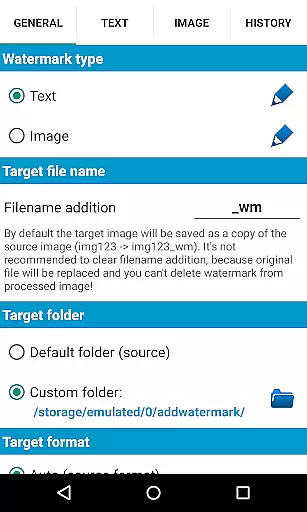
Add Watermark is a professional photography tool designed to help users protect their digital content by adding customizable watermarks to images. This app allows you to embed text or logo watermarks into your photos, with options to adjust size, transparency, rotation, and alignment.
The application supports batch processing for handling multiple images simultaneously and offers advanced features like auto-processing through sharing from other apps. With 72 built-in fonts and support for custom fonts, transparent PNG images as watermarks, and EXIF metadata support, it caters to both amateur photographers and professionals.
Useful for copyright protection or branding purposes, Add Watermark ensures your images are marked with ownership details while maintaining high-quality output. The app also provides quick sharing options to social media platforms and includes settings backup on the device or cloud.
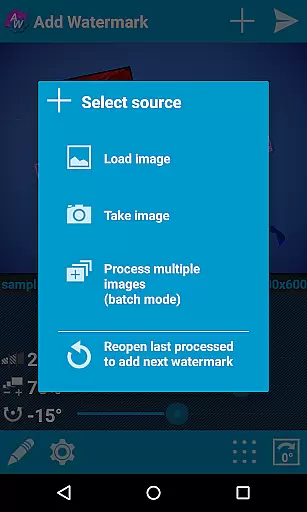
Add Watermark stands out with its comprehensive set of features tailored for image protection and branding. The app offers a batch mode that allows users to process multiple images at once, significantly speeding up workflow for large projects.
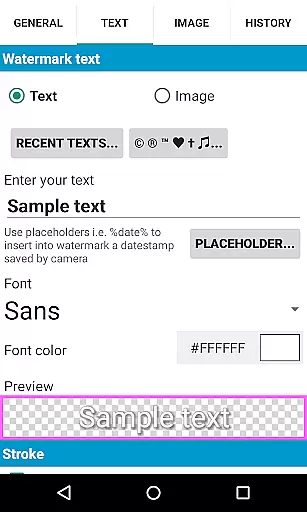
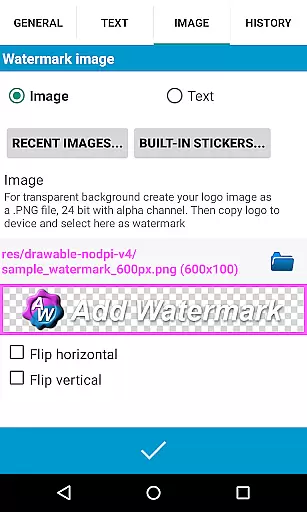
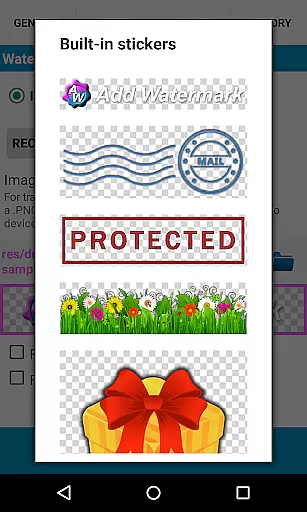
Users can customize text watermarks with various fonts, colors, and effects. The app supports up to 20 custom fonts and includes a built-in sticker collection. It also accepts transparent PNG images as watermarks, providing flexibility in branding options.
Advanced functionalities include timestamp insertion, filename embedding, GPS tags, and EXIF/XMP metadata support. Additionally, the app facilitates easy sharing to platforms like Instagram and Facebook, making it an essential tool for photographers and bloggers who need to protect and promote their work efficiently.
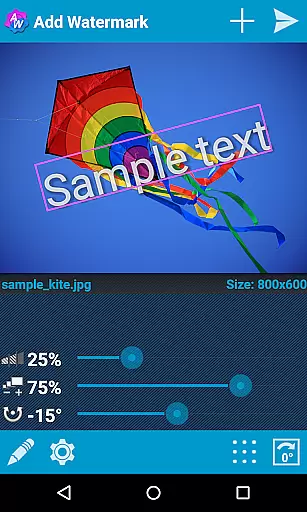
Real-time capture and preview functionality is essential for ensuring that users can see the effects of their edits instantly. In the case of Add Watermark, this feature allows users to visualize how the watermark will appear on their images before finalizing the process.
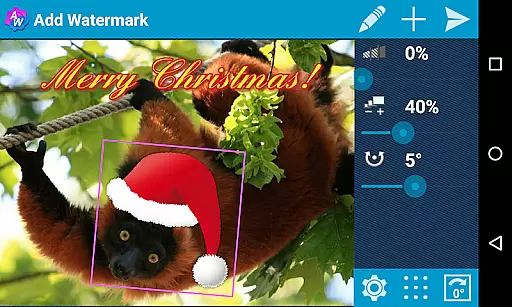
The application provides a dynamic interface where users can adjust the size, transparency, rotation, and alignment of the watermark. As these adjustments are made, the changes are reflected in real-time, giving users immediate feedback on their customization choices.
This instant preview capability enhances user experience by reducing the trial-and-error typically associated with image editing. Users can fine-tune their watermarks with precision, ensuring that the final output aligns perfectly with their expectations.
By offering real-time capture and preview, Add Watermark empowers photographers and bloggers to maintain brand consistency across their visual content. This feature not only saves time but also boosts productivity by streamlining the watermarking process.
While Add Watermark does not explicitly market itself as an AI beauty and enhancement tool, it incorporates features that contribute to the natural enhancement of images through watermarking. The app offers a variety of settings and effects that ensure the watermark integrates seamlessly with the original photo.
Users have access to 72 built-in fonts and the ability to import up to 20 custom fonts, allowing for personalized text watermarks that complement the image without overpowering it. Additionally, support for transparent PNG images as watermarks ensures that logos or other graphic elements blend naturally into the picture.
The application's advanced settings enable users to adjust watermark attributes such as transparency and color effects, which helps in achieving a balanced and aesthetically pleasing result. These features collectively enhance the overall appearance of the image while maintaining its authenticity.
By focusing on natural enhancement, Add Watermark ensures that the watermark serves its purpose without detracting from the quality of the original photograph. This approach is particularly beneficial for professionals who require high-quality, branded images for their portfolios or social media channels.
Batch processing
Customizable fonts
Transparent PNG support
EXIF metadata support
Quick sharing options
Free version limitations
No video watermarking
Interface not modern
Limited free features
Occasional bugs

Shooting photos and records video easily and efficient with professional Camera
 4.30
4.30
Find time and duration of different sunlight phases at any location
4.90
How old age camera Gender Swap App Face Shape Hairstyle App Hair Styler App fun!
4.00
Pet Camera
3.70
Create collages easily! Nice pic collage maker & background eraser for Instagram
4.50
Take videos and pictures with the popular TikTok TIME WARP SCAN filter.
4.60
Automatically backup your photos and videos to computer, NAS and Cloud services
4.60
Your Family Calendar + Photos. Manage your Skylight Calendar and Skylight Frame.
4.40
Photo & Video Gallery app to manage albums and save WA Status easily.
4.70
Photo editor: AI filters, photo enhancer, pic collage maker, AI art generator.
4.80
AI photo enhancer with Sora 2! Enhance, descratch, and colorize your old photos.
4.50
Fit multiple photos on one post. Create carousels & scroll layouts for Instagram
4.50
Use AI Video Generator to turn your words to ai generated videos.
4.50
All-in-One Editor & AI Photo Enhancer, Beautify & Retouch, Collage, Cartoonify
4.20
Professional camera app that brings DSLR manual photography controls to Android.
4.20
Catch sunlight, sunrise sunset times and sun phases with the AR sun tracker.
4.10
Astrophotography with your smartphone, photo live stacking and much more!
3.90
Application for remote controlling DSLR
3.00
Raw Image Viewer. Gallery with support of raw images (.cr3, .cr2, .nef, .raf).
2.00

User Reviews