

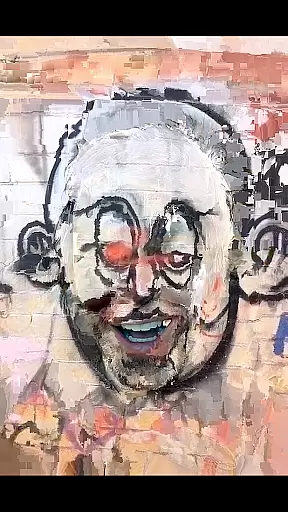
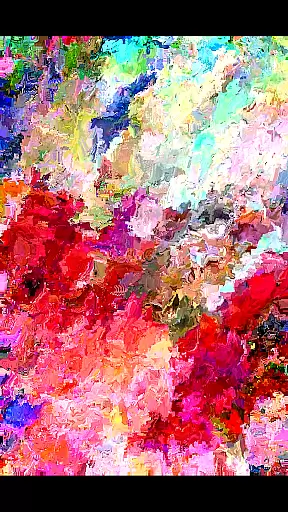
MoshUp is a creative photography app that allows users to perform live datamoshing directly on their mobile devices. The core functionality lies in its ability to transform the motion of one video recording into another, creating unique mapping effects.
With features like frame repetition by holding the screen and video import from the gallery, this app offers a fresh approach to video editing. It's particularly suitable for artists and videographers looking to experiment with unconventional visual styles.
The app provides an innovative way to create artistic video effects, though it's still under development and may have compatibility issues with some devices. Its potential applications range from music video production to experimental filmmaking.
MoshUp stands out with several distinctive features that cater to creative videography enthusiasts. The live datamoshing capability allows real-time transformation of video footage based on motion patterns.
The app includes practical tools such as touch-based frame repetition and gallery video import functionality. These features enable users to create complex visual effects while maintaining creative control over their projects.
While offering these innovative capabilities, MoshUp maintains a relatively user-friendly interface. The combination of experimental video processing with mobile accessibility makes it a valuable tool for digital artists.
Real-time capture and preview functionality is essential for photography apps like MoshUp. This feature allows users to see the effects of their actions immediately as they film or edit.
MoshUp enables live datamoshing, transforming the first recording through the motion detected in the second recording. The app provides instant feedback on how the datamoshing effect looks, which helps users adjust their filming technique accordingly.
By offering real-time previews, MoshUp ensures that creators can experiment with different visual styles without delay. This immediate feedback loop enhances the creative process, allowing users to refine their work efficiently.
The ability to repeat the last frame by holding the screen adds another layer of control. Users can fine-tune their creations, ensuring that each frame aligns perfectly with their artistic vision before moving forward.
While MoshUp focuses primarily on datamoshing effects rather than traditional beauty enhancements, it still offers features that enhance video quality naturally. These enhancements are crucial for maintaining the authenticity of the original footage while adding creative touches.
The app's latest version allows importing videos from the gallery, expanding its enhancement capabilities beyond live captures. This means users can apply datamoshing effects to pre-recorded content, giving them more flexibility in post-production editing.
Although not powered by AI in the conventional sense, MoshUpu2019s transformation algorithms create unique mapping effects that preserve the natural flow of motion between recordings. This approach results in visually striking yet organic-looking transitions.
As the app continues to develop, potential future updates may include more sophisticated enhancement tools. For now, MoshUp strikes a balance between creative expression and maintaining the integrity of the source material, providing an engaging experience for users exploring datamoshing techniques.
Unique datamoshing effect
Real-time transformation
Video import option
Creative possibilities
Free to use
Development stage
Device compatibility
Limited features
No professional tools
Performance issues

Professional video recording application with manual controls for filmmakers!
 2.80
2.80
Android Native system HD camera app. Never been so simple and faster.
4.70
The #1 app for B&W film developing featuring an advanced darkroom timer.
4.10
HD Camera Pro with HD Video shooting, Panorama, Photo editor , Beauty Camera.
4.50
Raw Image Viewer. Gallery with support of raw images (.cr3, .cr2, .nef, .raf).
2.00
Unblur, enhance & restore photos with powerful AI photo enhancer tools.
4.60
Welcome to ProShot, the most powerful camera app on Android.
4.20
Solocator stamps photos you take with GPS location, Compass Direction, Date/Time
3.80
Discover How to Plan any Sun, Moon and Milky Way Photo You Imagine in Seconds
4.70
AI Photo Editor with 100+ Filters, Effects! Remove BG, Retouch & Photo Enhancer.
4.80
Enhance, retouch & create your story - Share the moment with Photoshop Express.
4.60
Create Business Headshots, Polaroid Filter, Retake Photos,Profile Pics,AI Photos
4.50
Transform photos into videos! Create realistic or anime-style images easily!
4.50
RAW video capture with advanced controls
4.40
What celebrity do you look like? Celebs will find your celebrity match!
4.10
Create & Edit with AI: AI Remove, Enhance, Retouch, Filter
4.10
Astrophotography with your smartphone, photo live stacking and much more!
3.90
Long exposure camera with computational photography
2.60
Remote control the phone camera shutter from your smartwatch and take a picture
1.60

User Reviews