

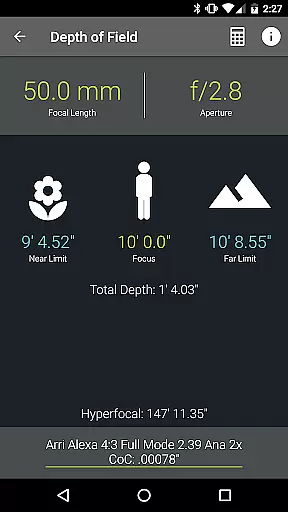
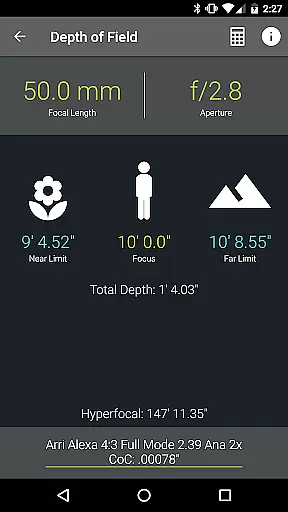
Pocket AC is an essential toolkit for cinematographers and videographers, providing a comprehensive suite of calculators and reference materials. The app features specialized tools such as Depth of Field, Exposure, and Flicker Free Shutter calculators, alongside detailed camera specifications and lens catalogs.
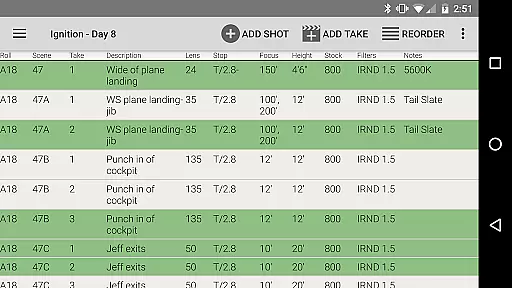
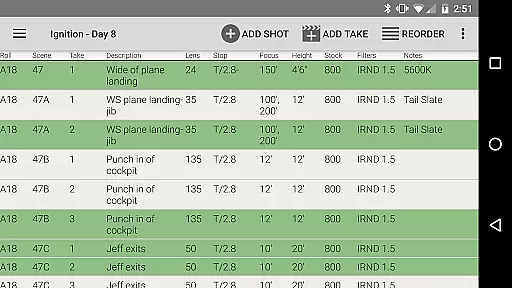
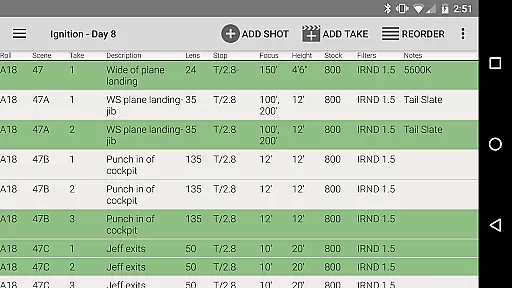
Designed by a camera assistant, this application supports efficient production planning and execution. It includes practical functionalities like the Camera Log feature that allows users to document shots quickly and share daily setups via email. With real-time collaboration and various export options, Pocket AC streamlines workflow on set.
Whether you're working with Arri, Blackmagic, Canon, or Sony cameras, Pocket AC offers tailored support and insights. This makes it an invaluable companion for both novice and professional filmmakers who need reliable technical assistance at their fingertips.
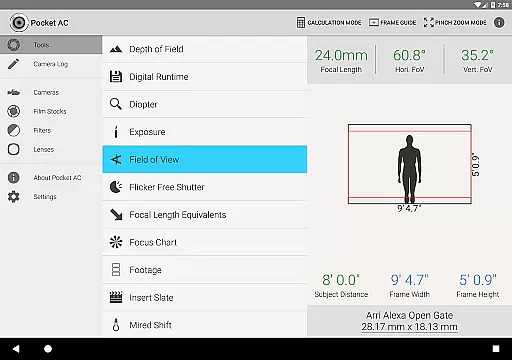
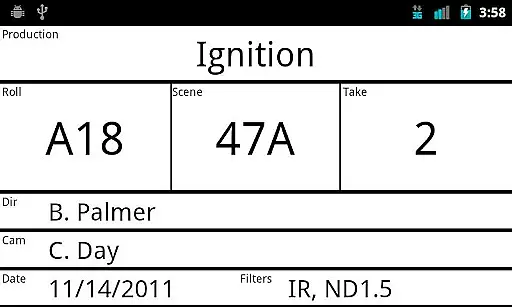
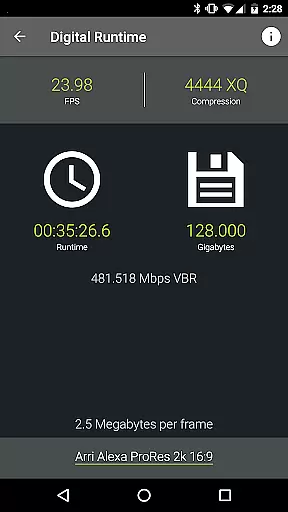
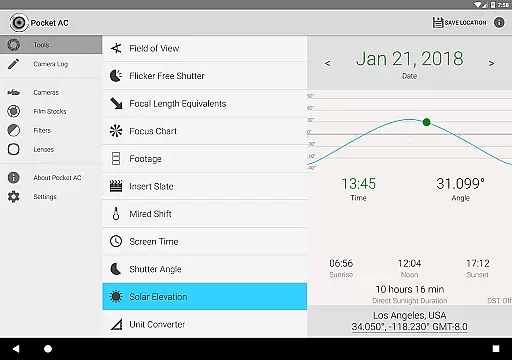
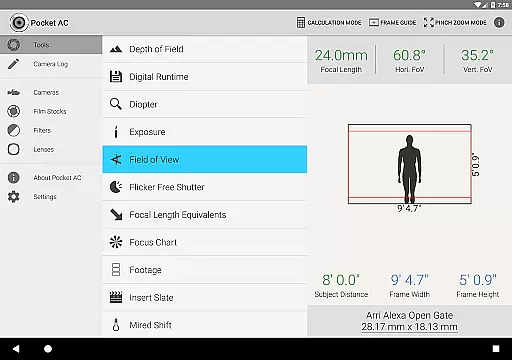
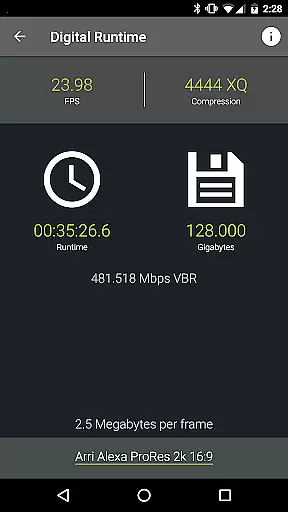
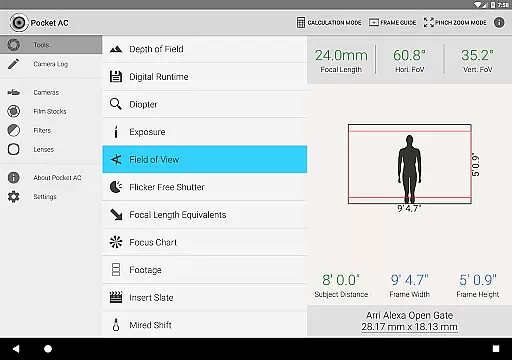
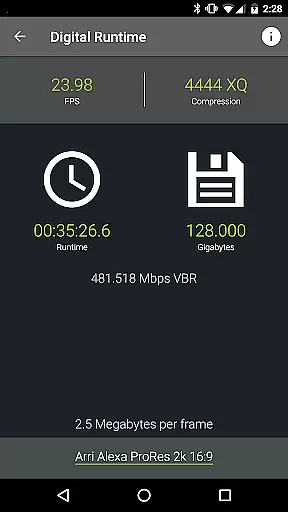
The standout feature of Pocket AC is its extensive range of specialized calculators and charts designed for film production. These include tools for Data Transfer, Digital Runtime, and Field of View calculations, which are crucial for precise cinematography work. The app also provides unique functionalities like the Insert Slate with sync beep and Mired Shift suggestions.
In addition to these tools, Pocket AC boasts an impressive collection of reference tables. Users can access over 140 camera specifications and more than 2000 lens details, ensuring they have comprehensive information at hand. The inclusion of Film Stocks and Filter Factors further enhances pre-production planning.
Another remarkable aspect is the Camera Log functionality, enabling real-time collaboration among team members. This feature not only speeds up logging but also offers multiple export formats including PDF and CSV. Such capabilities make Pocket AC indispensable for managing complex shoots efficiently while maintaining detailed records.
Real-time capture and preview functionality is essential for professional photographers and videographers who need to ensure their shots are perfectly framed and exposed before capturing the final image or video. Pocket AC offers a comprehensive suite of tools that support real-time operations, enhancing the efficiency and accuracy of your work.
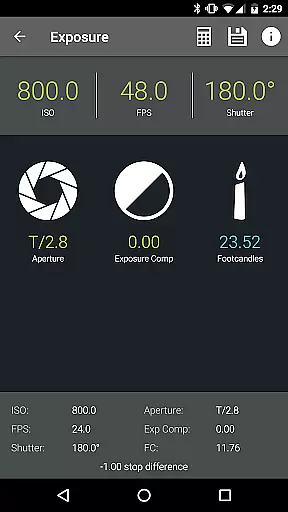
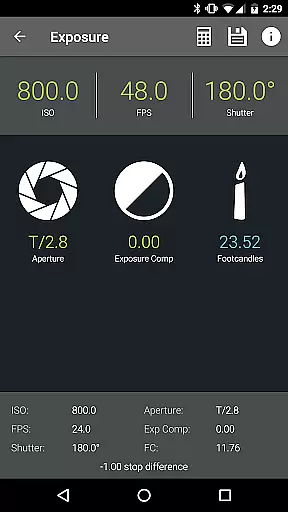
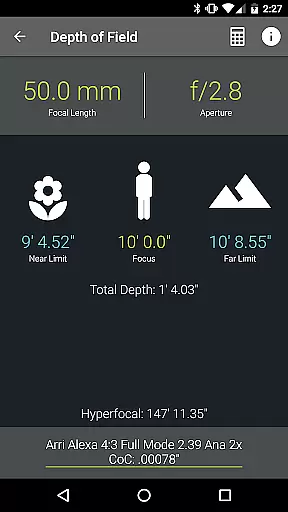
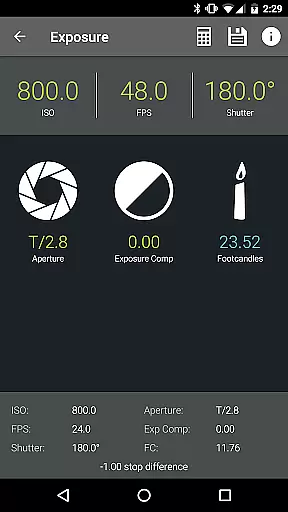
The application includes features such as Depth of Field and Split Focus calculators, Exposure settings, and Field of View previews with support for focal reducers. These tools allow users to visualize and adjust their camera settings instantly, ensuring optimal shot composition and exposure. The ability to preview these elements in real time significantly reduces the likelihood of errors during shooting.
For cinematographers and videographers, Pocket AC provides functionalities like the Flicker Free Shutter and Shutter Angle and Exposure Time calculators. These features help maintain consistent lighting and motion blur effects throughout a shoot, which is crucial for high-quality video production. By offering precise control over these parameters, Pocket AC ensures that every frame meets professional standards.
Ultimately, the real-time capture and preview capabilities of Pocket AC empower users to make informed decisions quickly, saving time and resources while delivering exceptional results. Whether you're working on a film set or conducting a photo shoot, this app's robust toolset supports seamless execution and enhances creative possibilities.
AI beauty and enhancement features have become increasingly popular in photography applications, allowing users to refine and enhance images with natural-looking results. Pocket AC stands out by providing advanced AI-powered tools that ensure enhancements are both effective and subtle, preserving the authenticity of the original image.
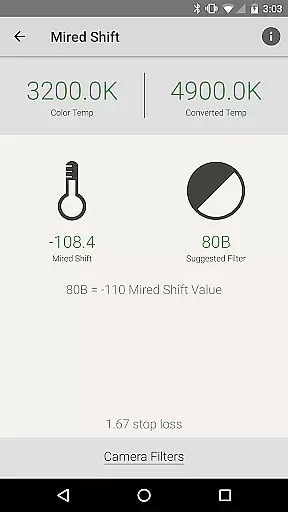
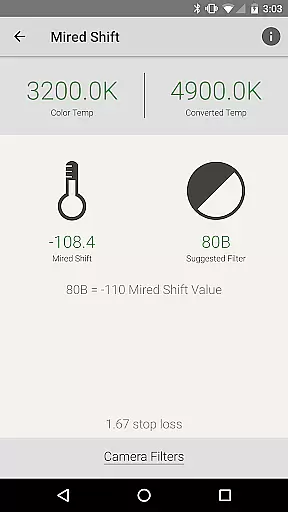
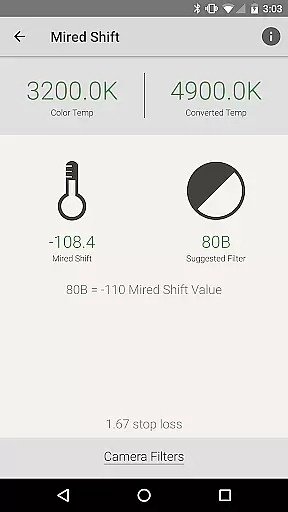
Among its extensive toolset, Pocket AC includes features like the Mired Shift and Filter Suggestions, which utilize AI algorithms to recommend the best filters and adjustments for specific lighting conditions. This ensures that color corrections and enhancements blend seamlessly with the original image, avoiding the artificial look often associated with heavy editing.
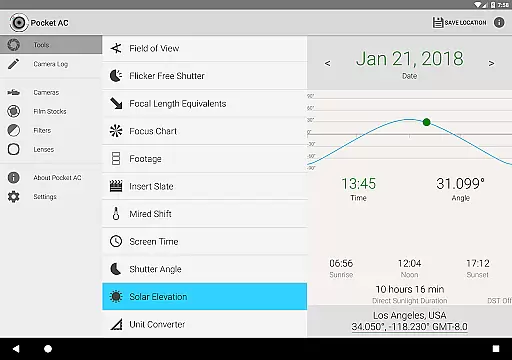
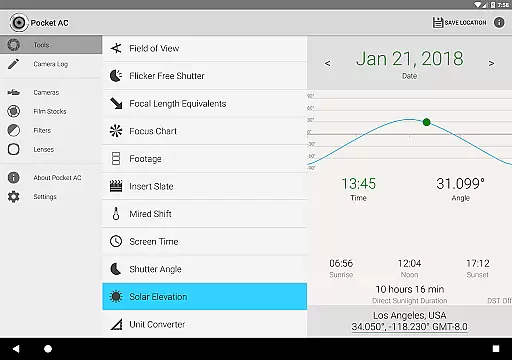
In addition to filter suggestions, Pocket AC offers a Unit Converter that supports various units of measurement, including illumination. This feature helps photographers accurately adjust lighting setups to achieve the desired aesthetic without over-processing the image. By maintaining a balance between enhancement and natural appearance, Pocket AC delivers professional-grade results.
Overall, the AI beauty and enhancement capabilities of Pocket AC provide users with powerful tools to elevate their photography while maintaining the natural essence of their subjects. This makes it an invaluable resource for professionals seeking to deliver high-quality, authentic images that resonate with clients and audiences alike.
User-friendly interface
Comprehensive toolset
Real-time collaboration
Extensive camera support
Detailed logging features
Complex for beginners
Occasional bugs
Limited free version
Heavy on storage
No offline mode

Trendy TikTok time warp scan funny filter app brings you unique photos & videos.
 4.40
4.40
Find time and duration of different sunlight phases at any location
4.90
Application for remote controlling DSLR
3.00
What celebrity do you look like? Celebs will find your celebrity match!
4.10
All-in-One Editor & AI Photo Enhancer, Collage, Cartoonify, Funny Stickers & BGS
4.10
Android Native system HD camera app. Never been so simple and faster.
4.70
Photo editor & gallery. Crop pictures & edit photos offline, no wifi!
4.50
Your personal guide to the sun and moon. Plan ahead, visualize and predict!
4.70
Your Family Calendar + Photos. Manage your Skylight Calendar and Skylight Frame.
4.40
Cut and paste photo editor & eraser to customize photos easy and swap faces fun
4.50
Photo Exif Editor allows to view, add and modify EXIF data of multiple photos
4.50
HD Camera Pro with HD Video shooting, Panorama, Photo editor , Beauty Camera.
4.50
Movie camera, supports pro recording settings for filming. Try it and be amazed!
4.50
Easily stitch panoramas from multiple photos or video.
4.40
Future baby face generator: AI kids generator, kid face! What my baby look like?
4.40
Smart, light, and fast photo and video gallery
4.30
Photobooth mini FULL app will allow you to add more fun to your parties
4.00
Gallery Slideshow is slideshow maker app for slideshow from your gallery photos.
3.90
Photo Album Watch Face shows your favorite pictures as a Watchface.
1.90

User Reviews