

USB Media Explorer (UME) is a versatile photography app that enables users to view photos, stream videos, listen to music, and manage documents from various USB storage devices. With specialized viewing modes for different media types, it offers a comprehensive solution for accessing multimedia content on the go.
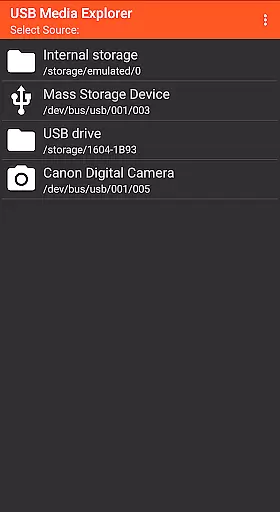
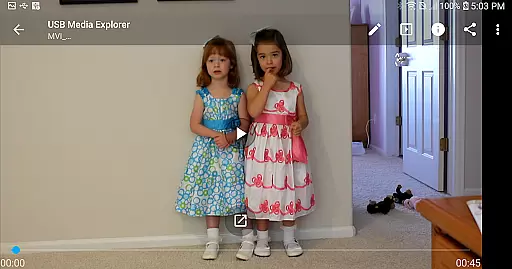
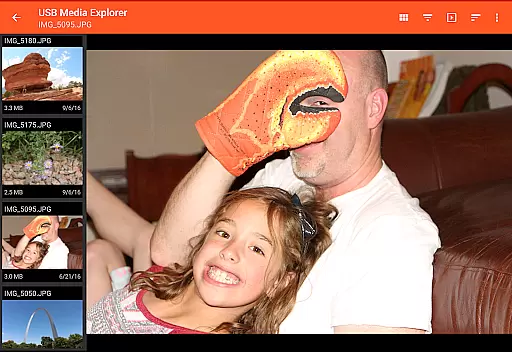
The app supports a wide range of devices including flash drives, card readers, hard drives, cameras, and even other Android devices. Its standout feature is the ability to view full-size photos and videos directly without the need for importing, making it an essential tool for photographers and videographers who require instant access to their work.
Whether you're a professional photographer needing to review raw images or a traveler wanting to watch movies stored on a portable hard drive, USB Media Explorer provides a seamless experience across multiple device types, enhancing productivity and convenience.
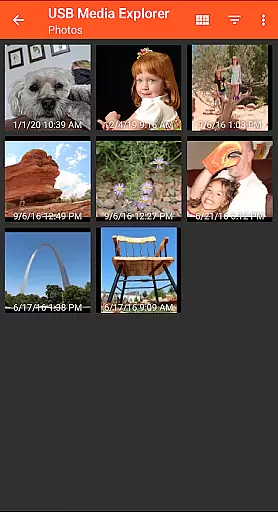
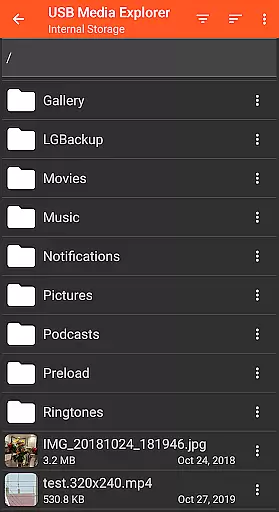
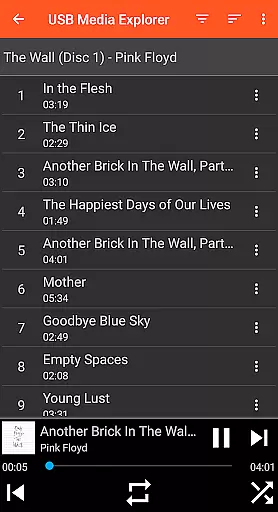
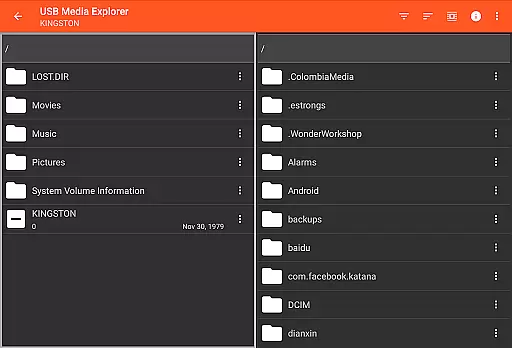
USB Media Explorer stands out with its specialized screens tailored for different media types - photos, videos, music, documents, and file management. This thoughtful design ensures optimal viewing and organization regardless of the content type.
A key feature is the bi-directional file transfer capability, allowing users to copy files to and from USB devices effortlessly. The app also supports various video and audio formats, though some may require third-party players like VLC for playback.
Advanced functionality includes support for RAW image formats, MTP/UMS audio players, and specific DVD drives. While most features work seamlessly, certain devices like hard drives might need external power sources, and commercial DVDs aren't supported. These technical details demonstrate the app's commitment to comprehensive media support while maintaining realistic expectations.
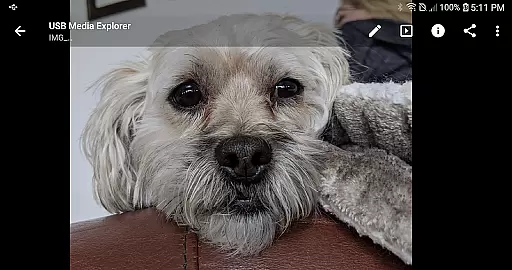
USB Media Explorer offers a unique approach to real-time media capture and preview, allowing users to view full-size photos and videos directly from USB storage devices without the need for importing. This feature is crucial for professionals who require immediate access to their files for review or presentation purposes.
The application supports a wide range of file formats including Jpeg, Raw for images, and various video formats that are compatible with Android devices. By providing specialized screens for different media types, it ensures an optimal viewing experience tailored to the content being accessed.
Users benefit from the ability to stream videos and view documents on-the-go, making it an indispensable tool for photographers, videographers, and business professionals alike. The seamless integration with USB devices like flash drives, card readers, and hard drives enhances workflow efficiency and productivity.
This functionality not only saves time but also reduces the risk of data loss associated with traditional importing methods. With USB Media Explorer, you can confidently manage and preview your media files anytime, anywhere, ensuring you never miss a critical moment captured on your devices.
While USB Media Explorer does not explicitly market itself as an AI beauty and enhancement tool, its capability to handle high-quality media files contributes to maintaining the natural essence of photos and videos. The app's support for both Jpeg and Raw image formats allows users to retain the authenticity of their captures while performing necessary edits.
For video content, although Android may not natively support all formats, the app recommends using third-party players like VLC to ensure smooth playback. This flexibility in format compatibility enables users to preserve the original quality and nuances of their recordings, which is essential for professional-grade projects.
Photographers and videographers will appreciate the app's straightforward interface that focuses on delivering unaltered, pristine media. Whether it's adjusting settings for photo viewing or streaming videos, the emphasis remains on presenting content as intended by the creator.
By prioritizing format integrity and offering tools for direct file management, USB Media Explorer ensures that any enhancements made to media files retain their natural appearance. This commitment to preserving the originality of user-generated content makes it a reliable choice for those seeking genuine representation in their digital media library.
User-friendly interface
Wide device compatibility
Direct file viewing
Bi-directional file transfer
Specialized media viewers
Limited proprietary support
External power sometimes needed
Third-party codecs required
No live image device support
Commercial DVD restriction

All-in-One Editor & AI Photo Enhancer, Collage, Cartoonify, Funny Stickers & BGS
 4.10
4.10
Natural Beauty, Selfie Retouch
4.30
Perfect body tune & face app - photo retouch, makeup, slim body & beautify face.
4.80
Movie camera, supports pro recording settings for filming. Try it and be amazed!
4.50
Enhance, retouch & create your story - Share the moment with Photoshop Express.
4.60
Unblur, enhance & restore photos with powerful AI photo enhancer tools.
4.60
Pro version: AR sun/moon tracker for any date. Tool for photographers & planners
4.90
Your personal guide to the sun and moon. Plan ahead, visualize and predict!
4.70
Unlock the full potential of your DJI drone with Litchi
4.50
Gallery show photo, video, slideshow, is perfect 3D effect private photo albums.
4.80
See your baby AI baby face generator AI baby maker Face generator babymaker fun!
4.70
Safe & smart flight with Go Fly drone controller for 40+ drone camera, zone map
4.50
HD Camera Pro with HD Video shooting, Panorama, Photo editor , Beauty Camera.
4.50
Search, tag and rate your way to an organized image gallery
4.40
Future baby face generator: AI kids generator, kid face! What my baby look like?
4.40
AI portrait generator and polaroid AI selfie, fun AI generated AI photo creator!
4.30
Turn your phone into a professional camera - full DSLR manual photography
4.30
Perfect photos with body shaping, BG changer and object remover.
3.70
Professional video recording application with manual controls for filmmakers!
2.80

User Reviews