

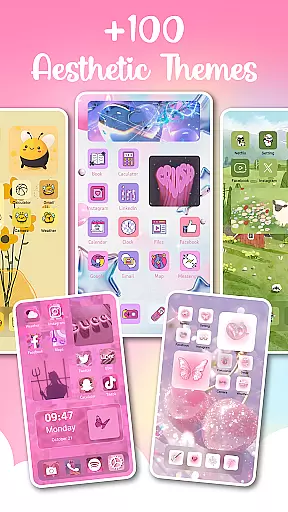
Themes - Widgets, Icon Changer is a powerful personalization app that allows users to fully customize their smartphone's interface. The app offers an extensive collection of themes, widgets, wallpapers, and icon packs, enabling users to create a unique and personalized phone screen. Whether you prefer anime themes, cute designs, or modern aesthetics, this app caters to all tastes.
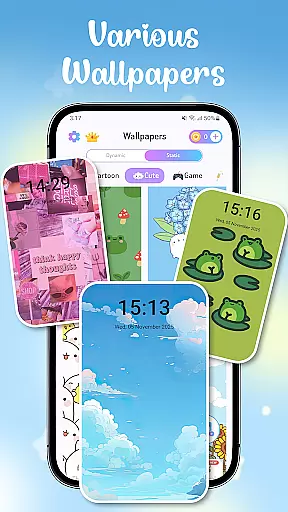
The app stands out with its diverse range of customization options including stylish widgets, various app icons, and daily refresh wallpapers. Users can easily change their phone's appearance with just one click, making it simple to match their device's look with their current mood or preferences. This makes Themes - Widgets, Icon Changer an essential tool for those who value both functionality and aesthetics in their mobile experience.
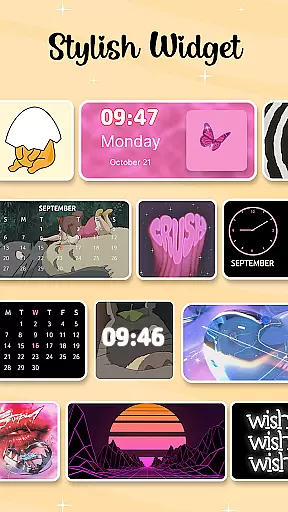
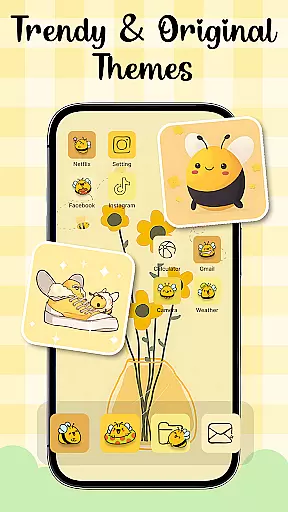
One of the key features of Themes - Widgets, Icon Changer is its vast library of trendy themes and wallpapers. The app provides numerous stylish themes including anime, Kpop, and aesthetic options, alongside custom widgets that transform the traditional screen appearance. These widgets not only enhance visual appeal but also offer practical functions like quick access to frequently used apps.
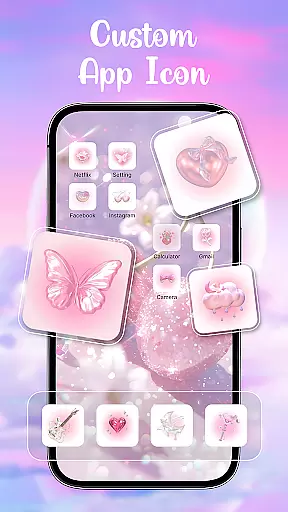
The app also includes a comprehensive icon changer feature, allowing users to personalize app icons across their device. With options for social media icons like Facebook, WhatsApp, and Instagram, users can maintain a consistent look throughout their home screen. Additionally, the one-click wallpaper replacement and daily refresh feature ensures users always have fresh and appealing visuals on their lock and home screens.
Customization options variety refers to the range and diversity of personalization features available within an application. For Themes - Widgets, Icon Changer, this aspect is central to its appeal and functionality. The app offers a vast selection of themes, including anime, cute, aesthetic, and Kpop styles, allowing users to tailor their phone's appearance to match their mood or preferences.
The app provides over 100 widgets that transform the conventional look of your screen. These widgets are not only stylish but also customizable, enabling users to select images from their gallery and create unique designs that reflect their personality. This level of customization ensures that each user's device can be a true representation of their individuality.
Users benefit from the ability to mix and match themes, widgets, wallpapers, and app icons. With options ranging from social media icons like Facebook, Whatsapp, Messenger, and Instagram, to personalized icon packs, the app allows for endless combinations. This flexibility empowers users to craft a cohesive and personalized smartphone experience that aligns with their tastes.
The value of having diverse customization options lies in enhancing user engagement and satisfaction. By providing tools that allow for deep personalization, Themes - Widgets, Icon Changer ensures that users can maintain a fresh and exciting interface, encouraging daily interaction and long-term retention.
Theme compatibility refers to how well different visual elements work together within an application to create a harmonious and visually appealing interface. For Themes - Widgets, Icon Changer, ensuring theme compatibility is crucial for delivering a seamless user experience. The app achieves this by offering a wide array of wallpapers, themes, and widgets designed to complement each other.
With a focus on design coherence, the app allows users to easily customize their home screen with matching themes and widgets. Whether you prefer minimalist designs, modern aesthetics, or vibrant art styles, the app provides numerous options that blend seamlessly, creating a professional and polished look. This attention to detail enhances the overall aesthetic appeal of the user's device.
By maintaining high standards of theme compatibility, the app ensures that users can switch between different styles effortlessly. From anime wallpapers to holiday-themed backgrounds, every element is crafted to integrate smoothly with others. This feature enables users to refresh their device's appearance regularly without worrying about mismatched components disrupting the visual flow.
Ultimately, strong theme compatibility enriches the user experience by providing a sense of unity across all visual aspects of the device. It encourages creativity while maintaining usability, making Themes - Widgets, Icon Changer an indispensable tool for those who appreciate both form and function in their mobile devices.
User-friendly interface
Extensive theme options
Customizable widgets
Daily wallpaper updates
Comprehensive icon packs
Requires multiple permissions
May drain battery faster
Premium themes cost extra
Some features are complex
Occasional performance issues

Glass style colourful icons with a One UI look and feel
 4.60
4.60
Ultra realistic high quality analog watch face for Wear OS.
4.60
Prank your friends with realistic broken screen and cracked HD effects!
4.5
Transfer your live wallpapers from Windows to Android using Wallpaper Engine!
4.00 4.50
4.50
Unleash Your Creativity and Connect with Loved Ones with Lockscreen Drawing!
4.20
Your go to Weather App & Home Screen. Get your weather at a swipe of a finger!
3.80
Crystal-clear, square icon provides a sleek and sophisticated visual upgrade
4.00
300+ widgets inspired by Material You and Material 3 expressive design.
4.60
Winter's Journey: digital watch face for Galaxy Watch & Wear OS
4.80
Gun Chase - Let the chase begin.
4.80
Personalize your phone with stunning HD and 4K wallpapers!
4.70
Icons made of colorful linear lines
4.60
Try creating your own keyboard with "Keyboard theme for android" app now!
4.50
The definitive Icon pack maker and editor
4.30
Romantic Kiss Stickers App. Start romantic messaging now!
4.30
Interactive Miniature Painting Catalogue
3.30
Adorable pets roam and play right on your phone screen!
3.30
Custom edge gestures for volume control, brightness, apps, and shortcuts.
4.3

User Reviews