

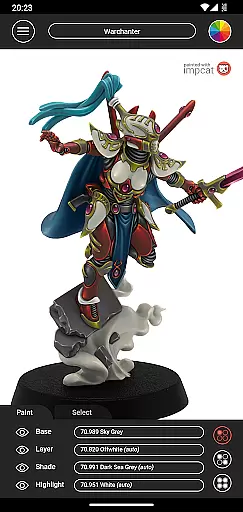
Impcat, short for Interactive Miniature Painting Catalogue, is a sophisticated simulator designed to deliver photorealistic painting results on gaming and tabletop miniatures. This app allows users to select from a variety of miniature images and paint them using colors they own or are considering purchasing. It operates with predefined color palettes, utilizing names and values as promoted by manufacturers.
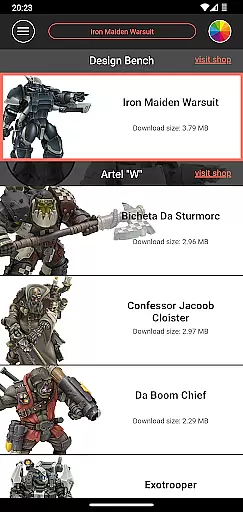
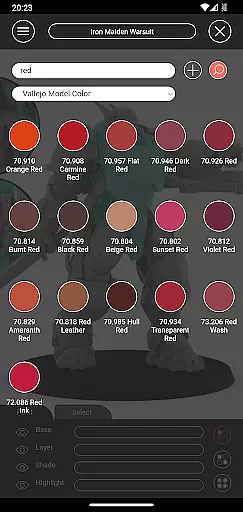
The system simulates a four-step painting process including base coloring, layering, shading, and highlighting to achieve high-quality results. Impcat offers six built-in miniatures provided by Artel "W" and a comprehensive list of built-in color palettes featuring Vallejo Model Color and Vallejo Game Color, totaling 308 colors. Additionally, it provides access to free DLCs that update automatically when new content is uploaded.
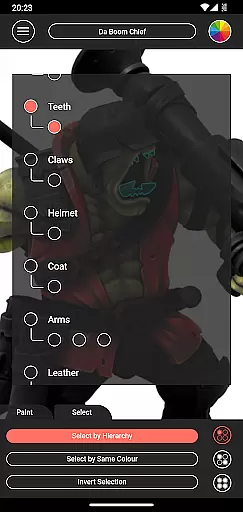
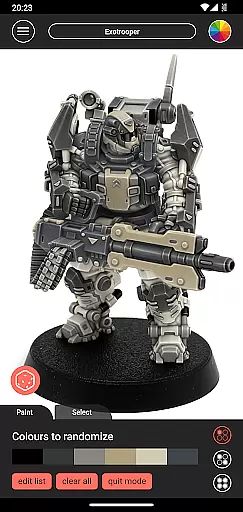
Impcat stands out with its array of innovative features tailored for miniature painting enthusiasts. The app includes a recommendation mode where selecting a base color automatically applies harmonizing layers, shades, and highlights, which can be further customized. A photorealistic simulation showcases the applied paints, providing users with a realistic preview of their work.
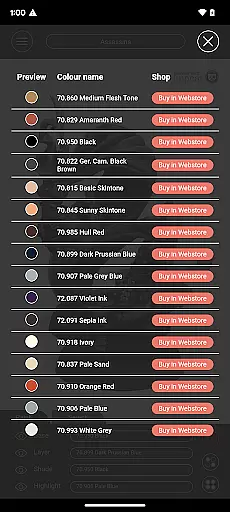
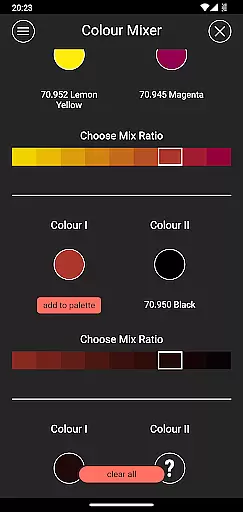
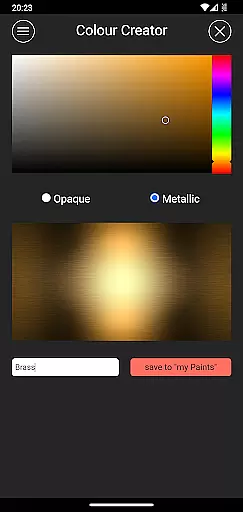
Additional functionalities include a shopping list generator that compiles all applied colors and links to corresponding shop pages, a color mixer tool for blending predefined paints in multiple steps, and a color creator tool for crafting and collecting custom colors. Moreover, a randomizer tool distributes colors randomly across a model, enhancing creativity and experimentation.
These features collectively ensure an immersive and interactive experience, making Impcat an invaluable tool for both amateur and professional miniature painters.
Customization is at the heart of impcat, allowing users to explore a vast array of miniature painting possibilities. With six built-in miniatures and over 300 color options from Vallejo Model Color and Vallejo Game Color, the app provides an extensive palette for creativity.
The app simulates a four-step painting process including base coloring, layering, shading, and highlighting, ensuring that each user can achieve photorealistic results. This detailed approach caters to both beginners and experienced painters looking to experiment with different techniques without the need for physical materials.
Additionally, impcat offers advanced features such as complement recommendation mode, which suggests harmonizing colors, and tools like the color mixer and creator. These customization options empower users to not only replicate real-world painting processes but also innovate by creating unique color combinations and collections.
While impcat focuses on providing realistic painting simulations, its theme compatibility ensures a seamless experience across various devices. The app supports high-quality image rendering, making it suitable for both smartphones and tablets, thus catering to a wide range of user preferences.
Users can access additional content through free DLCs that include new miniatures and color palettes. This feature guarantees that the app remains up-to-date with the latest offerings from manufacturers, enhancing the overall compatibility and relevance of the painting themes available to users.
Moreover, impcat's shopping list generator and direct links to shop pages ensure that users can easily acquire the paints they need. This practical aspect of theme compatibility bridges the gap between digital experimentation and real-world application, offering a comprehensive solution for miniature painting enthusiasts.
User-friendly interface
Extensive color options
Automatic updates
High-quality simulation
Comprehensive tools
Limited built-in miniatures
No micro-transactions
Complex for beginners
Requires internet
Specific niche market

Realistic animated snow on your wrist, with 10 images landscapes to choose from
 4.00
4.00
Transform your phone with Launcher iOS 26 - Smooth & elegant iOS experience
4.50
Unique Android Launcher
4.60
Run multiple accounts of the same app on a single device
4.10
Want to make your phone more special than ever?
4.60
Nothing Icon pack with more than 3750+ highly crafted icons.
4.70
300+ Stunning and well-designed widgets inspired by NOTHING.
4.70
Fast SMS & group chat - use GIFs and emojis from your home screen launcher.
4.50
Create stunning widgets with Widget 2026: Aesthetic Widgets for Android!
4.60
Customizable Glass widgets. Over 360+ stunning widgets and more!
4.70
Personalize your phone with stunning HD and 4K wallpapers!
4.70
A minimalist productivity launcher. One-hand-friendly. Zero ads.
4.70
Embrace the Night. Unleash the power of darkness with Raven Dark Icon Pack
4.60 4.50
4.50
Your home screen, just the way you like it.
4.30
More than 3000+ themes and 9000+ wallpapers for everybody!
4.10
Your go to Weather App & Home Screen. Get your weather at a swipe of a finger!
3.80
Prank your friends with realistic broken screen and cracked HD effects!
4.1
⭐ OneUI inspired Fluffy Icon Pack – Soft. Stylish. Standout. ⭐
4.2


User Reviews