

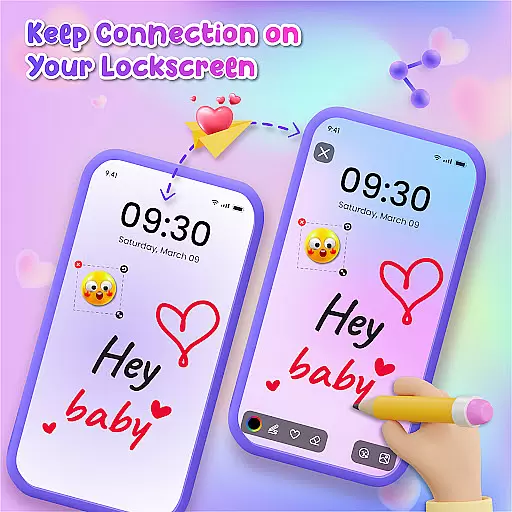
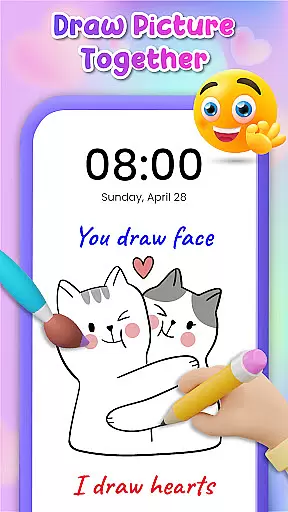
Lockscreen Drawing is a unique personalization app that transforms your phone's lock screen into an interactive canvas. This innovative application allows users to draw directly on their lock screens, share creations in real-time, and collaborate with friends through live lock screen interactions.
The app offers multiple drawing options including lock screen doodling, widget-based connections, and an in-app canvas for more detailed artwork. With over 100 stickers and 20 themed backgrounds, it provides diverse creative possibilities while supporting both individual expression and social connection.
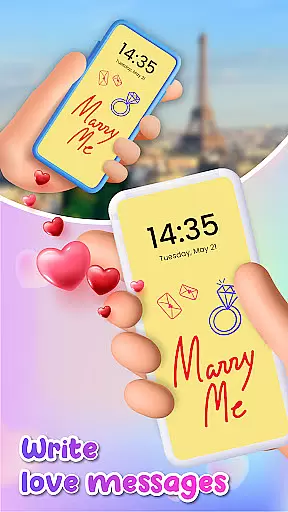
This app is particularly valuable for couples and close friends who want to surprise each other with personalized messages or drawings that appear every time they unlock their phones, making daily interactions more meaningful and engaging.
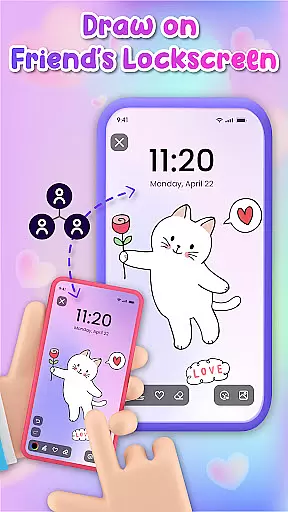
Lockscreen Drawing stands out with its comprehensive set of creative tools and collaborative features. The app's signature function is its live lock screen collaboration, where users can watch each other's drawings appear in real-time across devices.
Beyond basic drawing capabilities, the app includes a collection of 20+ themed backgrounds and over 100 unique stickers, allowing for extensive personalization. The handy widget feature enables continuous connection by displaying friends' latest creations even while using other apps.
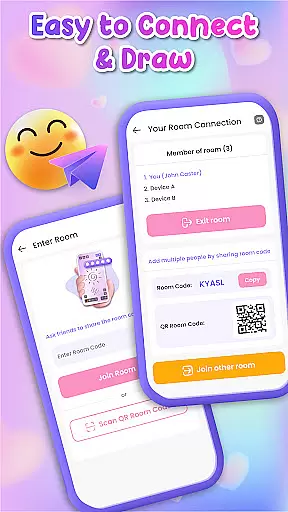
Additional notable features include multiple connection methods through QR codes and special codes, plus the ability to save and share completed artworks. These functions create a complete ecosystem for creative expression and social interaction through digital art.
Lockscreen Drawing offers a rich array of customization options that allow users to transform their lock screens into personalized canvases. With over 100 unique stickers and more than 20 themed backgrounds, the app ensures that every user can find something that resonates with their personal style.
The ability to choose from various backgrounds, including selecting photos from your gallery, provides endless possibilities for creativity. Whether you're in the mood for something whimsical or romantic, Lockscreen Drawing has a backdrop that will suit your artistic vision.
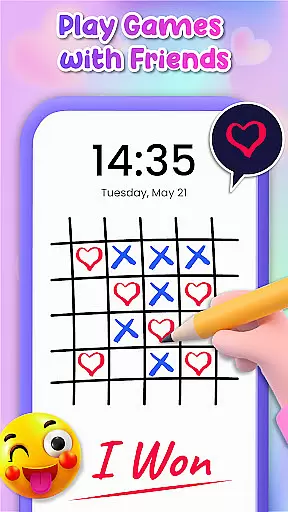
Moreover, the app's live lock screen collaboration feature adds another layer of customization by enabling real-time interaction with friends. This fosters a fun and engaging environment where users can express themselves freely while connecting with others through art.
Theme compatibility is at the heart of Lockscreen Drawing's design philosophy. The app seamlessly integrates with different themes, ensuring that users can maintain visual consistency across their devices. This means whether you prefer a sleek modern look or something more playful, the app adapts to fit your aesthetic preferences.
In addition to its versatile theme options, Lockscreen Drawing also features an in-app canvas that supports diverse artistic expressions. Users can explore a vast collection of backgrounds and unleash their creativity without being constrained by pre-set themes.
Furthermore, the handy widget included in the app displays friends' latest creations, keeping users connected and informed about ongoing artistic endeavors. This feature not only enhances user engagement but also ensures that all interactions remain visually cohesive within the chosen theme framework.
User-friendly interface
Real-time collaboration
Variety of backgrounds
Extensive sticker library
Social connection tools
Limited advanced tools
Potential battery drain
Occasional glitches
Privacy concerns
Learning curve

Glass style colourful icons with a One UI look and feel
 4.60
4.60
Sparkle your screen with Glitter Wallpapers For Girls and Cute Backgrounds!
4.80
Turn your lock screen into fun with smile live wallpapers & animated wallpapers!
2.50
Dark icon pack based on One 8
4.80
Wallpaper HD 4K Live - Thousands of high-quality Anime backgrounds for you.
4.80
⭐ OneUI inspired Fluffy Icon Pack – Soft. Stylish. Standout. ⭐
4.5
Embrace the Night. Unleash the power of darkness with Raven Dark Icon Pack
4.60
HappyLighting is a Bluetooth lamp control software.
3.40
Your go to Weather App & Home Screen. Get your weather at a swipe of a finger!
3.80
One 8 icons glass color version
4.80
A launcher for Samsung Good Lock and Good Guardians modules without ads
4.70
Unique Android Launcher
4.60
Bring adorable pets to life on your screen. Playful, interactive and full of fun
4.60
Choose your keyboard with RGB colors effect, themes, fonts, emojis.
4.60
Customizable screen pets that play, climb, and keep you company.
4.50 4.50
4.50
Romantic Kiss Stickers App. Start romantic messaging now!
4.30
Customizable flower power digital watch face for Wear OS watches.
4.00
Create unique, fun emojis with Funny Emoji Maker! Unlimited creativity!
4.00

User Reviews