

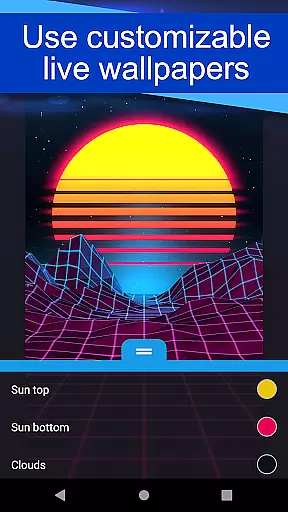
Wallpaper Engine is a personalization app that brings your live wallpapers to Android devices. It allows users to seamlessly transfer their desktop wallpaper library from Windows or import local videos and GIFs for use as dynamic wallpapers. With support for interactive 2D/3D scenes, videos, and GIFs, it offers a rich visual experience while enabling customization of the look and feel of each wallpaper.
The app also features an automatic playlist mode, cycling through wallpapers based on time intervals or specific times of day. Designed with user privacy in mind, Wallpaper Engine is completely ad-free and ensures no tracking of user behavior. Whether you're looking to enhance your device's aesthetics or simplify wallpaper management, this app provides both functionality and style.
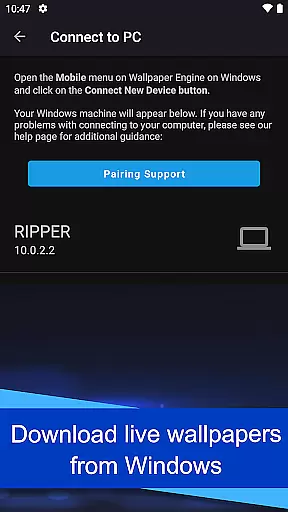
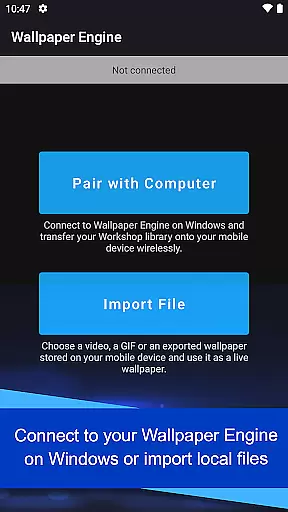
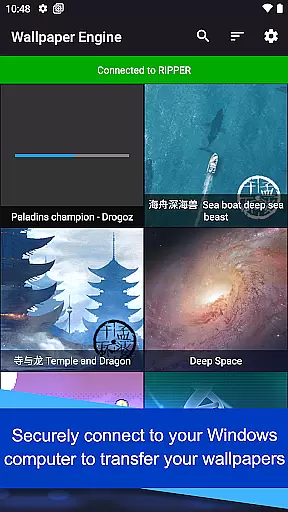
Wallpaper Engine stands out with its ability to connect directly to its Windows counterpart, allowing users to transfer their existing desktop wallpaper libraries onto their mobile devices. This feature bridges desktop and mobile environments, offering continuity and convenience for users who want their favorite wallpapers across all platforms.
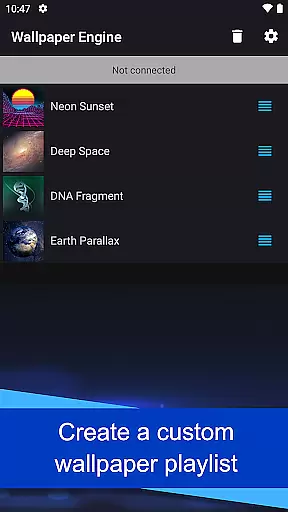
In addition to transferring wallpapers, the app supports importing local videos and GIFs, converting them into live wallpapers effortlessly. Users can customize the appearance of their wallpapers, adjusting settings to match their preferences. The app also includes an intelligent playlist system, which automatically cycles wallpapers at regular intervals or based on the time of day, ensuring variety and personalization without manual intervention.
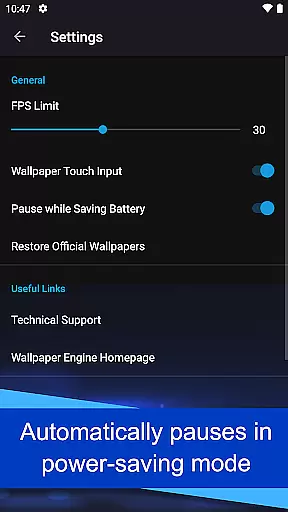
Furthermore, Wallpaper Engine prioritizes user experience by pausing wallpapers when power-saving mode is activated, thus conserving battery life. With its ad-free design and commitment to user privacy, the app ensures a seamless and secure experience for those seeking to personalize their Android devices.
Wallpaper Engine offers a diverse range of customization options that cater to personal preferences. The app supports various formats including videos, GIFs, and interactive 2D/3D scenes, allowing users to tailor their device's appearance with dynamic and engaging content.
Users can connect their Android device to Wallpaper Engine on Windows, enabling them to transfer an existing library of wallpapers directly to their mobile. This seamless integration provides access to a vast collection of live wallpapers, which can be further personalized through the app's customization features.
The ability to import local videos and GIFs adds another layer of personal touch. Users are not limited to pre-existing content but can utilize their own media, creating a truly unique and individualized experience. This flexibility ensures that personal style and creativity are well-reflected on your device.
Theme compatibility in Wallpaper Engine ensures that all customized wallpapers maintain visual consistency across different devices and screen resolutions. Whether you're using a smartphone or tablet, the app optimizes each wallpaper to fit perfectly, preserving the intended look and feel without distortion.
Moreover, the app allows for setting up playlists that automatically cycle wallpapers at regular intervals or based on the time of day. This feature enhances theme compatibility by ensuring that the chosen wallpapers align with specific moods or settings throughout the day, offering a cohesive user experience.
With its ad-free and non-intrusive design, Wallpaper Engine respects user privacy while delivering high-quality themes. This approach guarantees that the thematic elements remain pure and uninterrupted, providing a smooth and visually pleasing interface that aligns with any digital lifestyle.
User-friendly interface
Ad-free experience
Wide format support
Customizable settings
Cross-platform sync
Limited to Android
Requires Windows app
No iOS version
High battery usage
Large file sizes

A Colorful and Minimal icon pack in an Outline Style - Over 13,600 icons!
 4.70
4.70
Wear Os Watch Face - Seasonal - Animated Snow Effect - 9 Animals
4.20
Art & Emoji Keyboard with Cool Fonts, Cute Themes and Custom Designs.
4.40
Over 28,000 high quality icons to bring color & homogeneity to your phone.
4.60
Want to make your phone more special than ever?
4.60
Turn text & photos into stunning AI videos, art, and creative visual stories.
4.50
Zip lock screen with magic wallpaper to decorate your phone with fun zipper lock
4.60
Amazing letter fonts in your messages and social statuses
4.70
Transform your phone with stylish zipper lock themes and 4D live wallpaper
4.10
Enjoy a variety of amazing live wallpapers and colorful EDGE lighting borders!
4.80
Sparkle your screen with Glitter Wallpapers For Girls and Cute Backgrounds!
4.80
A minimalist productivity launcher. One-hand-friendly. Zero ads.
4.70
A retro cartoon style watch face and a punch right in the face of the copyright
4.60
300+ widgets inspired by Material You and Material 3 expressive design.
4.60 4.50
4.50
Vibrant Adaptive Icons with Material You and Enhanced Monet Colors.
4.50
Unique Fonts, typefaces and stylish text. Fonts for Instagram, Whatsapp & others
4.20
Customize glowing edges, wallpapers, and caller screen with EdgeAura.
3.50
Prank your friends with realistic broken screen and cracked HD effects!
4.1


User Reviews