

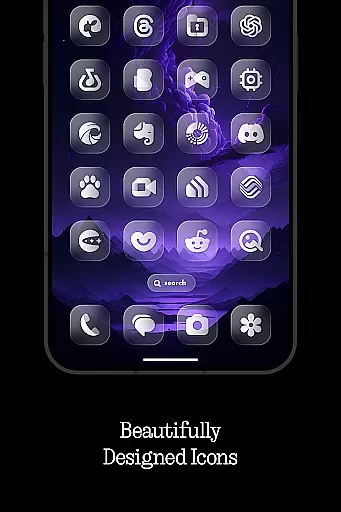
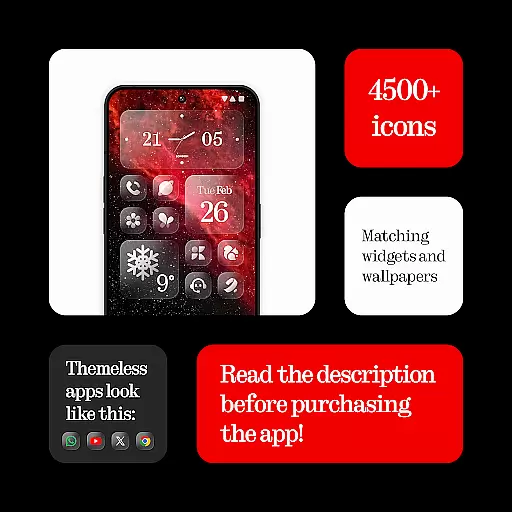
Glass Icons is a premium icon pack that offers over 5400 crystal-clear square icons, designed to provide a sleek and sophisticated visual upgrade for your device. The pack seamlessly integrates with supported launchers, enhancing the overall aesthetic of your home screen.
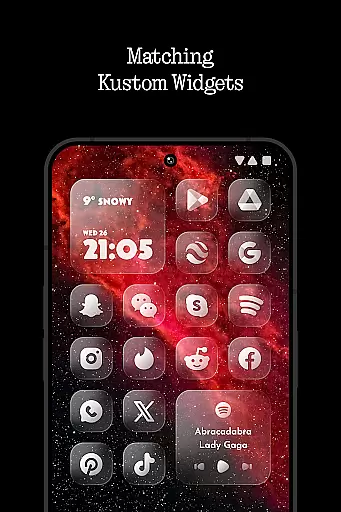
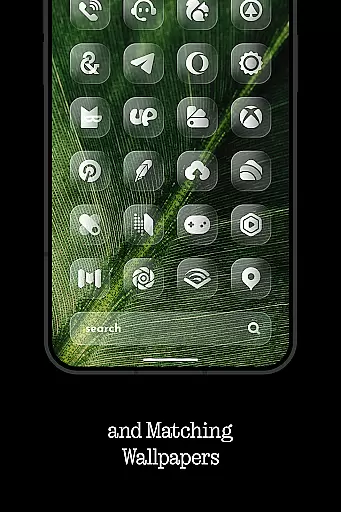
In addition to the extensive icon collection, Glass Icons includes five Kustom widgets and cloud-based wallpapers, allowing for a fully customized device experience. Regular updates ensure compatibility with new apps and maintain the highest quality standards.
The icon pack stands out with its massive collection of 5400+ meticulously crafted icons, each designed with a modern and consistent style. The inclusion of Kustom widgets adds dynamic functionality to your home screen setup.
Glass Icons provides an intuitive icon request tool for missing icons and maintains an active update schedule to expand its coverage. The pack supports multiple popular launchers including Nova Launcher, Lawnchair, and Niagara Launcher, ensuring broad compatibility across devices.
Glass Icons offers an extensive range of customization options that cater to personal preferences and device compatibility. With over 5400 icons, users can transform their device's interface into a sleek, sophisticated visual experience.
The inclusion of 5 Kustom widgets further enhances the ability to personalize, allowing for unique home screen setups. These widgets are designed to seamlessly integrate with various launchers, providing both aesthetic appeal and functional utility.
Cloud-based wallpapers add another layer of customization, enabling users to complement their icon choices with matching or contrasting backgrounds. This feature ensures that users' devices remain visually dynamic and engaging.
An icon request tool is also available, empowering users to suggest new icons that align with their specific needs or emerging design trends. Regular updates ensure that the icon pack stays current and continues to offer fresh customization possibilities.
Theme compatibility is a crucial aspect of Glass Icons, ensuring that its vast array of icons works harmoniously across different launchers. The pack supports numerous popular launchers such as Nova Launcher, Lawnchair Launcher, and Niagara Launcher, among others.
For optimal performance, certain launchers require specific settings adjustments. For instance, shadows must be active in Nova Launcher to fully appreciate the design nuances of Glass Icons. This attention to detail highlights the pack's commitment to delivering a cohesive visual experience.
In cases where stock launchers like Pixel Launcher or One UI Launcher are used, alternative solutions such as Shortcut Maker and Theme Park are recommended. These workarounds demonstrate the pack's adaptability and dedication to broad compatibility.
Kustom Widgets necessitate KWGT PRO for functionality, emphasizing the importance of proper setup to achieve desired results. By addressing these technical requirements, Glass Icons maintains high standards of theme compatibility and user satisfaction.
Extensive icon coverage
Regular updates
High-quality design
Multiple launcher support
Cloud wallpapers
Paid app
Requires compatible launcher
No stock launcher support
Kustom widgets need separate purchase
Limited functionality on Pixel devices
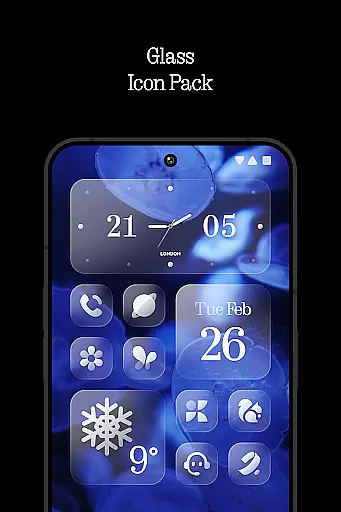

Glass style colourful icons with a One UI look and feel
 4.60
4.60
Ninja Turtles Cowabunga SE watch face for Wear OS
4.50
Turn your lock screen into fun with smile live wallpapers & animated wallpapers!
2.50
Run multiple accounts of the same app on a single device
4.10 4.10
4.10
Organize and manage your photos and videos effortlessly with Photo Gallery
4.20
Adorable pets roam and play right on your phone screen!
3.30
400+ Beautifully crafted widgets inspired by NOTHING.
4.70
Enjoy a variety of amazing live wallpapers and colorful EDGE lighting borders!
4.80
Wallpaper HD 4K Live - Thousands of high-quality Anime backgrounds for you.
4.80
A Colorful and Minimal icon pack in an Outline Style - Over 13,600 icons!
4.70
Bring adorable pets to life on your screen. Playful, interactive and full of fun
4.60 4.50
4.50
Vibrant Adaptive Icons with Material You and Enhanced Monet Colors.
4.50
The definitive Icon pack maker and editor
4.30
Wear Os Watch Face - Seasonal - Animated Snow Effect - 9 Animals
4.20
Unleash Your Creativity and Connect with Loved Ones with Lockscreen Drawing!
4.20
Adaptive Dot Style IconPack with Light & Dark Theme.
3.70
Customize glowing edges, wallpapers, and caller screen with EdgeAura.
3.50

User Reviews