

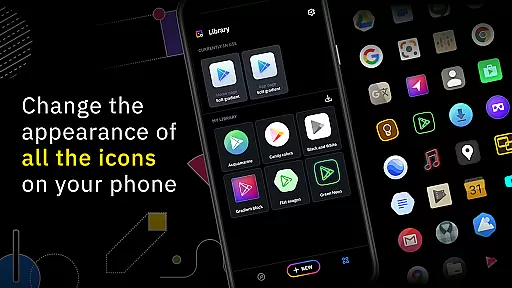
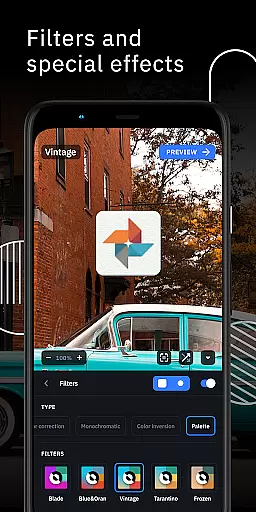
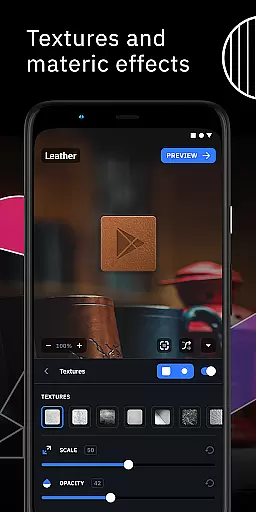
Icon Pack Studio is a unique personalization app that allows users to create their own custom icon packs. With an intuitive interface, the app enables you to design icons from scratch or modify existing ones with advanced editing tools. The app offers features like resizing, moving elements, and applying filters such as lights, shadows, textures, and bezels.
This app stands out by covering any app on your device, which no other Play Store icon pack can achieve. It's compatible with Smart Launcher and works with almost any launcher, giving users flexibility in personalizing their home screens across different devices and platforms.
Whether you're looking to refresh your phone's aesthetics or seeking creative freedom in UI design, Icon Pack Studio provides the tools necessary to tailor your device's appearance to your exact preferences.
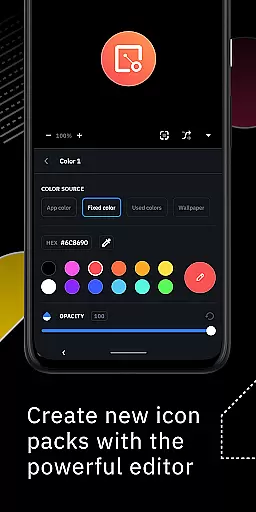
Icon Pack Studio boasts a comprehensive set of features for icon customization. The advanced editor lets you tweak every detail of your icons, including size adjustments, element positioning, and the application of various artistic filters. These filters include options for lighting effects, shadowing, adding textures, and creating bezels.
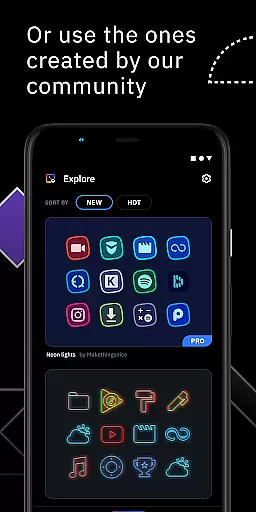
Starting from version 2, the app supports importing and modifying any installed icon pack, expanding its utility beyond just creation to also encompass customization. This means you can take existing designs and adjust them to better fit your personal style or device setup.
The app's compatibility with multiple launchers ensures that your personalized icon packs work seamlessly across different Android environments. This versatility makes it a go-to solution for users who switch between devices or simply want consistent theming regardless of their chosen launcher.
Icon Pack Studio offers an extensive range of customization options, allowing users to create icon packs that perfectly fit their home screens. The advanced editor is a powerful tool within the app, enabling you to resize and move any element of your custom icons with precision.
With special filters such as lights, shadows, textures, and bezels at your disposal, personalizing every detail of your icons becomes an effortless task. This level of customization ensures that no two icon packs need to be alike, giving you the creative freedom to make your device truly yours.
Moreover, starting from version 2, the ability to import and tweak any installed icon pack on your device broadens the scope for personalization even further. Whether you're looking to adjust existing designs or start from scratch, Icon Pack Studio equips you with all the necessary tools.
Compatibility is a key feature of Icon Pack Studio, ensuring that themes created with the app cover any app on your device. Unlike other icon packs downloaded from Play Store, those made with Icon Pack Studio guarantee comprehensive coverage, making it easier to achieve a cohesive look across your entire device.
Designed primarily to work seamlessly with Smart Launcher, this app also supports a wide array of popular launchers including Nova Launcher, Action Launcher, and many more. This versatility means you won't have to switch launchers just to enjoy beautifully themed icons.
While there are some unsupported launchers like Xperia Home Launcher and Pixel Launcher, the vast majority of users will find their preferred launcher compatible with IPS. Thus, regardless of which launcher you prefer, chances are high that you can still take full advantage of what Icon Pack Studio has to offer in terms of theme compatibility.
User-friendly interface
Advanced editing tools
Wide launcher compatibility
Customizable icon packs
Regular updates
Limited to Android
Some launchers unsupported
Advanced features may overwhelm beginners
Requires time investment for quality results
Premium features come at a cost

Vertically oriented rectangular icons
 4.70
4.70
Customizable flower power digital watch face for Wear OS watches.
4.00
Make your phone look simple & luxury, like iDevice
4.60
Ultimate widget creator. Design custom widgets for a truly unique home screen!
3.90 3.50
3.50
Unleash Your Creativity and Connect with Loved Ones with Lockscreen Drawing!
4.20
Your go to Weather App & Home Screen. Get your weather at a swipe of a finger!
3.80
Your home screen, just the way you like it.
4.30
Your home screen, just the way you like it.
3.80
Winter's Journey: digital watch face for Galaxy Watch & Wear OS
4.80
Gun Chase - Let the chase begin.
4.80
Wallpaper HD 4K Live - Thousands of high-quality Anime backgrounds for you.
4.80
Classic analogue watch face. For wear os devices.
4.60
Icons made of colorful linear lines
4.60
Turn text & photos into stunning AI videos, art, and creative visual stories.
4.50 4.50
4.50
Transform your device in a game console
4.40
Themes - Widget & Wallpaper: Customize home screen, icon changer w unique themes
4.30
App Icon Changer & Shortcut Creator. Customize your icons without any watermarks
4.30

User Reviews