

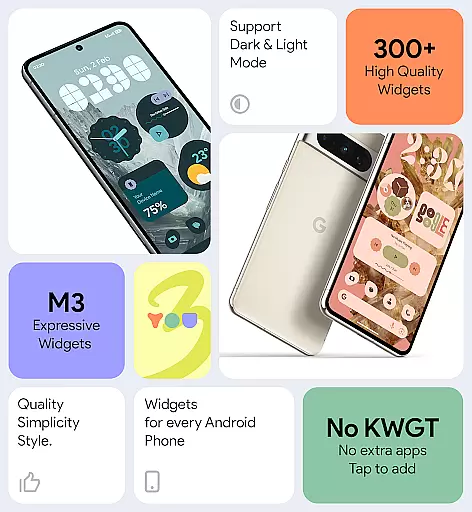
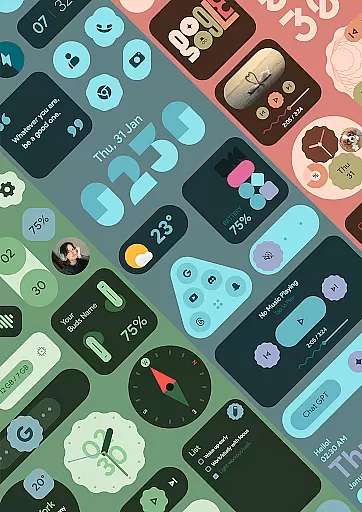
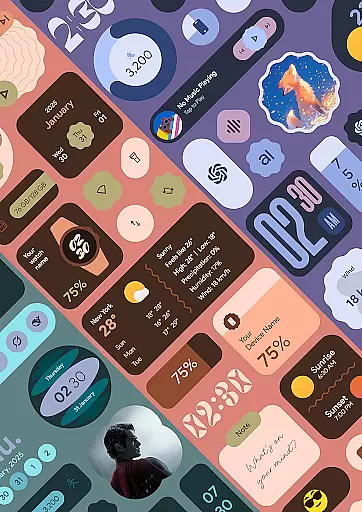
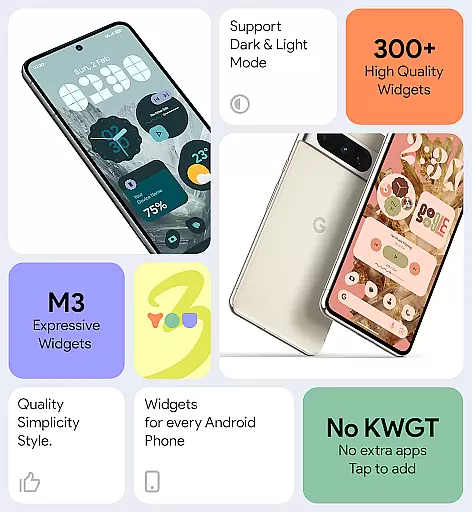
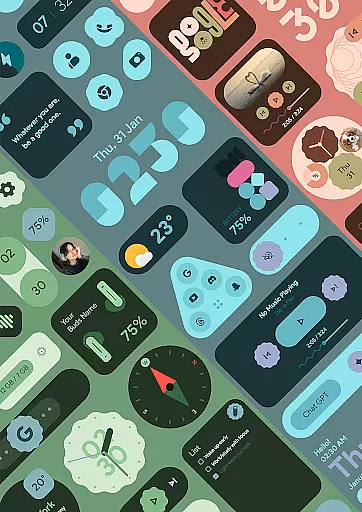
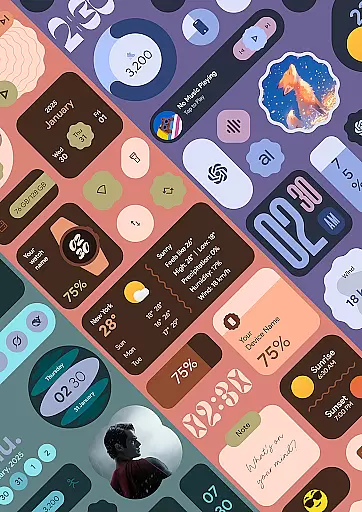
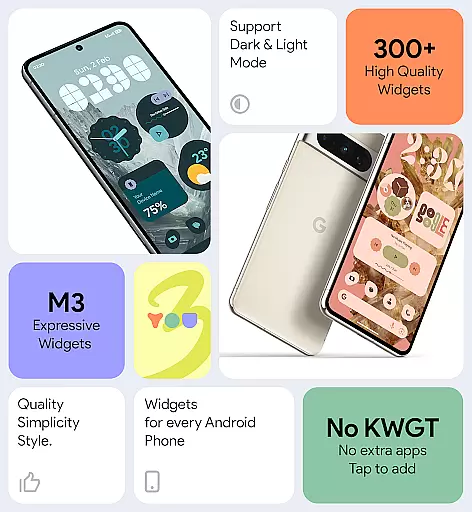
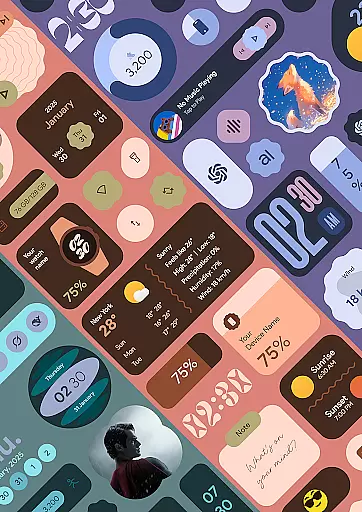
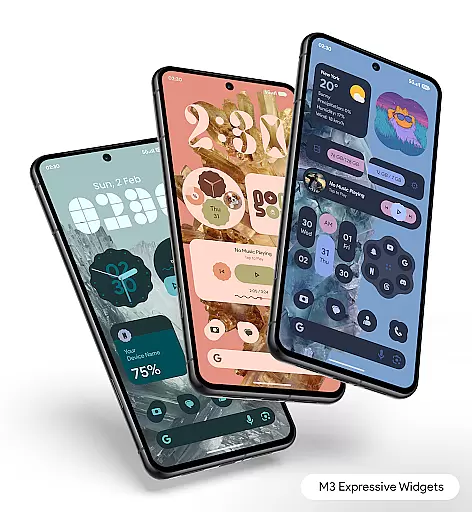
Material You Widgets is a versatile personalization app that brings over 300 beautifully designed widgets to your Android device. These widgets cover a wide range of functionalities including clocks, weather updates, games, quick settings, photos, and more. The app integrates seamlessly with the Material You design language, ensuring that all widgets dynamically adapt to your system's theme.
One of the standout features is its ability to function without requiring additional apps like KWGT. Users can enjoy customizable shapes for app icons, quick settings, and photo widgets, while also benefiting from battery-efficient performance. Regular updates ensure that users receive new widgets and features periodically, keeping their home screens fresh and functional.
Material You Widgets offers an impressive array of features that cater to both aesthetic and practical needs. With over 300 widgets available, users can personalize nearly every aspect of their home screen. These widgets include dynamic elements such as clocks, weather displays, and even interactive games, all designed with a modern, clean aesthetic that aligns with Google’s Material You guidelines.
The app provides extensive customization options, allowing users to modify widget shapes, colors, and layouts to match their unique style. Additionally, it includes a collection of over 300 wallpapers that complement the widgets, creating a cohesive look. Performance optimization ensures smooth operation without excessive battery drain, while timely updates keep the content relevant and engaging.
Material You Widgets offers an extensive range of customization options that allow users to personalize their home screens like never before. With over 300 beautifully designed widgets, the app covers various categories including clocks, weather, games, and more.
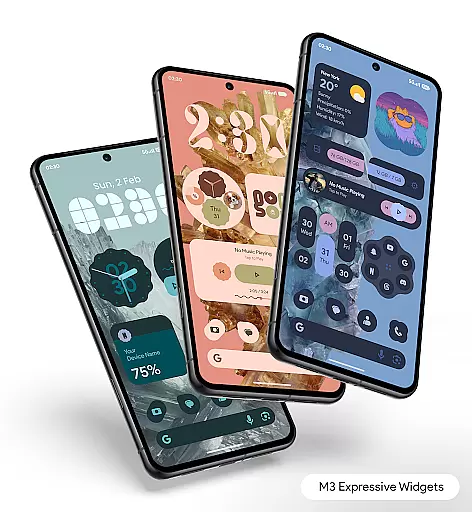
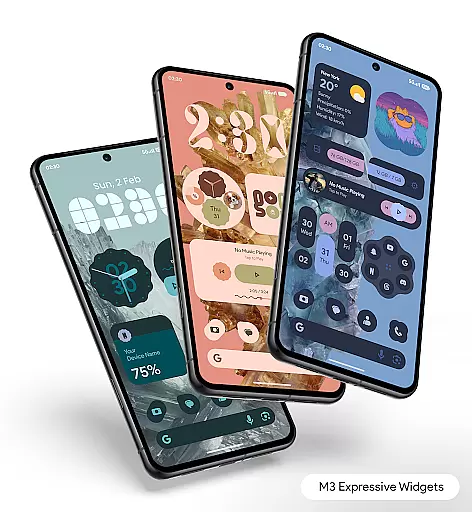
The true power of customization lies in its Material You integration, which enables widgets to instantly match your device's theme. This feature ensures a seamless visual experience across your home screen, making it not only functional but also aesthetically pleasing.
Dynamic Shapes is another innovative feature that lets users change shapes for apps, quick settings, and photos. This flexibility allows for a personalized touch that reflects individual style and preferences.
Additionally, the app provides theme-matching wallpapers, ensuring that every element on your home screen blends perfectly. The ability to customize and adapt widgets with ease makes this app a top choice for those seeking a personalized smartphone experience.
Theme compatibility is at the heart of Material You Widgets, ensuring that all widgets are optimized to work flawlessly with the Material You Theme. This deep integration allows users to enjoy a cohesive look and feel across their devices.
The app's design philosophy centers around minimal, clean, and elegant aesthetics. Each widget is crafted to maintain a consistent appearance, whether you're using basic utilities or advanced features like dynamic photo frames or interactive games.
Smart functionality extends beyond mere visuals. The widgets are engineered to be battery-friendly and smooth, maintaining optimal performance throughout the day. Regular updates ensure that new widgets continue to support evolving theme requirements.
For users who value both form and function, Material You Widgets delivers an unmatched level of theme compatibility. This ensures that every interaction feels intuitive while preserving the integrity of your chosen aesthetic across all device interfaces.
User-friendly interface
Extensive widget variety
Dynamic theme matching
Regular feature updates
Battery-efficient design
Limited iOS support
Advanced features locked
Occasional bugs reported
Premium version costly
Learning curve for new users


Capture moments that pass like a storm, second by second.
 4.2
4.2
Transfer your live wallpapers from Windows to Android using Wallpaper Engine!
4.00
Customize glowing edges, wallpapers, and caller screen with EdgeAura.
3.50
Nothing Icon pack with more than 3750+ highly crafted icons.
4.70
Choose your keyboard with RGB colors effect, themes, fonts, emojis.
4.60
Yandex Browser — stylish and secure, with voice search and data compression
4.40
400+ Beautifully crafted widgets inspired by NOTHING.
4.70
Transform your phone with stunning video wallpapers and a unique, personal touch
3.80
set a new experience for the Android mobile phone
4.20
Dark icon pack based on One 8
4.80
A retro cartoon style watch face and a punch right in the face of the copyright
4.60
Stylish Pink Cute Hippo keyboard with 10000+ customized keyboard themes!
4.60 4.50
4.50
200+ Material Inspired Widgets
4.50
Fingerprint Lock Screen & Live Animations with 4K Wallpapers as Live Wallpaper
4.40
More than 3000+ themes and 9000+ wallpapers for everybody!
4.10
Ultimate widget creator. Design custom widgets for a truly unique home screen!
3.90
Design your screen with unique, vibrant clocks
3.80
Struggling to find apps? Use this app to locate and open any app on your phone!
2.20

User Reviews