

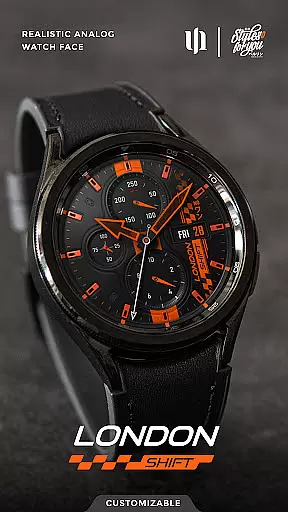
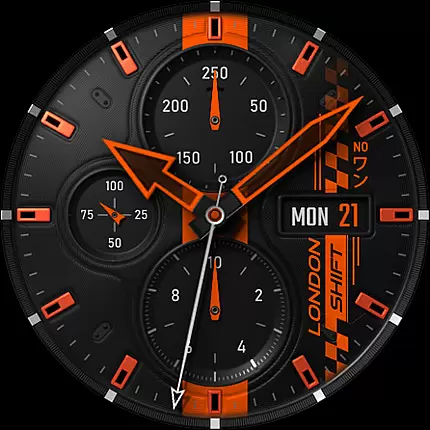
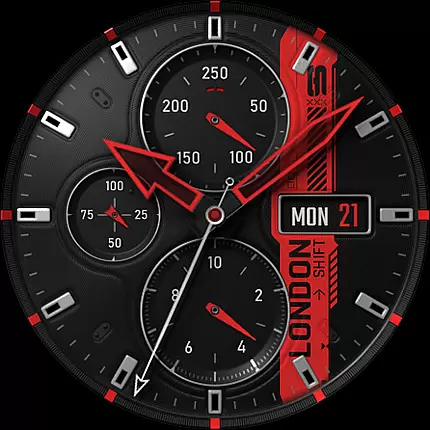
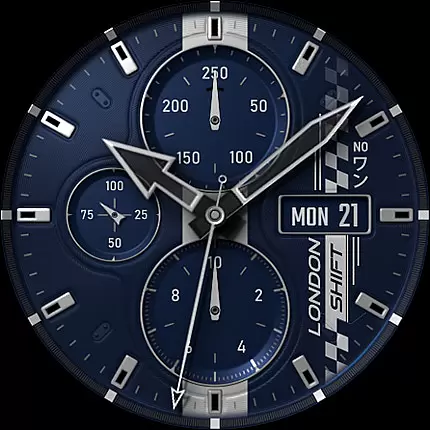
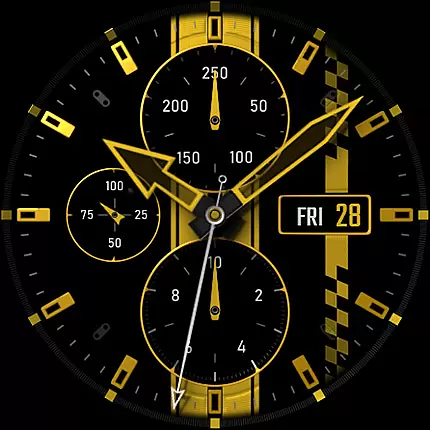
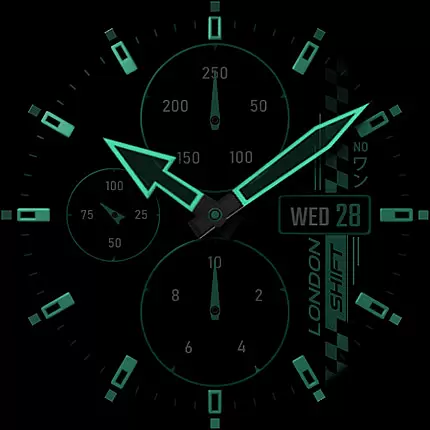
S4U Shift - Analog watch face is a premium Wear OS watch face designed for smartwatches running Wear OS 5 or higher. This highly customizable analog dial offers an ultra-realistic watch experience with its 3D effects and massive color options, making it feel like wearing a real watch.
Key features include multiple color customization options, an always-on display (AOD) with 4 dimming settings, heart rate monitoring, and a built-in pedometer. The design also supports 7 custom shortcuts to access favorite widgets quickly. Compatible devices include Samsung Galaxy Watch series, Google Pixel Watch, and other Wear OS 4+ smartwatches.
Ideal for users seeking both functionality and style, this watch face enhances the wearable experience by combining aesthetics with practical tools such as battery status, day indicators, and health tracking.
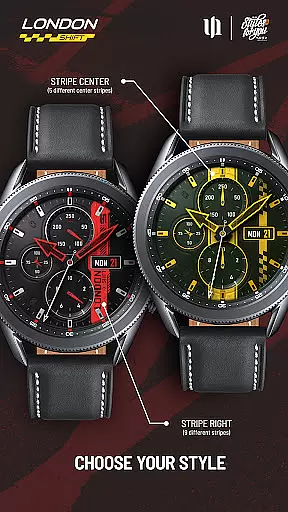
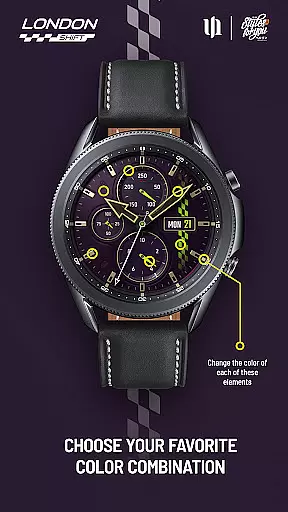
The S4U Shift watch face stands out with its advanced customization capabilities. Users can personalize over 12 design elements including background, stripes, hands, and dials, with up to 13 color options for certain components. The always-on display (AOD) provides four dimming styles, ensuring visibility while conserving battery life.
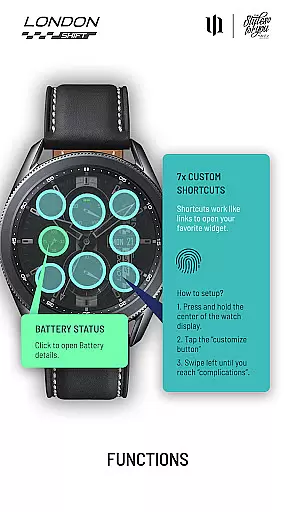
Practical functionalities are seamlessly integrated. Tap the battery indicator to view details, and use the heart rate monitor that syncs automatically based on your health settings. A pedometer and day indicators further enhance usability. Additionally, users can set up to 7 custom shortcuts for quick access to preferred widgets.
This combination of aesthetic appeal and functional utility makes the S4U Shift a versatile choice for tech-savvy individuals who value both form and function in their smartwatch experience.
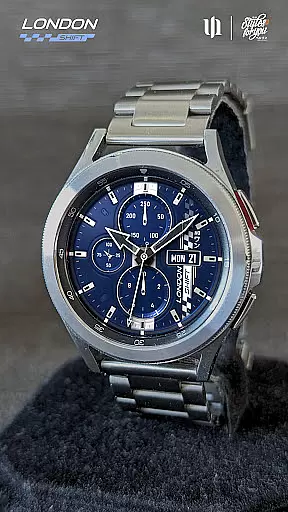
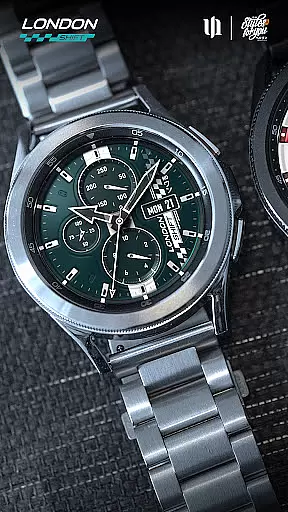
Customization is at the heart of the S4U Shift - Analog watch face, offering users an extensive range of personalization choices. With multiple color options available for various elements of the watch face, users can adjust the background, stripes, hands, and indices to their preference. This level of customization ensures that each user can have a unique and personalized experience tailored to their style.
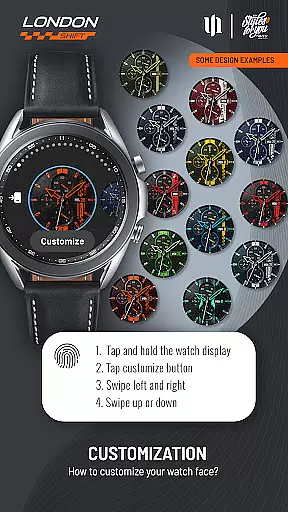
The app provides access to a customization menu where users can modify up to 13 different color settings for the background alone, alongside additional styles for stripes and other watch face features. By simply pressing and holding on the watch display, then swiping to switch between items and adjust colors, users are empowered to create a look that resonates with their individuality.
This vast array of customization options not only enhances aesthetic appeal but also allows for improved usability. Users can choose colors that maximize visibility and ease of reading, ensuring that important information such as the day of the week, battery status, and heart rate are easily accessible at a glance.
Ultimately, the ability to personalize the S4U Shift - Analog watch face translates into a more engaging and satisfying user experience. Whether you prefer a subtle or bold appearance, the power to tailor every detail grants a sense of ownership and connection to your smartwatch, making it an indispensable tool for both function and fashion.
The S4U Shift - Analog watch face is designed with theme compatibility in mind, ensuring seamless integration with Wear OS devices running version 5 or higher (Wear OS API 34+). This compatibility extends to popular models like Samsung Galaxy Watches and Google Pixel Watches, providing a consistent and high-quality experience across different hardware platforms.
Ensuring that the watch face works harmoniously within the Wear OS ecosystem is crucial for maintaining visual consistency and operational reliability. The S4U Shift supports an always-on display feature with four dimming options, which aligns with system-wide settings aimed at conserving battery life and preventing screen burn-inu2014a testament to its thoughtful design for theme compatibility.
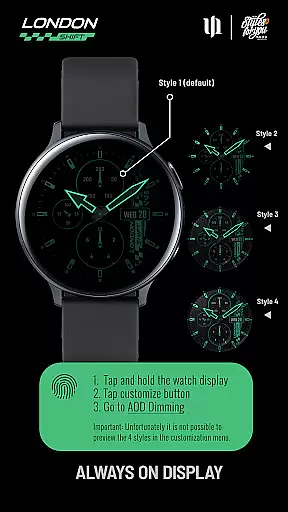
Moreover, synchronization between the normal view and the always-on display guarantees that any customizations made by the user will be reflected accurately when the watch enters a low-power state. Although previewing these AOD styles isn't possible within the customization menu, rest assured that they are crafted to complement the overall theme while respecting device capabilities.
By prioritizing theme compatibility, the S4U Shift - Analog watch face delivers a cohesive and intuitive interface that respects the integrity of the Wear OS platform. Users benefit from a fluid and responsive experience, knowing their personalized settings will remain intact regardless of the specific smartwatch model they choose to wear.
Highly customizable
Realistic 3D effects
Multiple widget shortcuts
Compatible with Wear OS
Always-on display options
Wear OS only
Complex setup
Battery intensive
Premium cost
Limited preview options

Vertically oriented rectangular icons
 4.70
4.70
Customizable flower power digital watch face for Wear OS watches.
4.00
A launcher for Samsung Good Lock and Good Guardians modules without ads
4.70
Bring adorable pets to life on your screen. Playful, interactive and full of fun
4.60
Personalize your phone with stunning HD and 4K wallpapers!
4.70
Turn your lock screen into fun with smile live wallpapers & animated wallpapers!
2.50
300+ widgets inspired by Material You and Material 3 expressive design.
4.60
Enjoy a variety of amazing live wallpapers and colorful EDGE lighting borders!
4.80
Amazing letter fonts in your messages and social statuses
4.70
Only for Wear OS devices!
4.90
Make your phone look simple & luxury, like iDevice
4.60
Beautiful realistic hybrid watch face with numerous customization options.
4.50 4.50
4.50
AI-powered Copilot. Personalized keyboard with gifs, stickers & themes
4.40
App Icon Changer & Shortcut Creator. Customize your icons without any watermarks
4.30
Your home screen, just the way you like it.
4.30
Unique Fonts, typefaces and stylish text. Fonts for Instagram, Whatsapp & others
4.20
Prank your friends with realistic broken screen and cracked HD effects!
4.5
Custom edge gestures for volume control, brightness, apps, and shortcuts.
4.3

User Reviews