

One UI Glass Color Icon Pack offers a sleek and modern collection of squircle-shaped icons designed to seamlessly integrate with your device's interface. With crystal-clear designs and vibrant colors, this icon pack draws inspiration from Samsung’s One UI design language, providing users with an elegant and minimalistic aesthetic.
The pack includes over 6000 HD icons, cloud wallpapers, and an icon request tool, ensuring broad compatibility and regular updates. Whether you're using popular launchers like Nova Launcher or Samsung's One UI Home with Theme Park, this pack enhances your device's visual appeal while maintaining usability.
One UI Glass Color Icon Pack stands out with its comprehensive set of features tailored for customization enthusiasts. The pack boasts 6000+ high-definition icons, each crafted with a squircle shape and modern design that aligns with Samsung’s One UI principles.
In addition to the extensive icon library, users can access cloud-based wallpapers and utilize the built-in icon request tool to suggest new icons. Regular updates ensure that the pack stays current with the latest app icons. Compatible with numerous launchers, including Nova Launcher and One UI Home, it provides a versatile solution for personalizing your device's appearance while ensuring optimal functionality.
One UI Glass Color Icon Pack offers a wide array of customization options that cater to personal preferences and device aesthetics. With over 6000 HD icons, users can enjoy crystal-clear graphics in a colorful and sleek squircle design.
The inclusion of cloud wallpapers adds another layer of personalization, allowing users to complement their icon choices with matching or contrasting backgrounds. This feature ensures that your device's interface remains fresh and visually appealing.
An icon request tool is also provided, empowering users to suggest specific icons they desire. This interactive element not only enhances user engagement but also continuously enriches the icon library based on real user feedback.
Regular updates ensure that the icon pack stays current with new app releases and design trends, offering ongoing value and keeping your device looking modern and stylish at all times.
Compatibility is a key aspect of One UI Glass Color Icon Pack, designed to seamlessly integrate with various launchers for a cohesive look. The pack supports numerous launchers including One UI Home with Theme Park, Smart Launcher 6, Niagara Launcher, and many others.
This extensive compatibility ensures that regardless of the launcher you prefer, you can apply the elegant and modern One UI-inspired designs without hassle. For devices using Pixel Launcher or Samsung One UI, additional tools like Shortcut Maker and Theme Park are recommended to fully leverage the icon pack.
Special attention has been given to ensure smooth operation across different platforms. For instance, Nova Launcher users need to enable shadow settings while Kustom Widgets require KWGT & KWGT PRO for optimal performance.
By prioritizing theme compatibility, One UI Glass Color Icon Pack guarantees a consistent and polished appearance, enhancing the overall user experience and maintaining the integrity of your chosen launcheru2019s design language.
6000+ HD icons
Cloud wallpapers included
Regular updates
Wide launcher support
Modern One UI design
Paid app
Requires compatible launcher
No automatic icon application
Limited Pixel Launcher support
FAQ not beginner-friendly
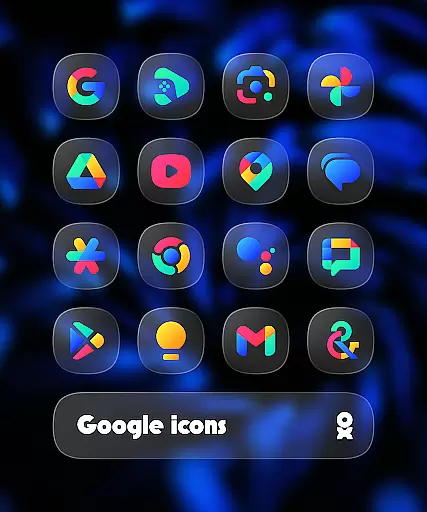
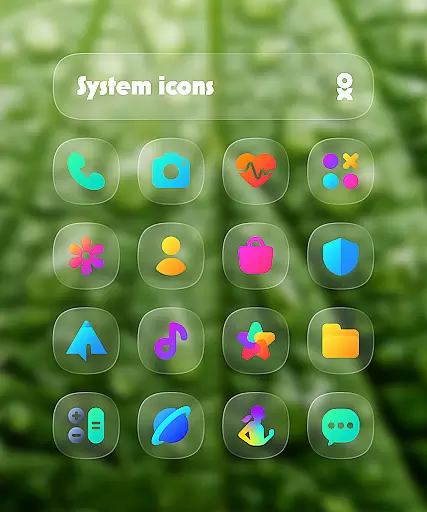
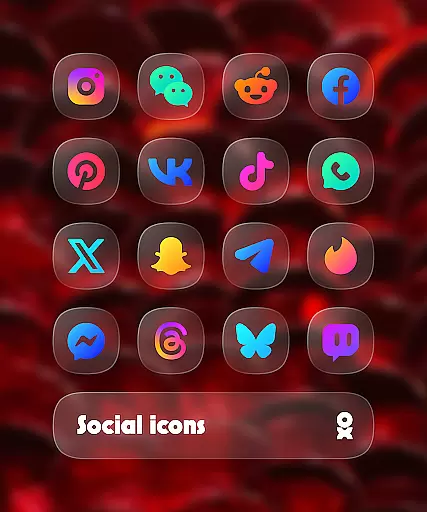
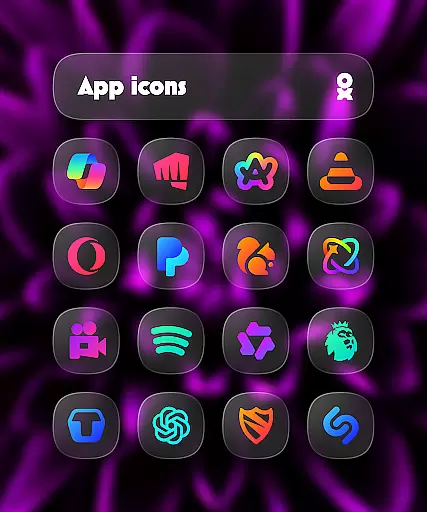

Customizable flower power digital watch face for Wear OS watches.
 4.00
4.00
Nothing Icon pack with more than 3750+ highly crafted icons.
4.70
Design your screen with unique, vibrant clocks
3.80
Embrace the Night. Unleash the power of darkness with Raven Dark Icon Pack
4.60
Icons made of colorful linear lines
4.60
Adorable pets roam and play right on your phone screen!
3.30
Modern Glass Icon Pack with glossy icons, clean minimal theme & aesthetic style
4.3
Emoji Maker app - Design custom emojis and effortlessly blend them with Mixer
3.80
Cool custom fonts & keyboard themes! Symbols & font changer for Instagram
4.50
Customizable Glass widgets. Over 360+ stunning widgets and more!
4.70
A retro cartoon style watch face and a punch right in the face of the copyright
4.60
Zip lock screen with magic wallpaper to decorate your phone with fun zipper lock
4.60
Handcrafted pixel art icons, widgets & wallpapers
4.60
Turn text & photos into stunning AI videos, art, and creative visual stories.
4.50
AI-powered Copilot. Personalized keyboard with gifs, stickers & themes
4.40
Unique Fonts, typefaces and stylish text. Fonts for Instagram, Whatsapp & others
4.20
Crystal-clear, square icon provides a sleek and sophisticated visual upgrade
4.00 3.50
3.50
Custom edge gestures for volume control, brightness, apps, and shortcuts.
4.5

User Reviews