

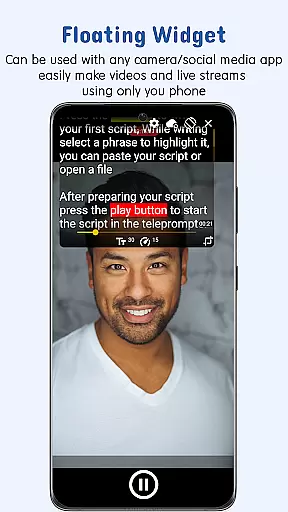
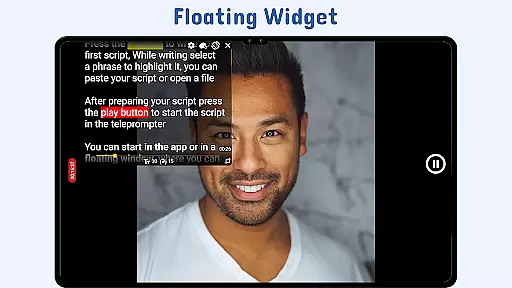
Nano Teleprompter is a versatile productivity tool designed to streamline the process of script management and delivery for content creators, public speakers, and live streamers. The app offers an intuitive floating widget that works seamlessly with any camera app, allowing users to record videos or deliver speeches without losing sight of their scripts.
With real-time Google Drive integration, users can create, edit, and sync scripts effortlessly across multiple devices. Its customizable text options, gesture controls, and remote support make it a powerful companion for professional use. Whether you're recording in portrait or landscape mode, Nano Teleprompter ensures smooth scrolling and easy readability.
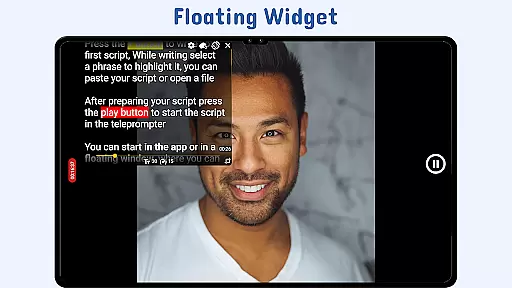
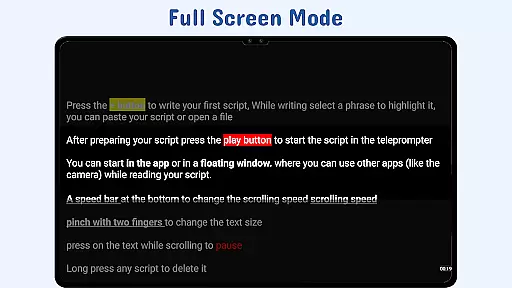
Nano Teleprompter stands out with its robust feature set tailored for productivity enthusiasts. One of its key highlights is the Floating Teleprompter Widget, which allows users to overlay scripts on top of any camera app. This widget is fully resizable and movable, ensuring maximum flexibility during recordings.
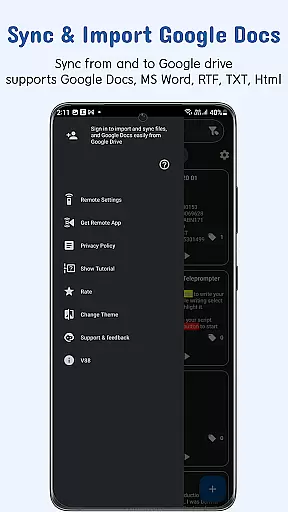
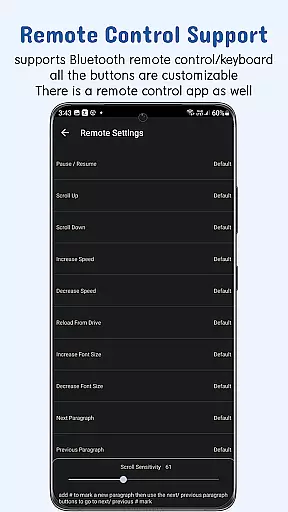
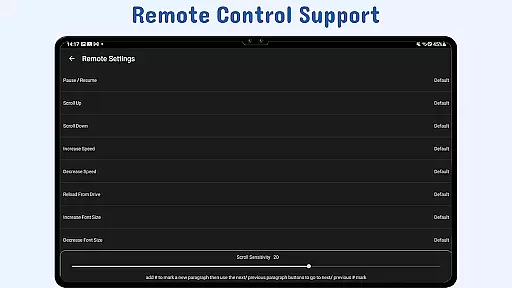
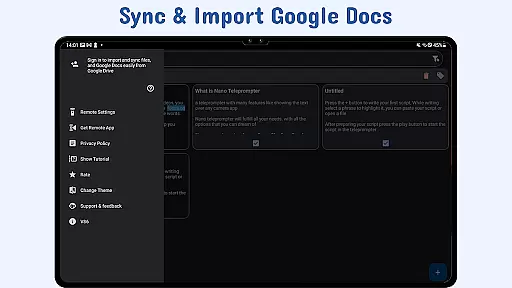
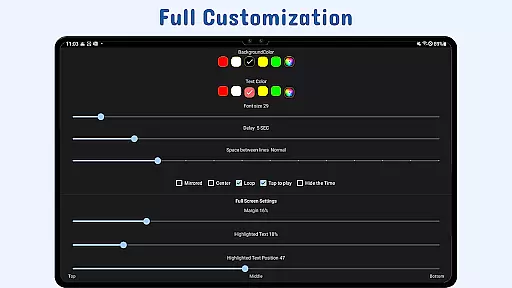
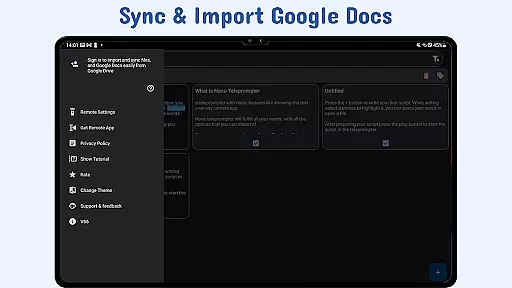
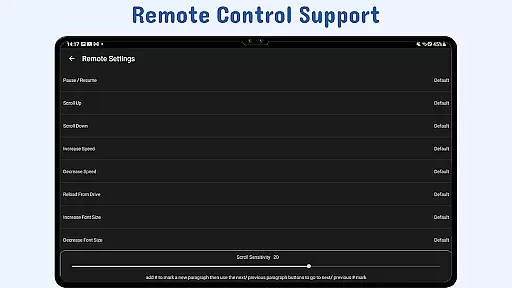
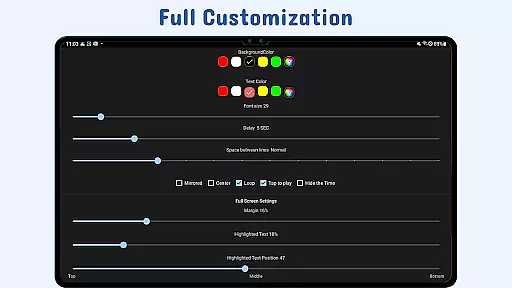
The app also supports real-time Google Drive synchronization, enabling users to manage scripts directly from their browser or Google Docs. With customizable text formatting, adjustable scroll speed, and gesture-based controls, users can tailor the experience to their specific needs. Additionally, remote control functionality provides hands-free operation, making it ideal for presentations and live broadcasts.
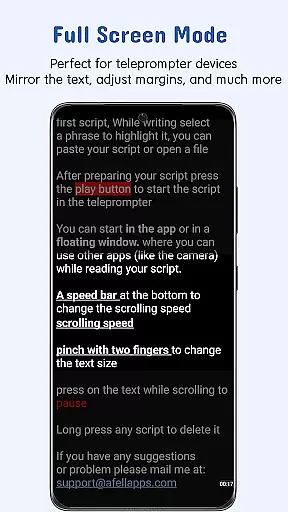
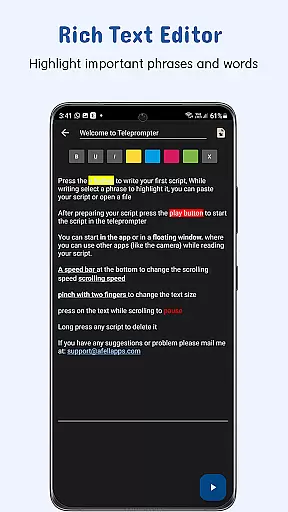
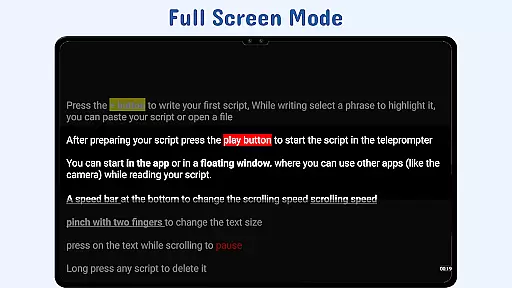
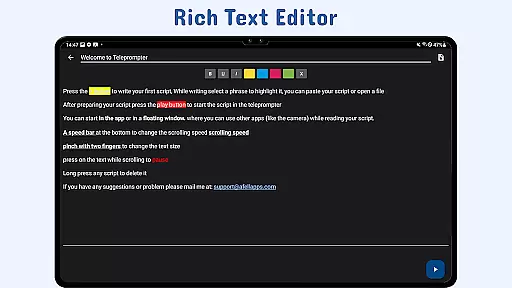
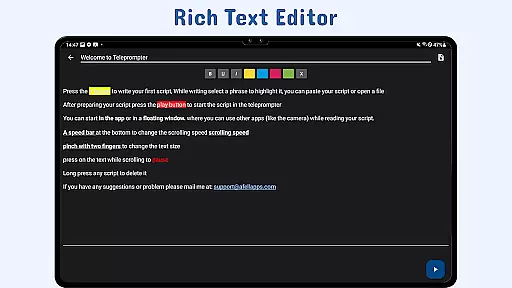
Other notable features include the ability to highlight key phrases, import files directly from the device, and back up scripts securely via cloud storage. These capabilities ensure that Nano Teleprompter remains a reliable choice for professionals seeking efficiency and precision.
At the heart of Nano Teleprompter lies its robust core task management system, designed to streamline your workflow. This feature allows users to create, edit, and manage scripts directly through Google Drive, ensuring that all content is up-to-date and readily accessible. The seamless integration with Google Drive means any changes made are automatically synced across devices, providing a cohesive experience whether you're on a desktop or mobile device.
The app supports various formats including Google Docs, MS Word, RTF, TXT, and HTML, making it versatile for different types of projects. With Nano Teleprompter, you can drag and drop files from your PC or write directly in the browser, simplifying the process of script preparation. This flexibility ensures that no matter where you are or what device you're using, your scripts are always within reach and ready for use.
For those who require mobility and adaptability, Nano Teleprompter offers quick script access by allowing text files to be opened directly from the file explorer or shared from any app. This functionality not only saves time but also enhances productivity by enabling users to focus more on their presentation rather than the logistics of accessing their content. Overall, this teleprompter app provides an efficient solution for managing tasks related to scripting and presenting.
Nano Teleprompter excels in cross-device synchronization reliability, ensuring that your scripts are consistently updated and available wherever you go. By leveraging real-time cloud syncing via Google Drive, the app guarantees that every change you make is immediately reflected across all linked devices. This means whether you're editing a script on your laptop or reviewing it on your smartphone, you'll always have the most current version at your fingertips.
This level of synchronization reliability is crucial for professionals who rely on accurate and timely information during presentations or recordings. Nano Teleprompter's ability to sync across devices ensures that there are no discrepancies between versions, reducing the risk of errors or outdated content being used. Furthermore, the app's support for remote control options adds another layer of convenience, allowing users to navigate their scripts hands-free during live sessions.
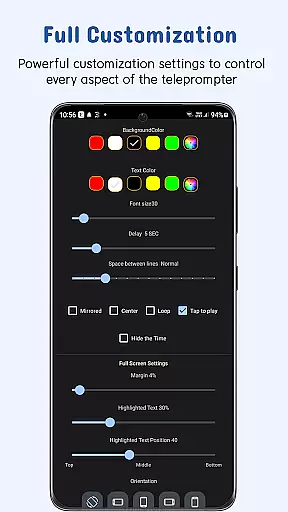
In addition to its synchronization capabilities, Nano Teleprompter offers customizable settings such as adjustable scroll delay and gesture controls, which enhance user experience by providing personalized interaction with the script. These features collectively contribute to a reliable and efficient tool that empowers users to deliver flawless performances without worrying about technical inconsistencies.
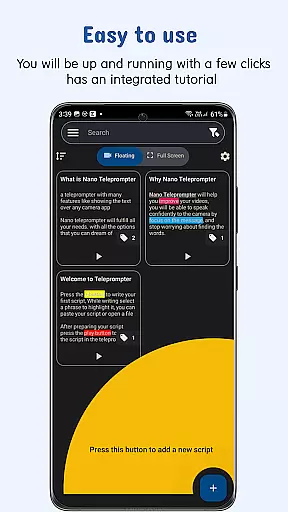
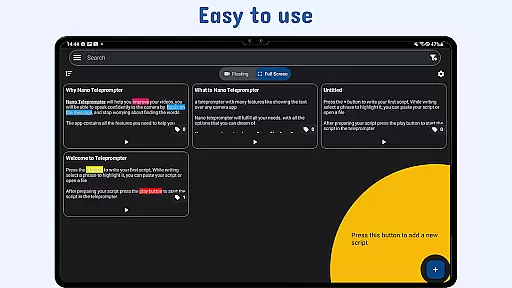
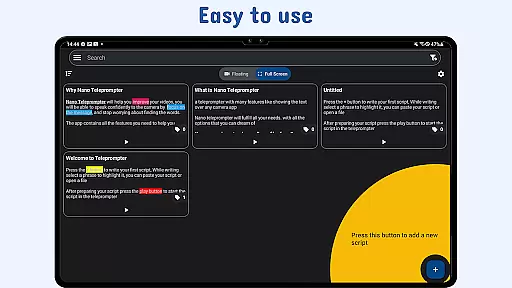
User-friendly interface
Real-time sync
Customizable settings
Remote control support
Cross-device compatibility
Limited offline functionality
Premium features locked
Occasional sync delays
Requires Google account
Learning curve for beginners

Total remote control for your Android device, PC and cloud services (IFTTT)!
 4.20
4.20
Direct Chat without saving contacts & Dual WA Account on Single Device
4.70
Subscribe to Webcal & .ics calendars and keep them up-to-date!
4.50
* block pre-roll ads, pop-up and forced redirect ads * Samsung certification app
4.00
Quickly and easily keep track of your work shifts
4.70
Intelligent AI Assistant
4.10
Understand anything with a personalized AI research assistant
4.80
AT&T Internet customers can use this app to personalize their Wi-Fi network.
4.40
Seamlessly read, manage, and organize all your PDF files solution in one place
4.40
A beautiful digital clock with autostart and many other functions
4.70
QuickBooks Workforce lets teams view pay info and track time in one place.
4.70
Absolutely the best CNC machinist speed and feed calculator around. fswizard.com
4.60
The AI assistant that thinks with you - write, code, and solve complex tasks
4.60
Tally and goal counter for Wear OS & mobile
4.50
Enjoy classic gameplay with customizable features and retro-style graphics.
4.30
Access, manage and transfer files on Android, PC, Mac, NAS and cloud storages.
4.30
Access your phone's notifications, calls, apps, photos & texts on your PC
3.90
Smart PDF reader & editor to view, organize and manage PDF documents easily.
3.70
Create study competitions, track your hours, and stay consistent with friends
4.4

User Reviews