
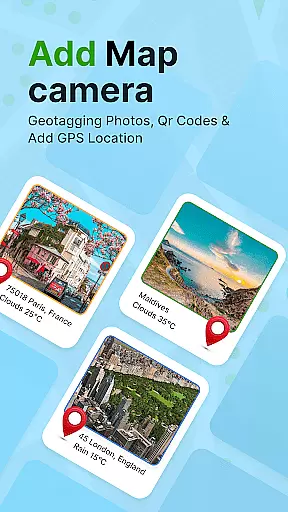
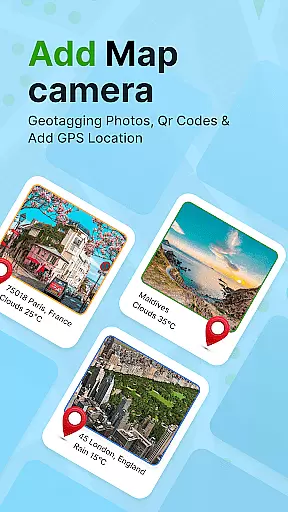
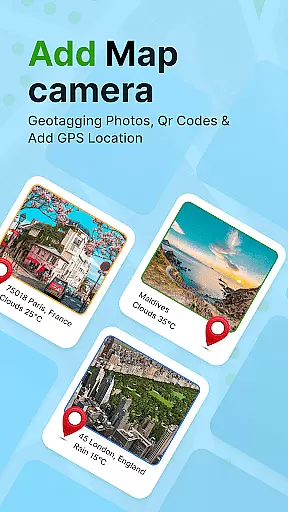
GPS Geotag Photos & Camera Map is a powerful photography app designed to enhance your photo-taking experience by embedding precise location data into your images. The app automatically adds GPS coordinates, altitude, and address information directly into the metadata of your photos, making it easy to track where and when each photo was taken.
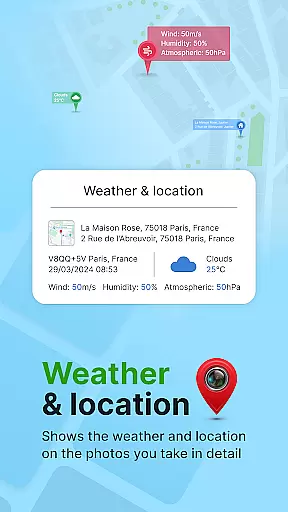
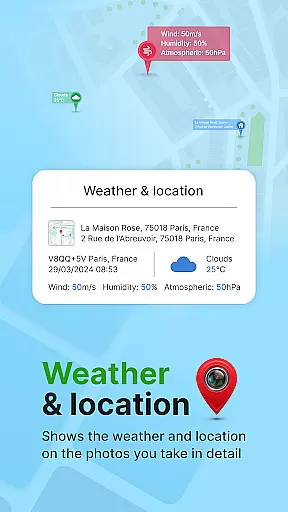
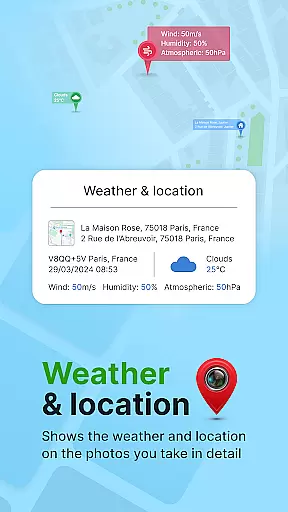
In addition to geotagging, the app offers advanced customization options such as adding timestamps, weather details, and live maps to your photos. Whether you're a traveler wanting to document your journeys or a professional photographer needing accurate metadata for your work, this app provides the tools you need to organize and share your photos with ease.
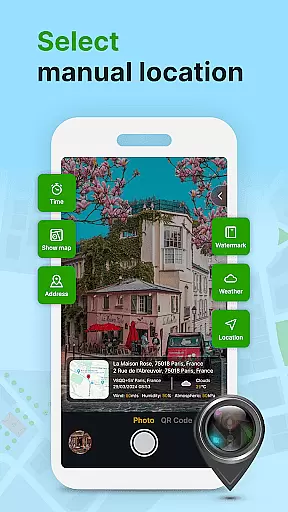
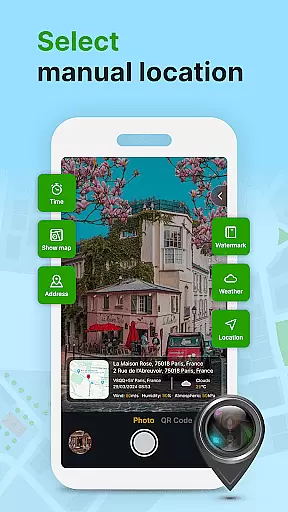
The app also supports manual adjustments for fine-tuning locations, ensuring accuracy even in areas with weak GPS signals. With its user-friendly interface and robust feature set, GPS Geotag Photos & Camera Map is an essential tool for anyone looking to add valuable context to their photographic memories.
One of the standout features of GPS Geotag Photos & Camera Map is its ability to automatically embed GPS data into your photos. This includes not only latitude and longitude but also altitude and address information, providing comprehensive location details for every image captured.
Beyond basic geotagging, the app allows users to customize various aspects of their photos. You can adjust the font, size, color, and position of timestamps, ensuring that added information complements the visual appeal of your images. Additionally, the app supports QR code scanning, enabling quick access to further information about the location where the photo was taken.
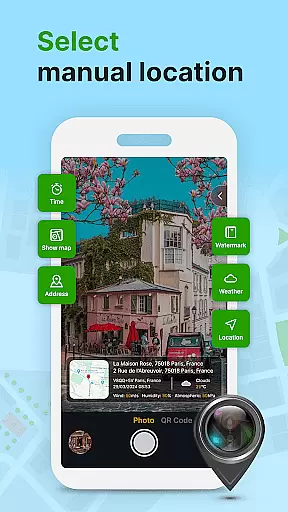
For those who require more control, the app offers manual setup options for latitude and longitude, allowing for precise location tagging even in challenging environments. These features, combined with support for adding weather details and live maps, make GPS Geotag Photos & Camera Map a versatile tool for photographers of all levels.
Real-time capture and preview functionality is essential for ensuring that every photo taken with GPS Geotag Photos & Camera Map app accurately reflects the desired composition and location. This feature allows users to see exactly what the camera sees, including live updates of GPS data such as latitude, longitude, and altitude.
The app's real-time capabilities ensure that photographers can instantly verify the geotagged information before capturing a photo. By embedding GPS coordinates directly into the image metadata at the moment of capture, users are guaranteed accurate and reliable location tracking for each photo.
With this app, users benefit from an enhanced photography experience where they can trust that their images will always include precise location details. Whether documenting travel adventures or organizing photo archives, the ability to preview and confirm geotags in real time adds significant value to the photographic process.
While primarily focused on geotagging, GPS Geotag Photos & Camera Map also offers features related to AI beauty and enhancement, aiming to provide natural-looking improvements to photos. The app includes customizable options for adding timestamps, weather conditions, and location details, which contribute to the overall aesthetic and informational value of each image.
Users can adjust font styles, sizes, colors, and positions of added elements like datetime or short location names, ensuring that enhancements complement the original photo without appearing artificial. These adjustments help maintain the authenticity of the image while still providing useful context through subtle yet effective visual cues.
This balance between enhancement and naturalness ensures that photographs retain their genuine quality while benefiting from additional layers of information. Photographers using this app can be confident that their work will not only be geographically traceable but also visually appealing thanks to thoughtful design choices that prioritize both function and form.
User-friendly interface
Comprehensive geotagging
Customizable timestamp options
Supports manual location adjustments
QR code scanner included
Requires constant GPS signal
May drain battery quickly
Limited offline functionality
Some features may feel complex
Occasional bugs reported

Add Watermark - Sign your pictures with a text or logo. Effective, quick, easy!
 4.50
4.50
Cut and paste photo editor & eraser to customize photos easy and swap faces fun
4.50
Take videos and pictures with the popular TikTok TIME WARP SCAN filter.
4.60
Create Business Headshots, Polaroid Filter, Retake Photos,Profile Pics,AI Photos
4.50
Transform photos into videos! Create realistic or anime-style images easily!
4.50
Turn your phone into a professional camera - full DSLR manual photography
4.30
Automatically backup your photos and videos to computer, NAS and Cloud services
4.60
Raw Image Viewer. Gallery with support of raw images (.cr3, .cr2, .nef, .raf).
2.00
USB Storage Access for Photos, Videos, Music and Documents
3.80
Perfect body tune & face app - photo retouch, makeup, slim body & beautify face.
4.80
Unblur, enhance & restore photos with powerful AI photo enhancer tools.
4.60
A reflected light meter with spot metering and incident light metering.
4.40
Virtual makeup, hair filters & body tuner—edit from face to full body!
4.20
Create & Edit with AI: AI Remove, Enhance, Retouch, Filter
4.10
Transform Photos: Edit, Beautify and Craft Memories & Make Collages!
4.10
Perfect photos with body shaping, BG changer and object remover.
3.70
Long exposure camera with computational photography
2.60
Photo Album Watch Face shows your favorite pictures as a Watchface.
1.90
Over 800 film simulation recipes for Fujifilm. Black Friday Offer!
4.1

User Reviews