

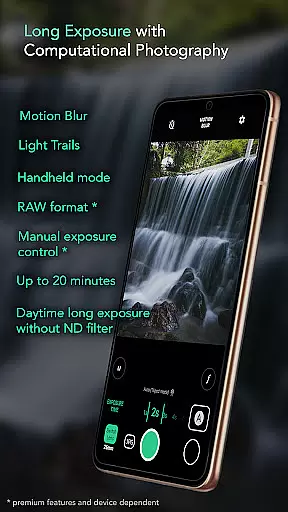
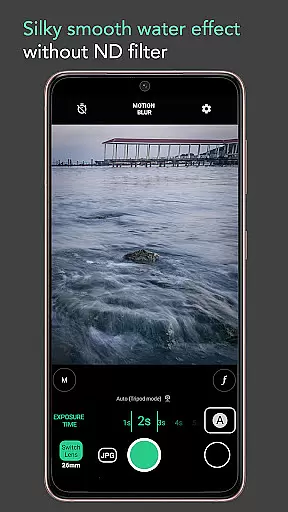
Motion ProCam is a specialized camera application designed to simplify the process of capturing long exposure photographs. This app allows users to effortlessly create stunning motion blur and light trail effects by combining multiple images into one final photo. With computational photography techniques, it eliminates the need for ND filters even in bright daylight conditions.
The app offers both automatic stabilization for handheld shots and advanced features like RAW format support and manual exposure control for enthusiasts seeking optimal image quality. Whether you're capturing waterfalls, seascapes, or light trails, Motion ProCam provides the tools needed to produce professional-quality long exposure images directly from your mobile device.
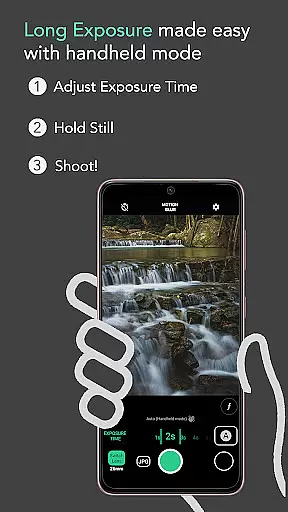
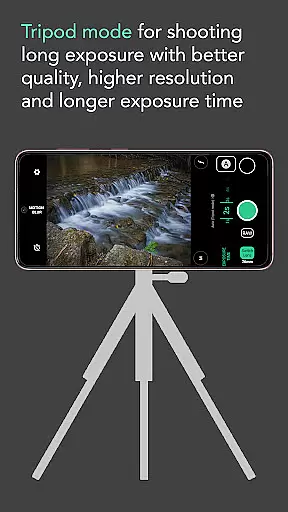
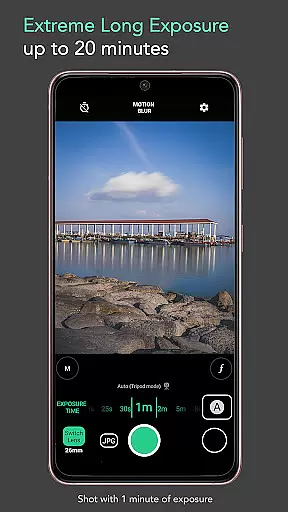
Motion ProCam stands out with its innovative approach to long exposure photography. The app's auto-stabilization feature compensates for hand movements during handheld shooting, while its ability to produce daytime long exposures without an ND filter expands creative possibilities. Users can choose between motion blur and light trail effects, with exposure times ranging up to 20 minutes.
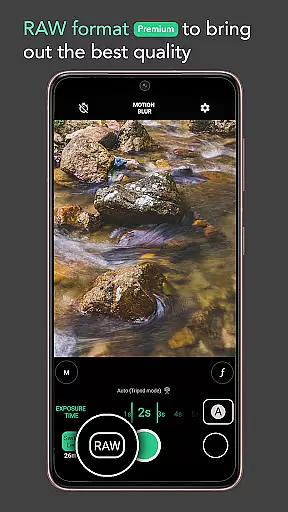
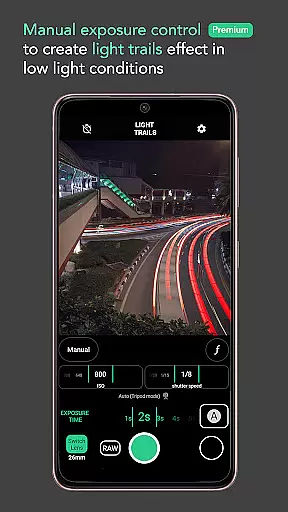
For advanced photographers, the premium features include RAW format support and manual exposure control, enabling precise adjustments for optimal image quality. Additional practical features include volume button shutter triggers and various effect options. These capabilities make Motion ProCam suitable for capturing smooth water effects, removing crowds from scenes, and creating dramatic cloud movement visuals.
Real-time capture and preview functionality is essential for ensuring that users can accurately frame and adjust their shots before taking a long exposure photograph. Motion ProCam offers an intuitive interface that allows photographers to see the effects of their settings in real time.
This app utilizes computational photography techniques to provide immediate feedback on exposure adjustments, ensuring that even complex effects like motion blur and light trails can be previewed before capturing the final image. This feature significantly enhances the user's ability to fine-tune their creative vision.
By enabling real-time previews without the need for ND filters, Motion ProCam empowers users to shoot during any time of day, including challenging lighting conditions such as bright daylight. This flexibility ensures that photographers can achieve their desired results without being constrained by environmental factors.
While Motion ProCam focuses primarily on long exposure photography, it also incorporates AI-driven enhancements to ensure that images maintain a natural look. The app uses advanced algorithms to balance the artificial enhancements with the authenticity of the captured scene.
The AI beauty and enhancement features work behind the scenes to optimize image quality while preserving the integrity of the original shot. This includes auto stabilization in handheld mode, which helps reduce blurriness and produce clearer, more professional-looking photos.
With premium features like RAW format support and manual exposure control, Motion ProCam caters to enthusiasts who demand the highest quality output. These tools allow users to capture images with greater detail and dynamic range, ensuring that AI enhancements enhance rather than detract from the natural beauty of the scene.
User-friendly interface
Effective auto-alignment
Daylight compatibility
Premium RAW support
Versatile effect options
Premium features locked
Limited free options
High battery usage
Steep learning curve
Occasional glitches

Search, tag and rate your way to an organized image gallery
 4.40
4.40
Application for remote controlling DSLR
3.00
All-in-One Editor & AI Photo Enhancer, Collage, Cartoonify, Funny Stickers & BGS
4.10
Over 800 film simulation recipes for Fujifilm. Black Friday Offer!
4.1
A must-have app for landscape photographers
4.60
Collage your moments in one tap: 1000+ layouts, filters, stickers, and texts.
4.90
Astrophotography with your smartphone, photo live stacking and much more!
3.90
Welcome to ProShot, the most powerful camera app on Android.
4.20
Solocator stamps photos you take with GPS location, Compass Direction, Date/Time
3.80
Create funny photos and videos with the popular Time Warp Scan filter.
4.90
Take videos and pictures with the popular TikTok TIME WARP SCAN filter.
4.60
Automatically backup your photos and videos to computer, NAS and Cloud services
4.60
Easily create custom gifts, cards, photo books & more on the Shutterfly app!
4.60
AI-powered video creator by MiniMax - Where ideas meet cinema
4.20
What celebrity do you look like? Celebs will find your celebrity match!
4.10
The #1 app for B&W film developing featuring an advanced darkroom timer.
4.10
live datamoshing
4.00
Perfect photos with body shaping, BG changer and object remover.
3.70
Pet Camera
3.70

User Reviews