

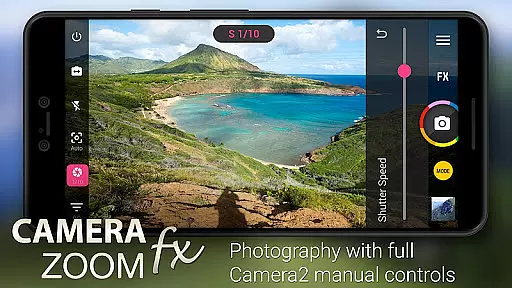
Camera ZOOM FX Premium is a feature-rich photography app that transforms your Android device into a professional-grade camera. The app offers advanced manual controls using the Camera API2, enabling users to adjust ISO, focus distance, exposure, and shutter speed for optimal photo quality. With support for RAW capture on compatible devices, it provides photographers with greater flexibility in post-processing.
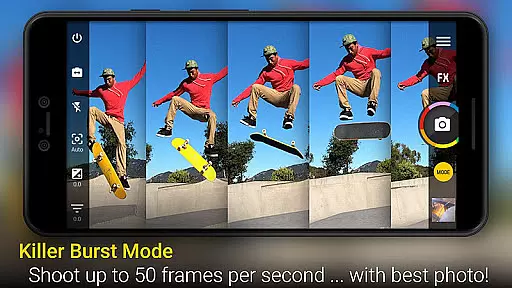
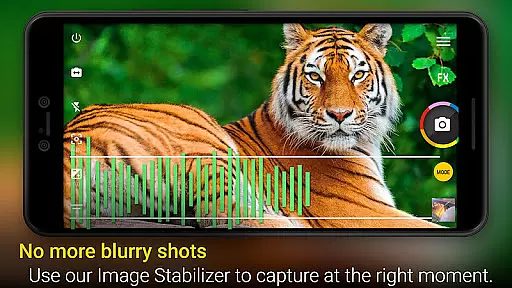
In addition to its manual controls, Camera ZOOM FX Premium boasts an array of creative features such as action shots, stable shot technology, and a wide variety of photo filters including Vignette, Retro, Holga, Bokeh, Lomo, and Hipster styles. Users can also create collages, utilize time-lapse and HDR modes, and take advantage of the fastest burst mode available on Android. Whether you're capturing high-speed action or serene landscapes, this app ensures your images are sharp and vibrant.
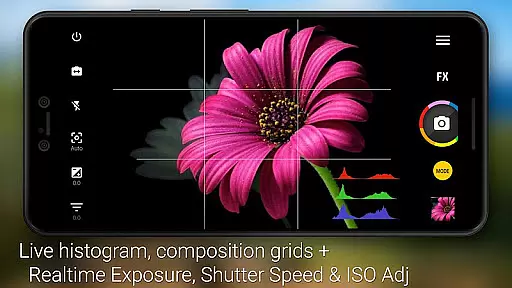
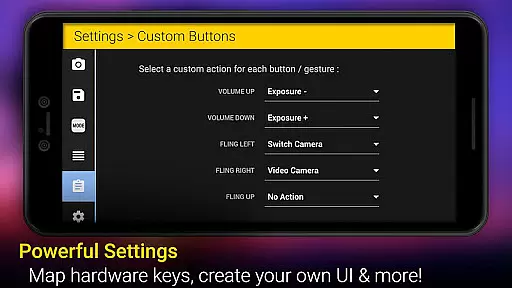
The application caters to both amateur and professional photographers by offering intuitive tools like grid overlays, horizon leveling, multiple flash modes, and scene modes tailored for different environments. Its user-friendly interface allows customization of button actions and shooting modes, making it easy to capture the perfect shot every time. With millions of satisfied users worldwide, Camera ZOOM FX Premium stands out as a versatile tool for elevating mobile photography.
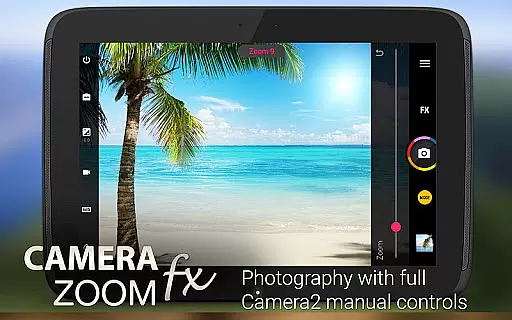
Camera ZOOM FX Premium distinguishes itself through its comprehensive suite of features designed to enhance the photography experience. One standout feature is the full manual DSLR control, which leverages the Camera API2 to give users precise command over their camera settings. This includes setting ISO levels, adjusting focus distances, controlling exposure values, and configuring shutter speeds, all of which contribute to producing high-quality images akin to those taken with professional cameras.
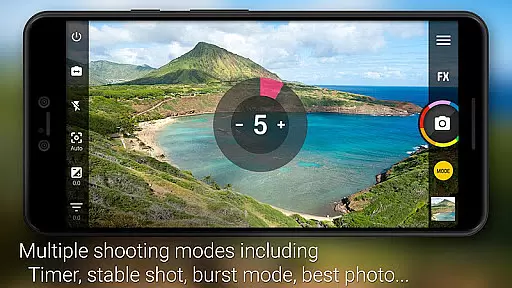
Beyond manual controls, the app excels in providing innovative shooting modes and creative options. Users can combine various modes such as timer plus HDR or stable shot with timelapse to achieve unique effects. The inclusion of RAW capture capability on supported devices further enhances post-production possibilities. Additionally, the app's speed burst mode captures rapid sequences of images at exceptional rates, ideal for sports and wildlife photography.
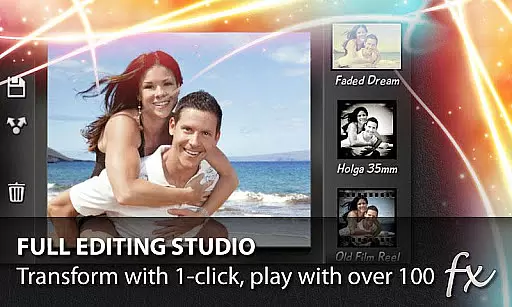
Another significant aspect of Camera ZOOM FX Premium is its extensive range of photo editing tools and effects. From classic vignettes to retro filters, the app offers over a hundred effects to choose from, allowing users to add artistic flair to their photos. Practical features like tap-to-shoot functionality, silent camera mode, and customizable hardware button actions ensure ease of use while maintaining professional standards. Overall, these features collectively empower users to explore new dimensions in mobile photography.
Real-time capture and preview functionality is essential for ensuring that users can take high-quality photos with precision and confidence. Camera ZOOM FX Premium offers an exceptional real-time capture experience by leveraging advanced Camera2 API controls.
This app provides users with DSLR-like manual controls, allowing them to adjust settings such as ISO, focus distance, exposure, and shutter speed in real time. This level of control ensures that photographers can fine-tune their shots according to different lighting conditions and creative preferences.
Additionally, the app supports RAW capture on compatible devices, giving professionals the flexibility to edit their photos without any loss of quality. The ability to preview these adjustments live on the screen empowers users to experiment with various settings and achieve their desired photographic outcomes efficiently.
AI beauty and enhancement features are increasingly popular among photography apps, aiming to improve photo quality while maintaining a natural look. Camera ZOOM FX Premium incorporates sophisticated AI algorithms to enhance images seamlessly.
The app offers a variety of filters and effects, including Vignette, Retro, Holga, Bokeh, Lomo, and Hipster styles, which apply enhancements that preserve the authenticity of the original image. These filters add artistic flair without compromising the natural aesthetics of the photograph.
Moreover, the app includes a Selfie Flash feature and tilt-shift filter, enabling users to capture stunning selfies and create impressive depth-of-field effects. With its comprehensive suite of AI-powered tools, Camera ZOOM FX Premium ensures that every photo not only looks enhanced but also retains its genuine essence.
Advanced manual controls
Fastest burst mode
Wide range of effects
User-friendly interface
RAW capture support
Premium price tag
Complex for beginners
Device compatibility issues
Occasional bugs
High storage usage

All-in-One Editor & AI Photo Enhancer, Beautify & Retouch, Collage, Cartoonify
 4.20
4.20
An interval timer to automate photo taking process for timelapse
2.90
Take videos and pictures with the popular TikTok TIME WARP SCAN filter.
4.60
Create Business Headshots, Polaroid Filter, Retake Photos,Profile Pics,AI Photos
4.50
Photo editor & gallery. Crop pictures & edit photos offline, no wifi!
4.50
Professional quality photo edits with the new Snapseed.
4.00
Easily create custom gifts, cards, photo books & more on the Shutterfly app!
4.60
A unique animation app. Powerful, easy to use, and lots of fun.
4.30
Solocator stamps photos you take with GPS location, Compass Direction, Date/Time
3.80
Create funny photos and videos with the popular Time Warp Scan filter.
4.90
Gallery show photo, video, slideshow, is perfect 3D effect private photo albums.
4.80
Photo prints, cards, & gifts at Walgreens. Easy ordering & fast local pickup !
4.80
Cartoon and artistic effects for your photos and videos
4.70
HD Camera Pro with HD Video shooting, Panorama, Photo editor , Beauty Camera.
4.50
AI photo enhancer with Sora 2! Enhance, descratch, and colorize your old photos.
4.50
Use AI Video Generator to turn your words to ai generated videos.
4.50
Search, tag and rate your way to an organized image gallery
4.40
AI-powered video creator by MiniMax - Where ideas meet cinema
4.20
USB Storage Access for Photos, Videos, Music and Documents
3.80

User Reviews