
Duo Mobile is a security application designed to enhance login protection through two-factor authentication. This app generates passcodes and provides push notifications for easy, one-tap authentication, ensuring that only verified users gain access to sensitive accounts.
In addition to supporting Duo Security's services, the app allows you to manage two-factor authentication for various other applications and web services. With its companion app, Duo Wear, it extends secure authentication capabilities to your smartwatch, making the process even more convenient.
Whether you're accessing corporate systems or personal accounts, Duo Mobile adds an essential layer of security, safeguarding your digital identity in an increasingly connected world.
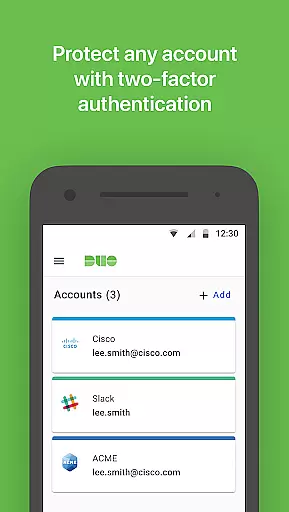
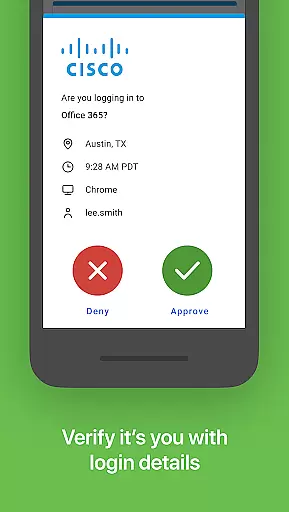
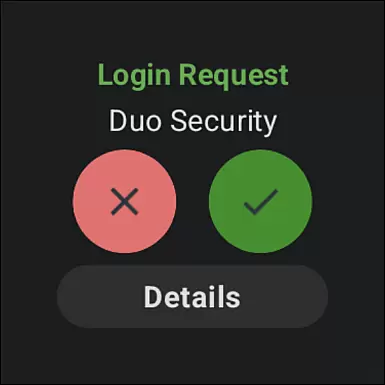
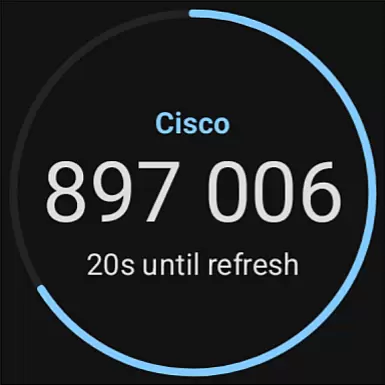
Duo Mobile offers several key features that make it a robust tool for securing digital identities. First, it generates time-based one-time passcodes (TOTP) for login verification, which are highly secure and easy to use. The app also supports push notifications, allowing users to authenticate with just one tap.
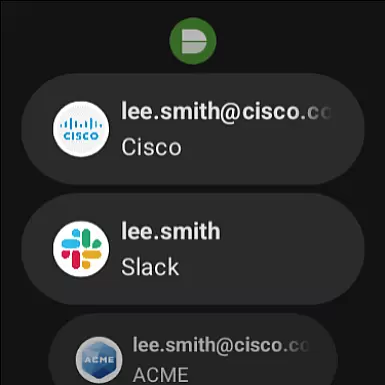
Another notable feature is its compatibility with third-party services, enabling users to manage multiple accounts from different platforms within a single app. Furthermore, Duo Mobile integrates seamlessly with Wear OS devices through its companion app, Duo Wear, providing added convenience for smartwatch users.
The app requires activation via a QR code scan or alternative methods during the initial setup, ensuring that only authorized users can link their accounts. This combination of functionality and security makes Duo Mobile a reliable choice for both individual and enterprise-level authentication needs.
Companion app integration is a crucial feature for applications that extend their functionality to wearable devices. Duo Mobile offers seamless integration with its companion app, Duo Wear, designed specifically for Wear OS. This integration allows users to receive authentication requests directly on their smartwatches, providing an additional layer of convenience and security.
The connection between Duo Mobile and Duo Wear ensures that all two-factor authentication processes are synchronized across devices. Users can easily approve or deny login attempts from their wrist, eliminating the need to constantly check their phones. This real-time synchronization enhances the overall user experience by making secure authentication faster and more accessible.
Moreover, the integration maintains the same high-security standards as the main application. All passcodes generated on the wearable device are encrypted and securely transmitted to the paired smartphone. This ensures that users enjoy the same level of protection whether they authenticate via their phone or their smartwatch.
By offering this robust companion app integration, Duo Mobile significantly improves accessibility without compromising security. The ability to manage authentication requests on a smartwatch not only streamlines the login process but also encourages users to maintain strong security practices in their daily routines.
Wear OS and device compatibility is essential for applications aiming to provide a comprehensive user experience across multiple platforms. Duo Mobile excels in this area by ensuring full compatibility with Wear OS devices, allowing users to leverage their smartwatches for secure authentication purposes. This compatibility extends the application's utility beyond smartphones, catering to tech-savvy individuals who embrace wearable technology.
The application supports a wide range of Wear OS devices, ensuring that most smartwatch users can benefit from its features. Whether you own a popular brand or a niche model, Duo Mobile is designed to work seamlessly with your device. This broad compatibility is achieved through rigorous testing and optimization, guaranteeing consistent performance regardless of the hardware.
In addition to supporting various devices, Duo Mobile also ensures that its features are fully functional within the Wear OS environment. From receiving push notifications to generating passcodes, every core functionality is adapted to fit the wearable form factor. This attention to detail makes the authentication process intuitive and efficient, even on smaller screens.
By prioritizing Wear OS and device compatibility, Duo Mobile demonstrates its commitment to innovation and user-centric design. This approach not only expands the application's reach but also reinforces its position as a versatile and reliable solution for modern authentication needs.
Enhanced security
User-friendly interface
One-tap authentication
Multi-platform support
Wear OS integration
Requires activation
QR code scanning
Limited offline use
Dependent on network
No standalone use

A Wintery Snow Globe on Your Wrist; now celebrating Christmas!
 4.0
4.0
Elegant animated Christmas tree with multiple customization options
4.20
Beautiful, colorful and practical watch face. For Wear OS devices.
5.00
Structured watch face with seven complications and modular UI elements
3.90
Locate your family members by GPS phone location tracker everywhere and anytime
4.30
Daily Weather forecast with 15 weather images for Day & Night plus Big Bold time
4.10
A white realistic classic analog watch face with many customization options.
4.40
Connect, create, and collaborate with Gmail, part of Google Workspace.
4.10
Control your Samsung Smart TVs, appliances, and SmartThings-compatible devices
4.60
Gym Log & Workout Tracker | Fitness Journal, Training & Weight Lifting Planner
4.90
The most customizable hybrid watch face. For Wear OS 5.0, API 34+ and later
4.70
Walking app for weight loss: walk & step tracker, pedometer, indoor treadmill
4.60
Digital watch face with big numbers and many customization for Wear OS devices
4.40
Christmas watch face. For Wear OS devices.
4.30
The #1 source of faces for your smartwatch!
4.00
Get helpful reminders, take progress photos and find answers to your questions.
3.90
an Analog Watch Face for winter season with freeze winter background for Wear OS
4.4
Sleek, highly customizable watch face inspired by Galaxy Watch Circle Dashboard.
4.1
Stylish digital watch face for Wear OS devices with customizable features
4.5


User Reviews