

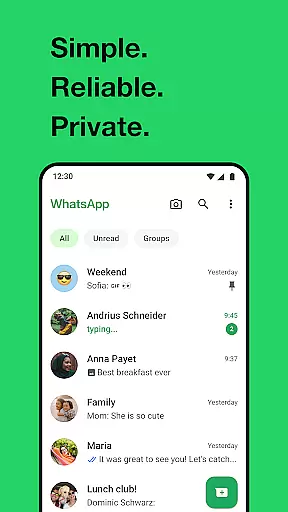
WhatsApp Messenger is a leading communication app that allows users to send messages, make voice and video calls, and share media across mobile and desktop platforms. Its core functionality lies in providing secure, end-to-end encrypted messaging and calling services for personal and group interactions.
One of the standout features of WhatsApp is its ability to function reliably even on slower internet connections, making it accessible to users worldwide. The app also supports rich functionalities such as status updates, location sharing, and high-quality group calls with up to 32 participants, ensuring seamless connectivity for both casual and professional use.
Whether you're looking to stay connected with family or collaborate with colleagues, WhatsApp offers an intuitive interface and robust security measures, making it a go-to solution for private and efficient communication.
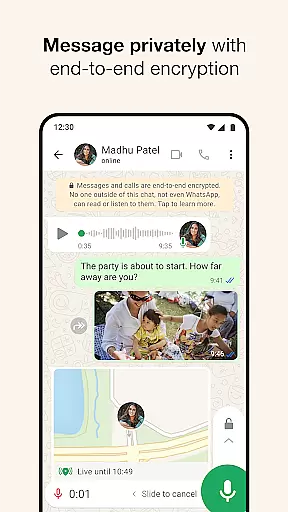
WhatsApp stands out with its comprehensive feature set tailored for modern communication needs. The app provides end-to-end encryption for all messages and calls, ensuring complete privacy for users. This makes it ideal for individuals who prioritize secure interactions in both personal and professional settings.
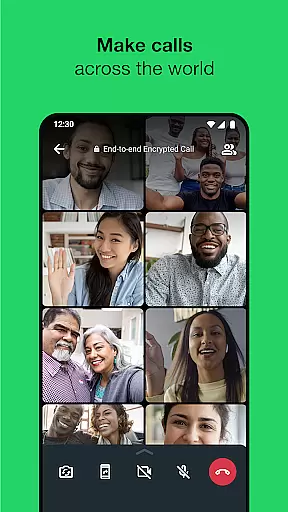
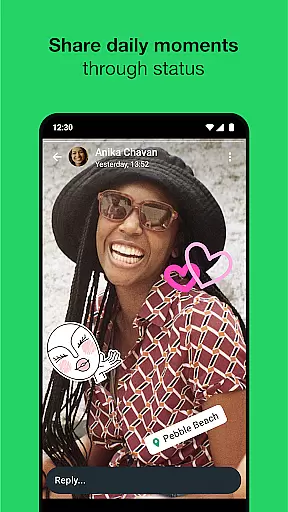
In addition to basic messaging, WhatsApp supports high-quality voice and video calls for groups of up to 32 people. It also includes tools like status updates, which allow users to share temporary photos, videos, or text that disappear after 24 hours. These features are further enhanced by cross-platform compatibility, enabling users to sync conversations between their mobile devices and desktops effortlessly.
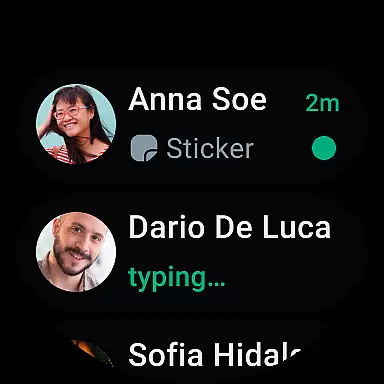
Another notable aspect is its integration with Wear OS, allowing users to respond to messages, take calls, and access chats directly from their smartwatches. With no need for usernames or additional logins beyond your phone number, WhatsApp ensures a frictionless user experience while maintaining top-tier security standards.
Companion app integration is essential for a seamless user experience across multiple devices. WhatsApp Messenger excels in this area by offering robust synchronization between mobile and desktop platforms.
The application ensures that all your messages, calls, and status updates are consistently mirrored on any linked device. This means you can start a conversation on your phone during your commute and continue it on your desktop when you arrive at work.
For users with Wear OS watches, WhatsApp provides additional functionalities. You can receive notifications, read messages, and even respond directly from your wrist. This level of integration enhances accessibility and convenience, allowing you to stay connected without needing your phone nearby.
Overall, the companion app integration in WhatsApp Messenger ensures that you have access to your communications wherever you are, making it easier to maintain connections with friends and family.
Wear OS/device compatibility is crucial for users who want to manage their communications directly from their smartwatches. WhatsApp Messenger offers comprehensive support for Wear OS, ensuring that you can stay connected even when your phone isn't readily accessible.
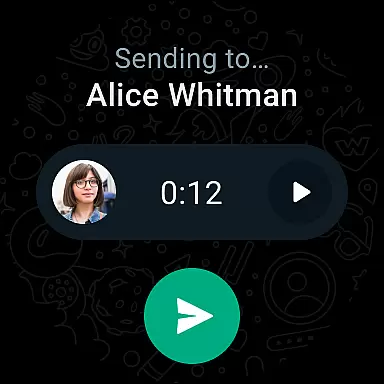
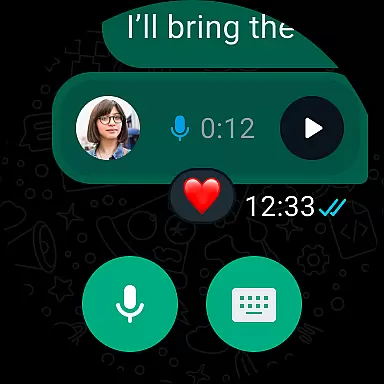
With WhatsApp on your Wear OS watch, you can receive and respond to messages directly from your wrist. The app uses intuitive tiles and complications to provide quick access to your chats, enabling you to send voice messages effortlessly.
This compatibility extends beyond just messaging. You can also take calls and view important notifications, ensuring that you never miss a critical update. The ability to interact with your messages and calls on a Wear OS device adds an extra layer of convenience to your daily routine.
By focusing on Wear OS/device compatibility, WhatsApp Messenger ensures that its users can enjoy a versatile and integrated communication experience, enhancing both productivity and personal interactions.
End-to-end encryption
Cross-platform support
High-quality group calls
User-friendly interface
Global accessibility
Limited customization options
No built-in GIF library
Dependent on phone contacts
Heavy battery usage
Status posts expire quickly



Highly customizable hybrid watch face for Wear OS, perfect for everyday use.
 4.60
4.60
Current temperature, weather hourly, weather radar by the weather forecast app
4.40
Analog watch face with 8 complications and expedition styling
4.0
Monitor health with the stress test and pulse checker in the heart rate app.
4.60
Nutrition, Macro tracker: Food, fitness & healthy diet tracking for weight loss
4.60
Reliable phone calls with spam protection, caller ID and more helpful features
4.40
Stay in touch with your friends and family using LINE!
3.40
Premium hybrid watch face with many customizations for Wear OS devices.
4.40
Daily Weather forecast with 15 weather images for Day & Night plus Big Bold time
4.10
Walking app for weight loss: walk & step tracker, pedometer, indoor treadmill
4.60
A realistic hybrid watch face with many customization options.
4.60
Fast and smart typing with Emojis, GIFs, and more
4.50
Watch face for Wear OS.
4.20
Connect, create, and collaborate with Gmail, part of Google Workspace.
4.10
Hyper-Realistic Airplane Dashboard Watch Face With 10 Skins and Custom AOD
4.00
Watch the sharpness of the sky on your wrist..
3.70
Precision analog watch face with 7 complications and style options
4.1
Minimalistic design modern digital watch face.
4.0
Hybrid Vibrant Health Watch Face for Wear OS
4.2


User Reviews