

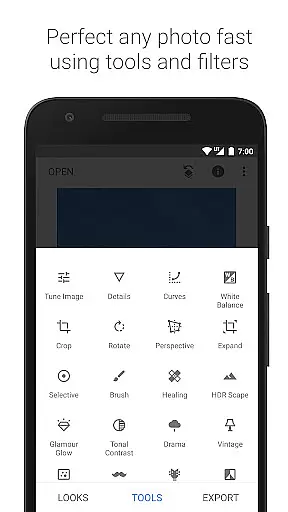
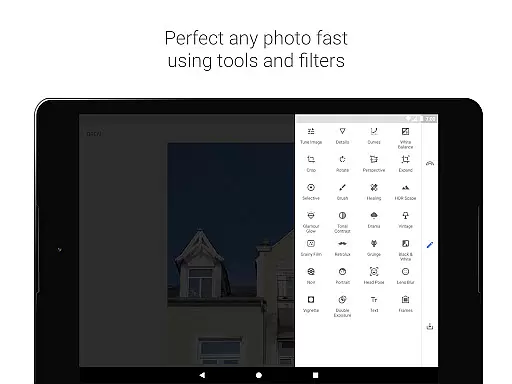
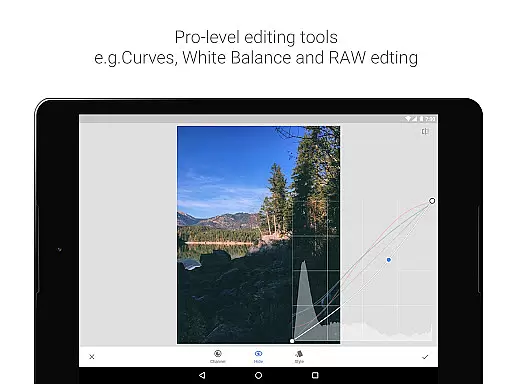
Snapseed is a comprehensive photo editing application developed by Google, offering professional-grade tools for both amateur and expert photographers. The app provides an extensive suite of 29 tools and filters, including options like Healing, Brush, Structure, HDR, and Perspective correction, making it a versatile choice for photo enhancement.
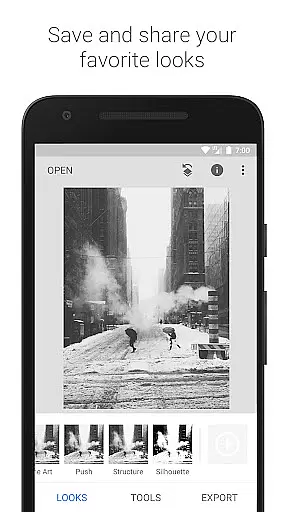
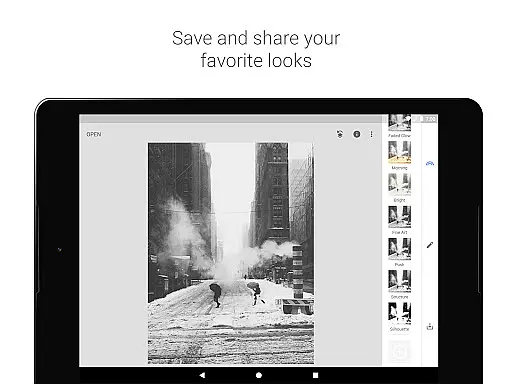
One of Snapseed's standout features is its support for both JPG and RAW file formats, allowing users to work with high-quality images directly on their mobile devices. Users can save personalized editing styles and apply them to future projects, ensuring consistent aesthetics across their work. With precise control over every edit, this app empowers users to create stunning visuals with ease.
Whether you're looking to correct minor imperfections or completely transform your images, Snapseed offers the tools necessary to achieve professional results. Its intuitive interface and powerful capabilities make it ideal for anyone seeking to elevate their photography without needing desktop software.
Snapseed stands out in the photography category due to its robust feature set tailored for detailed image manipulation. The app includes advanced tools such as RAW Develop, which allows users to open and tweak RAW DNG files non-destructively, preserving original data while enabling complex edits.
The Tune Image tool provides automatic or manual adjustments for exposure and color, giving users fine-grained control over their photos' appearance. Additionally, the Selective filter employs Google’s renowned 'Control Point' technology, letting users place up to eight points on an image to assign specific enhancements that intelligently spread throughout the photo.
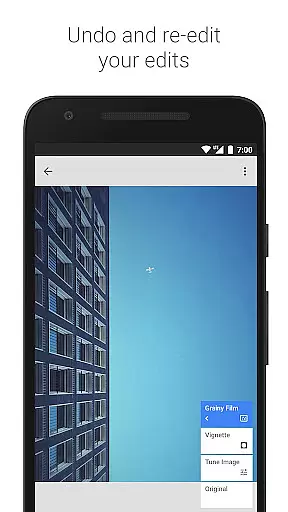
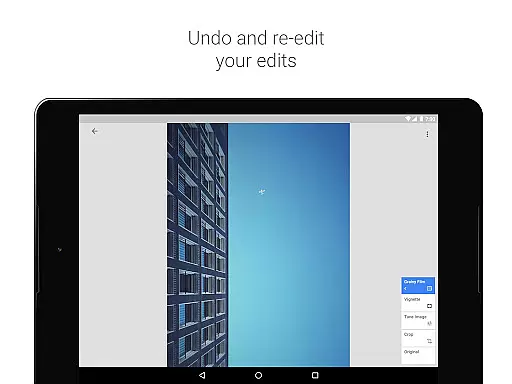
Unique features like Healing help remove unwanted elements from pictures seamlessly, while Grainy Film and Vintage filters emulate classic film styles. These functionalities not only enhance creativity but also ensure that each photograph reflects the user's artistic vision accurately.
Snapseed offers a powerful real-time capture and preview feature that allows photographers to see adjustments as they are made. This immediate feedback is crucial for making precise edits without guesswork.
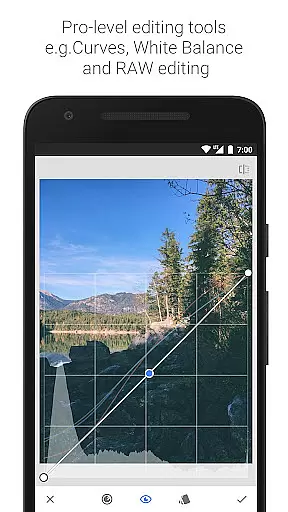
The application supports both JPG and RAW file formats, ensuring that users can work with high-quality images while maintaining the flexibility to make non-destructive edits. This means you can adjust exposure, color balance, and other parameters with confidence.
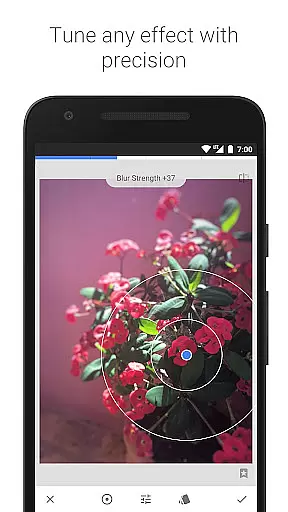
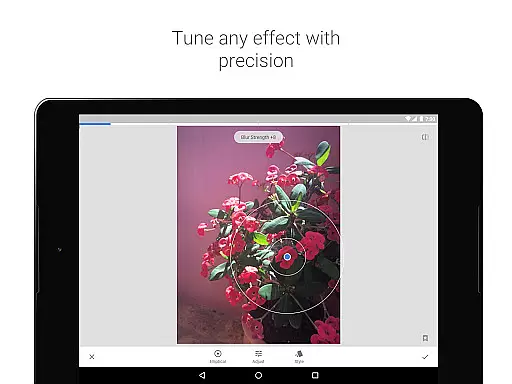
With its selective filter brush and control point technology, Snapseed enables users to apply enhancements exactly where they are needed. This level of precision ensures that every part of the image can be perfected according to the photographer's vision.
Ultimately, this real-time editing capability empowers users to create professional-grade photos on their mobile devices, streamlining the workflow and enhancing productivity for both amateur and professional photographers alike.
Snapseed incorporates advanced AI beauty and enhancement features that bring out the best in portrait photography while maintaining a natural look. The AI algorithms intelligently identify facial features and apply enhancements that complement the subject's natural appearance.
One standout tool is the Face Enhance feature, which focuses on the eyes, adds face-specific lighting, or smoothens skin with remarkable subtlety. These enhancements ensure that portraits retain their authenticity while achieving a polished finish.
In addition to facial enhancements, Snapseed offers tools like Glamour Glow and Tonal Contrast, which add a fine glow or boost details selectively in shadows and highlights. These features contribute to creating stunning yet believable images.
By leveraging these sophisticated AI-driven tools, Snapseed helps users elevate their portrait photography to new heights, ensuring that each image looks professionally retouched but remains true to life.
User-friendly interface
Extensive toolset
RAW file support
Customizable filters
Precise editing controls
Steep learning curve
Overwhelming for beginners
Limited social sharing
No cloud backup
Occasional bugs

Create & Edit with AI: AI Remove, Enhance, Retouch, Filter
 4.10
4.10
Photo prints, cards, & gifts at Walgreens. Easy ordering & fast local pickup !
4.80
The #1 app for B&W film developing featuring an advanced darkroom timer.
4.10
Automatically backup your photos and videos to computer, NAS and Cloud services
4.60
Smart, light, and fast photo and video gallery
4.30
Enhance, retouch & create your story - Share the moment with Photoshop Express.
4.60
Transform Photos: Edit, Beautify and Craft Memories & Make Collages!
4.10
Pro version: AR sun/moon tracker for any date. Tool for photographers & planners
4.90
Solocator stamps photos you take with GPS location, Compass Direction, Date/Time
3.80
Create funny photos and videos with the popular Time Warp Scan filter.
4.90
Android Native system HD camera app. Never been so simple and faster.
4.70
Amazing Photo Effects - The most fun you can have with your photos!
4.70
Discover & download millions of art for The Frame TV or Hisense CanvasTV
4.60
Safe & smart flight with Go Fly drone controller for 40+ drone camera, zone map
4.50
Create collages easily! Nice pic collage maker & background eraser for Instagram
4.50
A reflected light meter with spot metering and incident light metering.
4.40
Photobooth mini FULL app will allow you to add more fun to your parties
4.00
live datamoshing
4.00
Gallery Slideshow is slideshow maker app for slideshow from your gallery photos.
3.90


User Reviews