

Evoke - AI Photo Enhancer is a powerful photography app designed to revive old photos and create stunning visuals using advanced AI technology. The app specializes in enhancing faded, scratched, or blurred images while preserving intricate details and character. It also offers creative features like colorization, AI portraits, and photo-to-video generation, making it an all-in-one solution for restoring and reimagining your cherished memories.
Whether you're looking to restore family heirlooms or explore fun AI-generated portraits, this app provides tools that are intuitive and efficient. Its cutting-edge algorithms ensure high-quality results, bringing new life to old photos and enabling users to relive their most precious moments with clarity and vibrancy.
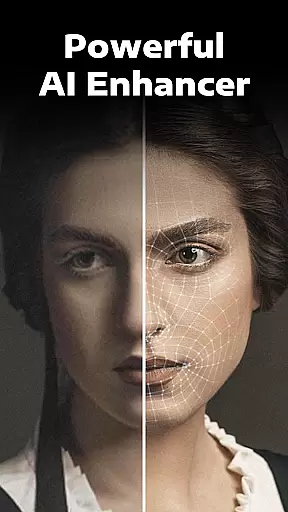
Evoke - AI Photo Enhancer stands out with its robust set of features powered by state-of-the-art AI models such as Gemini 2.5 Flash Image and Kling AI 2.5. One of the core functionalities is the ability to enhance low-resolution or damaged photos quickly and effectively. This includes unblurring fine details, restoring skin textures, and even repairing backgrounds with precision.
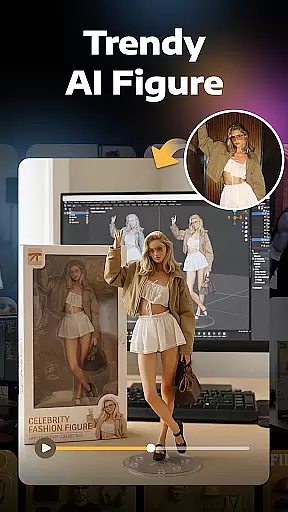
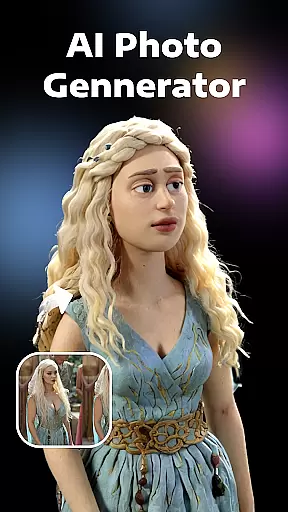
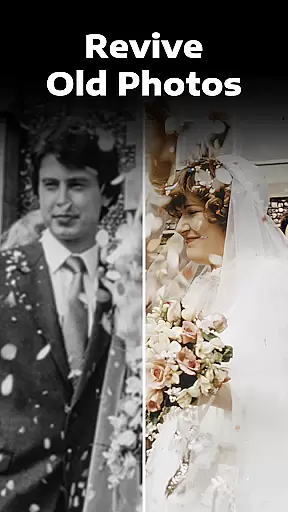
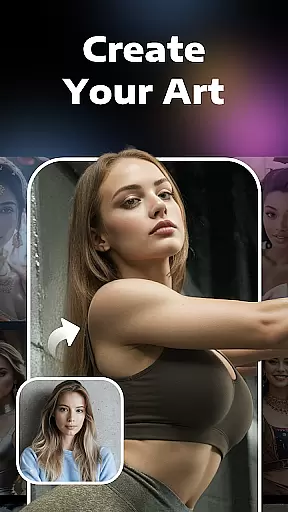
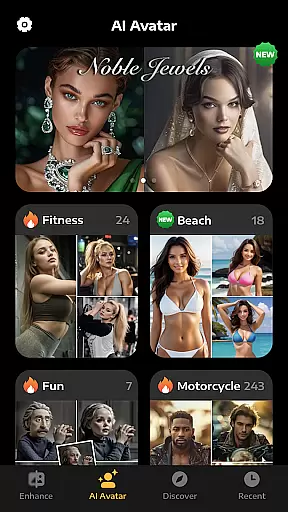
Beyond restoration, the app offers creative tools like Colorize, which breathes life into black-and-white photos by adding realistic colors, and Descratch, which removes scratches and imperfections from aged photographs. Additionally, the AI Portraits feature lets users experiment with alternate versions of themselves, generating portraits based on different themes such as professions, lifestyles, or fantasy roles. These innovations make Evoke not just a tool for preservation but also a platform for creativity.
Real-time capture and preview functionality is essential for photography applications as it allows users to see exactly what the camera is capturing before taking a shot. This ensures that the framing, lighting, and composition are perfect before committing to a photo.
AI Photo Enhancer leverages advanced AI technology to provide an enhanced real-time preview experience. The app processes images instantly, offering users a glimpse of how their photos will look after enhancement. This feature is particularly useful when working with old or damaged photos that need restoration.
Users benefit from this feature by being able to make informed decisions about their photo edits. They can experiment with different settings and enhancements, seeing the results in real time without having to process the entire image. This saves time and allows for more creative freedom.
The value of real-time capture and preview lies in its ability to improve user satisfaction. By providing immediate feedback on potential enhancements, users can achieve better results and feel more confident in their editing choices. This interactive approach transforms the photo editing process into an engaging and enjoyable experience.
AI beauty and enhancement features aim to improve the visual quality of photos while maintaining a natural appearance. This balance between enhancement and realism is crucial for creating believable and aesthetically pleasing images.
AI Photo Enhancer uses sophisticated algorithms to enhance facial features intelligently. It recognizes individual elements such as skin texture, hair details, and accessories, ensuring that each component is restored delicately and accurately. This attention to detail preserves the authenticity of the original photo while elevating its overall quality.
For users, this means achieving professional-grade enhancements without sacrificing the personal touch of their memories. Whether restoring old family portraits or colorizing black-and-white images, the app ensures that every modification looks genuine and respects the original context.
The true innovation of AI Photo Enhancer lies in its ability to deliver these enhancements seamlessly. Users can expect consistently high-quality results that honor the integrity of their cherished moments, making the app an invaluable tool for preserving and revitalizing personal history.
User-friendly interface
Advanced AI technology
Fast processing speed
Versatile editing options
High-quality enhancements
Limited free usage
Premium subscription required
Occasional processing delays
Internet connection needed
Some features may feel complex



A collection of tools and reference tables for DPs, ACs, DITs and Operators.
 4.70
4.70
Search, tag and rate your way to an organized image gallery
4.40
Natural Beauty, Selfie Retouch
4.30
Be your best in every shot! Fix, edit and retouch your face in selfies & photos.
3.70
A reflected light meter with spot metering and incident light metering.
4.40
Future baby face generator: AI kids generator, kid face! What my baby look like?
4.40
Turn photos into cartoons & avatars! - Photo Editor, Cartoon Face!
3.90
Enhance, upscale, and transform your images — on your device, without limits
4.70
Try an anime version, cartoon yourself, and generate AI hug or aging videos!
3.70
Collage your moments in one tap: 1000+ layouts, filters, stickers, and texts.
4.90
Perfect body tune & face app - photo retouch, makeup, slim body & beautify face.
4.80
Your personal guide to the sun and moon. Plan ahead, visualize and predict!
4.70
The original Rarevision VHS look seen everywhere!
4.70
Safe & smart flight with Go Fly drone controller for 40+ drone camera, zone map
4.50
AI portrait generator and polaroid AI selfie, fun AI generated AI photo creator!
4.30
Remote control of the phone camera from your Wear OS smartwatch
3.70
Create amazing frames with up to five photos. Rounded corners, effects and more!
3.60
Photo Album Watch Face shows your favorite pictures as a Watchface.
1.90
Over 800 film simulation recipes for Fujifilm. Black Friday Offer!
4.5

User Reviews