

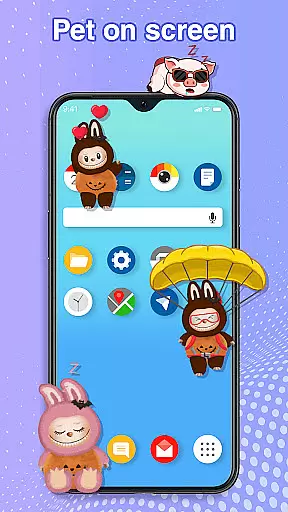
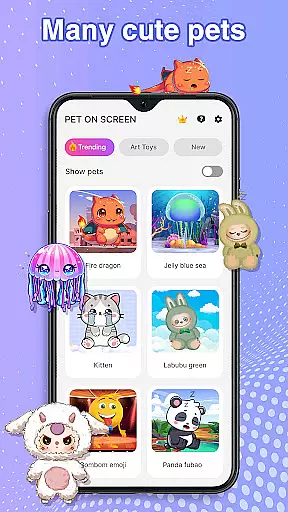
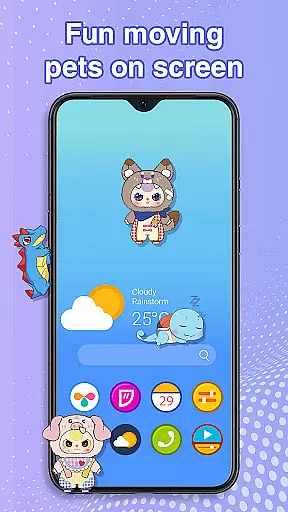
Pet On Screen - Desktop Pet is a delightful personalization app that brings charming virtual pets to your mobile screen. With a diverse selection of pets ranging from soothing jellyfish to playful Labubu, this app creates an engaging and lively phone experience.
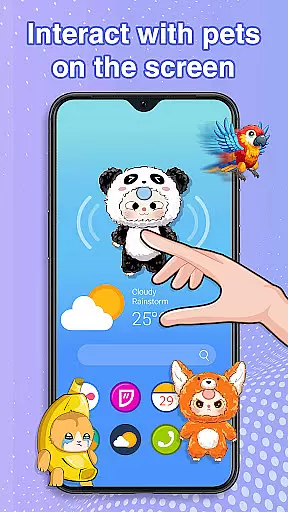
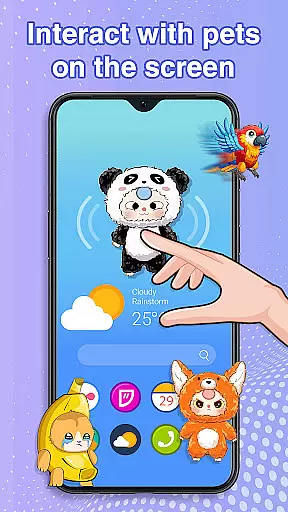
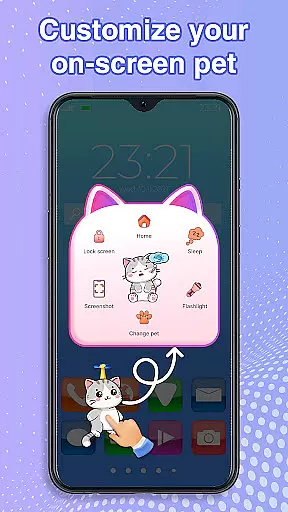
The app allows users to interact with their digital companions through tap responses, drag-and-drop movements, and customizable features like size and speed adjustments. These interactive elements make it more than just a decoration app; it's a personalized pet experience on your device.
Perfect for those seeking moments of joy or stress relief during busy days, Pet On Screen - Desktop Pet serves as a charming distraction that can instantly lighten your mood while working or studying.
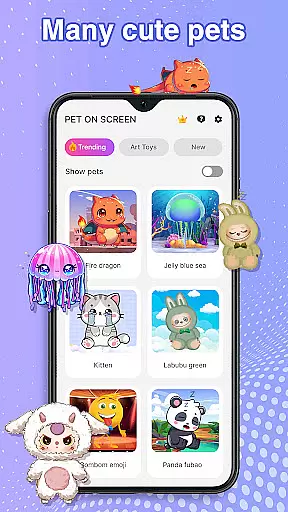
This personalization app stands out with its rich collection of unique virtual pets, each with distinct characteristics and animations. From majestic fire dragons to adorable pandas, users can choose their perfect digital companion.
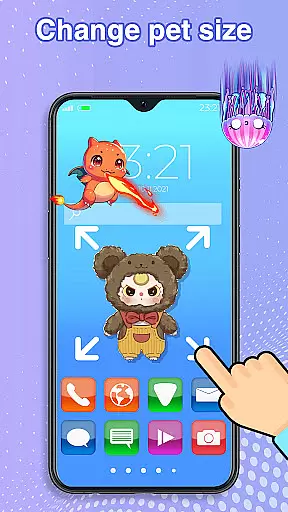
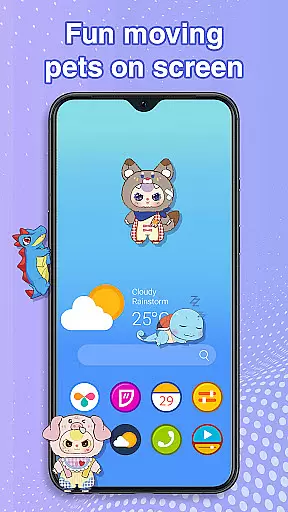
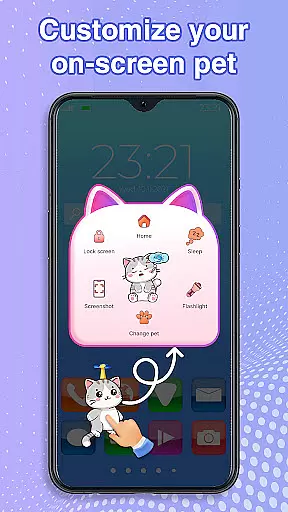
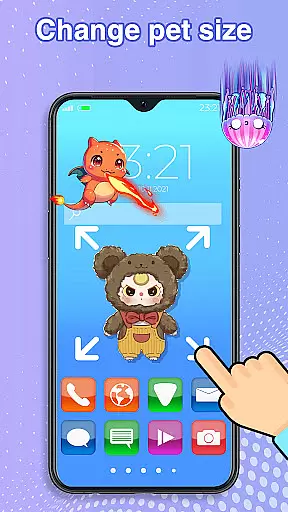
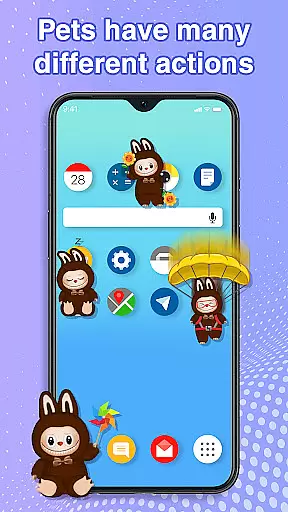
A key feature is the app's intuitive interaction system. Users can freely move pets across their screen, watch them respond to touch, and control their activity levels by putting them to sleep or waking them up. The ability to customize pet size and movement speed adds another layer of personalization.
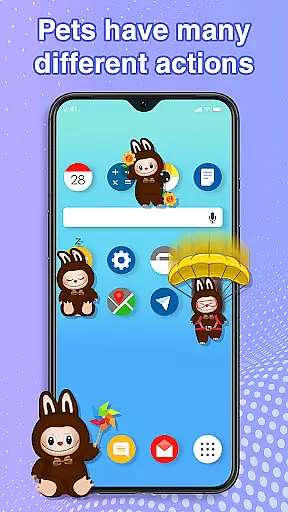
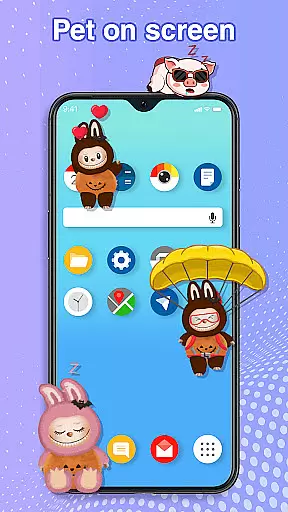
Unlike traditional live wallpapers, these pets exhibit random movements and behaviors, creating a dynamic and entertaining screen environment without affecting device performance or interfering with other tasks.
Customization is at the heart of Pet On Screen - Desktop Pet, allowing users to tailor their experience with a wide array of options. The app offers an extensive selection of pets, each with unique characteristics and animations, ensuring there's a perfect companion for every user.
Beyond choosing from various pets like the soothing Jellyfish or the energetic Labubu, users can adjust the size and movement speed of their virtual companions. This flexibility ensures that your pet not only fits your personality but also your deviceu2019s screen real estate and performance capabilities.
The ability to switch between pets effortlessly adds another layer of personalization. Whether you need a calming Panda during work or a vibrant Parrot during leisure time, this feature lets you match your on-screen pet with your current mood or activity.
Ultimately, these customization options empower users to create a personalized and engaging mobile environment. By offering diverse pets and adjustable settings, Pet On Screen - Desktop Pet enhances user satisfaction and interaction, making every day with your digital companion a delightful experience.
Pet On Screen - Desktop Pet excels in theme compatibility, seamlessly integrating with various device themes and interfaces. Regardless of whether your phone features a light or dark mode, these adorable pets will look great and maintain visual consistency across different settings.
The petsu2019 design considers varying aesthetics, ensuring they complement rather than clash with your deviceu2019s appearance. For instance, the majestic Fire Dragon or playful Labubu are crafted to enhance, not disrupt, your screenu2019s visual harmony.
This compatibility extends beyond mere aesthetics; it includes functional integration as well. Pets move smoothly across the interface without obstructing essential elements, thanks to careful design considerations that prioritize usability alongside charm.
By focusing on theme compatibility, Pet On Screen - Desktop Pet guarantees that users enjoy a cohesive and visually pleasing experience. This thoughtful approach ensures that no matter how you customize your deviceu2019s appearance, your chosen pet will always feel like a natural and delightful addition to your mobile world.
User-friendly interface
Wide variety of pets
Customizable pet settings
Smooth performance
Fun interactive features
Requires accessibility permission
Limited free options
May distract some users
No multiplayer mode
Occasional ads in free version

Stunningly Different look with Line Icons and Neon Colors
 4.60
4.60
Personalize your phone with stunning HD and 4K wallpapers!
4.70
Zip lock screen with magic wallpaper to decorate your phone with fun zipper lock
4.60
Nothing Icon pack with more than 3750+ highly crafted icons.
4.70
Choose your keyboard with RGB colors effect, themes, fonts, emojis.
4.60
Yandex Browser — stylish and secure, with voice search and data compression
4.40
Your go to Weather App & Home Screen. Get your weather at a swipe of a finger!
3.80
Magic fluids wallpaper 4D: Relax with stunning fluid simulation wallpaper app
4.20
Cool custom fonts & keyboard themes! Symbols & font changer for Instagram
4.50
Shimeji adds cute animated characters to your screen, lively and fun.
4.70
350+ widgets with a premium glass-style finish, perfect for home & lock screens.
4.70
Classic analogue watch face. For wear os devices.
4.60
Ultra realistic high quality analog watch face for Wear OS.
4.60
A retro cartoon style watch face and a punch right in the face of the copyright
4.60
Want to make your phone more special than ever?
4.60
Unleash Your Creativity and Connect with Loved Ones with Lockscreen Drawing!
4.20 4.10
4.10
HappyLighting is a Bluetooth lamp control software.
3.40
Interactive Miniature Painting Catalogue
3.30

User Reviews