

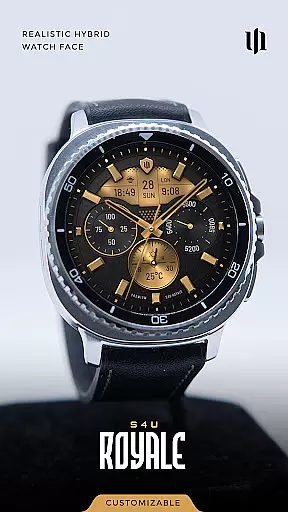
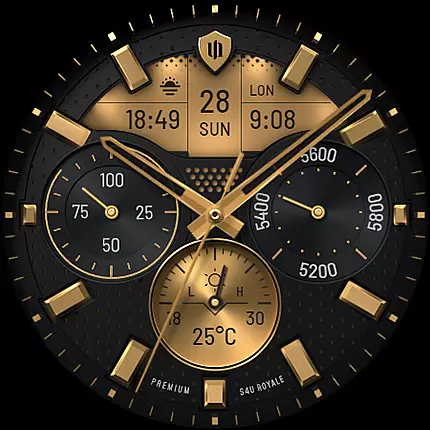
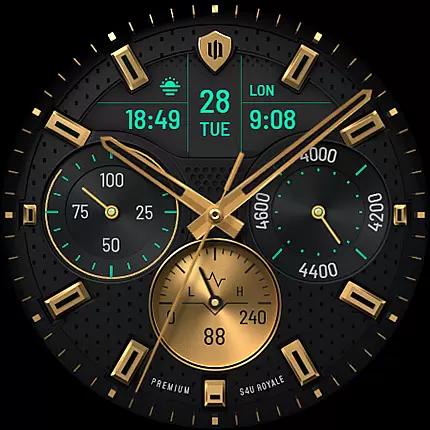
S4U Royale is a premium hybrid watch face designed for Wear OS smartwatches, offering users an elegant and highly customizable timekeeping experience. Compatible with devices like Samsung Galaxy Watch series and Google Pixel Watch, this app supports Wear OS 5 or higher (API 34+). It combines analog aesthetics with modern functionality, making it ideal for users seeking both style and utility on their smartwatches.
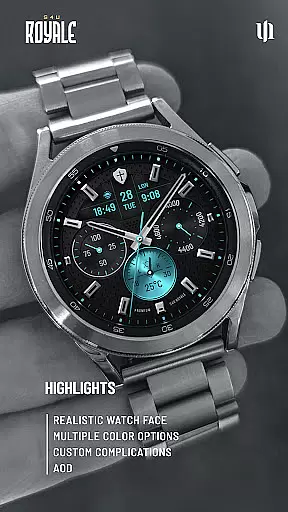
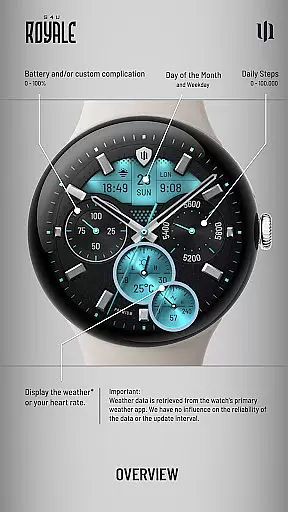
With features such as Always-On Display (AOD), editable complications, and multiple customization options, S4U Royale ensures a personalized experience. Users can adjust dial colors, shortcuts, and data displays to suit their preferences while enjoying essential metrics like step count, battery level, and weather updates. This makes the app perfect for fitness enthusiasts and tech-savvy individuals alike.
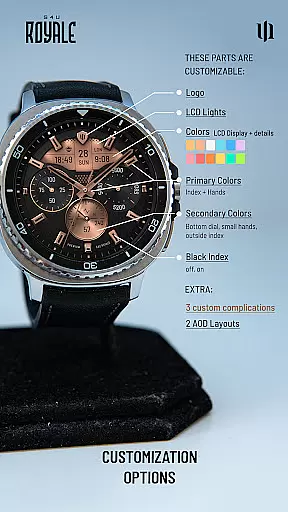
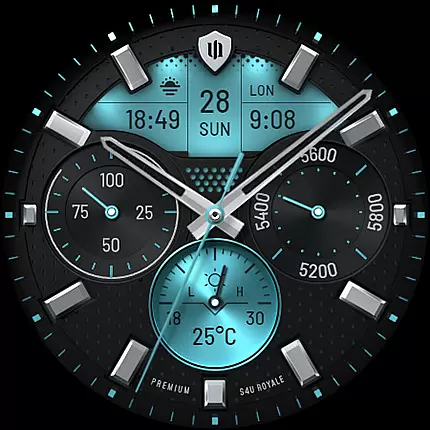
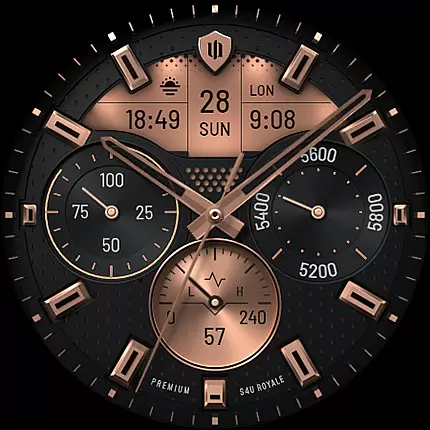
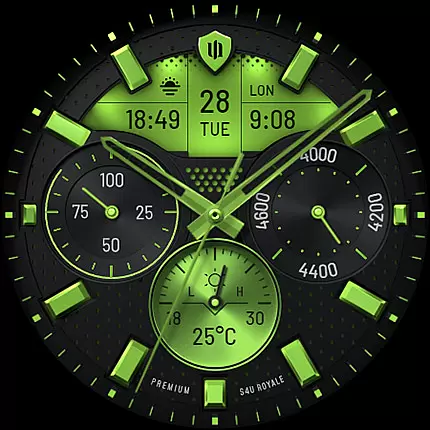
S4U Royale stands out with its extensive customization capabilities. The app offers two distinct Always-On Display layouts, nine primary color choices, eight secondary color options, and various adjustable elements like logo styles and index marks. These features allow users to tailor the watch face to match their personal style seamlessly.
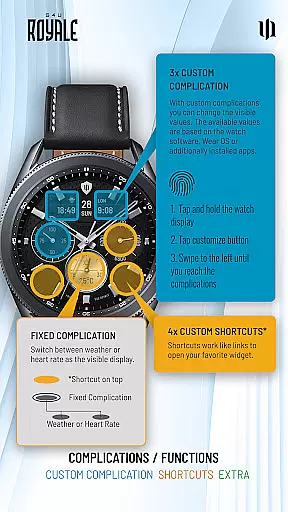
In addition to aesthetic customizations, S4U Royale provides practical functionalities through three editable complications and four app shortcuts. Complications enable users to display user-defined data such as heart rate or weather, while shortcuts provide quick access to favorite widgets. The inclusion of an adaptive Always-On Display further enhances usability by maintaining visibility without excessive battery drain.
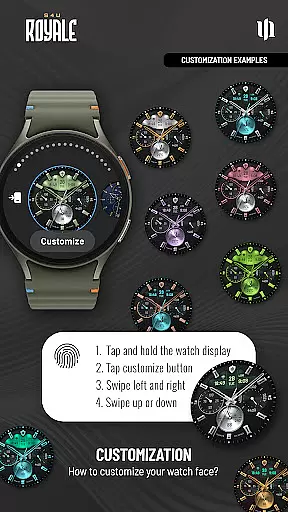
The app also emphasizes ease of use, allowing users to personalize settings directly from their watch interface. By pressing and holding the display, users can navigate through customization menus effortlessly. This intuitive design ensures that even those new to smartwatches can optimize their experience quickly and efficiently.
Customization is at the heart of S4U Royale, offering users a rich variety of options to personalize their smartwatch faces. With multiple dial color choices, users can tailor the appearance to match their personal style or mood. The watch face also supports 3 editable complications and 4 editable shortcuts, allowing for an unprecedented level of personalization and quick access to favorite widgets.
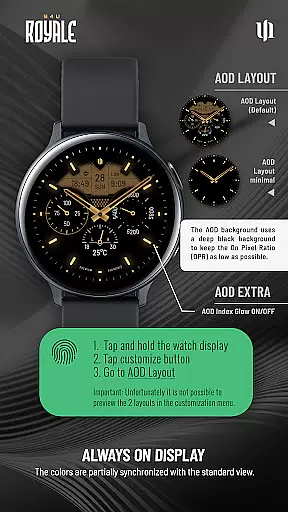
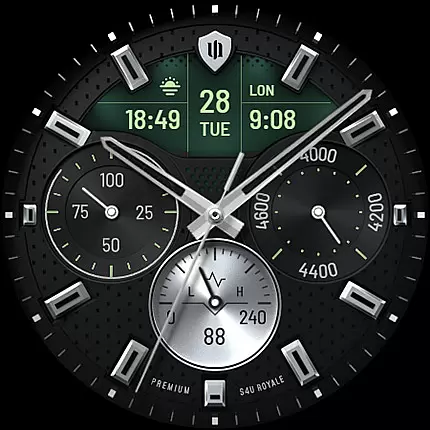
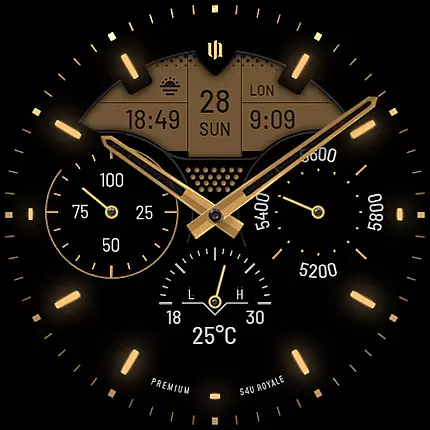
The Always-On Display (AOD) feature provides two distinctive layout options, ensuring optimal functionality even when the watch is in low-power mode. Users can choose from various customization elements such as logo styles, index marks, primary and secondary colors, and LCD light settings. These options empower users to create a unique and personalized watch face that truly reflects their individuality.
By enabling users to modify both aesthetic and functional aspects, S4U Royale enhances the overall user experience. Whether it's adjusting the display to show weather or heart rate on the bottom dial, or customizing the AOD layout, every feature is designed to offer flexibility and control. This extensive customization ensures that each user can craft a hybrid smartwatch face that perfectly suits their lifestyle and preferences.
S4U Royale stands out with its exceptional theme compatibility, supporting a wide range of customization options that cater to diverse user preferences. The watch face is compatible with Wear OS 5 or higher, ensuring seamless integration with a variety of smartwatches including Samsung Galaxy Watch series, Google Pixel Watch, and other Wear OS devices. This broad compatibility allows more users to enjoy a personalized and cohesive visual experience across different devices.
With 2 logo options, 9 primary color choices, 8 secondary color options, and additional settings like weather/heart rate display, S4U Royale offers comprehensive theme customization. Users can easily navigate through these options by pressing and holding the center of the watch display, then tapping the customize button. This intuitive process makes it simple to adjust the watch face to align with personal aesthetics or functional needs.
The adaptability of S4U Royale extends to its Always-On Display feature, which automatically adjusts colors to complement the standard watch face design. By maintaining visual consistency and providing options like AOD glow and layout variations, the app ensures that users enjoy a unified and visually appealing experience throughout the day. This attention to detail in theme compatibility enhances both usability and aesthetic satisfaction.
Highly customizable
User-friendly interface
Supports latest Wear OS
Beautiful hybrid design
Practical complications
Limited device compatibility
Battery consumption
Weather data dependency
Complex for beginners
Premium pricing

Wear Os Watch Face - Seasonal - Animated Snow Effect - 9 Animals
 4.20
4.20
Shimeji adds cute animated characters to your screen, lively and fun.
4.70
100+ Stylish Fonts, Emojis, Symbols keyboard for Instagram & TikTok!
4.80
Unique Fonts, typefaces and stylish text. Fonts for Instagram, Whatsapp & others
4.20
Choose your keyboard with RGB colors effect, themes, fonts, emojis.
4.60
One 8 icons glass color version
4.80
300+ Beautifully crafted widgets inspired by OneUI.
4.60
Your home screen, just the way you like it.
4.30
Transform your phone with stylish zipper lock themes and 4D live wallpaper
4.10
Wallpaper HD 4K Live - Thousands of high-quality Anime backgrounds for you.
4.80
300+ Stunning and well-designed widgets inspired by NOTHING.
4.70
300+ widgets inspired by Material You and Material 3 expressive design.
4.60
The definitive Icon pack maker and editor
4.30
Romantic Kiss Stickers App. Start romantic messaging now!
4.30
Realistic animated snow on your wrist, with 10 images landscapes to choose from
4.00
Customize glowing edges, wallpapers, and caller screen with EdgeAura.
3.50
HappyLighting is a Bluetooth lamp control software.
3.40
Turn your lock screen into fun with smile live wallpapers & animated wallpapers!
2.50
Custom edge gestures for volume control, brightness, apps, and shortcuts.
4.3

User Reviews