

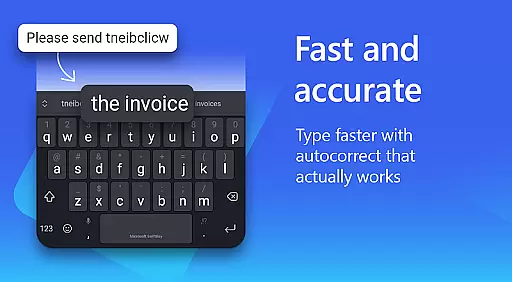
Microsoft SwiftKey AI Keyboard is an advanced personalization tool designed to enhance typing efficiency and style. This intelligent keyboard learns your unique writing patterns, offering personalized autocorrect and predictive text features that adapt to your slang, nicknames, and frequently used emoji.
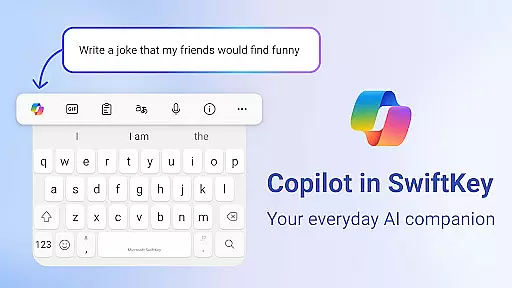
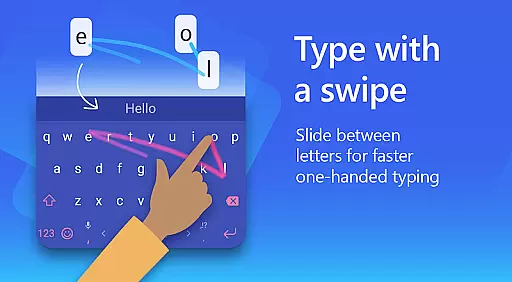
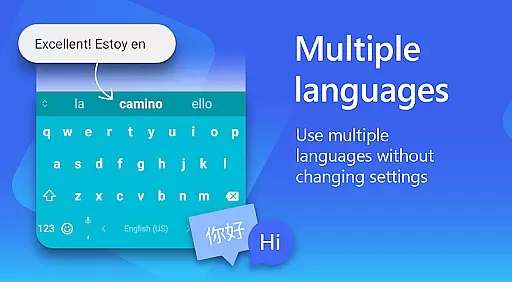
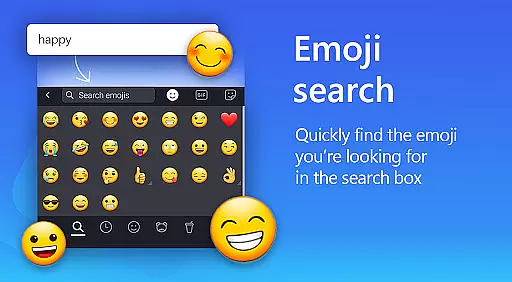
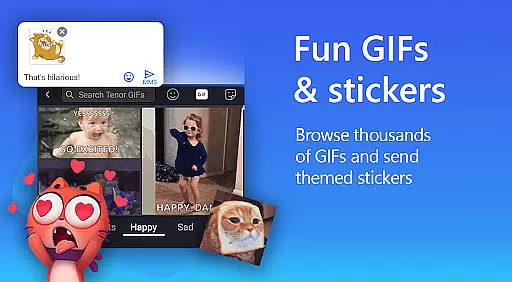
The app goes beyond basic typing with its AI-powered Copilot companion, allowing users to interact with AI directly within their favorite apps. With support for over 700 languages and the ability to enable up to five languages simultaneously, it caters to multilingual users. The inclusion of swipe-to-type, searchable emojis, GIFs, and stickers makes communication more expressive and efficient.
Whether you're looking to customize your keyboard theme or seeking a typing solution that grows with you, Microsoft SwiftKey provides a comprehensive package for personalizing your mobile experience.
Microsoft SwiftKey AI Keyboard stands out with its adaptive learning capabilities and extensive customization options. The app's core feature is its ability to learn and predict your typing style, providing increasingly accurate suggestions over time. This includes understanding context-specific language usage and adapting to informal expressions.
One of the most notable features is the AI-powered Copilot, which enables users to ask questions and receive assistance directly within their preferred applications. The custom keyboard toolbar offers quick shortcuts and allows users to transform their ideas into polished drafts through AI-driven rewriting tools. Additionally, the app supports rich content integration, including adaptive emoji predictions, searchable GIFs, and sticker options.
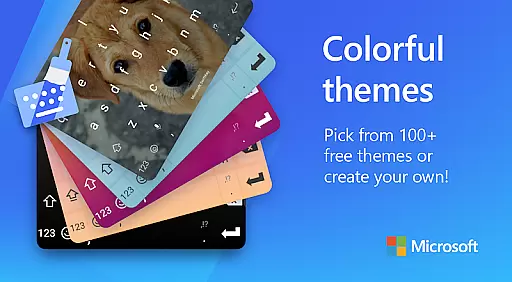
For those who value aesthetics, Microsoft SwiftKey offers over 100 colorful themes and the ability to create custom keyboard layouts using personal photos as backgrounds. The multilingual support extends to professional environments with spell checking and auto-correction across 700+ languages, making it an ideal choice for international communication.
Microsoft SwiftKey AI Keyboard offers an extensive range of customization options, allowing users to tailor their typing experience to match their personal style. With over a hundred colorful keyboard themes available, the app caters to diverse aesthetic preferences.
Beyond just selecting from pre-made themes, Microsoft SwiftKey enables users to create their own custom keyboard theme by using personal photos as the background. This feature ensures that each user's keyboard is not only functional but also a reflection of their unique identity and mood.
The app doesn't stop at visual customization; it also allows for adjustments in keyboard size and layout. Users can modify these aspects to suit their typing habits and hand sizes, ensuring comfort and efficiency while typing.
This level of customization extends to the typing experience itself, with adaptive learning technology that understands slang, nicknames, and frequently used emoji. By adapting to individual writing styles, Microsoft SwiftKey makes typing faster and more intuitive, providing a truly personalized experience.
Theme compatibility in Microsoft SwiftKey AI Keyboard ensures that all customizations and themes are seamlessly integrated into the typing experience. Regardless of the chosen theme or layout modifications, the app maintains optimal performance and visual consistency across devices.
Users can switch between different themes without experiencing any lag or inconsistency in their typing flow. The app supports various color schemes and design elements, which means that whether you prefer minimalist designs or vibrant patterns, your keyboard remains responsive and visually appealing.
Moreover, Microsoft SwiftKey's adaptive emoji keyboard works harmoniously with the selected themes, predicting favorite emoticons and enhancing expressiveness without disrupting the aesthetic balance. This integration enriches communication by making it both efficient and enjoyable.
By prioritizing theme compatibility, Microsoft SwiftKey guarantees that every customization enhances rather than hinders the user experience. This dedication to seamless integration empowers users to express themselves freely while enjoying uninterrupted functionality.
AI-powered predictions
Customizable themes
Multilingual support
Swipe-to-type functionality
Rich content integration
Optional permissions needed
Feature limitations without permissions
Potential privacy concerns
Learning curve for new users
Occasional prediction errors

Customizable Glass widgets. Over 360+ stunning widgets and more!
 4.70
4.70
A retro cartoon style watch face and a punch right in the face of the copyright
4.60
Prank your friends with realistic broken screen and cracked HD effects!
4.2
A launcher for Samsung Good Lock and Good Guardians modules without ads
4.70
Shimeji adds cute animated characters to your screen, lively and fun.
4.70
Wallpaper HD 4K Live - Thousands of high-quality Anime backgrounds for you.
4.80
Vibrant Adaptive Icons with Material You and Enhanced Monet Colors.
4.50
Transform your device in a game console
4.40
Customize phone with anime themes, 3D icons, aesthetic widgets & wallpapers
4.80
Only for Wear OS devices!
4.90
Winter's Journey: digital watch face for Galaxy Watch & Wear OS
4.80
Sparkle your screen with Glitter Wallpapers For Girls and Cute Backgrounds!
4.80
Classic analogue watch face. For wear os devices.
4.60
Ninja Turtles Cowabunga SE watch face for Wear OS
4.50
Romantic Kiss Stickers App. Start romantic messaging now!
4.30 4.10
4.10
Emoji Maker app - Design custom emojis and effortlessly blend them with Mixer
3.80
Turn your lock screen into fun with smile live wallpapers & animated wallpapers!
2.50
Custom edge gestures for volume control, brightness, apps, and shortcuts.
4.1


User Reviews