

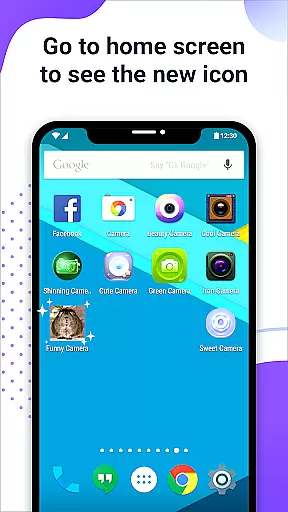
X Icon Changer is a free personalization app that allows users to customize and change icons for any app on their Android device. With access to built-in icon packs, gallery images, or third-party options, users can easily create personalized shortcuts on their home screen. The app also supports adding GIF animations to app launches.
One of the standout features is its compatibility with widget technology, which helps avoid watermark issues on devices running Android 8.0 and above. This makes it an ideal tool for those looking to fully personalize their smartphone experience without limitations.
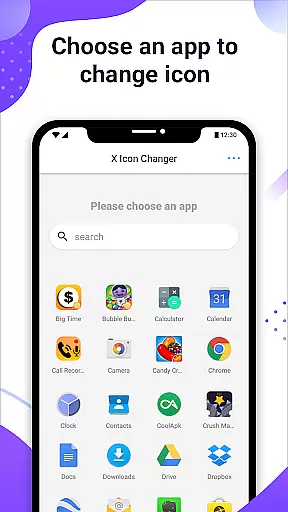
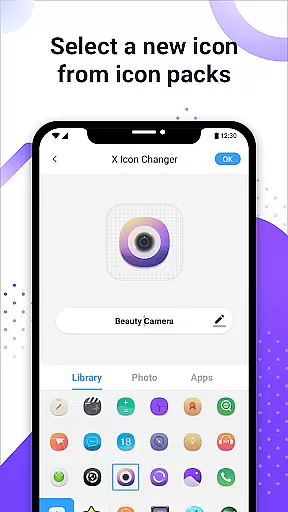
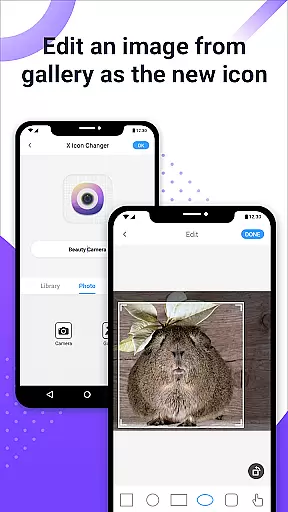
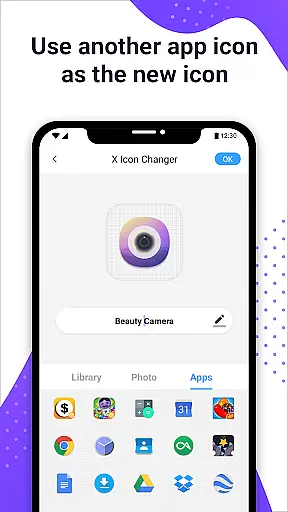
The app offers a variety of powerful customization features. Users can choose from pre-built icon packs, import images from their gallery, or even use icons from other apps. Each new shortcut can be further customized with unique names or left unnamed based on preference.
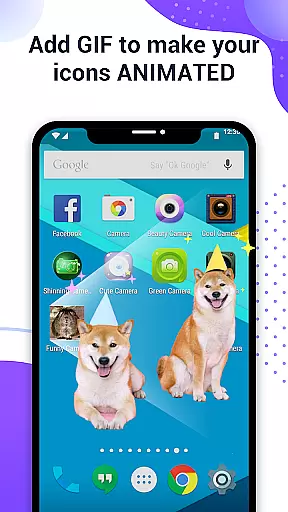
Additionally, X Icon Changer includes support for animated GIFs, allowing users to add dynamic visuals when launching apps. For devices running Android 8.0 and higher, the widget-based solution ensures no watermarks appear on the newly created icons, providing a seamless and professional appearance.
This combination of flexibility, ease of use, and advanced features like GIF integration makes X Icon Changer a top choice for Android personalization enthusiasts.
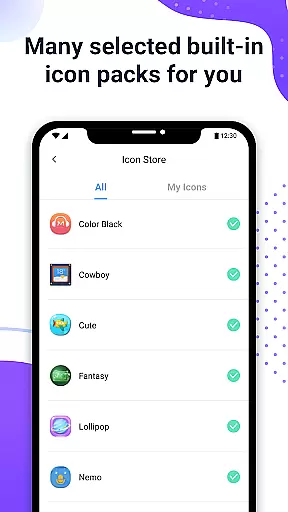
X Icon Changer offers an extensive range of customization options, allowing users to personalize their app icons effortlessly. The app provides a diverse selection of built-in icon packs, which cater to various tastes and preferences.
Users can also choose new icons from their gallery or other app icons, ensuring that they can replicate their unique style on their home screen. This flexibility in sourcing icons empowers users to create a cohesive and personalized smartphone interface.
In addition to changing icons, the app allows for the renaming of apps, adding another layer of personalization. Users can assign creative names or even leave them blank for a minimalist approach.
The ability to add GIFs to app shortcuts further enhances the customization experience. When launching an app with a custom icon, an interesting GIF animation plays, offering a dynamic and engaging user experience.
Theme compatibility is at the heart of X Icon Changer's functionality. The app ensures that all customizations are visually consistent and compatible with the overall theme of the user's device.
For devices running Android 8.0 and above, where watermarks might be an issue, X Icon Changer innovatively uses widget technology to circumvent this problem. By dragging the app's widget to the desktop, users can change icons without any watermark, maintaining a seamless visual appearance.
This thoughtful integration of widgets not only solves the watermark challenge but also enhances the user experience by providing a clean and professional look to the customized icons.
With these features, X Icon Changer guarantees that every personalized element is perfectly in sync with the device's existing aesthetics, delivering a polished and harmonious interface that reflects the user's personal style.
Completely free to use
Wide selection of icon packs
Supports animated GIFs
No watermark via widgets
User-friendly interface
Limited iOS compatibility
Requires manual setup
Third-party packs needed
Widgets may confuse new users
Occasional bugs reported

Ultra realistic gold analog watch face with lots of customization options.
 4.50
4.50
Sparkle your screen with Glitter Wallpapers For Girls and Cute Backgrounds!
4.80
AI-powered Copilot. Personalized keyboard with gifs, stickers & themes
4.40
Dark icon pack based on One 8
4.80
More than 3000+ themes and 9000+ wallpapers for everybody!
4.10
Turn text & photos into stunning AI videos, art, and creative visual stories.
4.50
300+ widgets inspired by Material You and Material 3 expressive design.
4.60
Transform your device in a game console
4.40
Modern Glass Icon Pack with glossy icons, clean minimal theme & aesthetic style
4.0
Shimeji adds cute animated characters to your screen, lively and fun.
4.70
300+ Stunning and well-designed widgets inspired by NOTHING.
4.70
Glass style colourful icons with a One UI look and feel
4.60
Add cute Shimeji pets to screen, interact with them and relax with cute motions
4.60
Over 28,000 high quality icons to bring color & homogeneity to your phone.
4.60
Ultimate Gallery Lock App - Hide Pictures, Videos and Lock Apps Instantly!
4.60
300+ Beautifully crafted widgets inspired by OneUI.
4.60
Handcrafted pixel art icons, widgets & wallpapers
4.60
Customizable flower power digital watch face for Wear OS watches.
4.00
Prank your friends with realistic broken screen and cracked HD effects!
4.2


User Reviews